Enable users to export or view in a table format the forecasts generated from graphs using ETS, ARIMA, or Prophet models.
Brillant idea!
Loved the idea. Thinking of few use cases:
Edit:
Upvoted.
Yes this is a great idea and fits in with similar related submitted ideas elsewhere
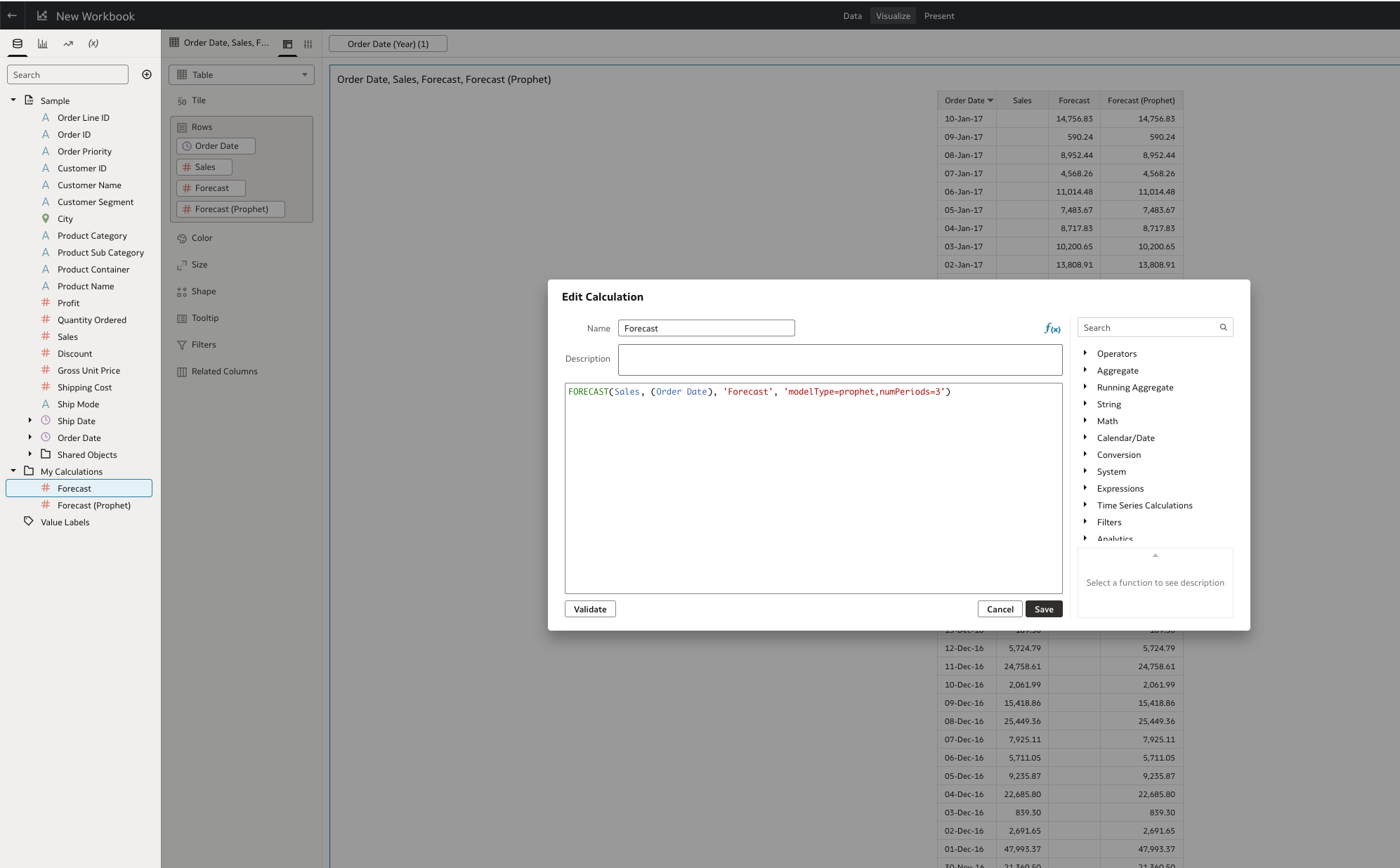
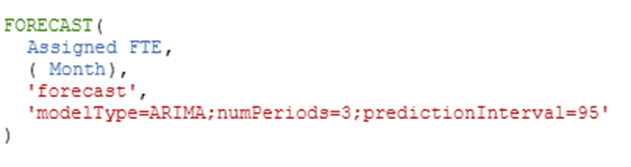
As mentioned by @Gianni Ceresa , using the forecast function will allow to do the same. Basically surfacing this function as a feature with one-click would achieve what is requested:
@Benjamin Arnulf-Oracle @Gianni Ceresa
I am using the forecast function as shown above and running in to challenges when viewing multiple departments within one table. For example, forecasting FTE by department. If I look at one department at a time the forecast seems accurate, but when I add multiple departments, it shifts the forecast and seems like it is considering the FTE for all departments to forecast the FTE for one. Has anyone else experienced this? Example below.
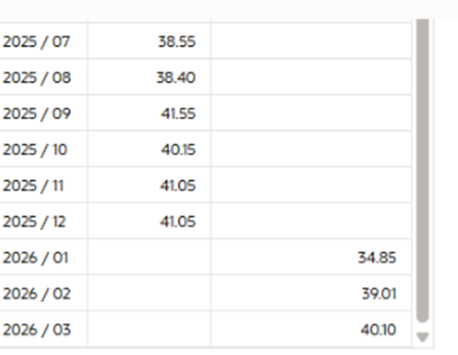
When the table contains multiple departments, the forecast for one department is as follows (nothing in the data suggests we will be at 34.85 next month):
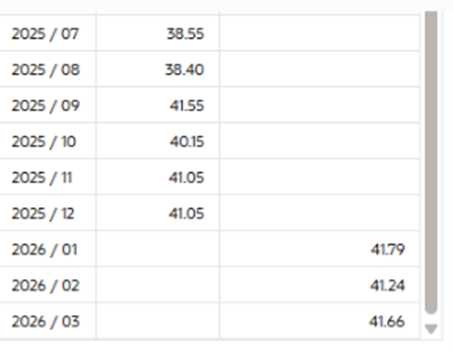
When we view this same department as the only department in the table, it seems accurate:
+ @Avinash Krishnaram-Oracle for additional expertise.
@Lalitha Venkataraman-Oracle - can you pls check if the customer needs to file a SR to triage this further?
@Lalitha Venkataraman-Oracle I wanted to check if there are any updates on this. We have a strong business need to use the forecasting feature within a table, but the current data accuracy is preventing us from moving forward. Could you advise on next steps or any actions we can take to resolve this?
@Gina DiVenti Hope you are doing wwell. I am trying to replicate the issue. I have tried few cases and could not narrow down to the scenario. In my dataset, I have 3 Departments: Furniture, Office Supplies and Technology. I am predicting Sales for each department.
Background:
Sales Overall Prediction (1 Period Ahead) - 223.68M Each Department Individually : Furniture (1 Period Ahead) - 66.6M Office Supplies (1 Period Ahead) - 126.2M Technology (1 Period Ahead) - 40M Sum = ~232.8M If you predict independently, you will always have some difference. That is the statistical variation. In simple words, Smaller Segments have high variation. I guess this is not what you are referring to.
Case
Descriptions
Observations
1
Forecast Calculation vs Right Click Forecast
Same values are reflected
2
Predicting Each department Independently and Summing them - All departments are just added to Color
Sales Overall Prediction (1 Period Ahead) - 223.68M
Each Department Individually :
Furniture (1 Period Ahead) - 66.6M
Office Supplies (1 Period Ahead) - 126.2M
Technology (1 Period Ahead) - 40MSum = ~232.8M
3
Predicting Each department Independently and Summing them
- All departments are just added to Trellis
Same behaviour as above
I am trying to replicate this Scenario you mentioned - "" When the table contains multiple departments, the forecast for one department is as follows (nothing in the data suggests we will be at 34.85 next month) "" Please share with me more details like - Formula( …) Model, preiods projected etc. This would help me narrow down and understand the issue better.
@Laxminag Mamillapalli thank you for helping look at this! I will try to explain better below what I am seeing.
The goal is to have a single consolidated table that includes multiple departments, with each department having its own independent forecast. The FTE values from other departments should not influence or alter the forecast for a department. We’ve observed that forecasts differ when multiple departments are included in a single table compared to when each department is analyzed individually. In the comparison below, the first table is filtered to three departments, while the second table is filtered to one department only. The individual department forecast (table 2) appears accurate, whereas the combined table seems to average across all departments, resulting in less accurate forecasts. We would expect that the forecasts for Department 3 would be the same across both tables, regardless of how many other departments are in the first table.
Department Name
Month
Assigned FTE
FTE Projection
Department 1
2024 / 10
4.00
2024 / 11
2024 / 12
2025 / 01
2025 / 02
2025 / 03
2025 / 04
2025 / 05
2025 / 06
2025 / 07
2025 / 08
2025 / 09
2025 / 10
2025 / 11
2025 / 12
5.00
2026 / 01
2026 / 02
2026 / 03
Department 2
37.10
37.50
40.20
40.95
43.00
43.30
42.60
42.30
44.70
42.00
43.70
42.80
44.75
38.85
40.16
40.93
Department 3
34.25
31.90
31.10
31.40
33.65
33.60
34.00
36.40
39.80
38.55
38.40
41.55
40.15
41.05
40.45
36.82
40.19
41.40
40.80
41.14
Currently using this formula, but I have seen similar issues when using ETS. I have also expanded the timeframe to include almost 3 years and have the same problem.
We want to increase the rest api limit for this payload to incease from current 25 limit to 100. we are calling this api through RF Smart and due to limitation for paging size, the packing units more than 25 does not show up. Can you please increase the limit atleast to 100.…
We have observed a potential issue with dataset refresh schedules when changing the Data Access mode. When a dataset is configured with Automatic Caching, a reload schedule can be defined to refresh the data at specified intervals. However, if the Data Access setting is subsequently changed from Automatic Caching to Live,…
Would like for the old classic BIP bursting feature to be fully Agent aware so that end users no longer need to be concerned with scheduling via the classic console or building out as many BIP reports just to support this one thing.
We have various data sources in Microsoft Fabric and need the ability to build reports in Oracle Analytics Cloud that connect to data sources in Microsoft Fabric. This is an unavoidable reality in today's complex data ecosystems. Microsoft Fabric requires authentication via Microsoft Entra. We opened an SR and Oracle told…
With the OAC Visualization AI Skill, users can potentially extend existing custom visualizations and address limitations encountered in real-world use cases. As an example, we used the AI Skill to enhance the OracleVectorMapsH3 visualization from approximately 10,000 data points to a version supporting up to 50,000 data…