Categories
- All Categories
- Oracle Analytics and AI Learning Hub
- 54 Oracle Analytics and AI Sharing Center
- 26 Oracle Analytics and AI Lounge
- 310 Oracle Analytics and AI News
- 57 Oracle Analytics and AI Videos
- 16.4K Oracle Analytics and AI Forums
- 6.7K Oracle Analytics and AI Labs
- Oracle Analytics and AI User Groups
- 118 Oracle Analytics and AI Trainings
- 23 Oracle Analytics and AI Challenge
- Find Partners
- For Partners
Welcome to the Oracle Analytics Community: Please complete your User Profile and upload your Profile Picture
Andhra Pradesh Tourism Dashboard

Sukumar Reddy Beesu
Rank 2 - Community Beginner
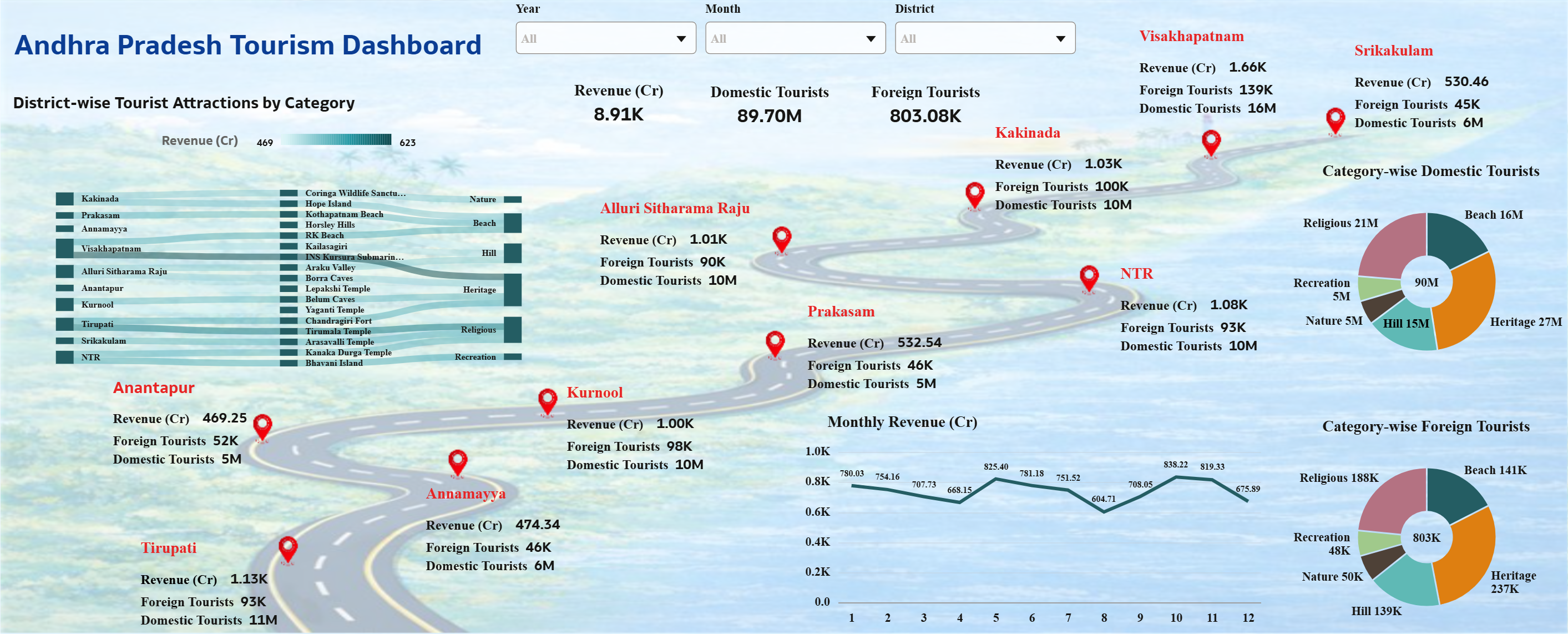
- Which dataset did you use?
I used an Andhra Pradesh Tourism dataset. It contains details like district, tourist places, category (beach, temple, hill, etc.), number of domestic and foreign tourists, revenue, average stay days, and latitude & longitude for map visualization. - How did you analyze or prepare the data?
I cleaned the dataset by removing errors and organizing columns properly. I created calculated fields like total tourists (domestic + foreign) and used the data to build charts such as revenue trends, category analysis, and district-wise performance. I also used latitude and longitude for map-based visuals. - Who is the intended audience?
The dashboard is designed for tourism department officials, government authorities, and business decision-makers who want to understand tourism performance and trends. - What is your visualization about, and what problem does it address?
The visualization shows tourism performance across districts in Andhra Pradesh. It helps to identify:
Top revenue-generating districts
Popular tourism categories
Seasonal trends
Tourist behavior (domestic vs foreign)
It solves the problem of lack of clear insights by presenting all tourism data in one interactive dashboard. - Did you use Oracle Analytics AI features?
Yes, I used auto visualization (Auto Insights) to quickly generate charts and identify patterns in the data, which helped in selecting suitable visuals. - Did you upload your visualization image and DVA file?
Yes, I uploaded the dashboard image and the DVA file for submission.
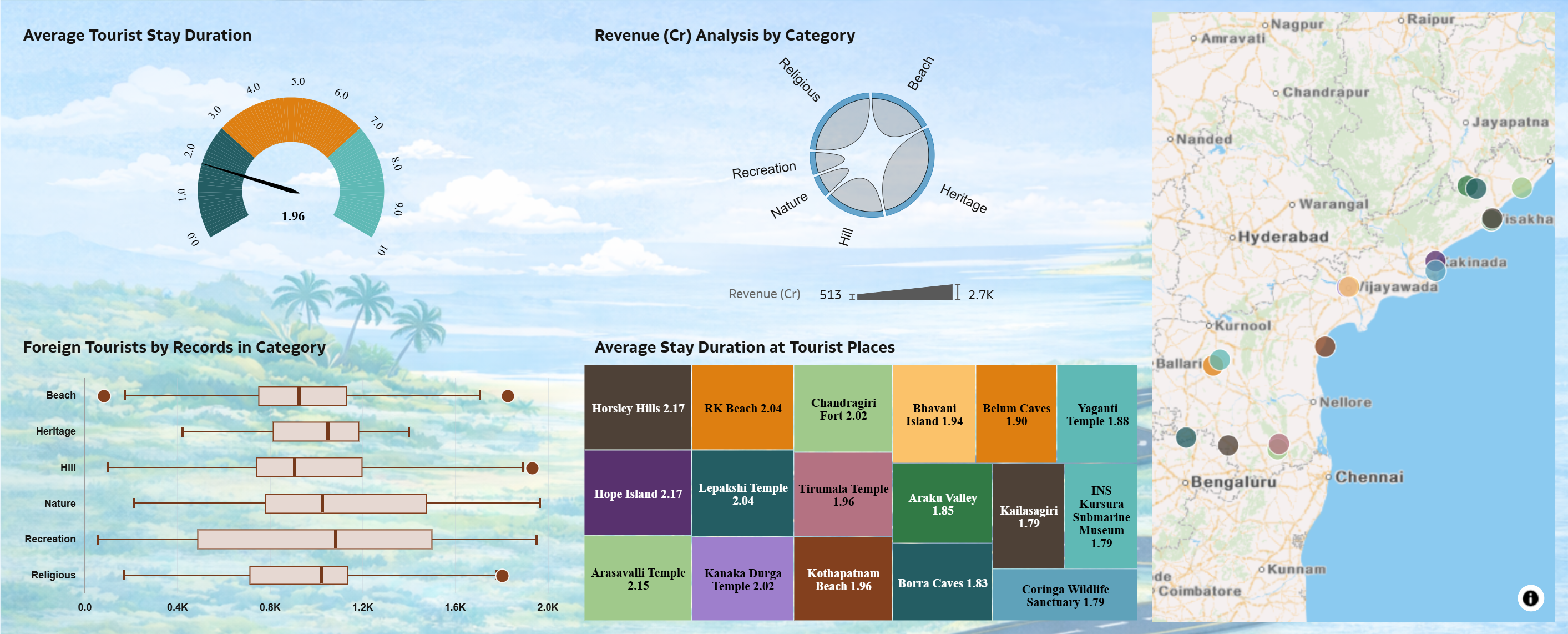
- Drill-down and Navigation Feature
Yes, for one Visualization I implemented an interactive drill-down feature. From the first canvas, users can click on the district-wise tourist attraction visualization to navigate to the second canvas, where detailed analysis of that selected district is shown.
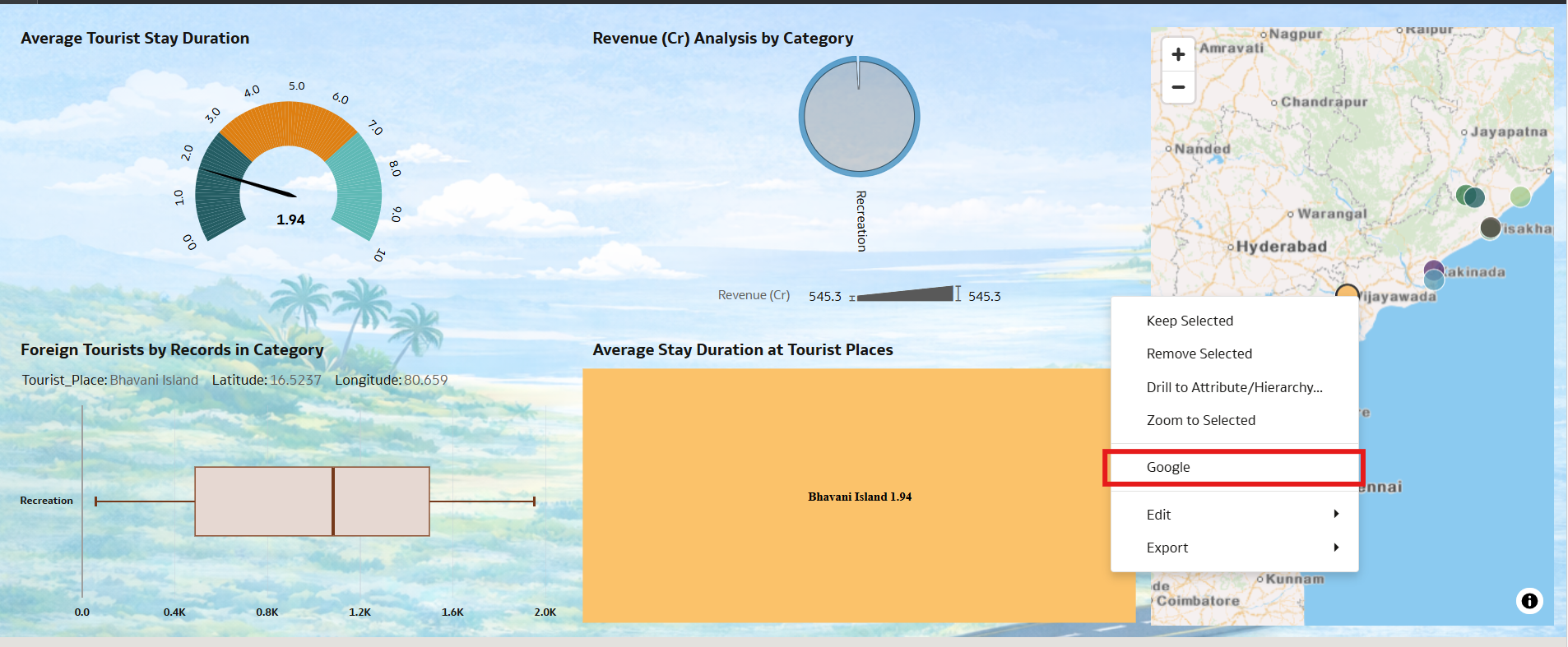
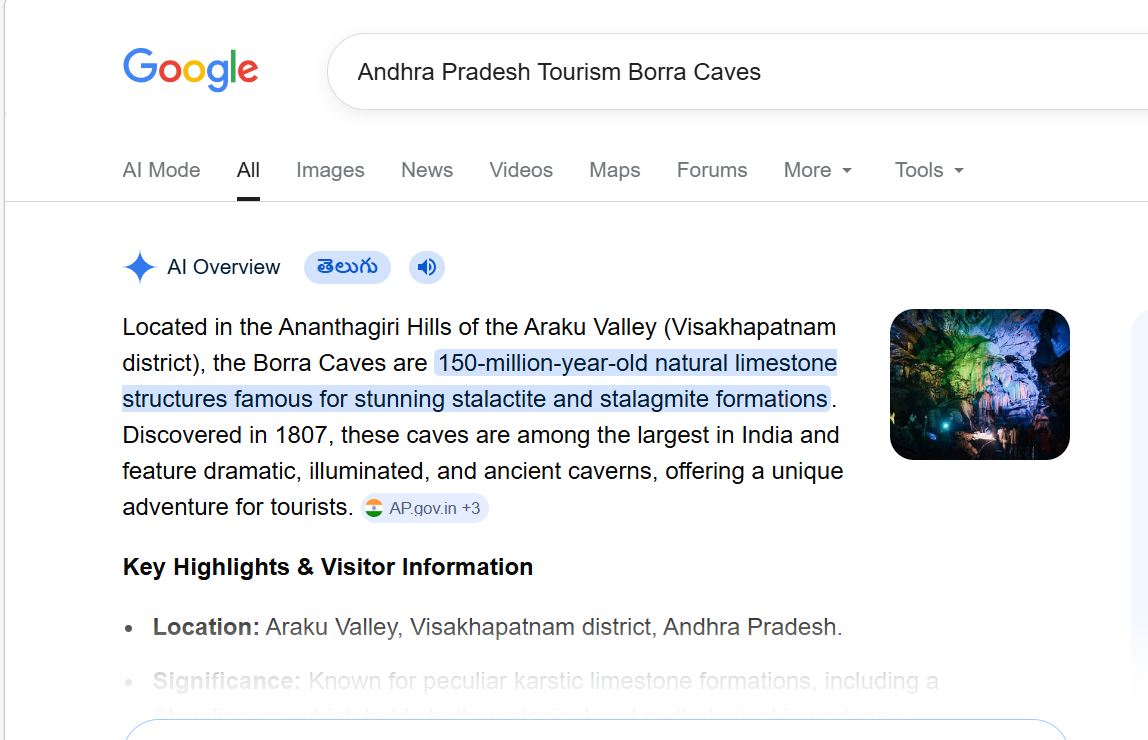
- External Navigation
In the second canvas, I added a feature where selecting a tourist location allows users to navigate to Google, showing the exact location details and about the place. This helps users explore the place in real time.
4
Comments
-
عملك مميز جدا ارجوا مساعدتي في عمل كهذا في المملكه العربيه السعوديه ….أنت مبدع جدا
0 -
Hi @User_NO120 ,
Thank you for your kind feedback. I’d be happy to assist you in developing a dashboard.
0 -
كيف يمكن عمل للمدينه المنورة في السعوديه ذات المساجد التاريخيه والسياحيه
0 -
fafa151511@gmail.com هذا ايميلي انا فهد اعمل مرشد سياحي في السعوديه
0