Categories
- All Categories
- Oracle Analytics Learning Hub
- 30 Oracle Analytics Sharing Center
- 20 Oracle Analytics Lounge
- 248 Oracle Analytics News
- 45 Oracle Analytics Videos
- 16.1K Oracle Analytics Forums
- 6.3K Oracle Analytics Idea Labs
- Oracle Analytics User Groups
- 92 Oracle Analytics Trainings
- 16 Oracle Analytics and AI Challenge
- Find Partners
- For Partners
Conditionally display text in Narrative View on an Analysis
Hi all,
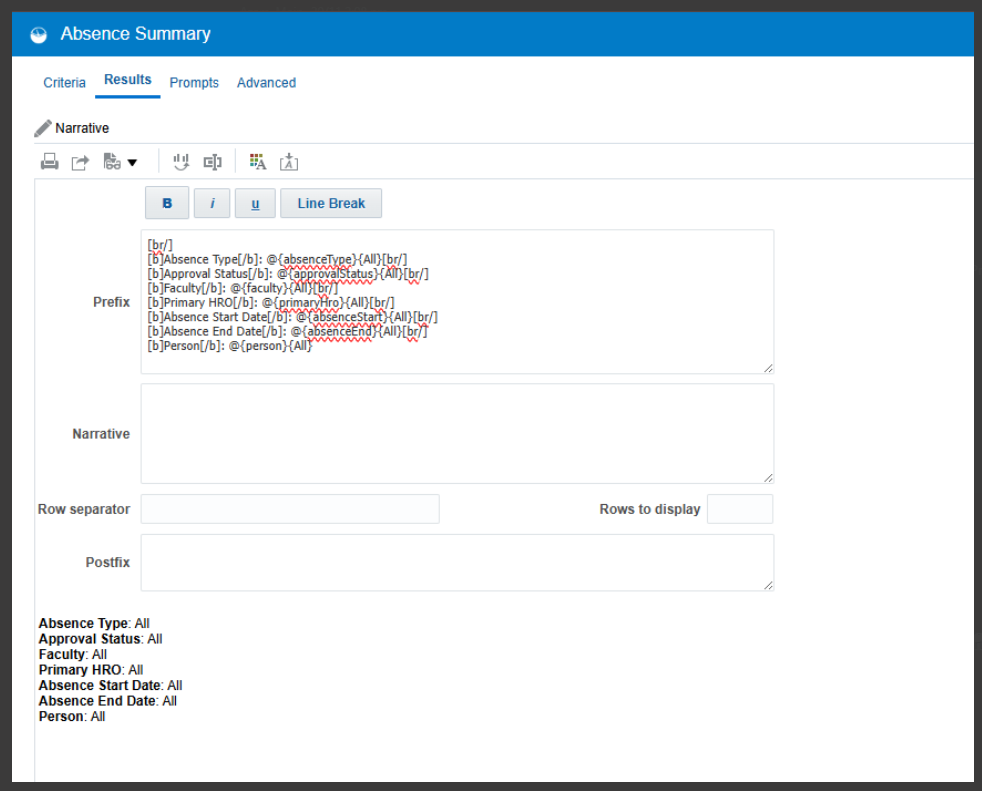
We're using the Narrative View to display the prompts used in the report (Prompt Name and entered Value) on an Analysis, using the standard approach of "Prompt Name: @{value}{All}" we're displaying "Prompt Name: All" if a prompt isn't populated, however is there a way of conditionally not showing the entire line if the prompt is not entered (to avoid cluttering the output) ?
Thanks in advance.
Carl

Answers
-
Hello Carl,
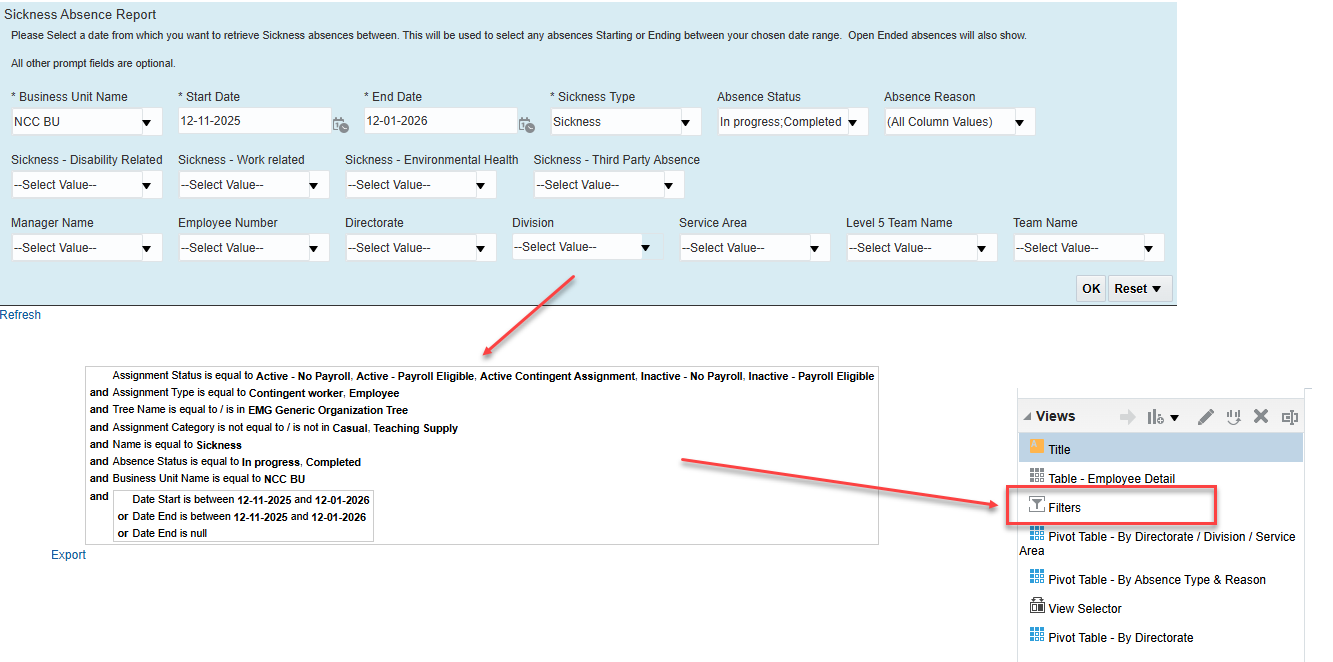
The Filter view will do this automatically for you, though doesn't quite present the details in as simplified form as you are proposing. I use the Filter View in our sickness reports as follows:
1 -
Thanks for the reply @Richard Kemp-Eyre , I've avoided using the Filters View as the report(s) have several other filters applied that are not presented as Prompts to the users, and the desire is to 'hide' these filters from the recipients of the reports.
…maybe a case for an ER to create a "Prompts View" that works in the same way as the Filters View.
Kind Regards
Carl
0 -
Hi Carl,
Yes, that can be a problem especially if you have plenty of other hidden filters like I have in my screenshot relating to assignment status, etc.
The alternative would be to tick the 'Contains HTML/Javascript/CSS Markup' and then wrap each line with a HTML or Javascript conditional display element. A quick google suggests it is possible to do this in HTML, but I've never tried it and some things may not work as expected when embedded in an OTBI analytic.
1