This article answers common Oracle Fusion Data Intelligence linked Oracle Autonomous AI Lakehouse Upgrade to Oracle AI Database 26ai questions to clarify the process and make it as straight forward as possible.
1. What’s the timeline for the upgrade?
Beginning January 23, any new Oracle Fusion Data Intelligence instances will automatically use Oracle AI Database 26ai.
The self-service upgrade option for existing instances becomes available on January 23. Refer to Scheduled Upgrades Documentation (Earliest available schedule option)
2. Will I be notified before the self-service upgrade option becomes available?
Yes, you will receive an email the night before it becomes available.
3. What happens if I don’t initiate the self-service upgrade?
Oracle will schedule the upgrade and notify you by email 15 days in advance.
4. What do I need to know before I begin the self-service upgrade?
Don’t schedule data loads (for example, daily incremental loads and dataflows) during the upgrade. If you begin the self-service upgrade while a data load is in progress, the upgrade will proceed, but the data load will fail and must be re-initiated after the upgrade.
5. When should I schedule the upgrade?
Oracle recommends you schedule your production instance upgrade on a weekend. Less critical instances can be scheduled for upgrade at any time.
6. Can I select a time slot for the self-service upgrade?
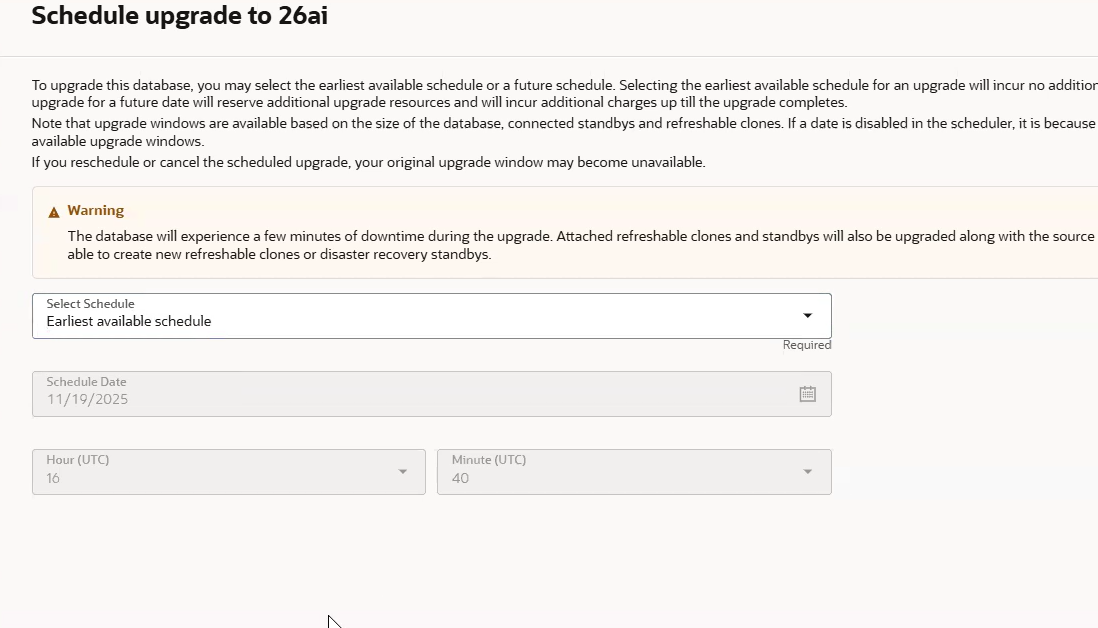
You can use the Earliest available schedule option to schedule the upgrade in the Oracle Cloud Infrastructure Console. If you’re upgrading an Oracle Fusion AI Data Platform linked Oracle Autonomous AI Lakehouse to Oracle AI Database, only select Earliest available schedule. Don’t select Future schedule. For more information, see the Scheduled Upgrades documentation.
8. How long will my instance be unavailable during the upgrade?
Downtime typically ranges from 15 to 30 minutes, but Oracle recommends you plan for 30 minutes to several hours.
9. Will I receive a notification when the upgrade is finished?
Yes, you will receive an email upon upgrade completion.
10. What post-upgrade validation steps do I need to take?
No required actions are required; however, Oracle recommends performing a general review or validation, as is typically done with any upgrade.





