Oracle Analytics Forum

Welcome to the Oracle Analytics Community: Please complete your User Profile and upload your Profile Picture

In Oracle DV , Unable to repeat the values in Pivot table. All the columns are suppressed by default

Received Response
28
Views
5
Comments
Bala.01
Bala.01 Rank 3 - Community Apprentice
edited Feb 25, 2026 8:19PM in Oracle Analytics Forum

Unable to repeat the values in Pivot table in Oracle DV. All the columns are suppressed by default. Our end users are not happy with the results appearance. The data export in excel format also has the same behavior. This is a required feature. Appreciate if this feature be rolled out asap

Answers

  • Submit to Idea Lab

    https://community.oracle.com/products/oracleanalytics/categories/ideas

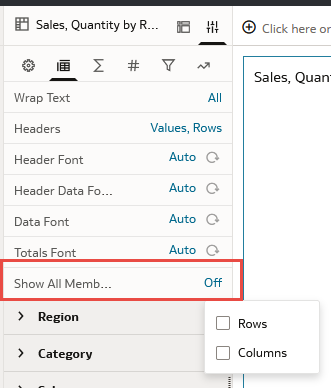
  • Would this work for you

    image.png
  • Chere-Oracle
    Chere-Oracle Rank 6 - Analytics & AI Lead

    All the columns are suppressed by default.

    Hi Bala.01,

    I have 2 questions:

    • Is this pivot table a DV Visualization, or is it a view in Answers?
    • From where are the columns being pulled — from an uploaded file or from a subject area?

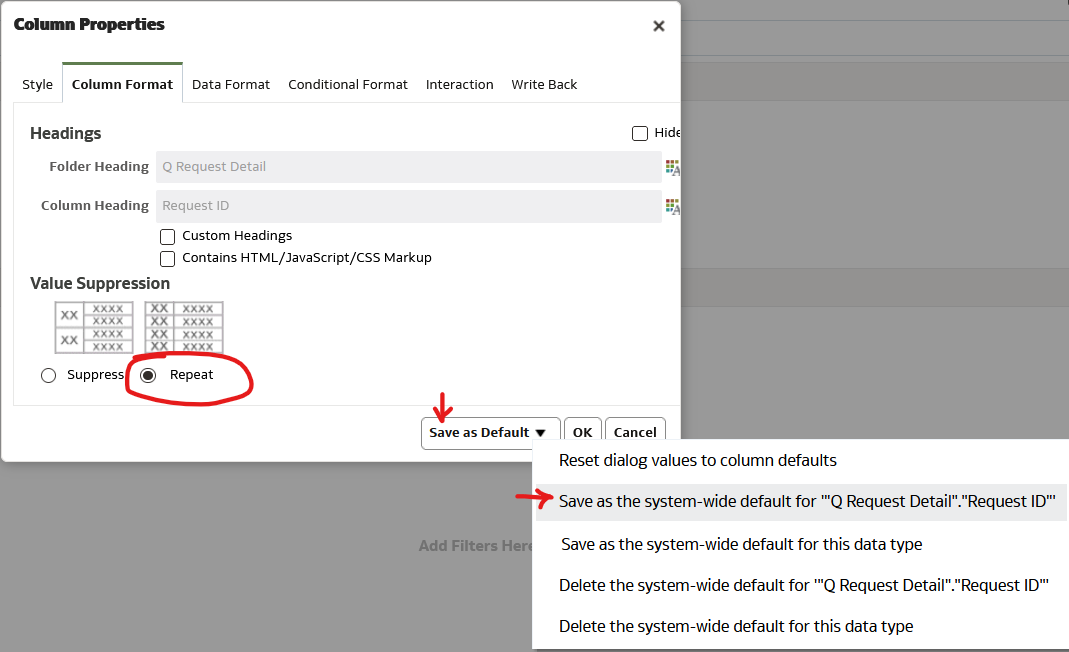
    Columns from subject areas can have their default properties changed if done in the Criteria tab of Answers. If you can, check there to see if the "Save as Default" button is available in the Column Properties dialog. Once the default is changed, the column should exhibit the newly saved default in DV, too.

    image.png
  • Bala.01
    Bala.01 Rank 3 - Community Apprentice

    Hi @Chere-Oracle ,

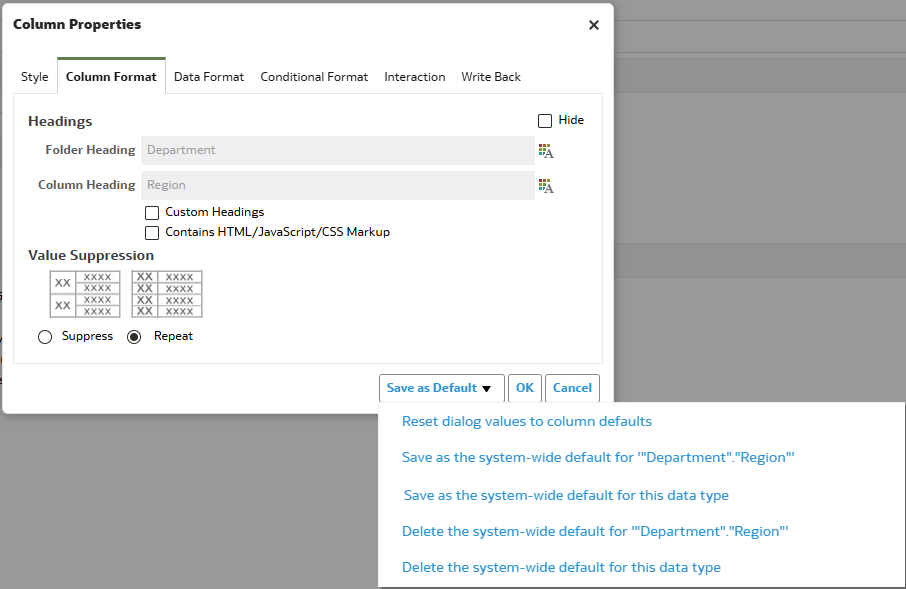
    The issue exists in Oracle DV. Thanks for the suggestion. The column was already defaulted with 'Repeat' option as below. However, i tried saving as you mentioned. There is no change to the behavior. I also tried clearing the browser cache, system cache, sign out & sign in, still there is no lock. Is there anything that i am missing? Even if this works, should i do the same for all RPD columns?

    image.png
  • Chere-Oracle
    Chere-Oracle Rank 6 - Analytics & AI Lead

    The column was already defaulted with 'Repeat' option as below.

    Hmmm… Saving as the system-wide default has always worked for me, but I have not encountered an example that already had the desired setting as the default.

    However, i tried saving as you mentioned. There is no change to the behavior.

    You might try picking "Suppress," saving as the system-wide default for "Department"."Region", then picking "Repeat" again and saving it again as the system-wide default.

    Even if this works, should i do the same for all RPD columns?

    If it works, this is the only way I know of to accomplish it. As far as I know, yes, you should do the same for all RPD columns. There could, however, be a problem if other people change the default back again.