Categories
- All Categories
- Oracle Analytics and AI Learning Hub
- 39 Oracle Analytics and AI Sharing Center
- 20 Oracle Analytics and AI Lounge
- 276 Oracle Analytics and AI News
- 50 Oracle Analytics and AI Videos
- 16.2K Oracle Analytics and AI Forums
- 6.4K Oracle Analytics and AI Idea Labs
- Oracle Analytics and AI User Groups
- 102 Oracle Analytics and AI Trainings
- 17 Oracle Analytics and AI Challenge
- Find Partners
- For Partners
How to know which RCU schema is the "active" one
Having inherited a machine on which the Oracle database and WLS/FMC/OBIEE are installed, it appears that there were several attempts to install and configure the software. As a result, there are many database schemas that look like the components of an RCU.
For example, I have many _BIPLATFORM schemas, many _IAU schemas, and so forth, each with a different prefix.
What can I query or look at to see which of those several installations contain the "real" RCU schema for my system (and which ones are just leftovers that weren't properly deleted)?

Answers
-
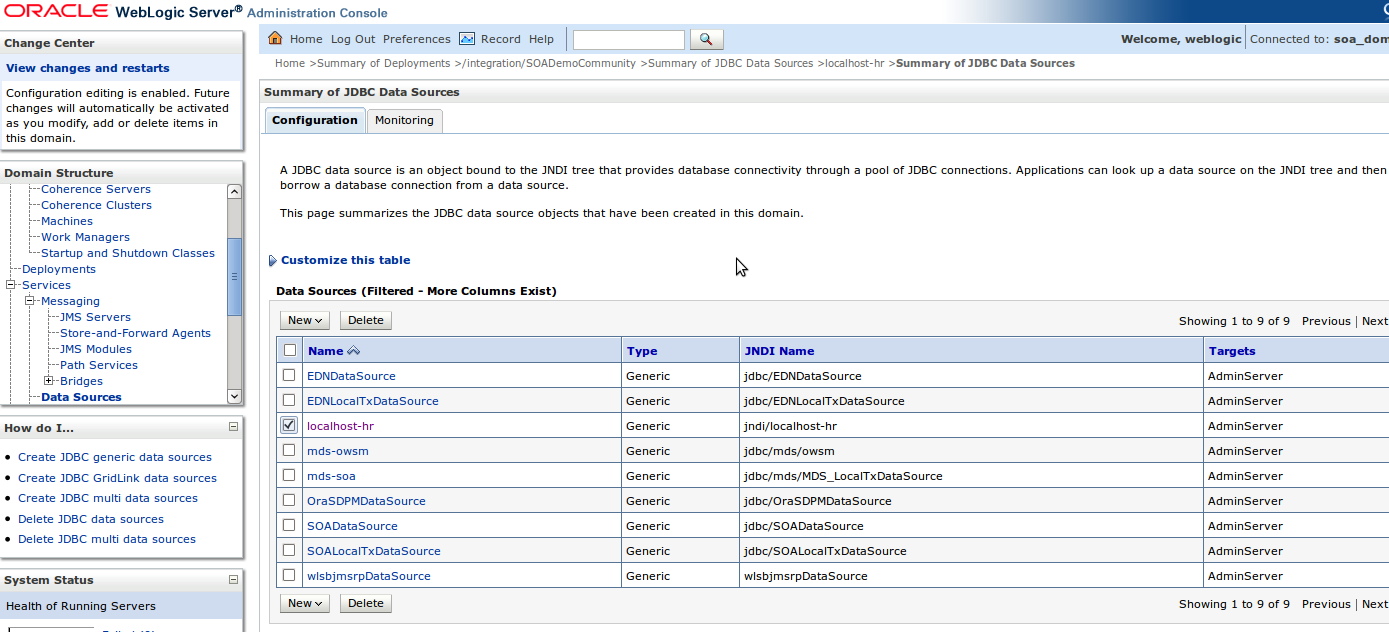
Go to you WLS console => Services => Data Sources. There you'll see the connections the WLS home uses.
0 -
Thank you, Christian.
FYI to others, as Christian indicated, navigate to Services => Data Sources.
On the Summary of JDBC Data Sources page, click any entry under the Name column in the displayed table.
Then click the Configuration tab and the Connection Pool subtab.
I found the reference to the RCU schema in the Properties field on that page. Mine says user = ZBI02_BIPLATFORM, so it appears that my RCU prefix is ZBI02. And sure enough, the thing I was looking for is present in the ZBI02_BIPLATFORM schema.
Correct answer awarded to Christian (as usual!!)
0 -
Thanks for spelling things out
0 -
No sweat, bro. I just filled in the little details. Knowing which highway to travel is the big thing!
0