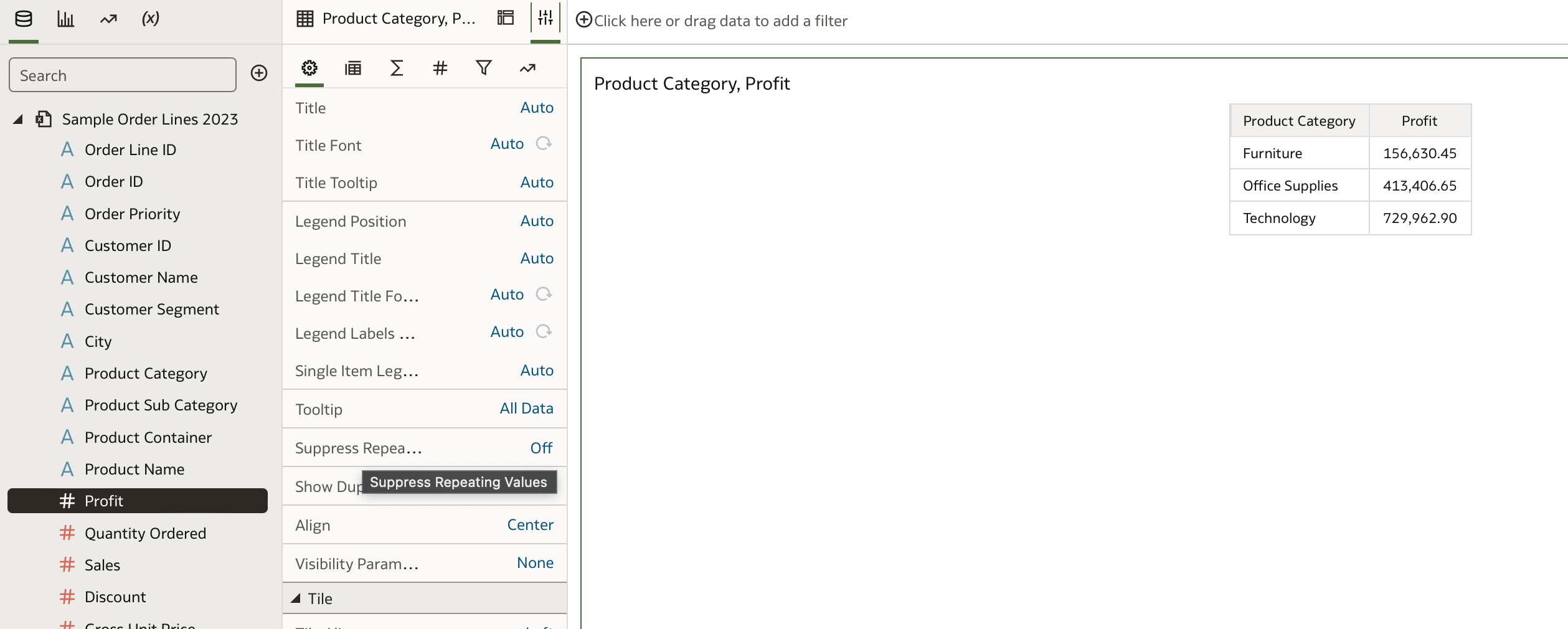
In OBIEE you can select to repeat the value of the row instead merge it. This is useful when you are exporting a pivot and you need to repeat the value to allow the user to sort for example.
You also have the 'Suppress Repeating Values' in the vizualization properties The documentation is here, but it is does not comprehensively document every visualization property. They get enhanced with new additions fairly regularly. Adjust Visualization Properties
Hi,
Is there a question or you are just sharing your opinion?
Or are you requested a new feature to have the option to not suppress values in a DV pivot?
Because in OAC/OAS a "classic" pivot behave exactly like it did for the past 10+ years in OBIEE, you have the option to decide if you want to suppress values or not.
If you are requesting that feature in DV, look in https://community.oracle.com/products/oracleanalytics/categories/idealab-oracle-analytics-cloud-server if an idea already exist. If not, feel free to post it there. If it gets a number of votes, product managers will consider adding it to the product.
how you suppress the values in OAC? I know in OBIEE how to do it. I added screenshots for this one too.
@Ursula Ortiz -Oracle
For your workbook you can check the setting, "Repeat Rows on Excel Exports for Tables and Pivots," in the "Other" section of System Settings.
this seems to be at admin level, is there an option at workbook level? this is a choice that each user has to make based on their use case. In particular in this environment I do not have access to the settings
I am enabling this setting in FDI, but still my pivot tables are being exported with suppressed/merged rows… Anything that needs to be done for this to work, besides perhaps logging out and back in again (as I have done multiple times now? 😅
As far as I understand this feature, when enabled it should give you all the lines with repeated labels:
So this pivot table:
Transation#
CustomerName
Amount
xyz
customerA
1.000,00
customerB
2.500,00
should become this:
On exporting to excel… But for some reason it's not working for me? Any ideas? 😊
Where AI meets business outcomes Oracle AI World brings the Oracle community together to explore how AI and other technology innovations are driving real business outcomes across industries. Discover what’s new through: Mainstage keynotes to hear the latest directly from Oracle leadership Product demonstrations Customer…
What am I doing wrong here? There is only one selection in the Target Canvas??
In BIP. I was able to group tables. Is this possible in OAC
I creates a parameter "Role Name" and then I put the Role name field in the filter and made a bind to the parameter, When I add the value in the parameter, it works. When I delete it from the parameter it give me <empty> How do I get rid of the <empty>
Hi, all, I have been struggling with connecting to Teradata in OBIEE Admin tool. I can't import Metadata to the RPD that exists. I am not sure about if it is due to my config of ODBC Teradata is incorrect or anything else? Please find the following errors as attached: Many thanks for your help!
Hi Team, Has anyone upgrade OAS system from the 2024 to 2026 version? if yes, could you please share the resposne files. Regards, Chand