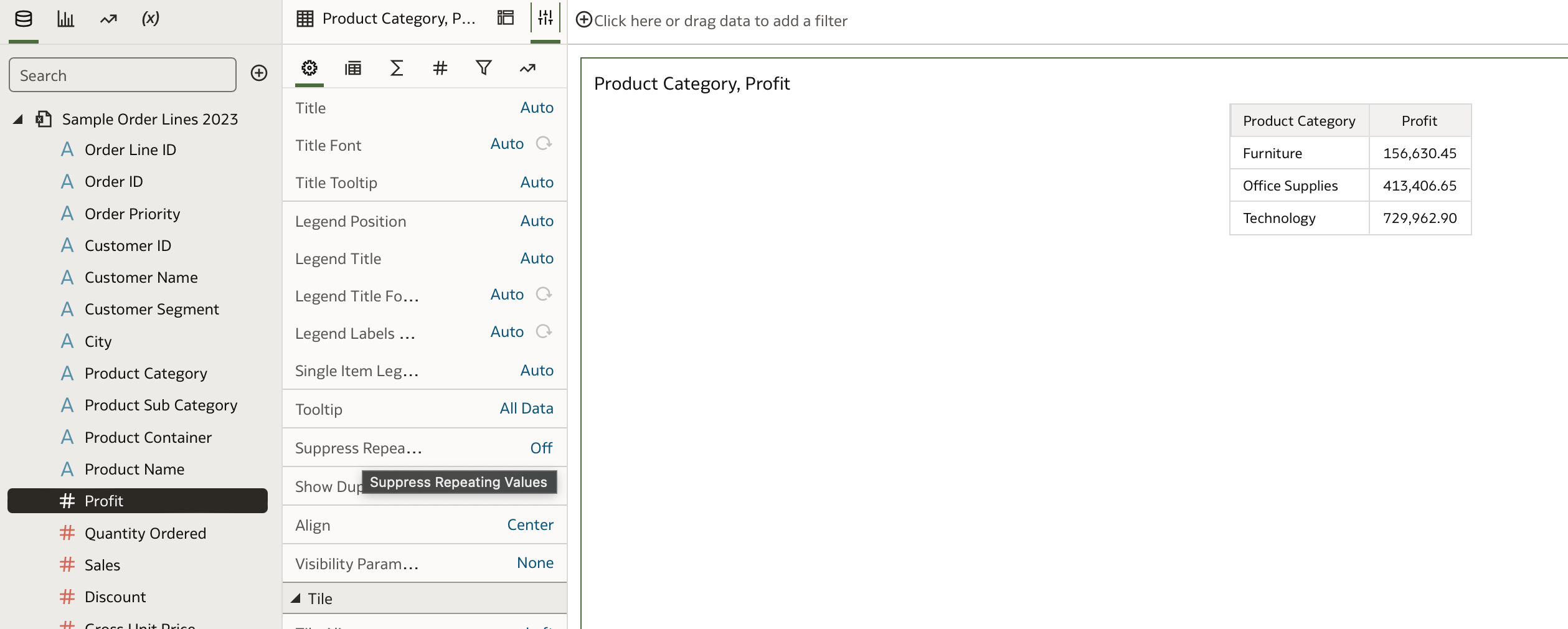
In OBIEE you can select to repeat the value of the row instead merge it. This is useful when you are exporting a pivot and you need to repeat the value to allow the user to sort for example.
You also have the 'Suppress Repeating Values' in the vizualization properties The documentation is here, but it is does not comprehensively document every visualization property. They get enhanced with new additions fairly regularly. Adjust Visualization Properties
Hi,
Is there a question or you are just sharing your opinion?
Or are you requested a new feature to have the option to not suppress values in a DV pivot?
Because in OAC/OAS a "classic" pivot behave exactly like it did for the past 10+ years in OBIEE, you have the option to decide if you want to suppress values or not.
If you are requesting that feature in DV, look in https://community.oracle.com/products/oracleanalytics/categories/idealab-oracle-analytics-cloud-server if an idea already exist. If not, feel free to post it there. If it gets a number of votes, product managers will consider adding it to the product.
how you suppress the values in OAC? I know in OBIEE how to do it. I added screenshots for this one too.
@Ursula Ortiz -Oracle
For your workbook you can check the setting, "Repeat Rows on Excel Exports for Tables and Pivots," in the "Other" section of System Settings.
this seems to be at admin level, is there an option at workbook level? this is a choice that each user has to make based on their use case. In particular in this environment I do not have access to the settings
I am enabling this setting in FDI, but still my pivot tables are being exported with suppressed/merged rows… Anything that needs to be done for this to work, besides perhaps logging out and back in again (as I have done multiple times now? 😅
As far as I understand this feature, when enabled it should give you all the lines with repeated labels:
So this pivot table:
Transation#
CustomerName
Amount
xyz
customerA
1.000,00
customerB
2.500,00
should become this:
On exporting to excel… But for some reason it's not working for me? Any ideas? 😊
Learn how to deploy an AI Data Platform agent, register it to the AI Registry, and introduce it to business users through Agent Hub. This session covers how to prepare an agent for deployment, configure endpoint access and authentication, invoke a deployed agent, and monitor it after deployment. The session also introduces…
Can you please help resolve this error. WebLogic version is 12c. OAS is 6.4
So I have an action passing a value to another workbook. On the other workbook, I have an expression filter and a parameter I created and it does not seem to work. Any ideas. See the images
We know you can directly export workbooks and folders from within OAC, and we know you can migrate OAC content using the FDI Content bundle. However, it's unclear what settings or steps are required in order to ensure any calculations in "Shared Objects" still carry over. When making a .dva artifact export from OAC for…
The user icon in the upper-right corner of OAC (DV) is displaying more menu options for our non-admin users than we wish to display. We would like to restrict these to only "Profile" and "Sign Out" for regular users. Is there a way to customize these menu items? Especially if we can control this via security, that would be…
What is wrong with this code