Title
Fusion Data Intelligence Workbook Check-up Tool
Introduction
Oracle Fusion Data Intelligence (FDI) is the next generation of Oracle Fusion Analytics Warehouse, designed specifically for Oracle Fusion Cloud Applications. It brings together business data, ready-to-use analytics, and prebuilt AI and machine learning (ML) models.
As organizations leverage FDI's advanced analytics capabilities, ensuring optimal performance becomes critical—especially when designing workbooks. Workbook authors may encounter slow response times due to inefficiently designed workbooks. To promote best practices, improve performance, and reduce delays, Fusion Data Intelligence (25R3) now includes a workbook check-up tool.This tool assesses the workbook performance based on best practice guidelines and helps standardize the workbook design criteria that should be followed organization wide. It is highly recommended to run the tool before deploying reports to users.
This post explores the Workbook Check-up tool in detailed steps.
How to access Workbook Check-up tool
- On the Home page, hover over a workbook, click Actions, then select Open.
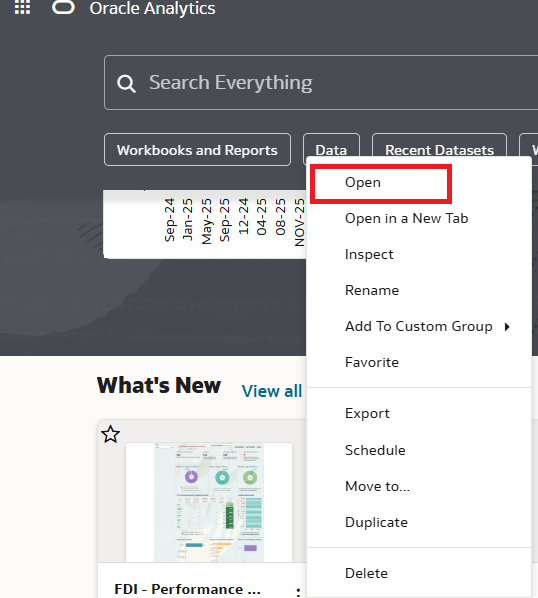
2. Click Edit

3. Click Custom Workbook Extension '
 ' and then Workbook Check-up.

The Workbook Check-up dialog shows you a list of suggestions to improve the performance of the workbook.
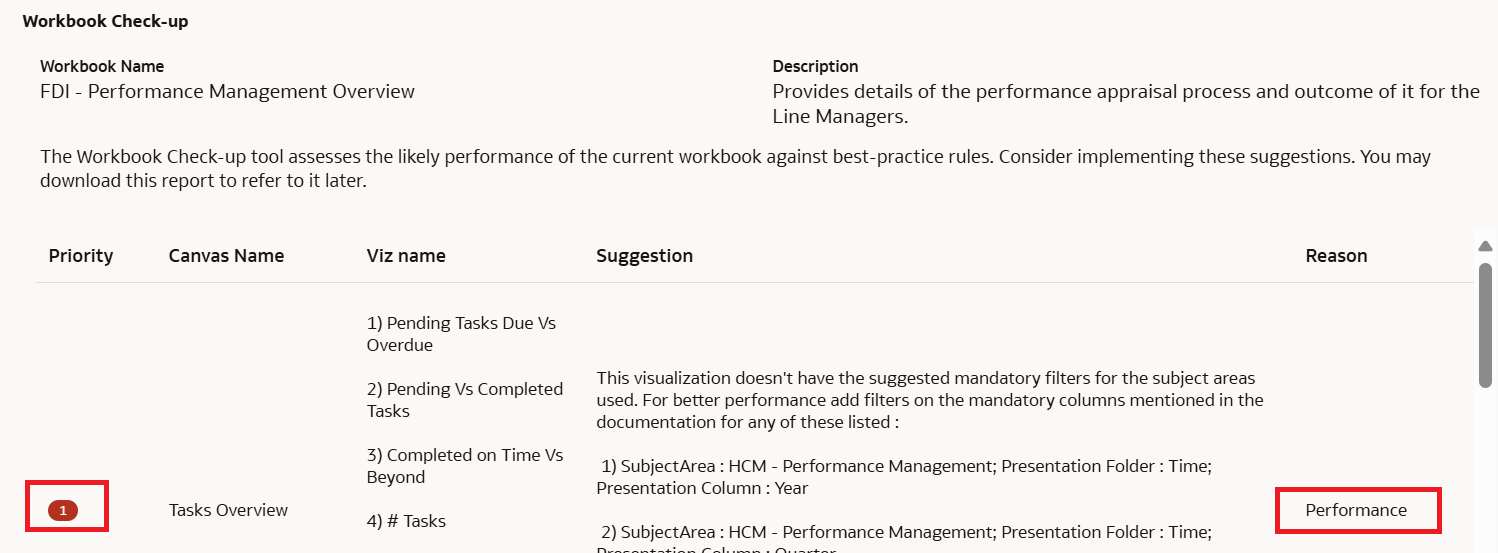


Priority – Indicates the level of importance for each recommendation to be considered during workbook design.
Canvas and Viz name – Name of the canvas and the Visualization
Suggestion – Recommendations to incorporate into the workbook.
Reason – Indicates whether the provided recommendations are evaluated based on Performance, Best Practices, and DV Look and Feel criteria.
4. The Workbook Check-up recommendations can also be downloaded in CSV format for a later analysis. Click Download Report to save the results in csv format.
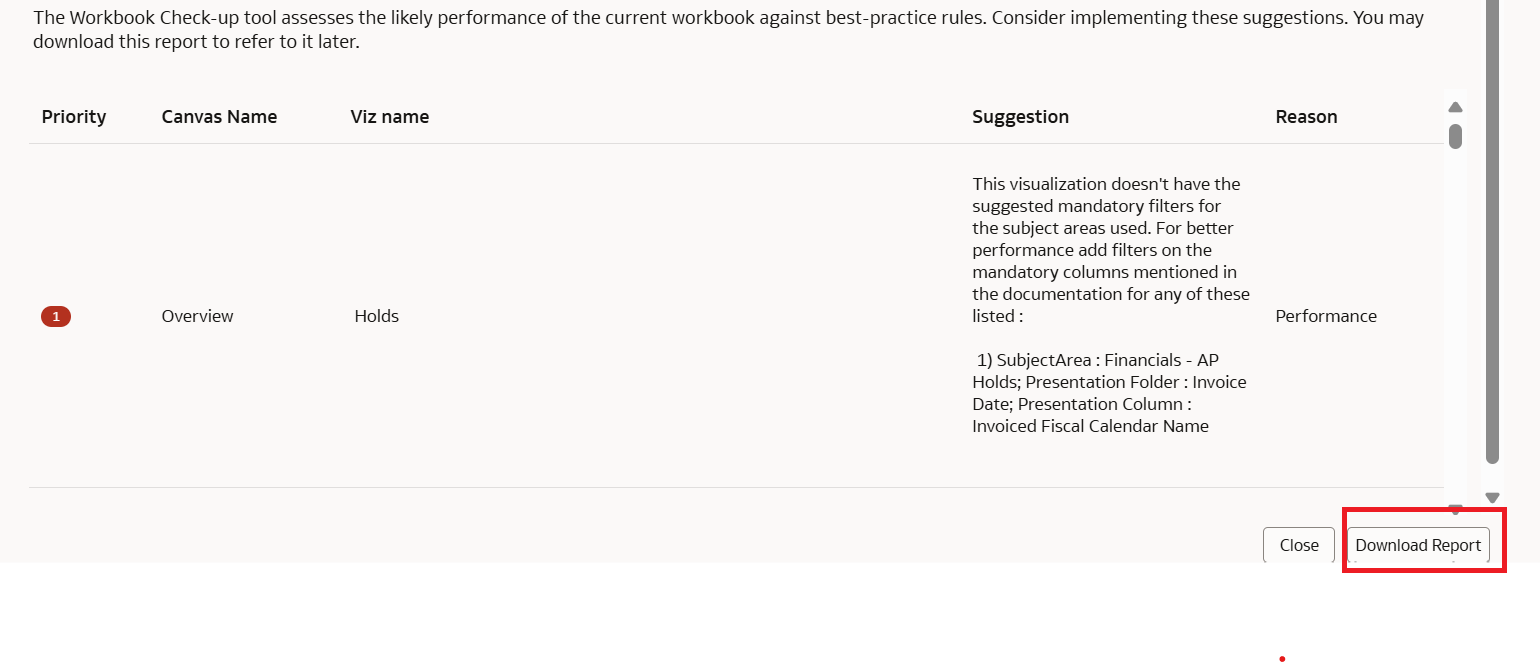
Note: A well-designed workbook that follows best practices will display the following results when evaluated using the workbook check-up tool.

Call to Action: In addition to the recommendations provided by Workbook Check-up tool, please ensure to review Report Authoring Tips specific to each pillar.