Author: @Jaydeep Puranik-Oracle @Abdul R Shaik-Oracle
Oracle Fusion Analytics (Fusion Analytics), a part of the Oracle Fusion Data Intelligence Platform, is a family of prebuilt, cloud-native analytics applications for Oracle Fusion Cloud Applications that provide ready-to-use insights to help improve decision-making. It’s extensible and customizable, allowing customers to ingest data and expand the base semantic model with additional content.
In addition to the pre-built content FDI offers in each pillar, we have an ongoing effort to provide more reusable artifacts for FDI which is described in this blog.
In this post we are sharing a reusable workbook that covers the Receipts Not Invoiced Report (also known as the Uninvoiced Receipts Report or Goods Received Not Invoiced (GRNI) report) signifies the gap between goods and services received by an organization and the supplier invoices for those goods/services that have not yet been recorded or matched in the system.
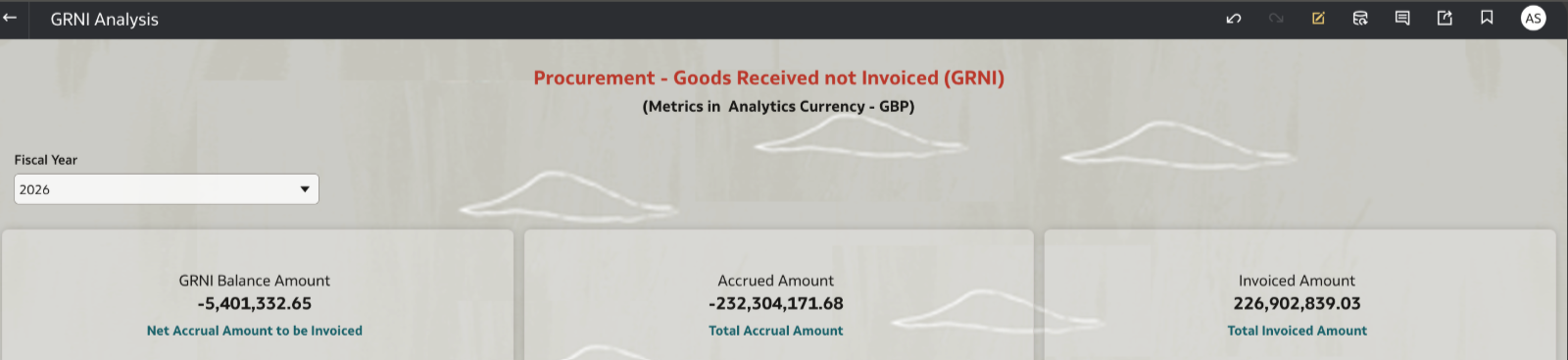
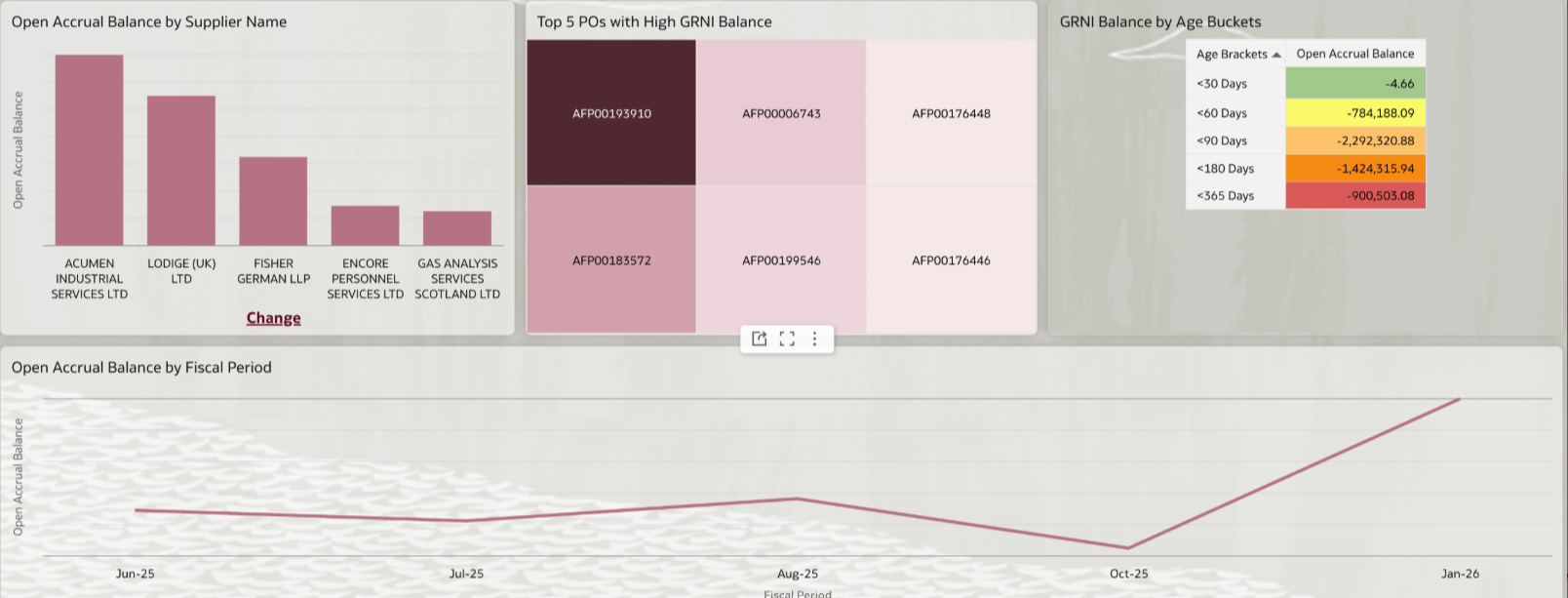
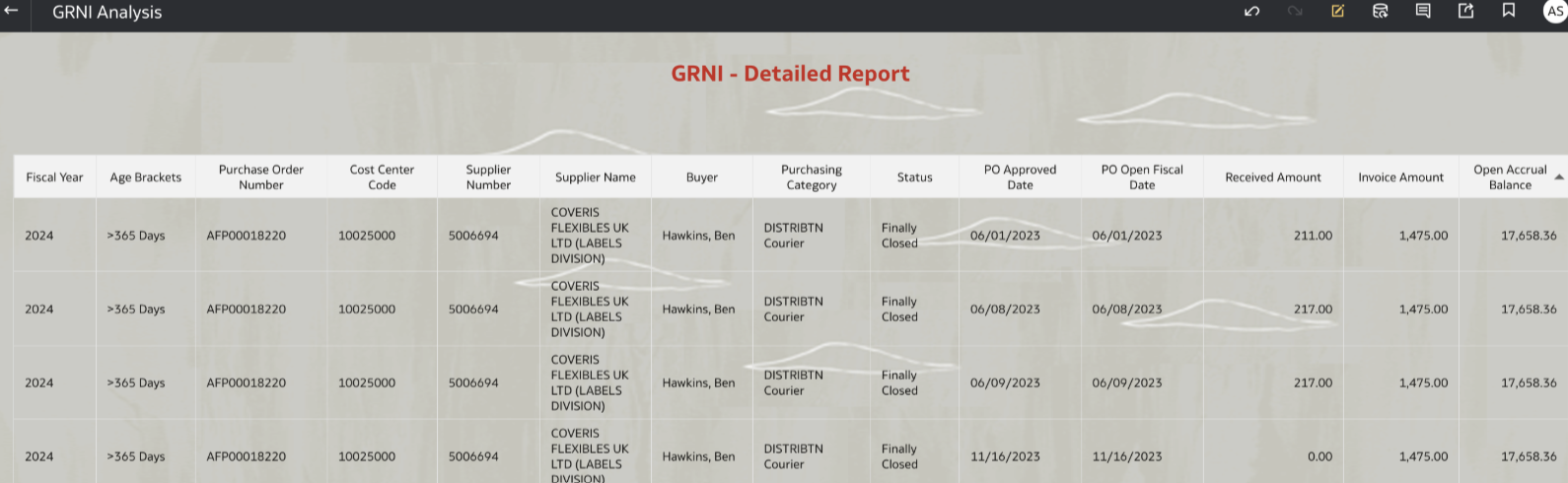
NOTE: If you experience any issues importing this workbook or running it, it may be likely that your environment is on a version of FDI and/or OAC that is lower than the version used for developing this workbook. Update/upgrade timings are dependent on the data centre your instance is in. We recommend waiting until your instance is upgraded to the latest version before importing and using this workbook.
Functional Areas
Procurement Analytics/Purchasing
Subject Areas
Procurement – Accrual Balances at Receipt
Procurement – Purchase Orders
Procurement – Spend
Business Use Case
The Receipts Not Invoiced Report (also known as the Uninvoiced Receipts Report or Goods Received Not Invoiced (GRNI) report) signifies the gap between goods and services received by an organization and the supplier invoices for those goods/services that have not yet been recorded or matched in the system.
This report provides a critical snapshot of unrecorded liabilities at a given point in time, typically used for month-end financial closing processes.It provides auditors with a clear trail of the transactions that constitute the accrual balance, helping to justify and clear long-outstanding balances. By accurately reflecting pending liabilities, the finance team can better forecast future cash outflows and manage working capital effectively.
It helps to answer below questions:
What are the current liabilities to suppliers for received items for which an invoice is pending?
What is the amount of goods not received for accruals at period end by BU, PO, Supplier for a specific time frame?
What are the transactions that makes the of goods not received accrual balance?
Which are the suppliers who are slow in submitting invoices?
Top 5 suppliers based on receipt accrual amount for GRNI in a specific period?
Which Cost Centre / Business Unit has highest GRNI?
Pre-Requisites:
None except Procurement Analytics is enabled.
Attachments
General Guidelines and Best Practices
Here are some guidelines and recommendations to adapt these workbooks to your environment. Additionally, review the information provided on the workbook Help page (if any) to ensure the workbook renders data after you select the appropriate options and filters.
- Download the workbook from the above attachment section and import the workbooks to your instance. Note: These workbooks don’t have passwords, in general. Password, if any will be explicitly called out.
- Ensure you download only the workbooks relevant to the pillar and functional areas activated for your FDI instance.
- All the workbooks will have a Help page containing required information and guidance on how to use the workbook. Be sure to follow these instructions before using the workbooks on your instance.
- Note, workbooks cover only generic use case / business scenario. Review the workbook content, make any changes as needed, and set the appropriate filters – especially those related to time dimensions and other dimensions based on the pillar / functional area.
- While making modifications, follow the best practices and generic / pillar specific authoring tips. Here are the pillar specific authoring tips link. Ensure to use the latest FDI documentation links for latest information on authoring tips and guidelines - Fusion CX Analytics Authoring Tips - Fusion ERP Analytics Authoring Tips - Fusion HCM Analytics Authoring Tips - Fusion SCM Analytics Authoring Tips
It is highly recommended that you perform basic sanity checks and data validity before rolling out workbooks to business users and analysts.