
Best Of
Re: R12.2 on-premise notes and documentation
The new Portal is terrible! As already mentioned by others, I've lost articles that were previously marked as favoruites and also Oracle SR's that were not raised by me but my colleagues that I was tracking. How could they get it so badly wrong?

Re: When will year end phase 2 patches be released for US
Hi Amit,
It should go out sometime today. I will be posting an announcement to this community when the patches are released.
Thanks,
Justine

Re: Advisor Webcast: PeopleSoft Payroll for North America Tax Update 25-D General Information Session
The archived DOC ID : 3109521.1 returning us back to signin page. Oracle support team - Please fix this ASAP as we have so many things to do for the year-end.
Re: 2026 U.S. FEDERAL WITHHOLDING TAX CHANGES
Hi Albina,
I have looked at an internal environment and I am seeing the LOW_GROSS and LOW_TAX amounts are different between 2025 and 2026. You should open a ticket for an engineer to assist you.
Regards,
Paul
Re: 2026 U.S. FEDERAL WITHHOLDING TAX CHANGES
The seven tax rates (10%, 12%, 22%, 24%, 32%, 35%, 37%) remain the same as prior years, but the income thresholds increase for inflation is not in the patch, which we noticed yesterday. I believe the 2026 Standard Deduction Amounts for 2026 are Single / Married Filing Separately: $16,100, Married Filing Jointly / Surviving Spouse: $32,200, and Head of Household: $24,150. We are hoping they will be in December 19th or 23rd patch and the patch information will be on the new AI portal.
Re: Request Date update for Subcontracting PO routing
Yes i am different result when Updated the Requested Date on the routing step in the Work Order Routing (P3112). The Purchase order requested date is not getting updated.
Re: Request Date update for Subcontracting PO routing
Hello,
I tested the issue in our latest 9.2 environment in two ways:
- Updated the Requested Date in the Work Order header (P48013), and blanked out Planned Effective and Start Dates. This updated the routing request dates and also the related Purchase Order Requested Date.
- Updated the Requested Date on the routing step in the Work Order Routing (P3112). This also updated the Purchase Order Requested Date.
Are you seeing different results? If so, please do not hesitate to create a service request so that we can investigate.
Eric
Re: Where have my bookmarks in Knowledge gone??
So it seems the old favorites have been finally recovered and can be exported, although without any folder organization.
(…Go to Account → Preferences → Previous Favorites to view your previous Knowledge Articles favorites.)
 PaoloM
Re: Where have my bookmarks in Knowledge gone??
Looks like there is hope, but mine are currently blank.
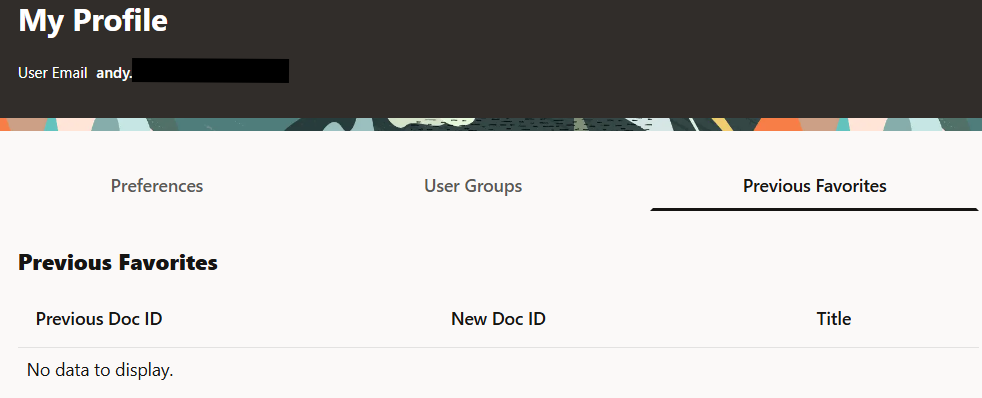
Maybe they are still importing them over.