Best Of
EM Webcast : Streamlining Database Fleet Patching at Scale with Oracle Enterprise Manager | OCT 13 |
Database patching at scale is complex—especially across diverse infrastructure and hybrid clouds.
Join our October 13 webcast on Oracle Enterprise Manager Fleet Maintenance to see how it brings speed, consistency, and control to the entire patching lifecycle.
We will explore the end-to-end workflow, support for Oracle Database, Grid Infrastructure, RAC Database, and SIHA, pre- and post-patching hooks, and a demonstration of patching multiple databases across heterogeneous infrastructure—including on-premises, Exadata, OCI, Azure, AWS, GCP, and hybrid cloud environments.
📅 13 October 2026
🕗 08:00–09:00 AM PST
#OracleEnterpriseManager #FleetMaintenance #Database #Patching #Cloud

Re: Auto receipt after approval of Release or Standard PO
You can try one thing.
Can create a trigger on po_headers_all, authorization_status, and when this is approved, call a custom code to insert records into receiving interface tables and call "Receiving tarnsaction processor" through code.
Then no manual intervention will be required for Receipt creation.
Check these for sample scripts
Receiving Open Interface (ROI): Features and Links to Useful ROI Documents (Doc ID 559956.1)
Compilation of Notes With Sample Scripts for Various Receiving Open Interface (ROI) Transactions (Doc ID 1115743.1)
Regards,
Sirisha

Re: Oracle BRM SSL Connectivity Failure Due to Expired Sample Certificate (Expired August 2, 2026)
Refer to the following solution knowledge base articles if your BRM on-premises or Cloud Native environments effected by BRM Sample CA Certificate expiration.

Re: Corrupt Boot loader, how to recover. Session Boarder Controller 6300
Hello
before to boot the image , do u see the screen below ?

then if u click on recovery menu do u see the screen below ?
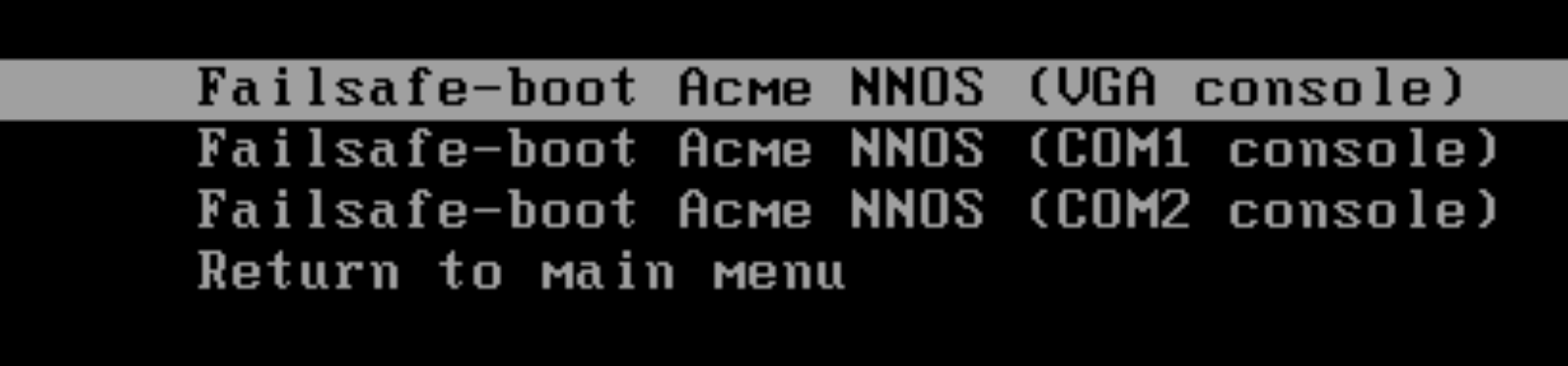
then depending from the platform just click on either of the 3 options , in case one of them should start some kind of emergency boot , at the conclusion of the boot u should see something like this :
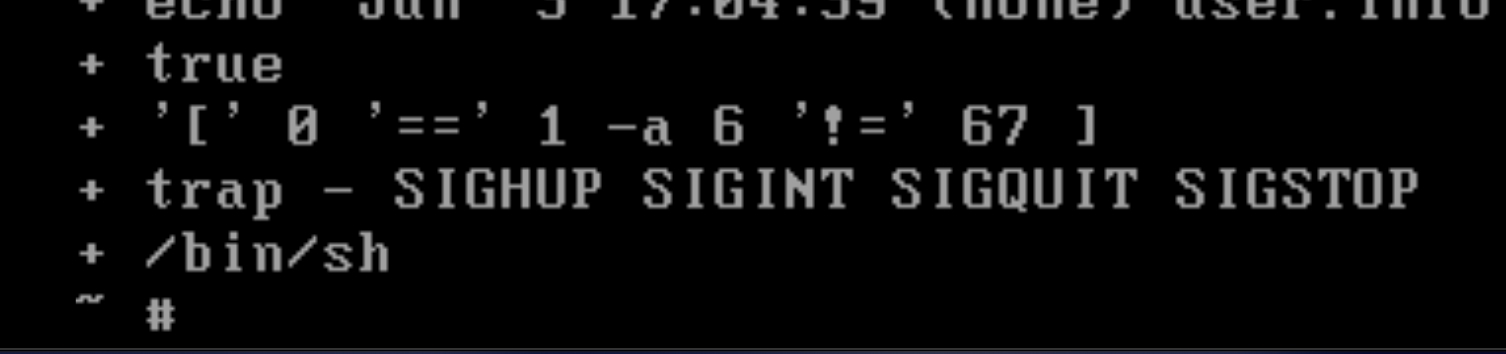
from there u just need to go in the folder /boot and rename the bootloader with a working one .
Hope it helps
Cheers
Antonio

Re: The current Voluntary Self‐Identification of Disability Form expires 4/30/26. Is an update coming?
The US Department of Labor has not yet issued a new update to the form. We are aware and are waiting for the new form to be released. They have advised that the old form should continue to be used until a new form is released.

Advisor Webcast for EBS Projects: Project Management Integration with Microsoft Projects

Thursday March 26 at (11:00 am ET, 10:00 am CT, 9:00 am MT, 8:00 am PT, 4:00 pm Central European, 8:30 pm India Standard)
This one-hour advisor webcast is recommended for technical users, functional users who are using integration of Oracle Projects with Microsoft Projects.
Agenda:
- Overview
- Projects Management Process
- Projects Structure Setup
- Microsoft Projects Setup
- Implementation Tips
- Common issues
Register for the live session with article KB876528: https://bit.ly/4leuYCH
Visit the #OracleEBS #AdvisorWebcast schedule for other upcoming sessions here: https://bit.ly/EBSAdvWebcasts
#EBSBenefits #ProjectManagement