Best Of
Re: Request Date update for Subcontracting PO routing
Hello,
I tested the issue in our latest 9.2 environment in two ways:
- Updated the Requested Date in the Work Order header (P48013), and blanked out Planned Effective and Start Dates. This updated the routing request dates and also the related Purchase Order Requested Date.
- Updated the Requested Date on the routing step in the Work Order Routing (P3112). This also updated the Purchase Order Requested Date.
Are you seeing different results? If so, please do not hesitate to create a service request so that we can investigate.
Eric

Re: Where have my bookmarks in Knowledge gone??
So it seems the old favorites have been finally recovered and can be exported, although without any folder organization.
(…Go to Account → Preferences → Previous Favorites to view your previous Knowledge Articles favorites.)
 PaoloM
Re: Where have my bookmarks in Knowledge gone??
Looks like there is hope, but mine are currently blank.
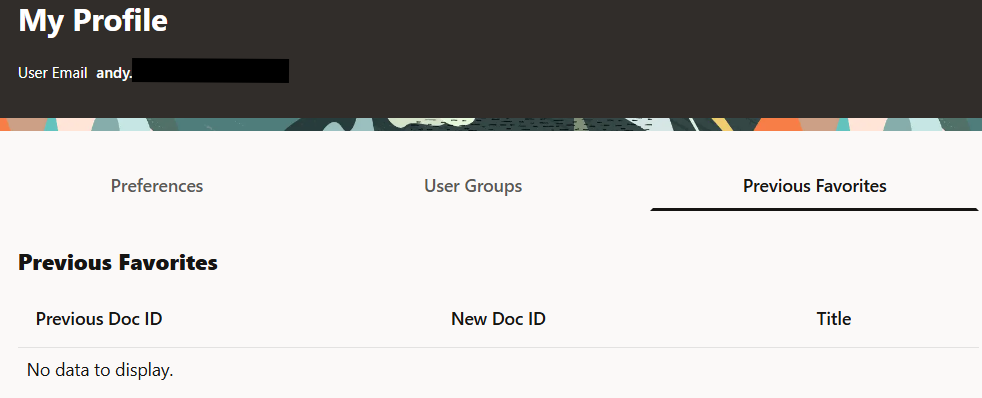
Maybe they are still importing them over.
Re: Is there a possibility to mix SA and registration?
Daureen
just for INVITE methods only , did u try to use session-constraint of a child realm ?
I mean , create a outgoing child realm , basically the same of the parent that send outgoing Register requests from the SBC to provider where endpoint registers , then create a local-policy specific for the trunk calling number , configure policy-attribute with the child-realm with the same next-hop of the parent realm , then apply constraint on child realm .
This is a working scenario for a peering environment , just test if it applies also on this specific case too .
Cheers
Antonio

Is it acceptable or possible that Oracle the big database company doesn't have any rollback plan for
Seriously we're over a week now and still the issue is not getting any better!!!
Is it acceptable or possible that Oracle the big database company doesn't have any rollback plan for such failure?!!
Is it thinkable or come to our minds that Oracle the big database company selling migration services to worldwide customers doesn't know how to fix its own migration failure?!!!
This is not normal failure. This is not one or two or even some bunch of mistakes or features missing, it's the whole support site failing and not functioning at all. It's a complete disaster!!! Is there any possibility that Oracle run the migration without having any kind of rollback plan?!!
I really can't get it
Unless Oracle made it intentionally and they really want the support portal to be only a site to keep raising service requests without any real added value from searching, downloading, fixing, patching and finding solutions!!!
I seriously can't get it

In search of ORA-3113—or how the new Support Portal ruined the Knowledge Base
First there are the search results.
- Far fewer results fit in the screen than in legacy MOS
- Relevancy does not seem improved at all
- Each link is now followed by a few lines of excerpt—or was that an attempt at summarizing? In any case, it's worthless, and it wastes space which should be used for displaying search results.
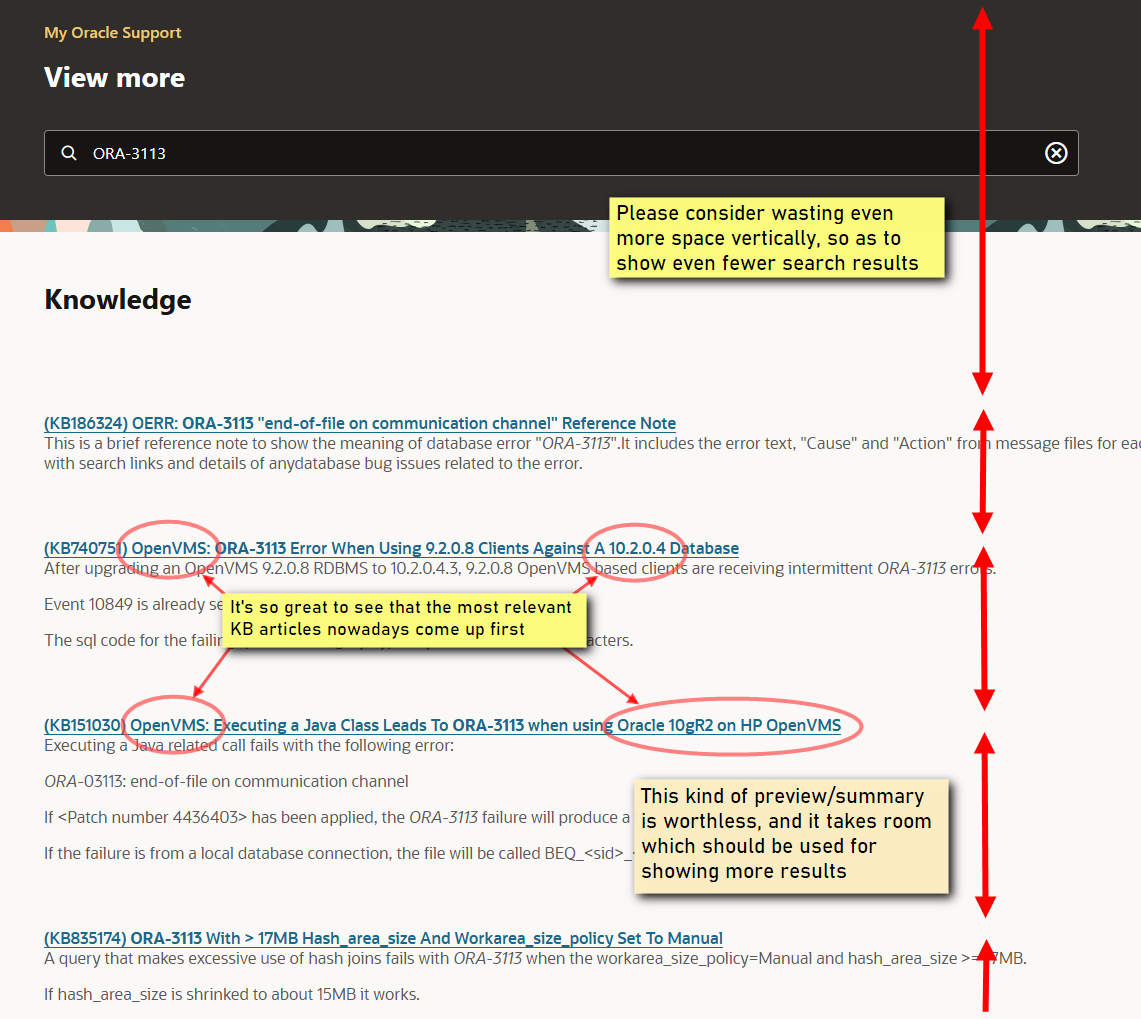
Please note how the title of each KB article was carefully crafted by KB technical writers, so that they would be concise, accurate, and yet convey enough information for KB users to decide, just upon reading the title, whether the article would be worth reading, or relevant for their task or not. This is exactly why the lines of excerpt/summary/whatever are absolutely unnecessary.
And then there's how KB articles are formatted in the new Redwood stylesheet.
To illustrate this disaster, I'll take the example of (KB164954) Primary Note: Troubleshooting steps for ORA-03113 Error (formerly known as MOS Doc ID 1506805.1)
If I remember correctly, "troubleshooting steps" notes used to be interactive documents aimed at guiding the reader through a decision tree-like procedure. They contained internal links, and sometimes even dynamic content.
As such, that document is now almost unusable, due broken links and extremely poor formatting.
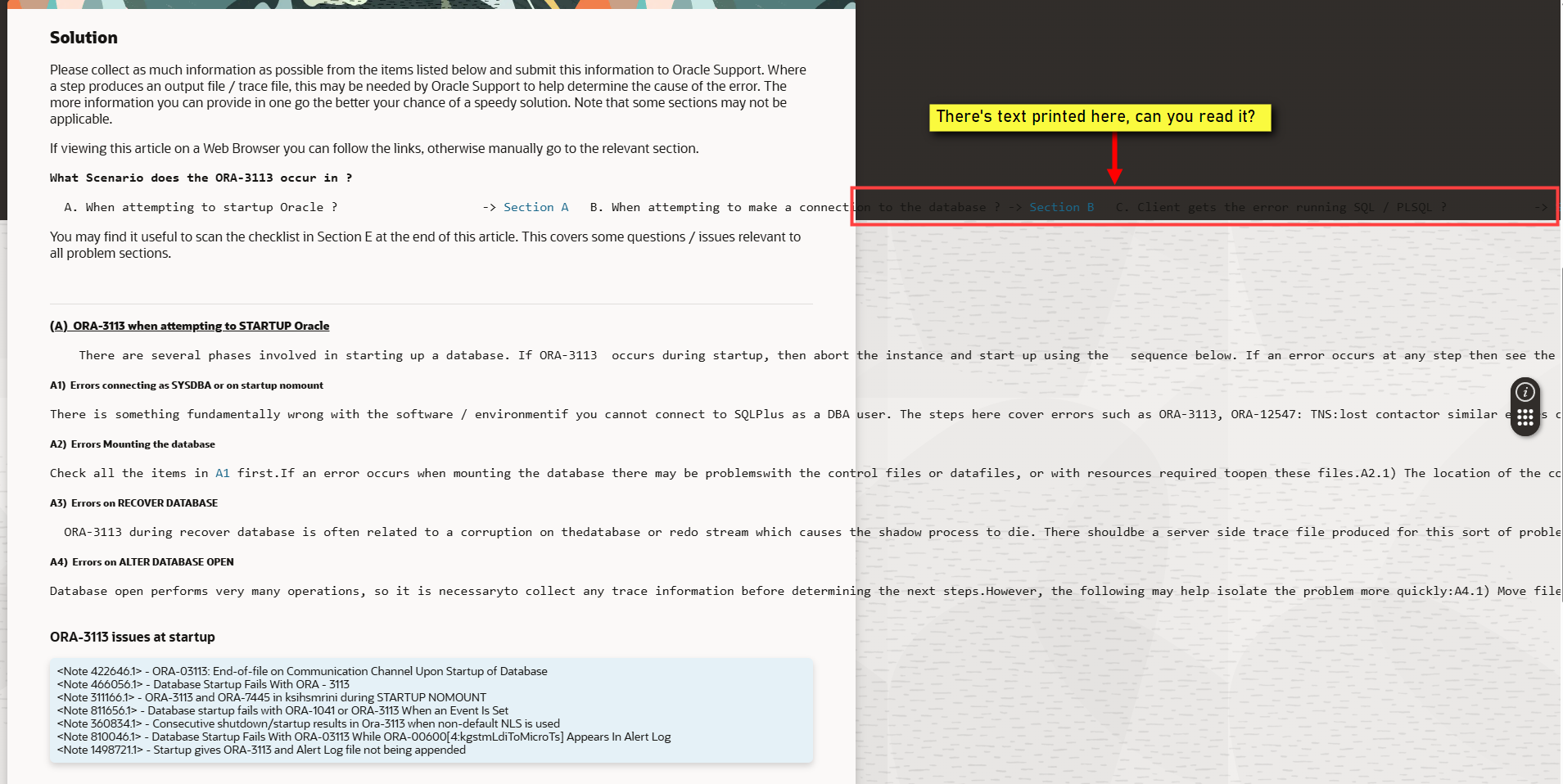
I'm including another screenshot, just to make the point that paragraphs without any line wrap are very hard to read.
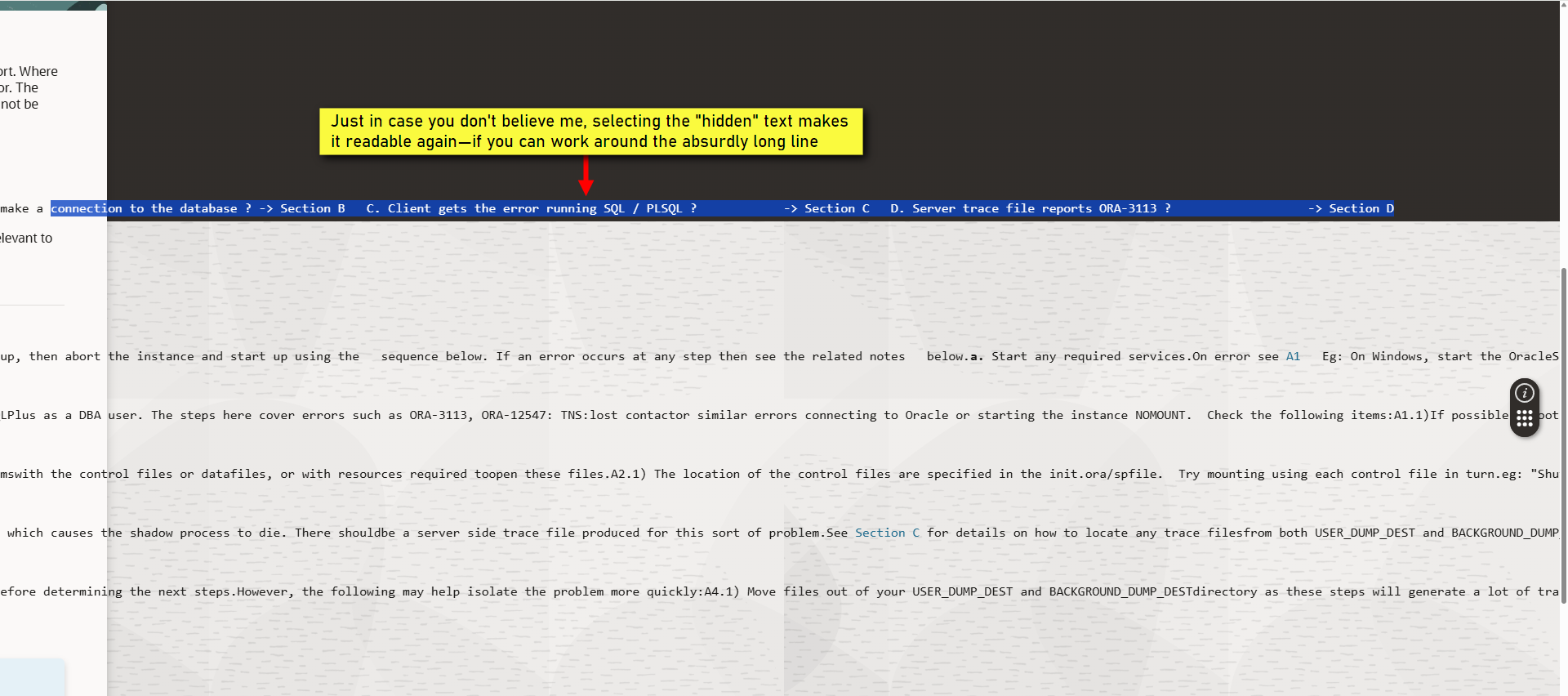
And many other KB articles could be in such disarray.
Re: patch zip is not downloading properly 31957062error appears while extracting the same.
Hi Team,
Thank you for reaching out to Oracle Communities. We will arrange for an expert to review your post and work with you at the earliest.
Regards,
Satheesh Kumar N
Re: Where to find documentation for Tax Update 25-D (PRP)
If you are still having issues with retrieving the documentation, please add a comment. I am told the looping log in issue has been resolved for downloading documentation.

Re: Enterprise Manager 13c Release 5 Update 28 (RU 28) is now Available
Hi
Any chance to find the Notes at the new support portal? If I enter the DOC-IDs, I only find links to the community.
Best regards
Jörg