
In relation to the discussion: Fixed Asset Record > Updating the Department Field. Here are different scenarios that will explain what happens on the Journal Entry created and Depreciation Amounts previously recorded (if there are any) after the Asset Transfer.
Take note that in each of these scenarios, Post on Department Change is enabled.
NetSuite
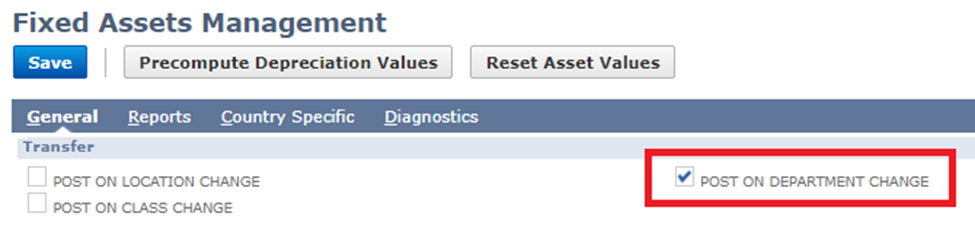
NetSuite Next
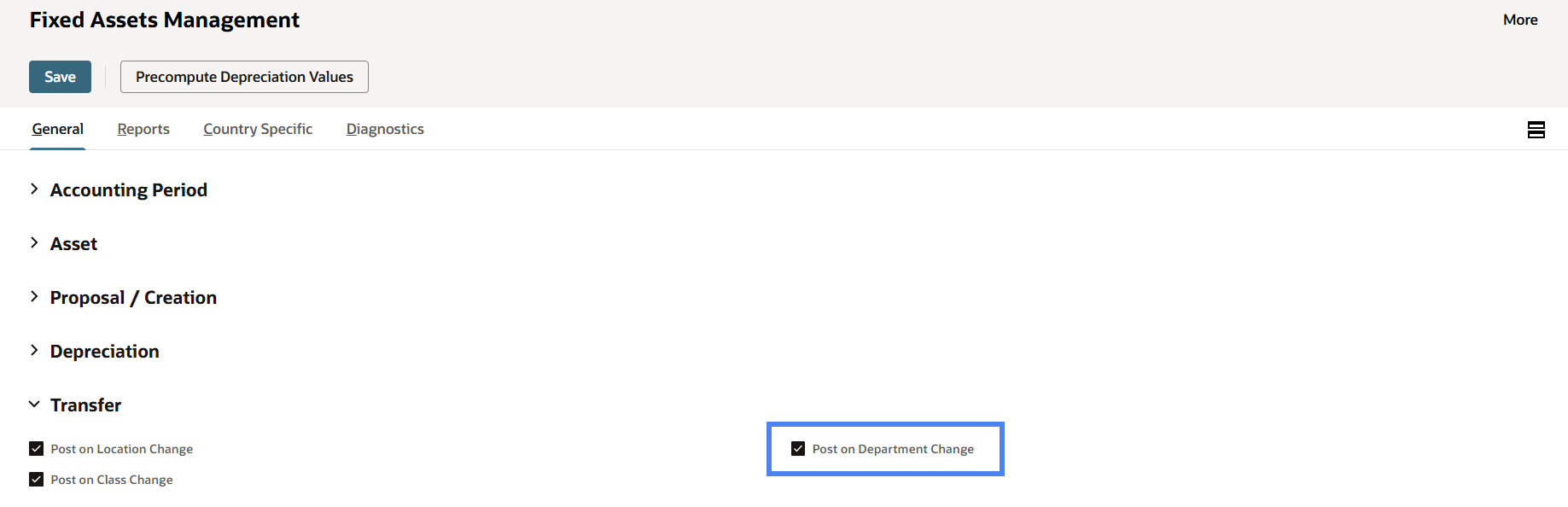
Check this box if assets will be transferred on department change, with accompanying Journal Entries.
Navigation:
- NetSuite: Navigate to Fixed Assets > Setup > System Setup > General tab > Transfer section.
- NetSuite Next: Open the Explore menu (hamburger icon on the bottom left corner beside the Home button), and in the menu go to Fixed Assets > Setup > System Setup > General tab > Transfer section.
NetSuite Next


NetSuite

Scenario 1:
· Newly Created Asset
· No Depreciation Recorded Yet
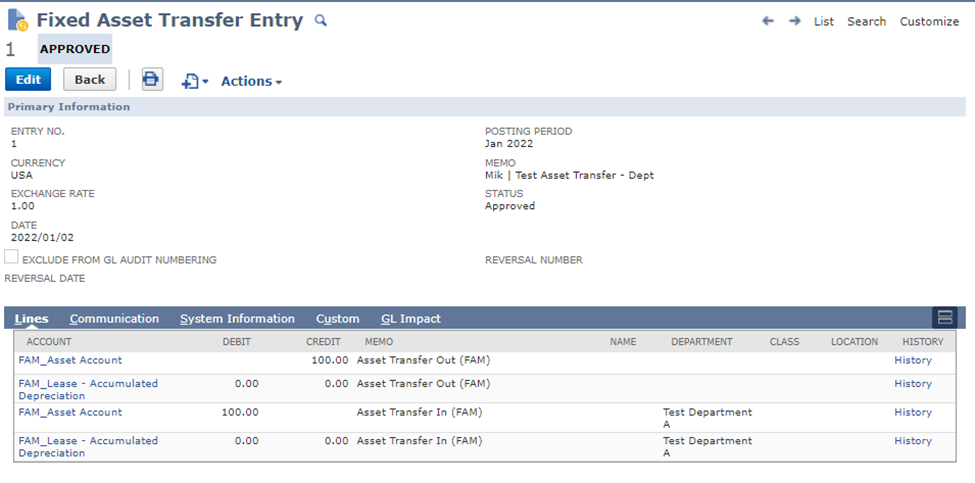
Scenario 2:
· Depreciating Asset in Test Department A transferred to Test Department X
· Depreciation has already been recorded for a month in Test Department A
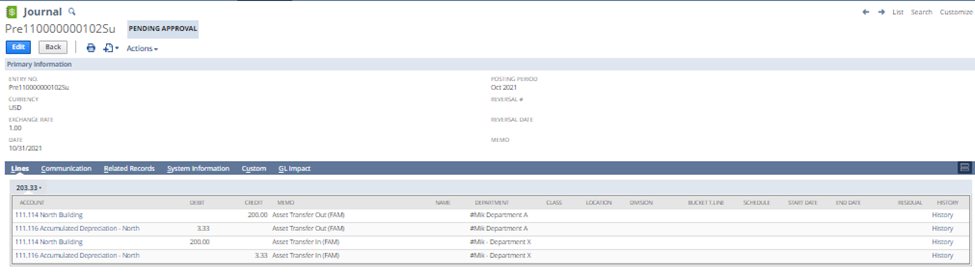
Explanation:
As you can see on the screenshots above --
The Journal Entry will transfer the amount from no Department to the new one. However, the overall account balance will stay the same.
If there was Depreciation recorded on the previous period, this amount will also be transferred to the new Department.
Do you have any other questions about Asset Transfers? Or are there any insights about the topic that you would like to share? Let us know by commenting on the thread.
CHEERS!
