NSAW ADW AMIN & OAX_USER Passwords expire every 365 days.
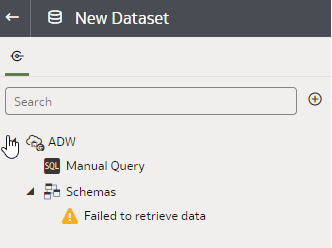
It will not be possible to create or run any datasets that use the OAC ADW Connection. When expanding the schema “Failed to retrieve data” Error will be seen (see below).
Reset ADMIN password
-From within NSAW navigate Home-> Console-> Warehouse.
-Click on “Reset Credentials” and enter a new ADMIN password
Reset OAX_USER password
-Log in to SQL DEVELOPER as an admin (web or application)
-Change password for OAX_USER
-Can be done using a script ALTER USER OAX_USER IDENTIFIED BY NewPassword123; (Replace NewPassword123 with new password)
-If on web, just edit password for this user
Reset OAC ADW Connection
-From within NSAW navigate Home -> Data->Connections.
-Click on the 3 dot menu for the ADW connection and click “Inspect”
-Input new password
-The wallet file may also need to be reloaded.
