
This article provides guidance on how to hide or remove specific links in the Customer Center, such as "Enter an Order," "Make a Payment," and "Request a Return." This can be useful when you want to direct customers to custom links or prevent them from using certain functionalities.
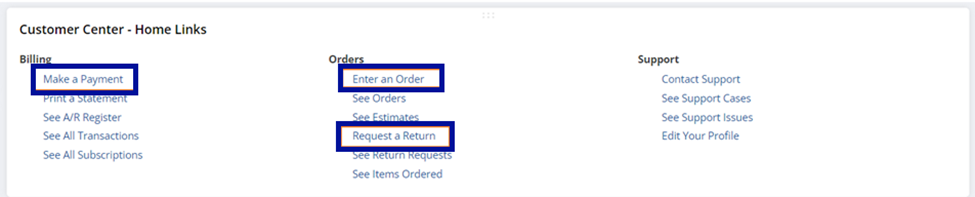
Companies may need to hide or remove links in the Customer Center for several reasons:
1. Prevent Misuse or Confusion:
a. Outdated or Misleading Links
b. Multiple or Redundant Options
2. Control Access to Features
3. Customizing the User Experience
4. Security and Compliance
To hide or remove specific links in the Customer Center, follow these steps:
Navigate to Setup > Users/Roles > Manage Roles.
Edit the role associated with the Customer Center.
Under the Permissions tab > Transaction subtab, remove the following permissions:
a. Sales Order
b. Customer Payment
c. Return Authorization
Once done setting these permissions to none, it should give you a permission violation error that looks like this.

How do you handle your customer center in your Business? Share them in the NetSuite Admin Corner.
