
At times, users may find themselves in situations where Sales Orders are saved with inaccurate information. This could result from selecting the wrong customer, adding items that shouldn't be included, or including incorrect tax details. While users can readily rectify such errors in the Sales Order before billing, it becomes significantly more challenging once the Sales Order has been billed and invoiced.
In order to change the Customer on a billed Sales Order, SuiteAnswers Article 35453 recommends deleting the associated Invoice. However, deleting records in NetSuite can be tricky due to concerns about data integrity and compliance. So, what other options can users try?
You might want to consider voiding the Invoice instead. Here are the steps to do so:
1. Navigate to Setup > Accounting > Accounting Preferences > General tab
2. Confirm if the preference Void Transactions Using Reversing Journals is disabled.
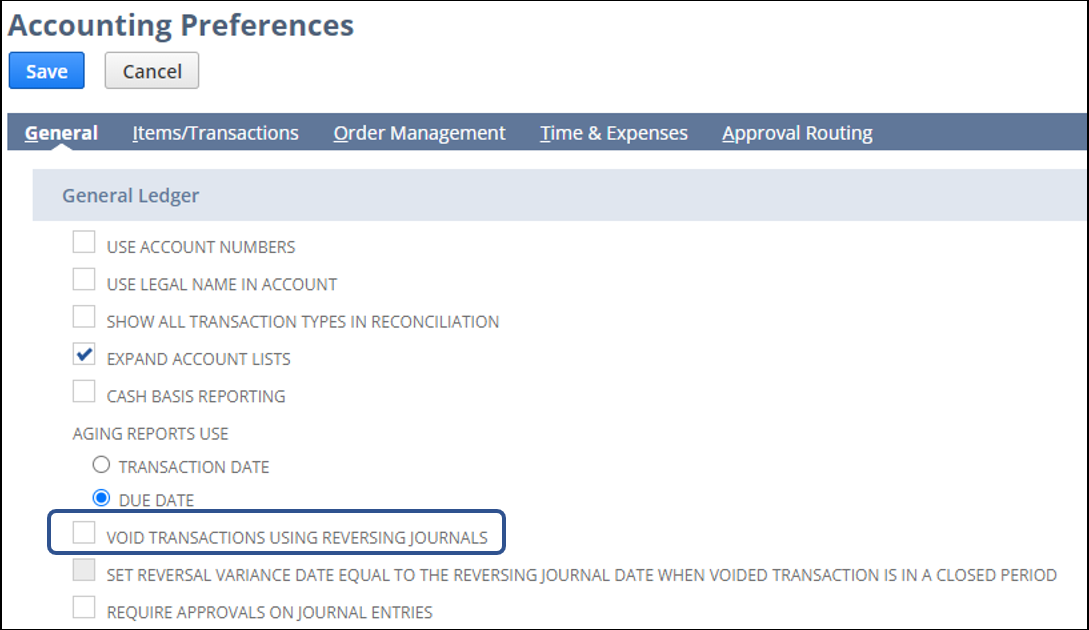
Note: If the preference is checked, you may uncheck it temporarily then click Save so that you may be able to void the Invoice, as this is one of the transactions you can no longer void if the preference is enabled.
3. Edit the Invoice
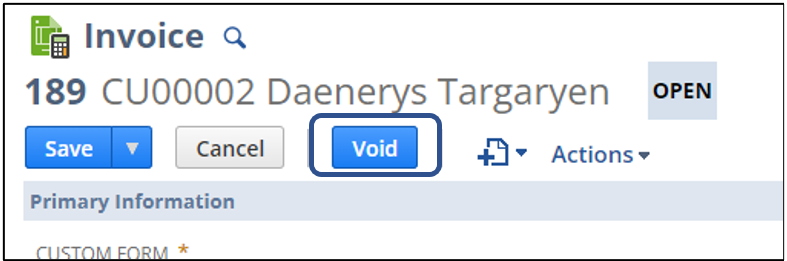
Note: Notice that there is a Void button available because the Accounting Preference Void Transactions Using Reversing Journals is disabled.
4. Click Void
5. Edit the Sales Order
6. Change the Customer by selecting the correct one in the list
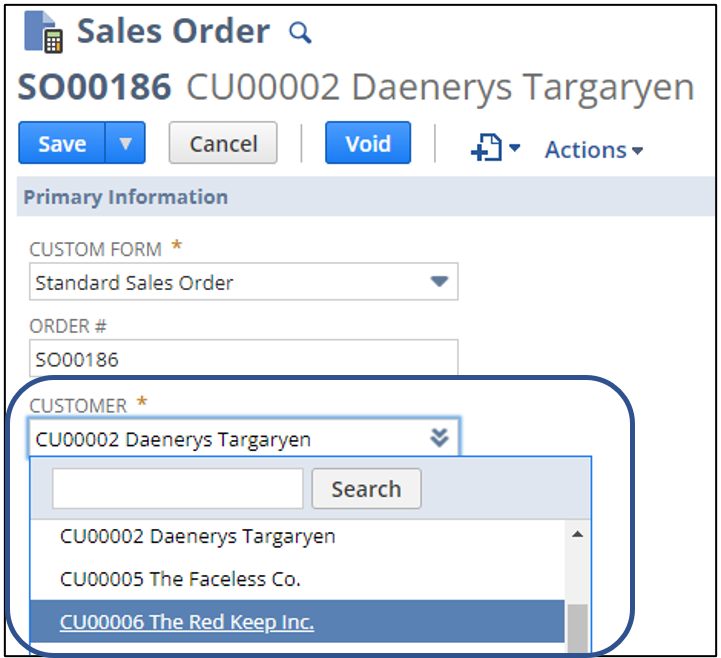
7. Save the Sales Order
8. Click Bill or Next Bill to create a new Invoice
Note: If the preference Void Transactions Using Reversing Journals is initially enabled in your account, navigate back to Setup > Accounting > Accounting Preferences > General tab, check the preference Void Transactions Using Reversing Journals, and click Save.
Would you like to share any additional best practices for correcting records with incorrect information in NetSuite? Feel free to comment on this thread or post them in NetSuite Admin Tips!
