The Transaction Line Distribution SuiteApp automatically generates either Regular Journal Entry or Advanced Intercompany Journal Entry depending on the Distribution Type set on the transaction. This article is focused on transactions with Distribution Type = Intercompany.
From where does the system pull the Intercompany Accounts reflected on the Advanced Intercompany Journal Entry generated?
To answer this question, the system follows this hierarchy:
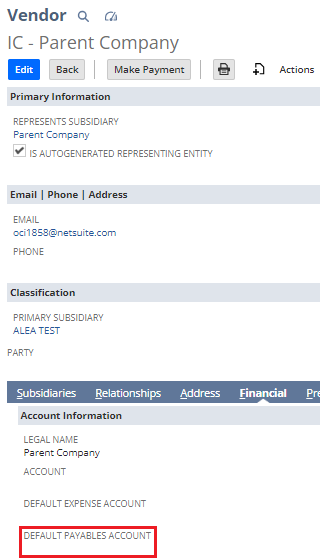
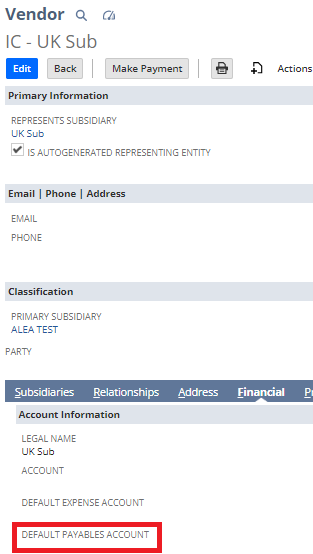
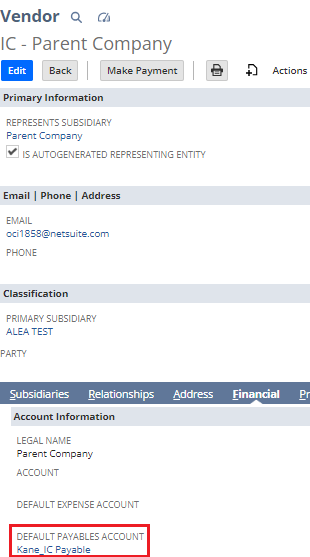
- Default Receivable or Payable Account set on the Intercompany Entity record;
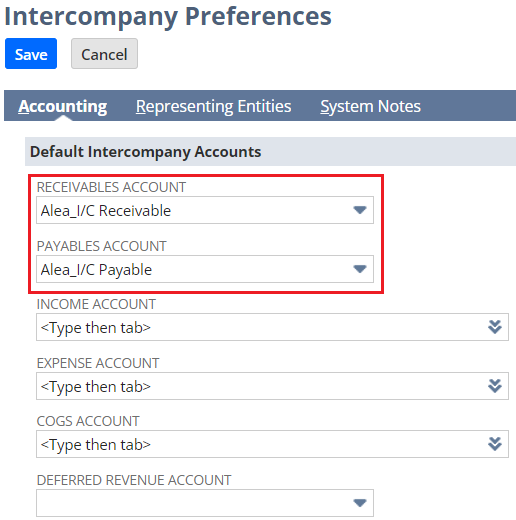
- Default Receivable or Payable Account set in Setup > Accounting > Intercompany Preferences > Accounting tab
To better explain, below is a simple demonstration.
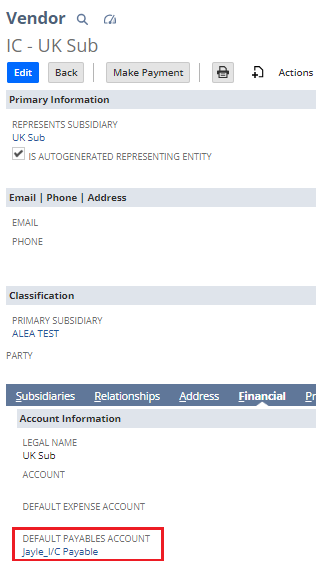
Scenario: A user with an Administrator role created two Vendor Bills with the same information. When he created the first Vendor Bill, the Default Payable Account is blank on the Intercompany Vendor record. When he created the second Vendor Bill, the Default Payable Account on the said record is populated.
Setup of the Line Distribution Rule of the Two Vendor Bills:

Setup of Intercompany Preferences when the Two Vendor Bills were Created:
Setup of the Intercompany Vendor Records when the First Vendor Bill was Created:
Setup of the Intercompany Vendor Records when the Second Vendor Bill was Created:
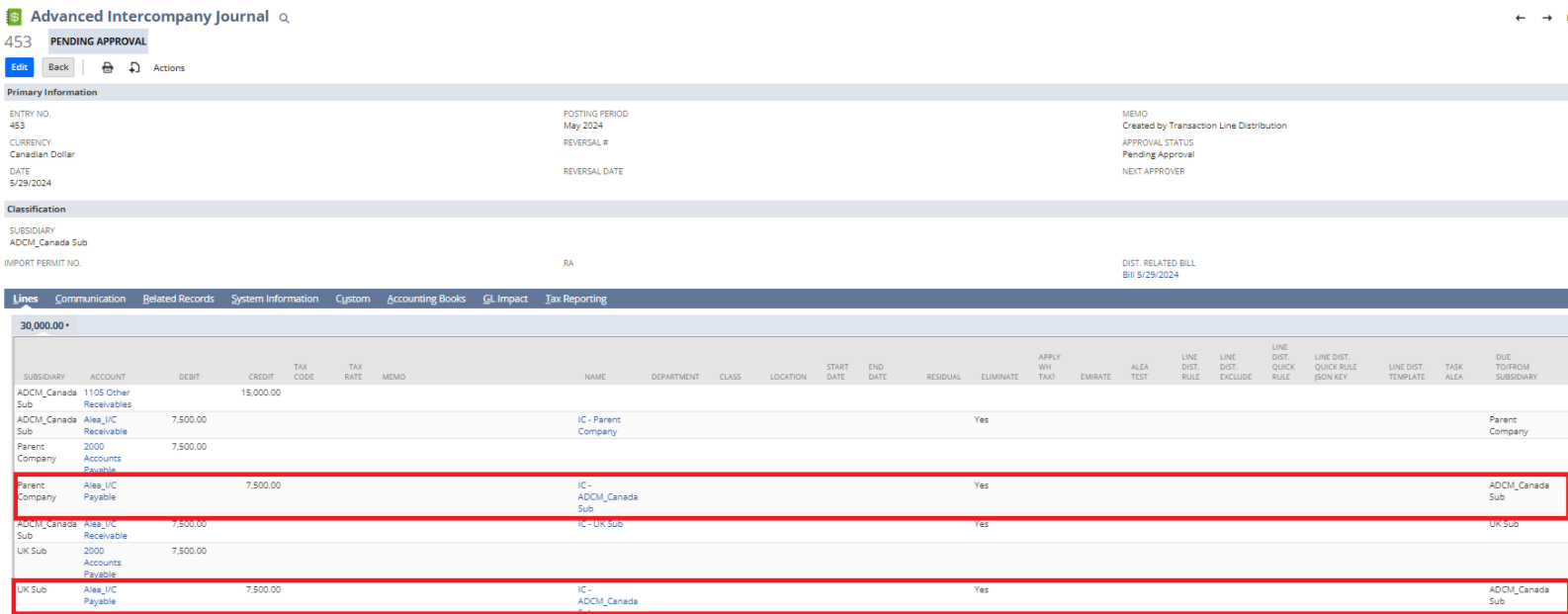
First Vendor Bill's Advanced Intercompany Journal Entry:
Second Vendor Bill's Advanced Intercompany Journal Entry:
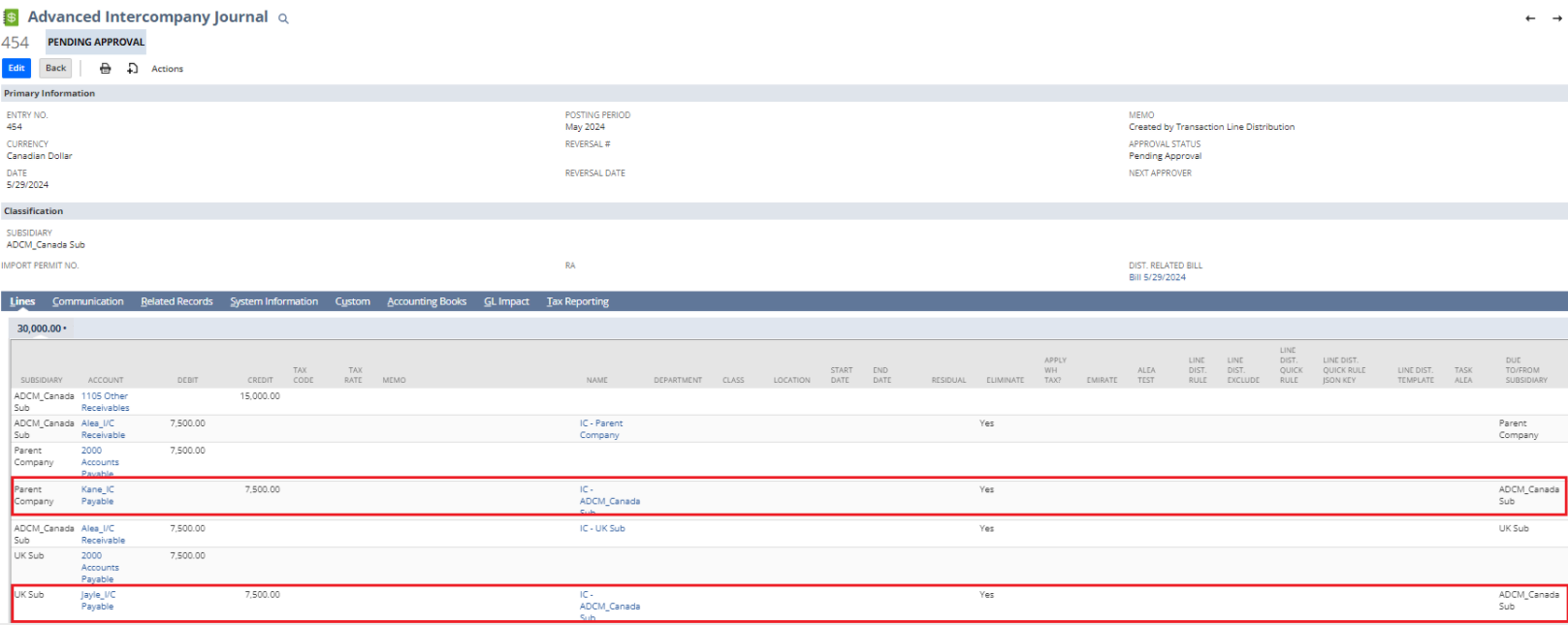
The above screenshots show that on the second Advanced Intercompany Journal Entry, the system pulled the Default Payable Account set in the Intercompany Vendor record over the one set in Intercompany Preferences. On the other hand, the first Advanced Intercompany Journal Entry reflected the Intercompany Accounts set in the Intercompany Preferences because at the time this was created, the Default Payable Account on the Intercompany Vendor record is blank.
Hope this helps! :)
