NetSuite is a powerful business management platform, and as a new user, you'll encounter various terms related to customizing and navigating your environment. This guide introduces key customization terminologies to help you get started confidently.
Record:
A record is a single entry of information related to a specific business concept. Think of a record as a line in a spreadsheet, such as a customer, transaction, or inventory item.

Form:
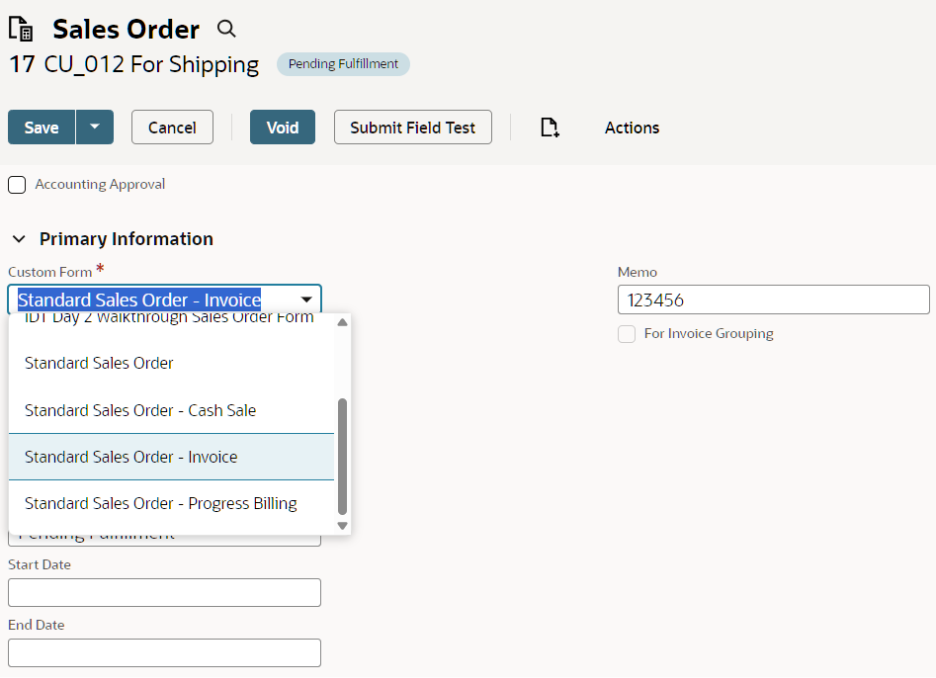
A form is the interface used to enter, display, or edit records and transactions. Forms present fields for data entry and often include subtabs to organize related information.
Field:
A field is an individual spot on a record or transaction where you can enter details, such as a customer name, transaction amount, or date.

Subtab:
Subtabs appear within records or transactions to group similar fields together. For example, you might see an Address subtab for all location-related fields.

Custom List:
A custom list provides predefined values that users can select from when entering data in a custom field. For example, a custom list could include product categories.


Sublist:
Sublists display the results of a saved search directly within a record or reflect parent-child record relationships. For example, a sublist under a customer record might show all related sales orders.

Script:
A script is a SuiteScript JavaScript file that automates business processes or customizes user interfaces. Scripts can run against specific forms or records or be scheduled to run at set intervals.

Role:
A role is a collection of permissions assigned to a user, controlling what information and actions are available to them in NetSuite.


Center:
A center is a tailored NetSuite configuration designed for a group of roles with similar tasks or functions. For example, the Sales Center presents tools and links relevant to sales users.

Center Tab:
A center tab is a section within a NetSuite center that groups related links and data. Standard center tabs include Home, Reports, Documents, Activities, and Setup. You also have the flexibility to create custom center tabs to suit your organization.


Understanding these customization terms is a crucial first step to making the most of NetSuite. As you become more familiar, you'll be able to navigate, personalize, and optimize your NetSuite experience for your business needs.
Stay updated by following New to NetSuite > SuiteCloud and SuiteBuilder & SuiteBundler categories to receive notifications whenever new articles about NetSuite customizations are published.