ref must be one of: categoryID, siteSectionID, category, category/categoryID, category/name, category/description, category/url, category/allowedDiscussionTypes, locale, siteSection, siteSection/basePath, siteSection/contentLocale, siteSection/sectionGroup, siteSection/sectionID, siteSection/name, siteSection/description, siteSection/apps, siteSection/attributes, layoutViewType, discussionID, commentID, page, latest, sort, sortType, lookupSort, discussion, discussion/name, tags, breadcrumbs, discussionApiParams, serverDraftID, serverDraft.
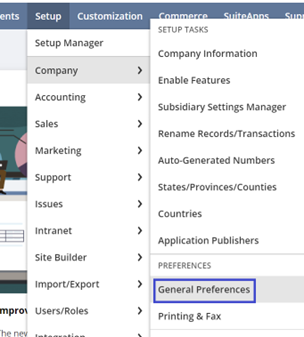
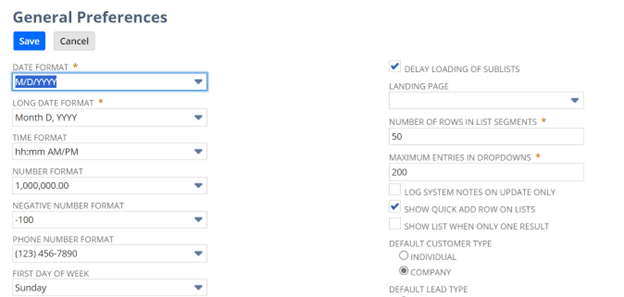
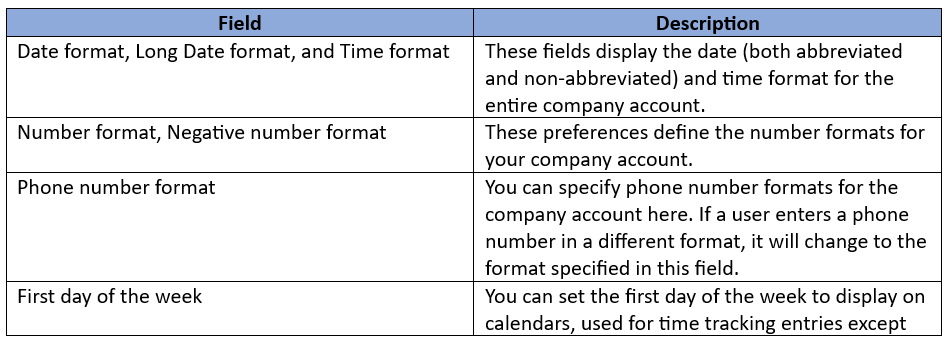
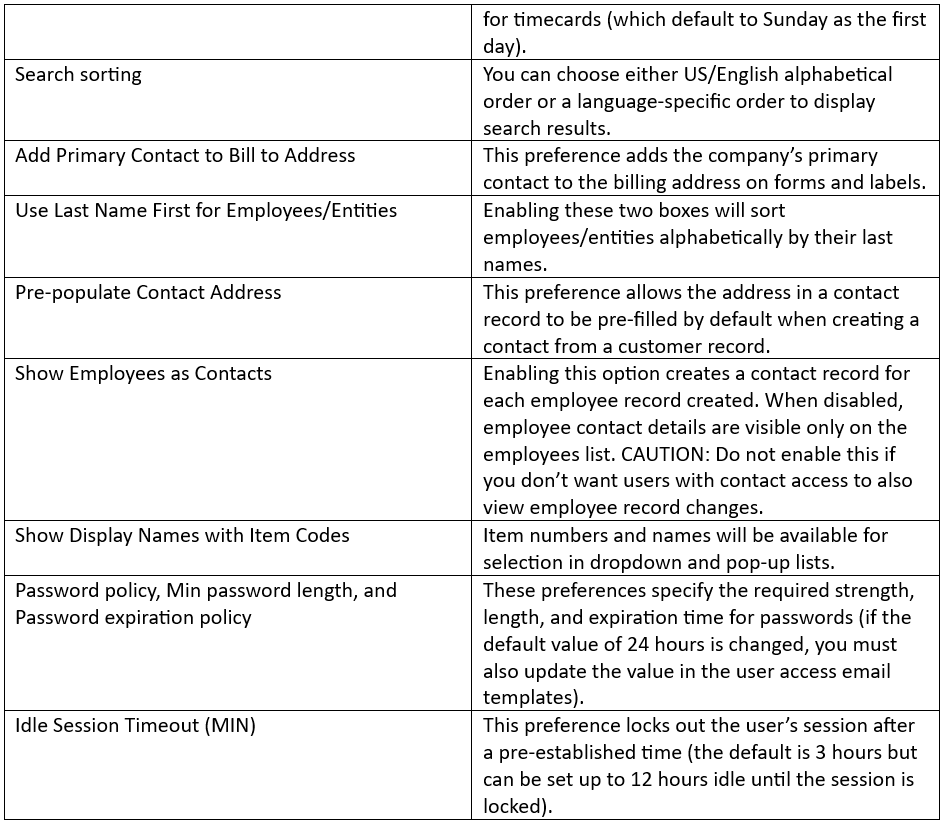
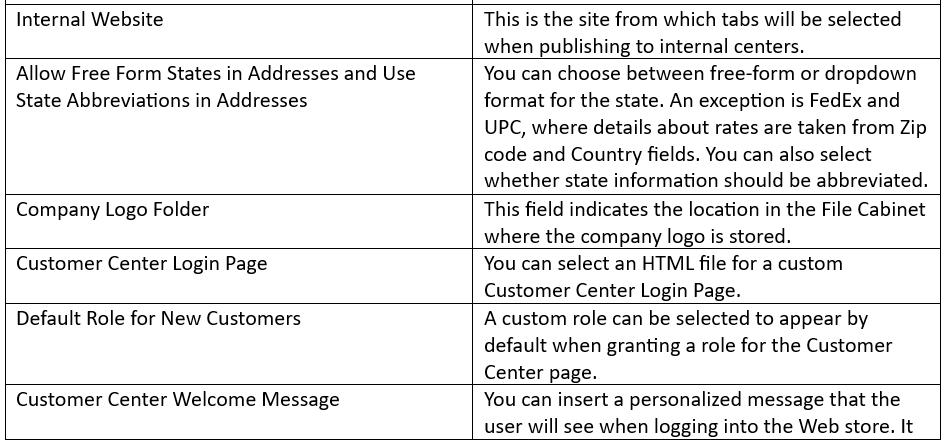
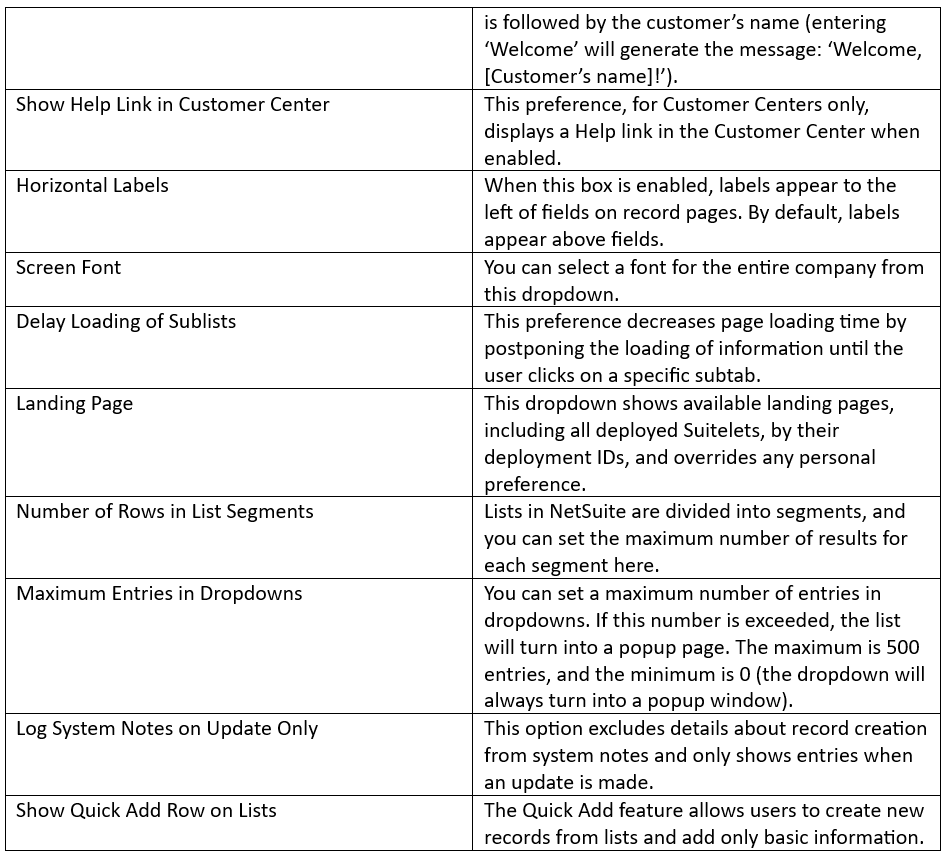
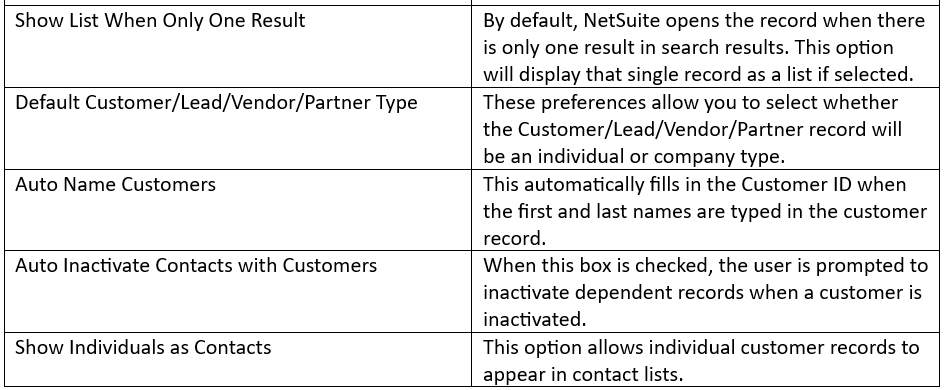
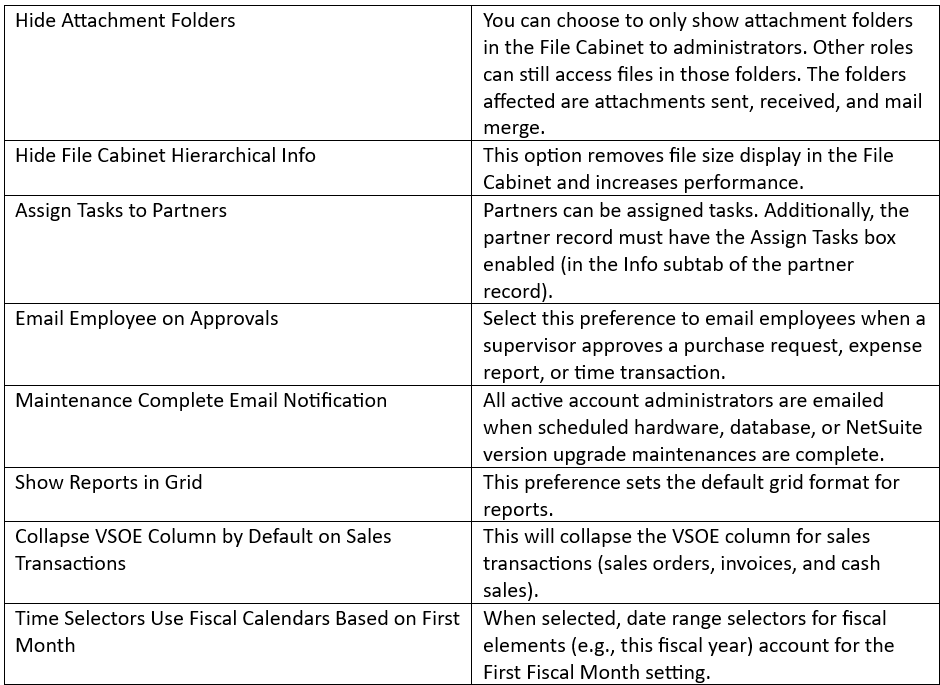
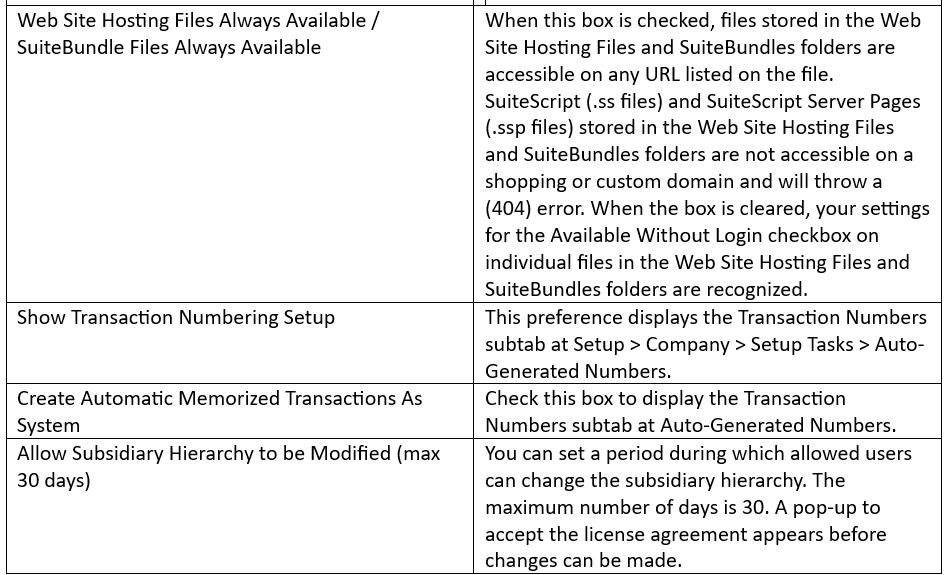
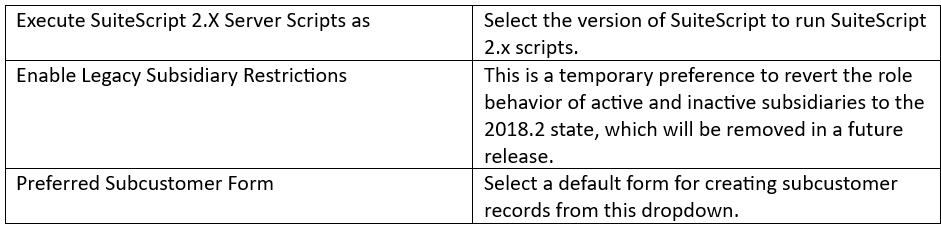
In previous articles, we covered the topics of Company setup and Account setup. Now, we will set up the general preferences for the company account. This setup includes defining important preferences for your company that NetSuite will use across many modules and features. To select these general preferences, follow the navigation path: Setup > Company > Preferences > General Preferences.
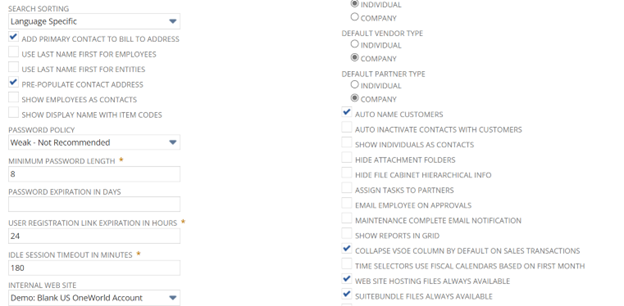
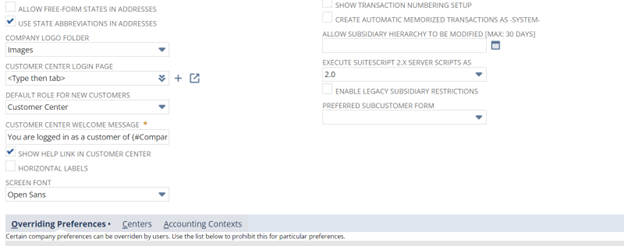
This section includes General Preferences (such as date and time format, address preferences, and customer center default setup), Overriding Preferences, Centers, and Accounting Context.
Generally, users can select most of their preferences at Home > Set Preferences unless you clear the Allow Override box for the corresponding preference on the Overriding Preferences subtab below.
Stay tuned for upcoming articles covering Setting individual preferences and other setup options. Make sure to follow the New to NetSuite > Account Administration & CSV imports category to be notified when new articles are posted.
You are not allowed to view comments.
Big ideas. No travel required. SuiteWorld On Air brings the best of SuiteWorld directly to you. Stream keynotes live, access exclusive virtual content, and connect with the NetSuite community from wherever you are. Explore what's next for NetSuite, see AI innovation in action, and discover practical insights designed to…
Drive better outcomes with AI built into NetSuite Next Capital Hilton,1001 16th St NW, Washington, DC 20036 Join NetSuite experts for a free half-day event where you'll get a tour of NetSuite Next, explore AI-powered capabilities built into the platform, and learn practical ways to optimize NetSuite for your business. At…
Take NetSuite Next for a hands-on test drive Capital Hilton, 1001 16th St NW, Washington, DC 20036 What to expect: Inside the Suite is designed for companies exploring modern ERP solutions. This event gives you the opportunity to experience NetSuite Next - the next evolution of NetSuite that brings AI directly into how…
WEBINAR What's Next for Product Companies with NetSuite See how NetSuite Next uses AI to improve accuracy and protect margins Ask. Understand. Act. Use Ask Oracle to search, navigate, analyze business data, surface insights, get guidance, and take action using natural language—all through a single conversational…