Finance charges are also called as ‘Late Fees’. When customer not pay the invoice amount at a give time then company charge late fees/finance charges on invoices. Finance charges are usually calculated on monthly basis for all transactions.
Finance charges flow chart:

Setup Finance Charges:
Navigation: Setup > Accounting > Finance Charge Preferences

Assessing Finance Charges:
Navigation: Transactions > Customers > Assess Finance Charges
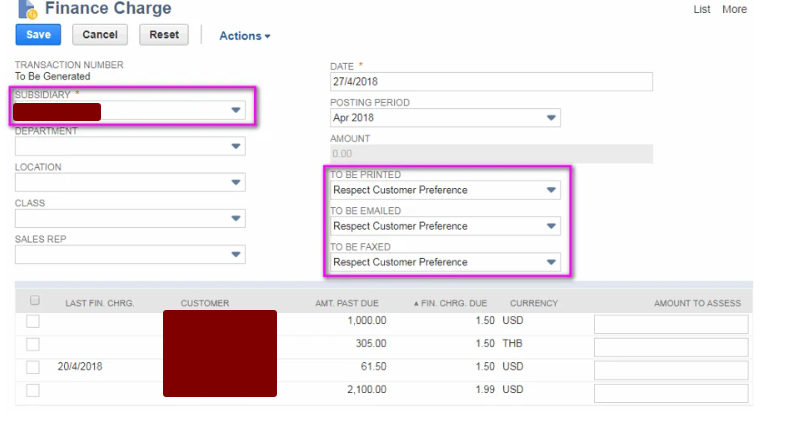
Line level results are invoice due date exceed results. When you select and save the required result ‘Finance Charge’ record is created by automatically.
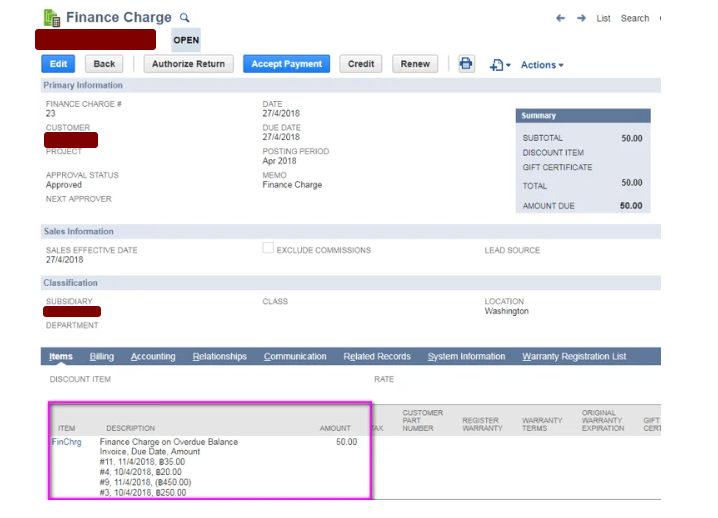
If you want change the finance amount.
Payment Process:
- Through ‘Payment’ record:
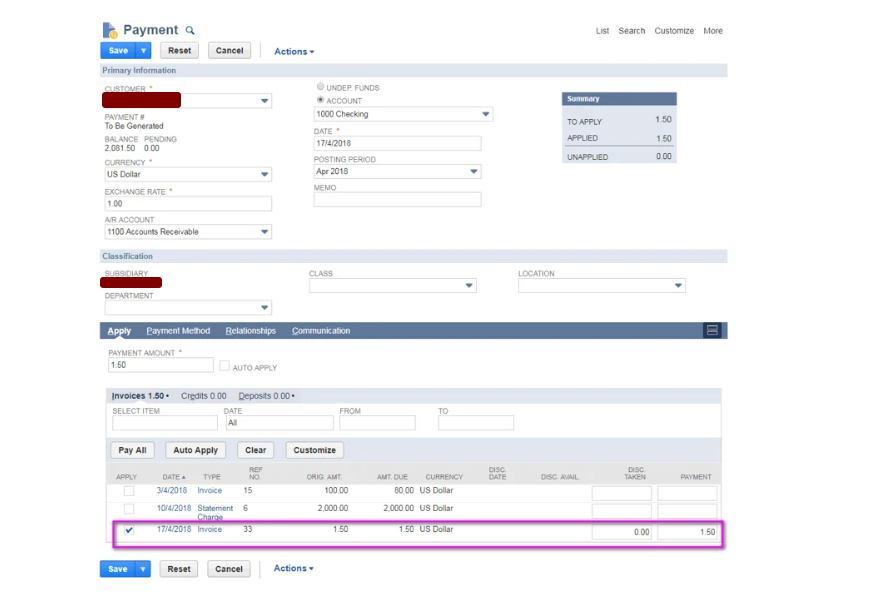
Through ‘Deposit Application’:

Finance charges are useful to most of the companies to run their business successfully. For example some companies do the purchases, investments etc based on income. If the customers not pay their invoice amount at a certain time company do the other alternate solution (Loans etc) for his (company) purchases, investment etc. When chare the late fees on customers then company recover the amount.
NetSuite calculates finance charges on overdue invoices based on specific system preferences. Here's a clear breakdown of the process using a real-world example for better understanding.
Finance Charge Calculation Formula
Finance Charge = (Annual Rate ÷ 365) × Days Overdue × Invoice Amount
This formula is applied individually to each overdue invoice. The total finance charge for a customer is the sum of all such individual charges.
