Best Of
Submit VAT > Error: No Client Credentials are Found
When submitting VAT electronically, customer is getting an error that no client credentials are found.
To resolve the error:
1. Navigate to Customization > Scripting > Script Deployments
2. Find the following scripts:
- Online Filing Runner Suitelet
- customdeploy_online_filing_runner_su
- Online Filing Suitelet
- customdeploy_online_filing_su
- Authorization Suitelet
- customdeploy_authorization_su
- Online Filing Import Suitelet
- customdeploy_online_filing_import_s
3. Edit each script and made sure that Execute as = Administrator

Re: SuiteTax Issues: Mass Updating Tax Item Type + Louisiana Economic Development Zones
Hi Angela,
Case # 6932186. I am an authorized contact. I've been an Admin for 6 years but just recently joined the company I'm currently working for.
Thanks for the suggestion - hopefully the community can help.

Re: Effective Date Pricing In Advance
This is definitely something you'll have to customize to solve. I think we did this recently. I'll look into it and get back to you.

Re: SuiteTax Hub
Hi @Divya Unnikrishnan!
Thank you for sharing this with the community! This will be helpful to our members!

SuiteTax Hub
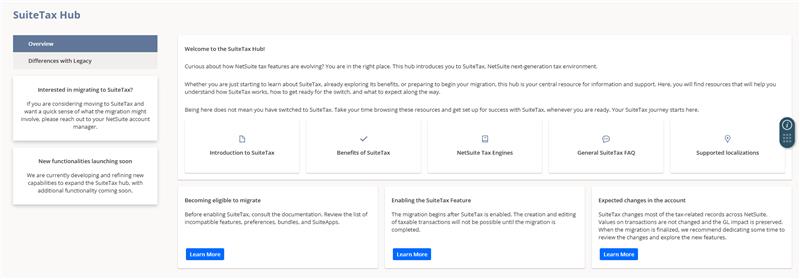
SuiteTax Hub is a centralized page in NetSuite that provides access to key SuiteTax resources. It offers guidance on how SuiteTax works, how to prepare for the transition, and what to expect during the migration process.
Key Features of SuiteTax Hub:
– Overview: The landing page features quick links to commonly visited SuiteTax articles and resources.
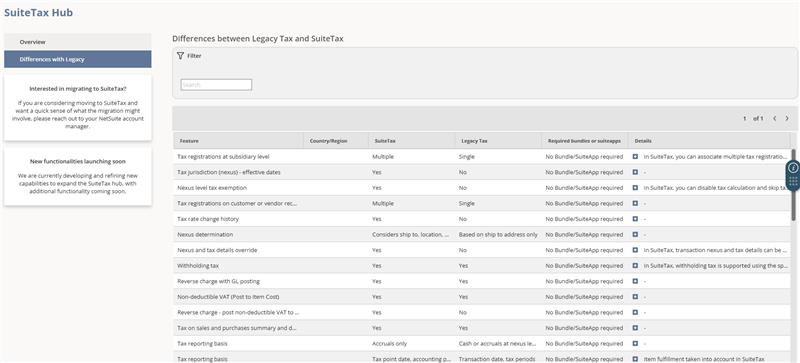
– Differences with Legacy: A searchable comparison tool to view feature differences between Legacy tax and SuiteTax, helping you understand what will change and what may be required during your transition.
How to Access the SuiteTax Hub:
Go to Setup > Accounting > Taxes > SuiteTax Hub. Accessing the SuiteTax Hub does not convert your account to SuiteTax.
Who Can Access the SuiteTax Hub:
The SuiteTax Hub is currently available to all Legacy Tax accounts. Availability for accounts already using SuiteTax will be introduced in upcoming releases later this year.

Re: How do you stop processing a Scheduled Script?
Hi @Dext3r,
My apologies. Upon further review of the Governance Best Practices documentation, nlapiYieldScript is only applicable to SuiteScript 1.0. As stated in the article:
SuiteScript 2.x does not have a method that allows you to set recovery points or yield execution to avoid exceeding the allowed governance limits for a scheduled script. However, SuiteScript 2.x Map/Reduce scripts provide built-in yielding and can be submitted for processing in the same way as a scheduled script.
As you mentioned, undeploying the script or changing the deployment status will not stop the current execution; it will only prevent future executions. Unfortunately, scripts that are already running cannot be stopped, as they cannot be edited until the current execution has completed. The current execution would need to complete, fail, or exit on its own if the script was designed with logic to stop gracefully.
Here are some articles that may help:
I hope this helps.

Re: Do ScheduleScripts have a concurrency usage/limit? M/R scripts are blocked.
Hello,
Scheduled Scripts consume SuiteCloud Processor capacity, but they do not inherently block Map/Reduce scripts just because they are Scheduled Scripts.
In the current model, Scheduled Scripts and Map/Reduce scripts run through the same SuiteCloud Processors pool. SuiteCloud Processors are used to process both scheduled scripts and map/reduce scripts, and that a submitted scheduled script task is handled by one job, while a submitted Map/Reduce task is handled by multiple jobs across its stages.
A Scheduled Script is therefore not a hard blocker for M/R scripts, but it can make them wait if there are no processors available, or if priority/queue settings cause the scheduled job or other jobs to be selected first. Scheduling logic considers priority and submission time; higher-priority jobs are sent first, and jobs with the same priority are sent in submission order.
In the SuiteCloud Processors model, job start order is managed by the scheduler using priority, submission order, and related processor settings, rather than by the old single FIFO queue behavior.
Check these SuiteAsnwers Articles for details: SuiteCloud Processors and SuiteCloud Processors Basic Architecture
Thank you!

Re: Do ScheduleScripts have a concurrency usage/limit? M/R scripts are blocked.
Hi @Dext3r
Thank you for posting here in the NetSuite Support Community!
Hello everyone! One of our fellow members could use a hand. Please feel free to join this thread and share your knowledge, ideas, or tips. Your contributions are always valued and truly appreciated!
Re: [EFT] [Electronic Bank Payment] 1 Payment File with Multiple Payment Method
It really depends what you mean by a different payment method?
The main driver here will likely be the specifications of the XML - that is, will your bank specification allow you to send a single file with multiple methods on it?
I've set up a template in the past for multi-currency payments. The XML had a list of payment batches, but each batch was a different currency. A similar logic could apply in your use-case, depending on the specs from the bank.

Ask A Guru Live About SUITEANALYTICS
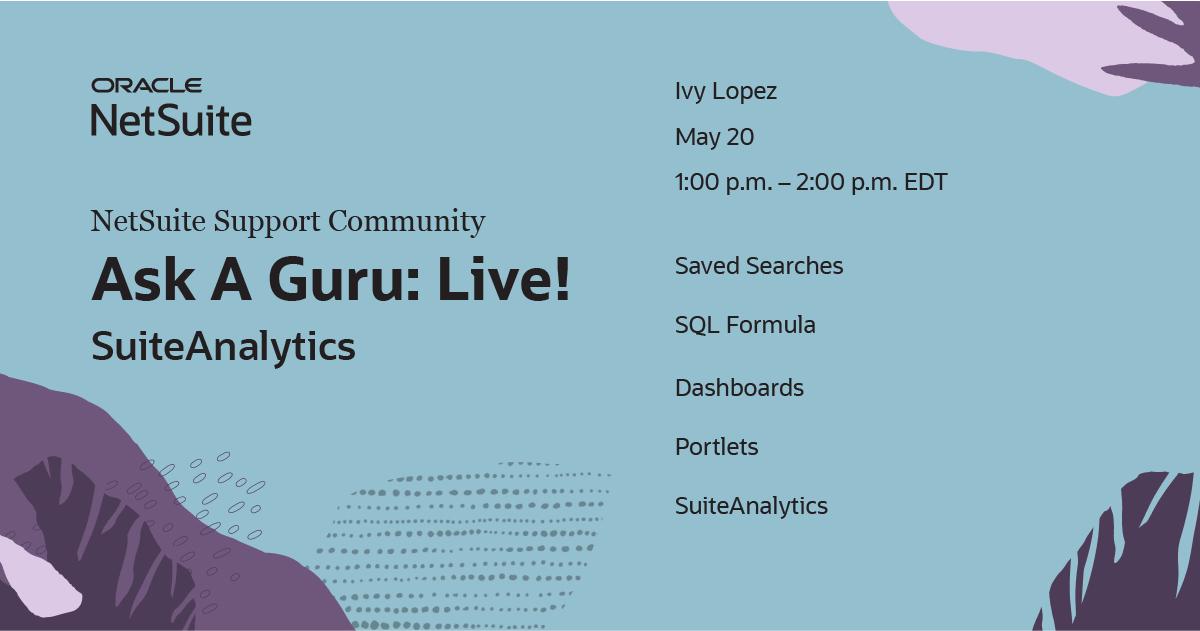
Participate in an enlightening SUITEANALYTICS session featuring Guru Ivy Lopez. Pick up tips to enhance your knowledge. Date: MAY 20, 2026 - 1:00 PM TO 2:00 PM ET. RSVP today and mark your calendar. Follow Community Events or the AskAGuruLive tag for ongoing updates. Topics covered are stated above.
