Best Of
Re: Email reminder functionality of a saved search
Hi @User_Q3A12
Use Recipients from Results subtab:
To target recipients based on values of search results fields, click the Recipients from Results subtab.
I can see that users who created these PO/VB are part of this search.
On each scheduled date, separate email messages are sent to all recipients who match search results values for the selected field(s). Each message includes only search results with values matching the recipient. By default, each recipient receives one message with a summary of all matching results.

Re: Saved search for transactions in draft state
Hi @User_EIB67
No, SuiteApprovals does not support these saved search filters.
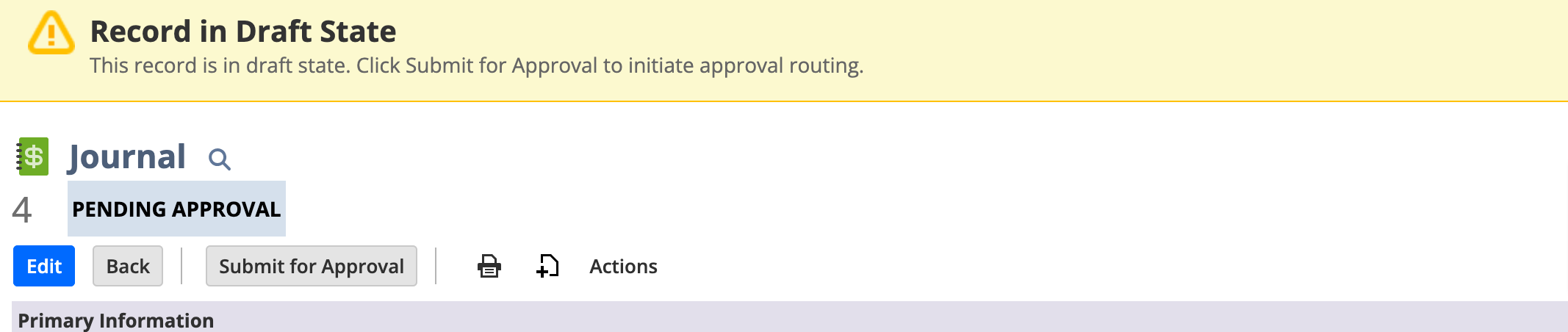
You can see only record status is draft state
In SuiteApprovals we have below states only depending on the result of amount validation, approver validation, or approver actions
Pending approval
Approved
Rejected
Resubmitted and
Cancelled

Re: Asset lifetime of asset and type does not match:
Hello @T.S
Yes check asset type system notes and take note of the date the asset lifetime was changed and navigate to
fixed asset proposal history and check the date of proposal
Re: How to manage multiple bank details information in customer record
Create the entity custom subtab as " Bank Information"
Go to Customer, vendor, employee records, customize the form and add the subtab with custom record details
Re: How to mass update group invoices checkbox through import
Correct Agree with you @thussain
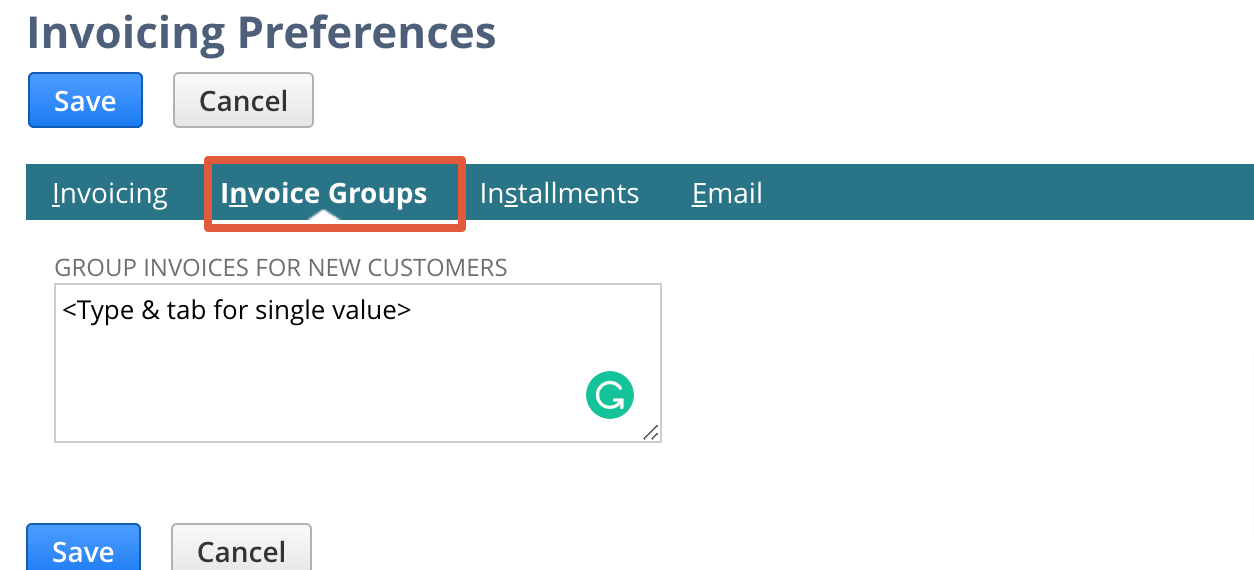
But you have the alternative option, Use the Invoicing Preferences page to set a default subsidiary for customers who want invoices grouped. You can set this preference for new customers.
Re: Trend Graph Time Duration
Hello @User_HPB3I
Currently adding a specific date range on Trend Graphs is under enhancement vide # 72177.
Alternative solution: Create a custom KPI and set the date range based on your requirement.
Re: EXCHANGE RATE can not change
Hello @Benjamin Paul - USA
Due to currency permission, the exchange rate field is grayed out.
Pls check the permission on your role
Navigate to Setup > Users/Roles > Manage Role
- Edit the role
- Click on Permission tab
- Click on Lists subtab
- Select currency permission - access level select Edit
- Save and check on new transaction
Re: Revenue Arrangement Issue
Hey @User_KBEB1,
The Best Practice is to run the Month End Revenue Recognition Journals followed by the Revenue Reclassification Journals.
I found that many NS Implementation Consultants never mention the Revenue Reclassification Journals, and customers end up with incorrect financials and many manual steps.
Do you run the Revenue Reclassification process? Once you run it, NetSuite should adjust the difference between Deferred Revenue (B/S) and Revenue (IS).
Regarding the second question, there are a few ways to address it, and some of them depend on your current setup and transactions. For example, what is your setting for "Create and maintain Revenue Element upon closed Sales Order"? Also, do the RAs you are trying to close relate to Sales Orders with items set up to create Revenue Plans on Billing? Thanks.
