Best Of
Re: Multiple Sessions enabled but users still limited to one login
Hi @User_3XMAE
If a user has more than one role in the account, all roles must be 2FA-required.
Please see SuiteAnswers ID 95122 Authentication under Multiple Sessions per User Requires 2FA.
I hope this answers your questions.

Re: Overwrite of 2025 Invoice Numbers with Legacy (SAP) References
Hello @Mary Rivas
Good day and thank you for posting this new thread!
Hello everyone! We'd greatly appreciate your support in this matter. Your willingness to assista fellow member doesn't go unnoticed and is sincerely valued.
--
In case you know someone who is new to NetSuite, we encourage you todirect them to our newly launched "New to NetSuite" page.This page is specifically designed to offer them information and guidance andhelp them make the most out of their NetSuite journey. Click here for more details.


Re: Overwrite of 2025 Invoice Numbers with Legacy (SAP) References
Hello Mary Rivas,
Yes, you can change/update the system-generated invoice numbers via CSV import to align with the original SAP invoice numbers.
Regarding your questions about constraints or risks we should be aware of (e.g., impact on the audit trail, duplicate numbers, or numbering gaps), these considerations are more than likely specific to your business's legal requirements and your NetSuite auto-numbering configuration.
However, you can consider the following:
- Impact on audit trail
- Do these invoices currently have a value in the External ID field?
- If not, then you might consider updating the External ID with the original NetSuite auto-generated value to assist with the audit trail during the CSV import.
- The system notes will also include the old and new values to assist with the audit trail.
- The Transaction Numbering Audit Log will also include a reference to the date that the number was allocated to the transaction.
- Do these invoices currently have a value in the External ID field?
- Duplicate numbers
- This is also one of the first elements to consider.
- Hopefully, your SAP invoice numbers do not overlap with the NetSuite numbering scheme, and there is a significant difference in the SAP invoice number formats.
- Numbering gaps
- I would suggest collaborating with your accounting team to determine whether they have any audit-related concerns.
I highly recommend using a NetSuite Sandbox account when performing the CSV updates.
I am sure that there are several members of this community and the gurus that can provide additional insight and best practices.
Thank you,
Todd Niedringhaus

How to View Creation Details for Withholding Tax Types Using Saved Search
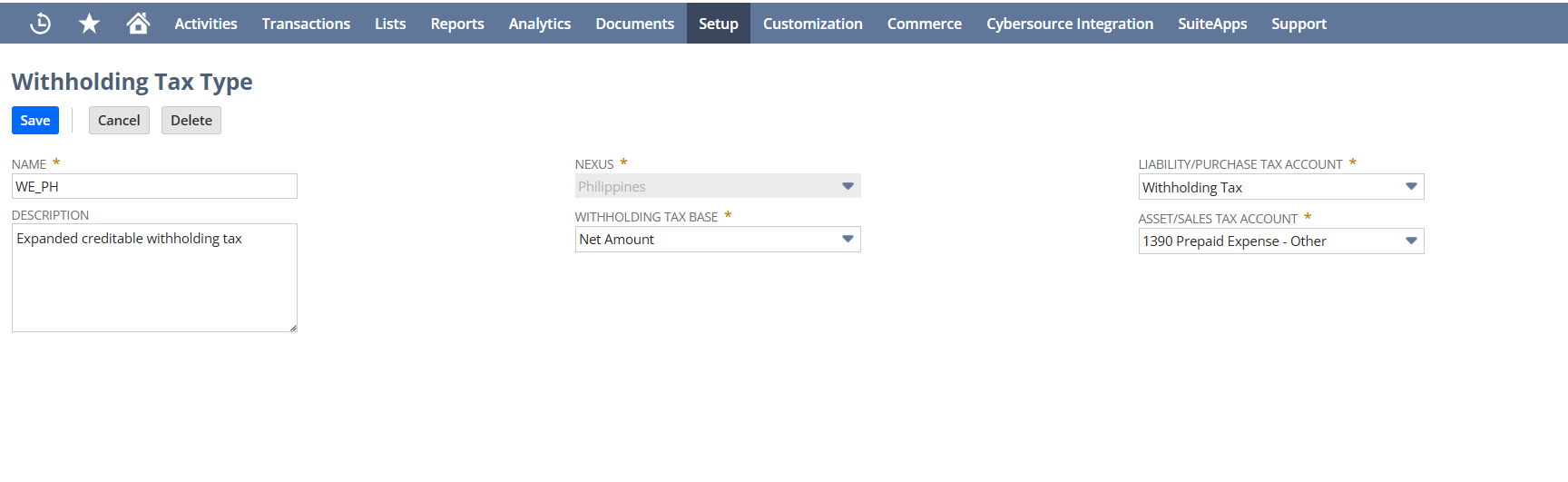
When opening a Withholding Tax Type record, you may notice that there is no System Notes tab available to show when the record was created or who created it. This can make it difficult to track record history directly from the form.
As a workaround, you can create a Saved Search to retrieve these details. The steps below will guide you through the process.
- Navigate to Reports > New Search
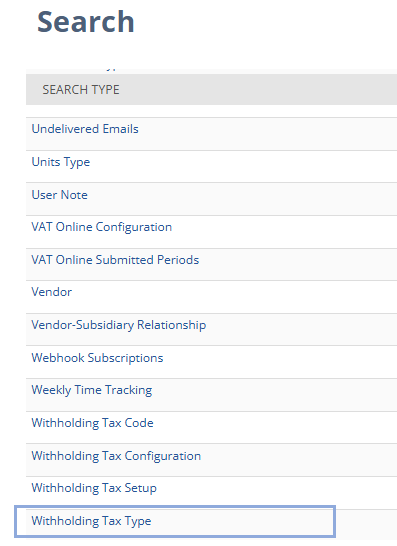
- Select Withholding Tax Type
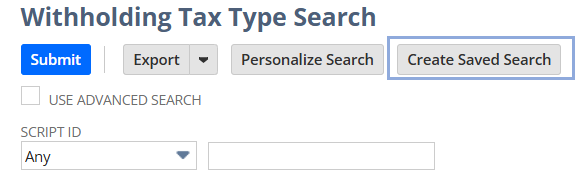
3. Click Create Saved Search
4. Add any necessary filters under the Criteria tab, depending on your requirements
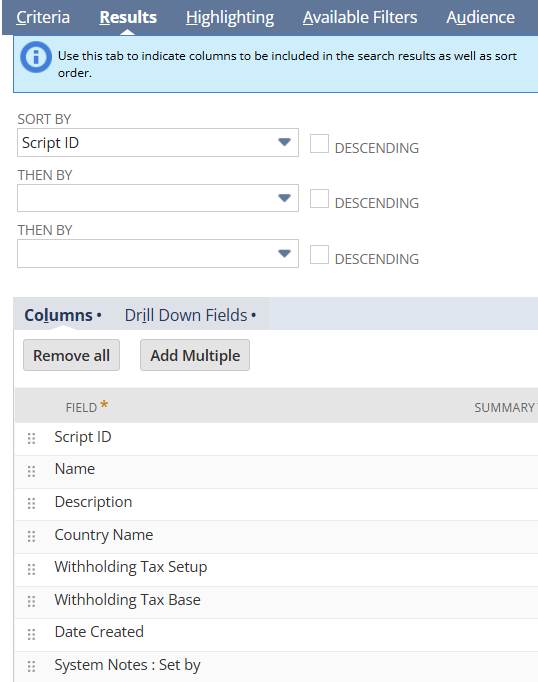
5. Go to the Results tab and add the following fields:
- Date Created
- System Notes (joined field):
- System Notes : Set by
6. Click Save and Run
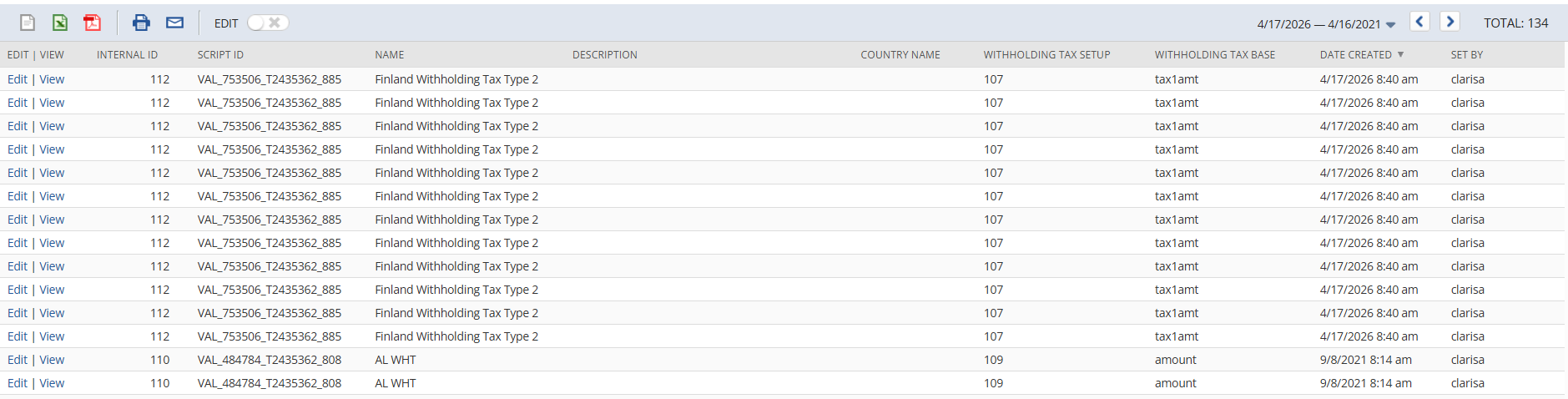
After running the search, the results will display key information such as:
- The date the tax type was created
- The user who created the record
This allows you to determine whether the tax type was created recently and, if needed, reach out to the user responsible for creating it.
Although the System Notes tab is not available within the Withholding Tax Type record, using a Saved Search provides a practical way to access creation details. This approach helps improve visibility and supports better tracking and communication when reviewing tax configurations.
___
If you find this information useful, let us know by reacting or commenting on this post!