Best Of
Re: Revenue Arrangement Issue
I can't recall if I ever tested this on historic transactions. It probably won't impact anything historical. If you have a Sandbox, you can try it there.
The other option is to create RMAs for the applicable Sales Orders.

Re: Revenue Arrangement Issue
Hi @User_KBEB1,
As per SuiteAnswers Id: 80840, "Any changes made to the Create and Maintain Revenue Element Upon Closed Sales Order preference is prospective in nature" This means that it will only affect those transactions closed after the changes to this preference.

Re: Is it possible to create an audit report for activities on File Cabinet ?
Hi- Yes, this is possible. Using a System Note Search, you can isolate the notes to be only on 'Files'.
Good Luck!
~angela

Re: Formula in Saved Search to pull in Amazon orders created after a 30min lapse
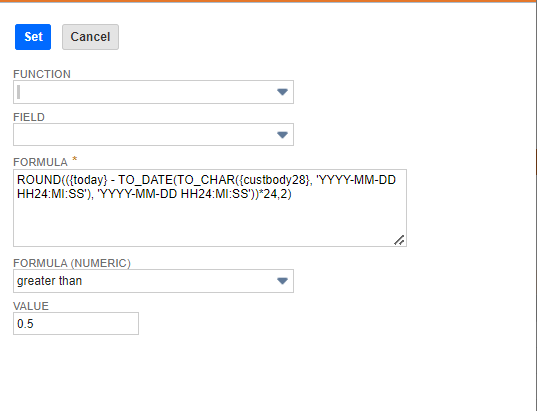
Grace Catabian-Oracle, we were able to get the formula corrected. This is the one that worked. (custbody28 is the Amazon Date Time Stamp that is brought over into the custom field)

Re: Cannot set Tax Code in Workflow for a non-taxable item
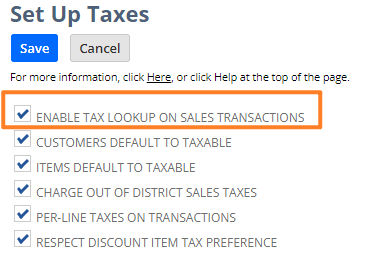
Setup > Accounting > Setup Taxes
Re: How to setup several currency exchange rate type in netsuite
Hi @User_WA9MO
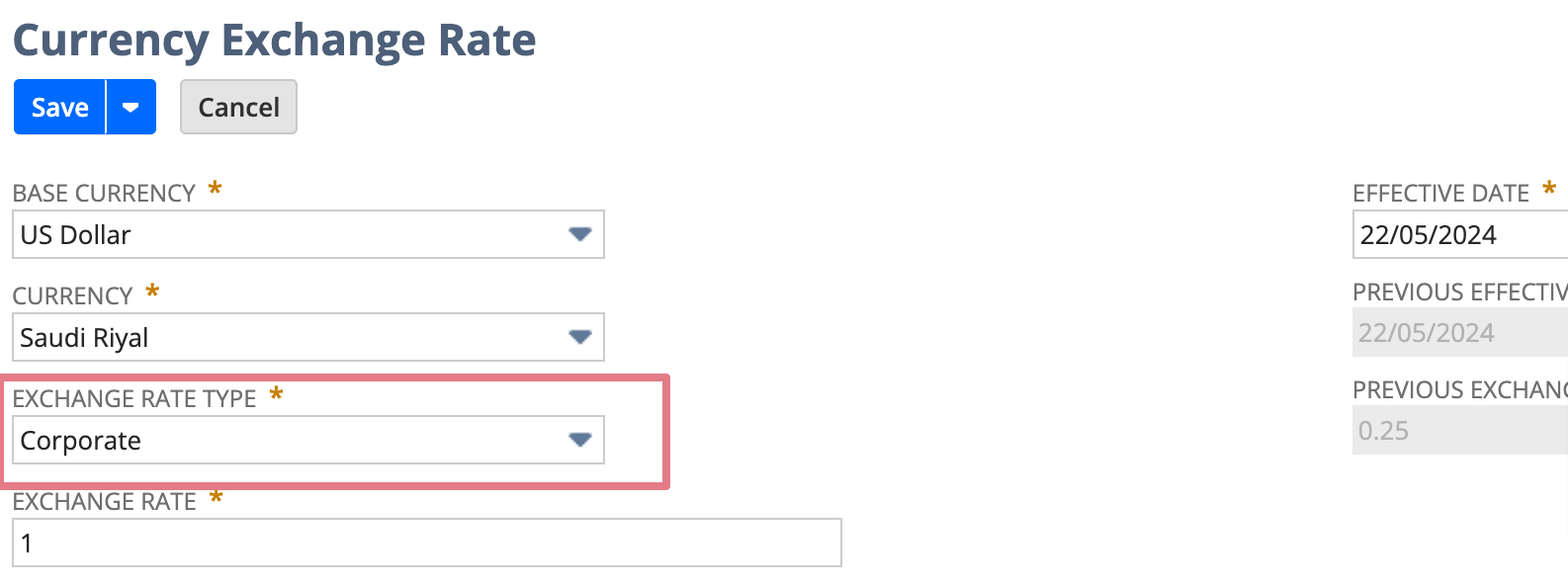
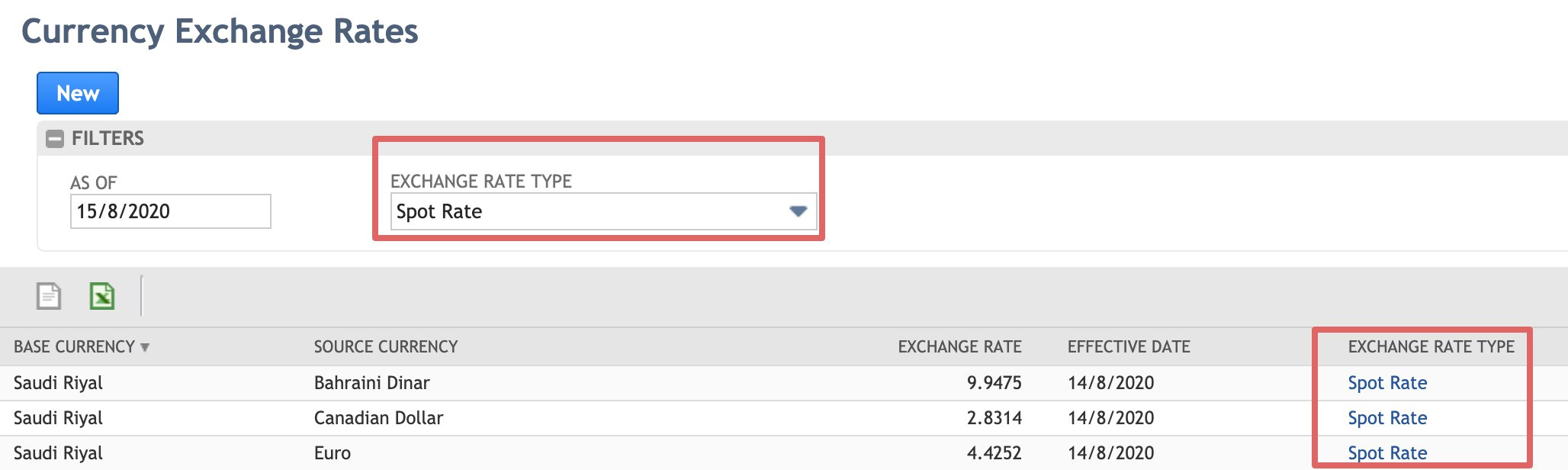
1. Enable the Currency Exchange Rate Types feature lets you store multiple currency exchange rates for a currency pair and date.
2. This feature is available in NetSuite OneWorld only after you enable the Multiple Currencies and Intercompany Framework features
3. You cannot disable the Currency Exchange Rate Types feature after you enable it.
4. NetSuite permits up to three active currency exchange rate types, including the default. You can rename the default type, but you cannot make it inactive. Each currency exchange rate type must have a unique name.
Re: SS2.0 How do I filter using the serial number from a SalesOrder for N/search?
Hello @Dext3r,
Just to confirm, yes, inventorydetail.inventorynumber is the right filter to use.
I was able to verify this on my end. Here is a sample saved search that works on my end.
var transactionSearchObj = search.create({
   type: "transaction",
   filters:
   [
      ["inventorydetail.inventorynumber","noneof","@NONE@"]
   ],
   columns:
   [
      search.createColumn({name: "tranid", label: "Document Number"}),
      search.createColumn({
         name: "inventorynumber",
         join: "inventoryDetail",
         label: " Number"
      })
   ]
});
I hope this helps!
If you find this reply to your question useful, others might as well. By clicking the “Yes” button for “Did this answer the question?” below, you’ll be able to help the community members who might have a similar concern find the answer easier and you will also get closer to earning your next Answer Accepter badge.

Re: Why Isn't Tax Calculated on Sales Order Automatically After Tax Setup?
Hi Patrick!
Sometimes I wonder if there is anything you do NOT know :)
So, I followed all your steps, and I use advanced/legacy taxes, and I already had all of them in place.
Today I ran it again, and now tax is calculated indeed - I wonder if this could have been a maintenance-related issue, because I was working on this PST time around 11pm at night.
All in all, it works perfectly, and now I know where to check the tax - in the accounting subtab.
Thanks!
 Vasya_2