Best Of
Re: ERROR : Field Payment Not Found
Hello @K Mukesh
Please use this formula,
Formula:TO_CHAR(TO_DATE(TO_CHAR(TRUNC({FieldID}, 0)),'J'),'JSP')

Re: Where we can find the standard List/record values
Hey Everyone,
Thank you for responding, I found below article which address my query.

Re: Is Employee not a valid result for transaction saved searches?
I can replicate your issue. Odd…
I agree, I would think if you have an "Employee" field on your Purchase Order… You should be able to just selected the Employee field without joining it.
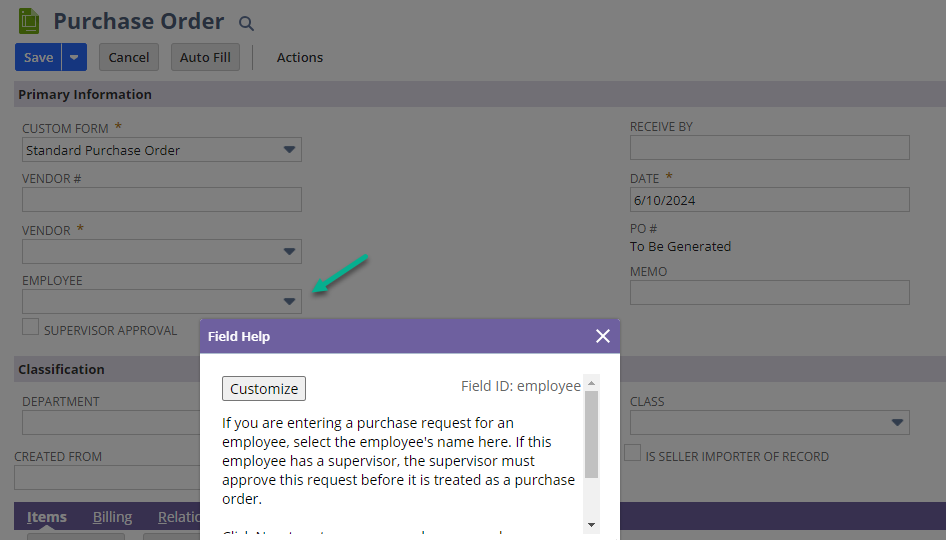
Even trying to join to the Employee field returns no results.
I just tried replicating the search to the same results.
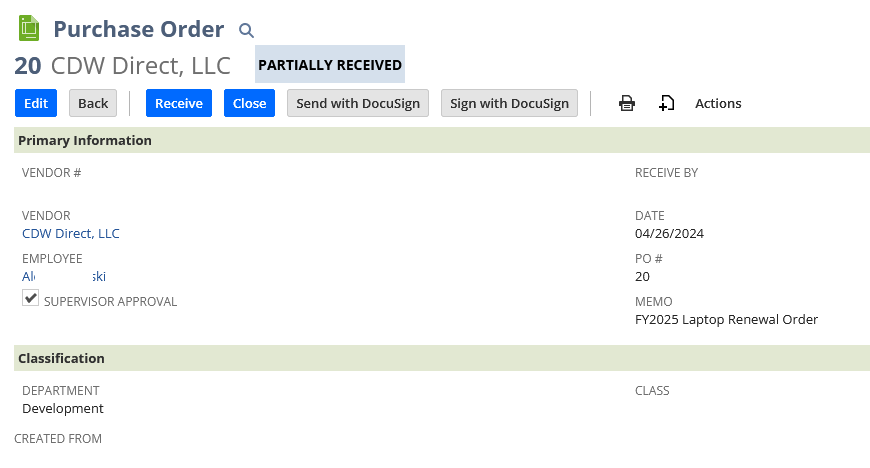
The "Employee" field is not available on the Transaction to select so I joined it too.

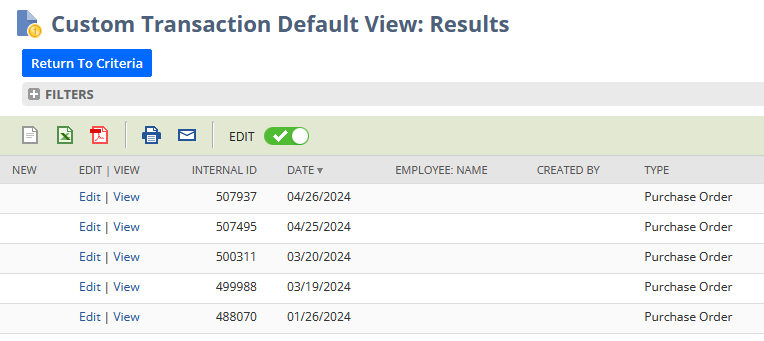
SuiteAnswer 78426 & 105304 Looks like you have to enable the Purchase "Requests" feature to make the
Solution
- Enable the Purchase Request feature
- Navigate to Setup > Company > Enable Features > Employees
- Purchase Requests: Enter Checkmark
Note: Under Time & Expenses section, you can find Purchase Requests checkbox. The purpose of this field is to allow employees to create purchase requests for the approval of their Supervisor/s. As per field level help,"Check this box to allow employees to enter purchase requests online. If you check this, you must also enable the Purchase Orders feature. If you want NetSuite to email supervisors when requests need to be approved, check Automatically Notify Supervisors on the Time & Expenses subtab of the Accounting Preferences page." - Click Save
- Open an existing Purchase Order
Note: The employee field should now appear on the mainline.
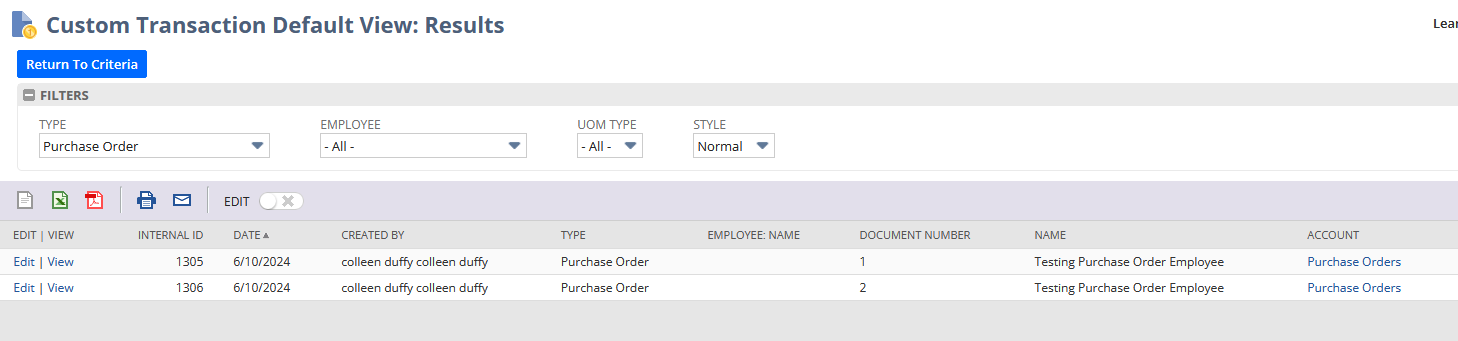
Although I just tested this in our Dev environment & created a purchase request then purchase order but still could not retrieve the Employee value in the purchase request or order.
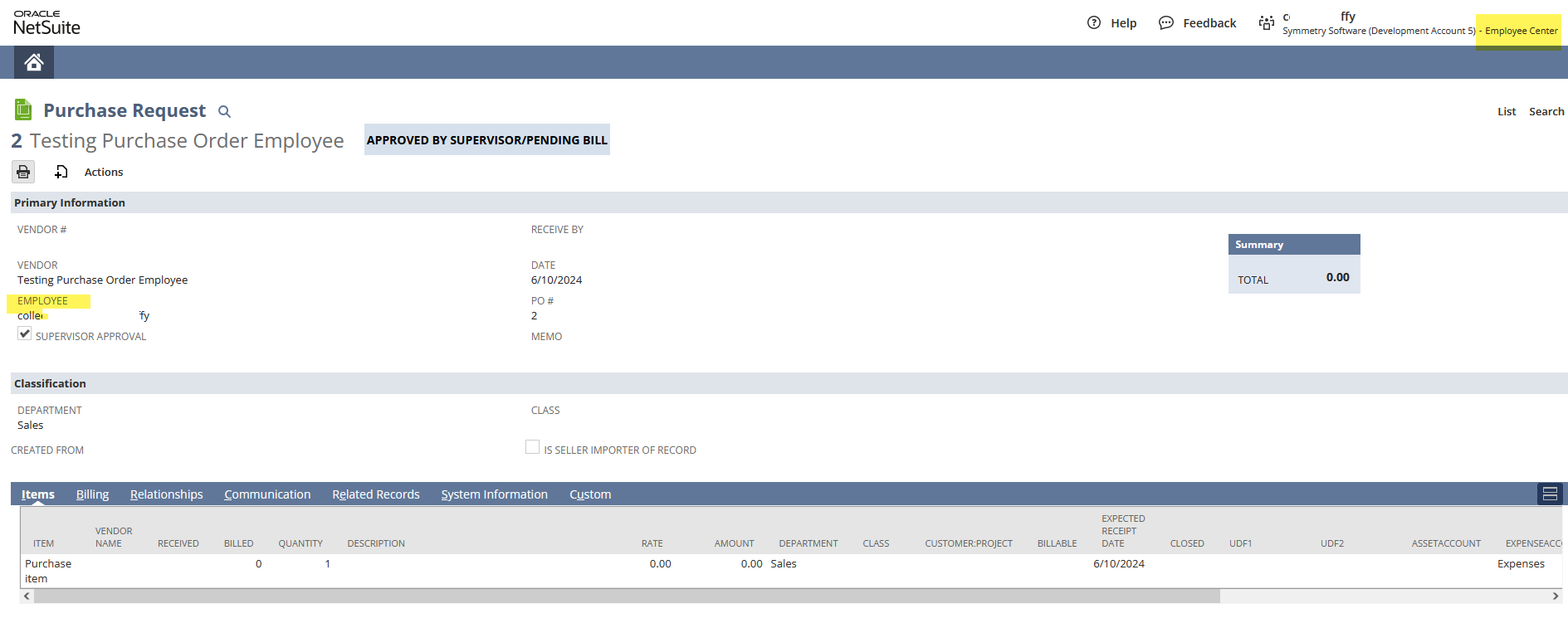
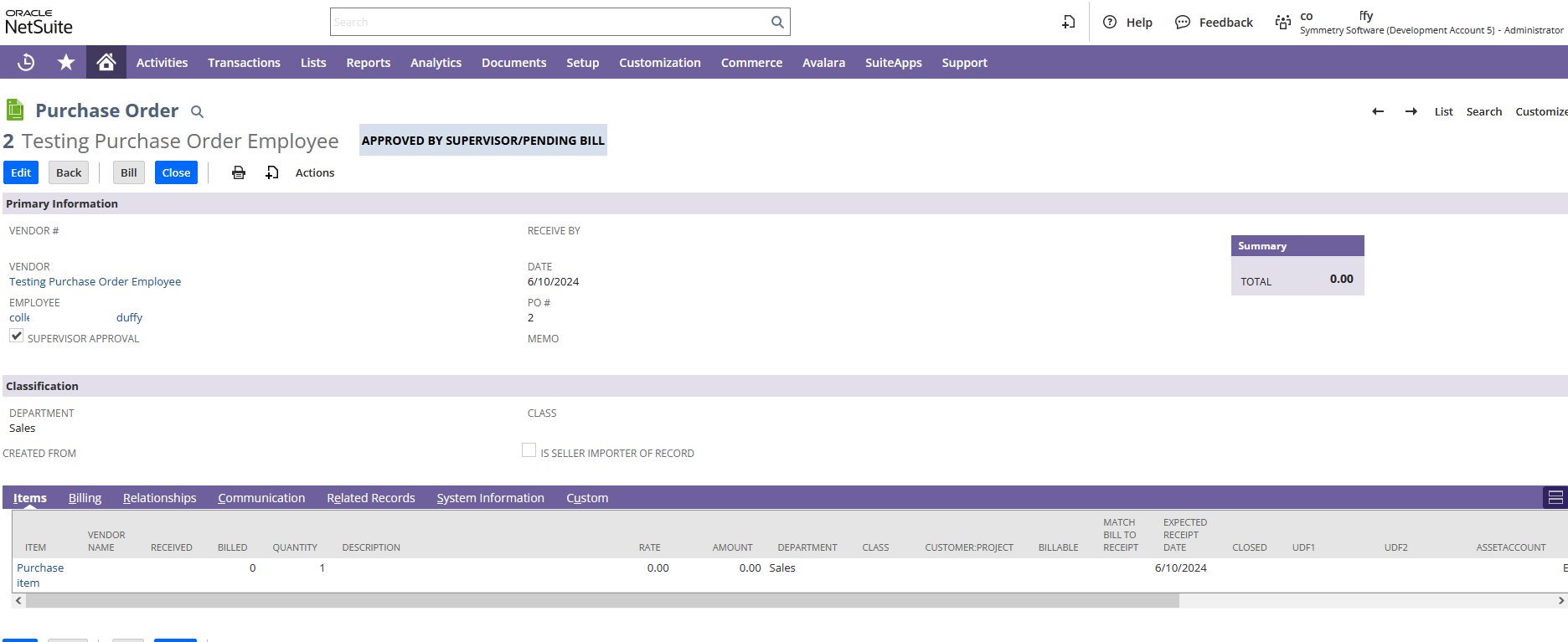
The saved search is defined as
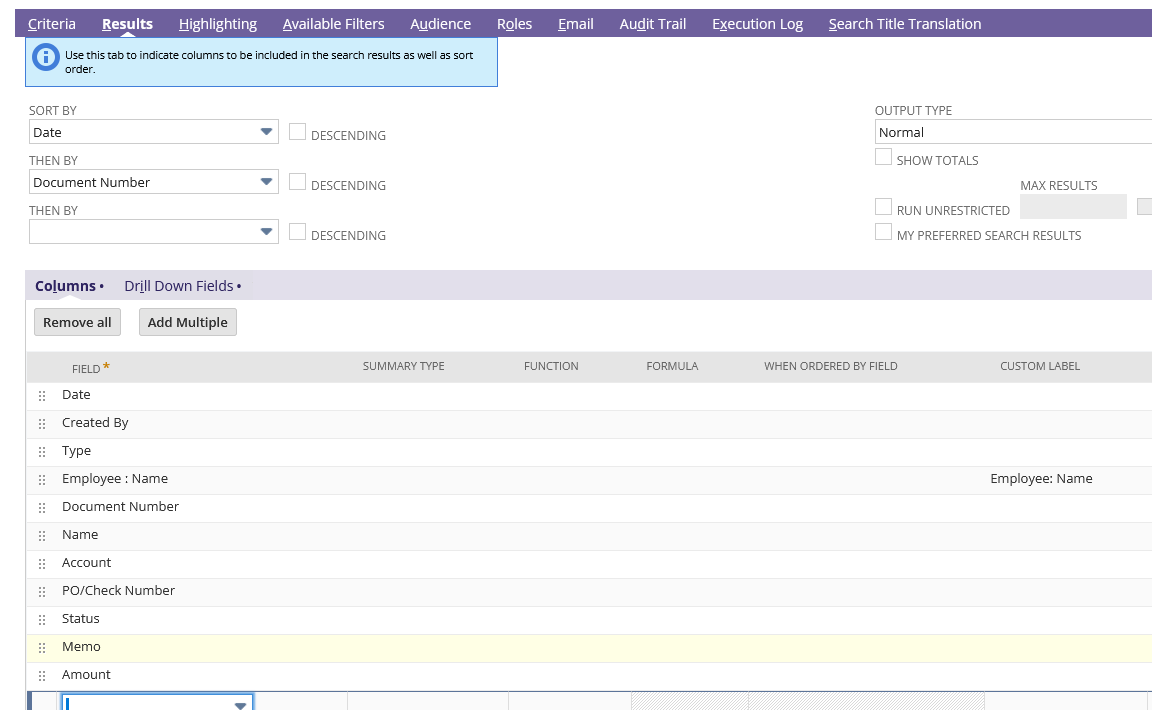
And results show Created by but not the value in the Employee field
 CDuf
CDuf
Re: Can't able to find Saved search to tag in Sublist
Hey @Veronica Steluta Mincior-Oracle Thanks alot it clarifies my Mistake. Thank you
 K Mukesh
Re: Vendor - Number of Orders is empty.
Hi @Dext3r ,
Good day! Hope you are doing well. 😊
Upon testing on my end, I was able to reproduce the same behavior wherein the Number of Orders field is not populating any values.
You may try to create the Saved Search by following SuiteAnswers 23727 Create Saved Search Showing the Number of Transactions Created per Vendor.
If you want to incorporate it into your Vendor Saved Search by using the joint field Transaction Fields…, you may add the following Criteria filters and Results fields:
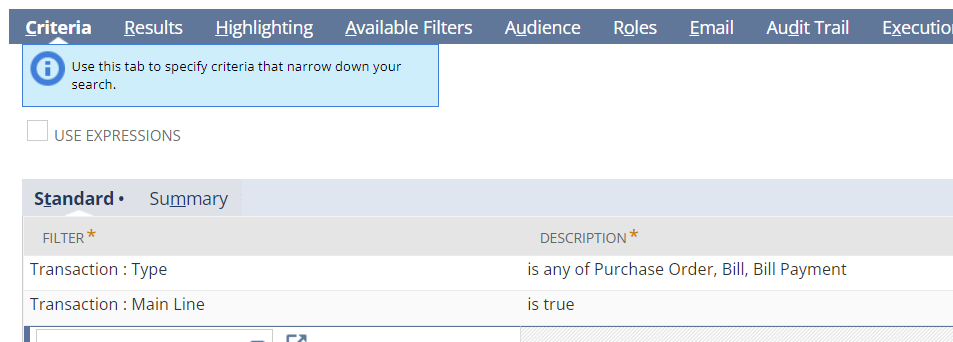
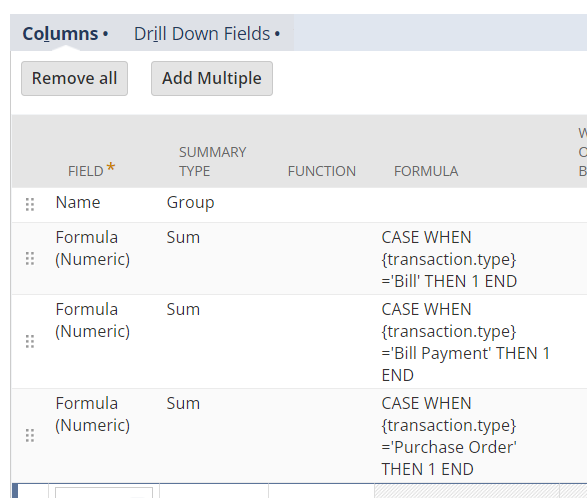
I hope this helps! 😊
==================================
If you find this reply to your question as helpful, others with the same question might find it helpful as well. By marking “Yes” on the “Did this answer your question?”, you’ll be able to aid the community to find the solution much easier and faster without the need to read through all the replies, and you will also get closer to earning your next Answer Accepter badge.

Re: Asset Master Last Depreciation Date not match most recent Depreciation Histories
Hi All
I found this netsuite answer 105979 that seems similar. Can I follow this workaround solution? FAM Asset Not Depreciating Due to Incorrect Last Depreciation DateShare
Last Updated05/09/2024
Reading Time1 min
Answer ID105979
Applies To
Product: NetSuite 2024.1
SuiteApp/Bundle: Fixed Assets Management | Bundle 508242
Scenario
Customer's FAM Asset is not depreciating because its Last Depreciation Date field's value is the same with its End of Life which is incorrect.
Solution
The FAM Asset's Last Depreciation Date should be reverted back to the actual last depreciation date. Using an Administrator role:
- Go to Fixed Assets > Lists > Assets
- Locate the specific FAM Asset in concern
- Click Edit
- Click General subtab
- Last Depreciation Date: Set to blank
- Depreciation Active: Select False
5. Click Save
6. Go Fixed Assets > Setup > System Setup
7. Click Reset Asset Value button and wait for the process to be completed
8. Hover to Recent Records
9. Click the FAM Asset
10. Click Edit
10. Click General subtab
- Last Depreciation Date: Set to the correct value (e.g. 12/31/2021)
- Depreciation Active: Select True
11. Click Save
Was this article helpful?
Have more questions? Contact Support
Content Others Found Useful
Use of the Search Operator "anyOf"
Set Up Subsidiary Navigator and Change Display Settings
Setting Fixed Assets Management Permission Levels
Difference Between Closing and Canceling a Sales Order then Re-open a Closed Sales Order
© 2024 Oracle | Contact Support General Notices Terms of Use & Privacy
has context menu
 Kedalene
Re: Saved Search formula to lookup a Project ID and return the Project Manager
@esabis @Patrick Fresnosa-Oracle
For most records (95%+) in NetSuite, you can show the "non-stored" custom field value in a Saved Search if the result is populated via formula or sourcing.
The Time entry record is a rare exception.
If you create a "non-stored" custom field on the Time record (check the Time checkbox, not Entity), you can see the Project Manager value in the Time Entry record:
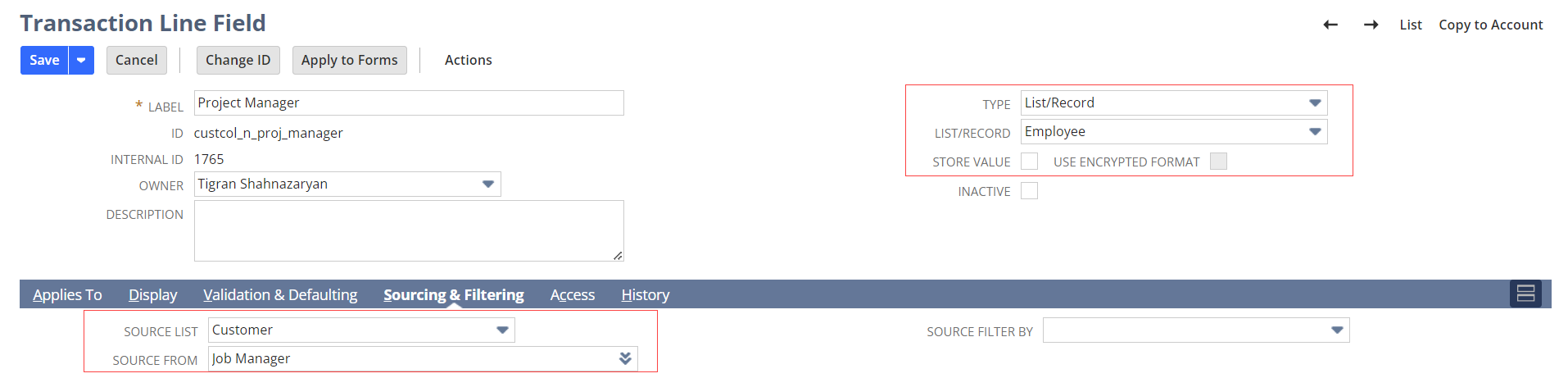
However, as the Time record is an exception, the Timesheet Saved Search that references this custom field from the Time record will say "ERROR: Field Not Found". Note that typically, you will see a blank value if the custom field value isn't available.
To overcome this Time Record limitation, you can populate the value of the custom field on a Time record via Workflow. In this case, you will "store" the value of the custom field, so it can be shown on a Timesheet Saved Search.

Re: Saved Search Formula To Sum Numbers In Text Field
LENGTH(REPLACE({custbody14}, '"', '')) - LENGTH(REPLACE(REPLACE({custbody14}, '"', ''), ',', '')) + 1