Best Of
SuiteMaster of the Quarter for Q2 2024
Thank you for participating in SuiteMaster's challenges for this quarter. Your efforts in contributing to our community are highly appreciated. We understand that the challenges can be tough and acknowledge that none of our participants were able to complete all the requirements this time. We value your continued dedication to engaging with us and look forward to your future contributions. We would like to congratulate the member who came close to completing the challenges and encourage you to keep up the great work!
@Angela Bayliss
Stay tuned for upcoming challenges and opportunities in the next quarter.

Re: Saved Search for Sales Return against Sales Order
Hi
Go to your transaction saved search.
Open Criteria tab.
Add a criteria line by searching for Type. From the pop-up form select Return Authorisation from the picklist.
Add a criterial line by searching for Applied To Transaction fields…
On the pop-up form select Type in the picklist.
Once selected, you can now select a value for Type from the picklist. Select Sales Order.
Let me know if this helps.
 Tafara
Re: Saved Search for Sales Return against Sales Order
Try using criteria Mainline = True for either the filter top level or join fields as I’m not sure which side you’re seeing multiple records.
You can also set the following to false:
Tax Line
COGS Line
Shipping Line
Tafara
Re: SCS|External URL Suitelet Replacement due to deprication issue.
Hi @Nicole Mendoza-Oracle
Thank you for your help and support!
The article you shared was beneficial. We were able to find the solution.
Best regards,
Shubham Singh.

Re: Saved search won't display amended custom body field value.
Hi @User_XD469,
Good day!
I agree with Wee Ming's answer. Would you be able to confirm if the View From Order Only checkbox was ticked after the Item Receipt was created? So that we could confirm if this is the one causing the concern.
Thanks!
__
If you find Wee Ming's reply to your question as helpful, others with the same question might find it helpful as well. By marking “Yes” on the “Did this answer your question?”, you’ll be able to aid the community to find the solution much easier and faster without the need to read through all the replies, and you will also get closer to earning your next Answer Accepter badge.

Re: can you offset JE in different posting period
Thanks, @Wee Ming!
Hi @User_APABE,
Wee Ming is correct. You can apply the journal even if it is in a different period:
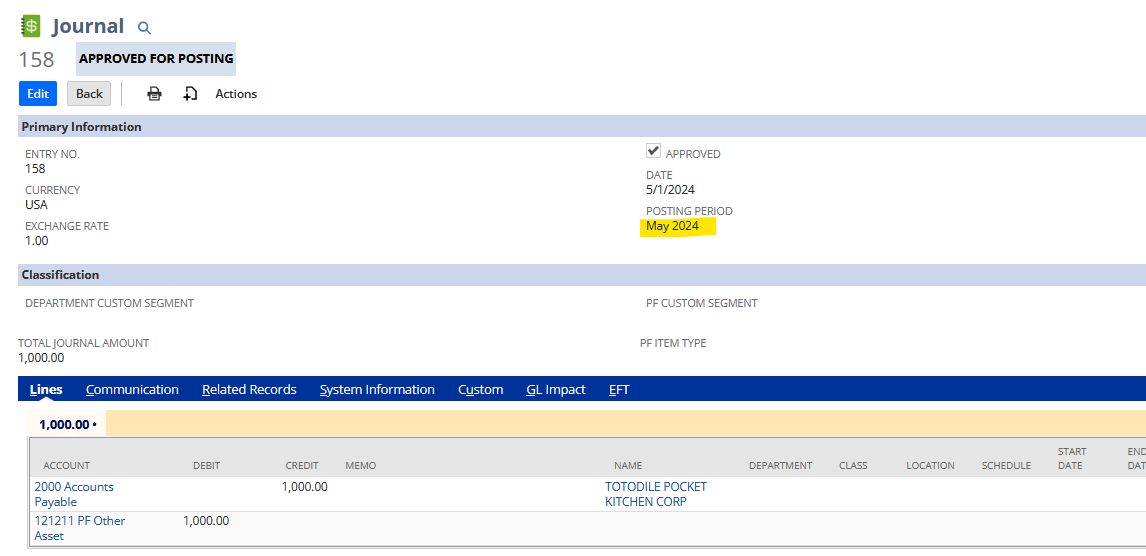
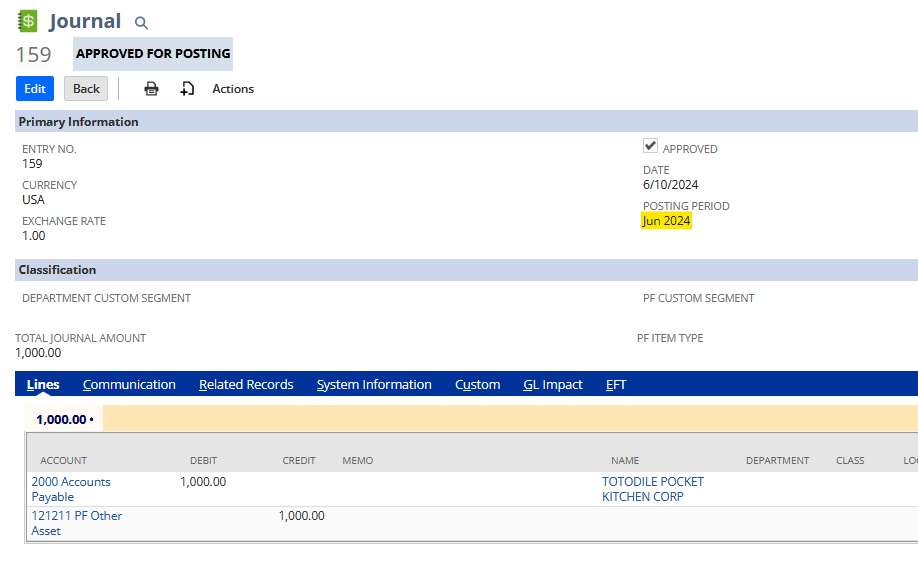
You can apply it to each other:
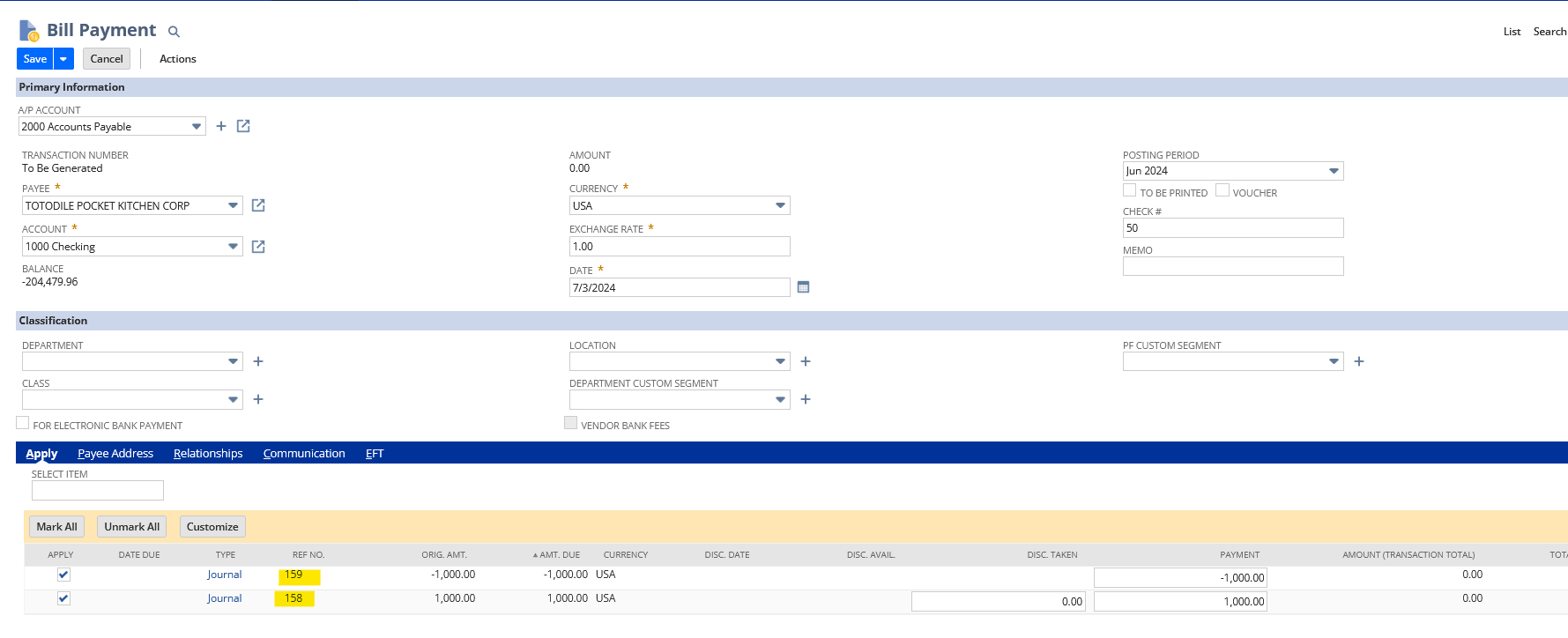
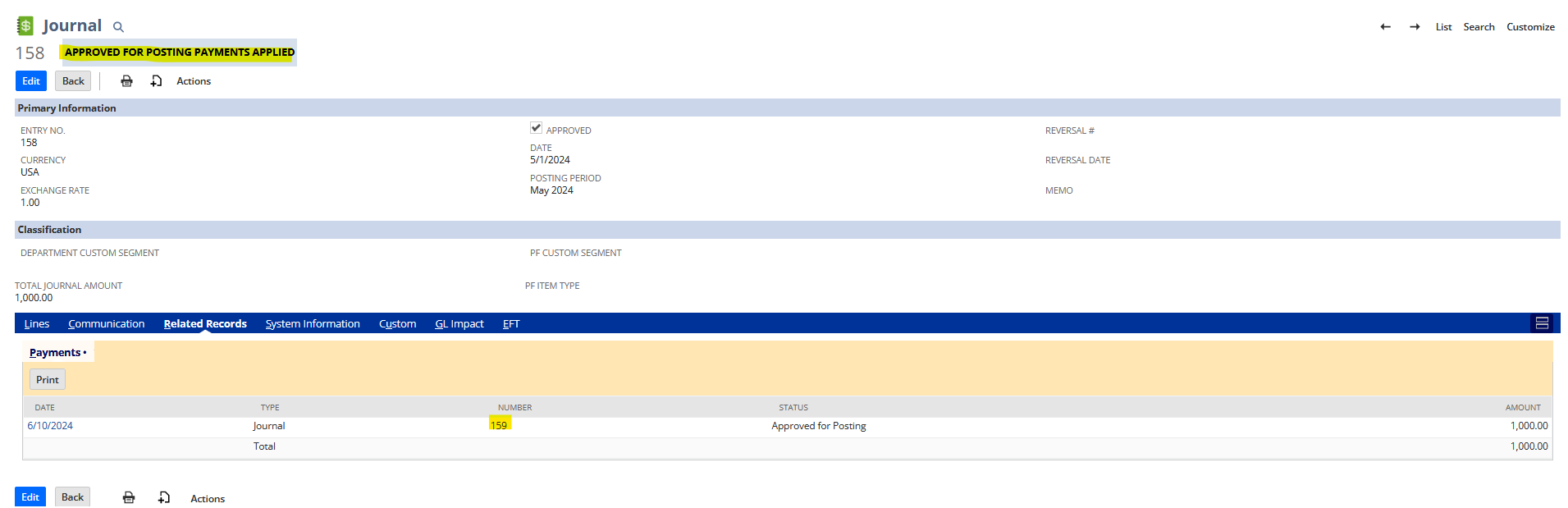
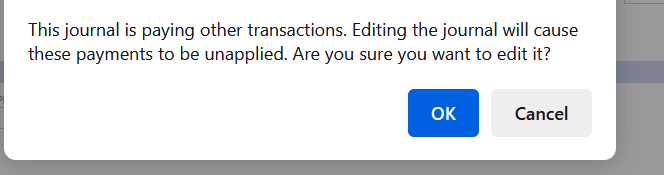
If you try to edit the Payment Journal you will encounter this:
After Saving this and changing the May 2024:
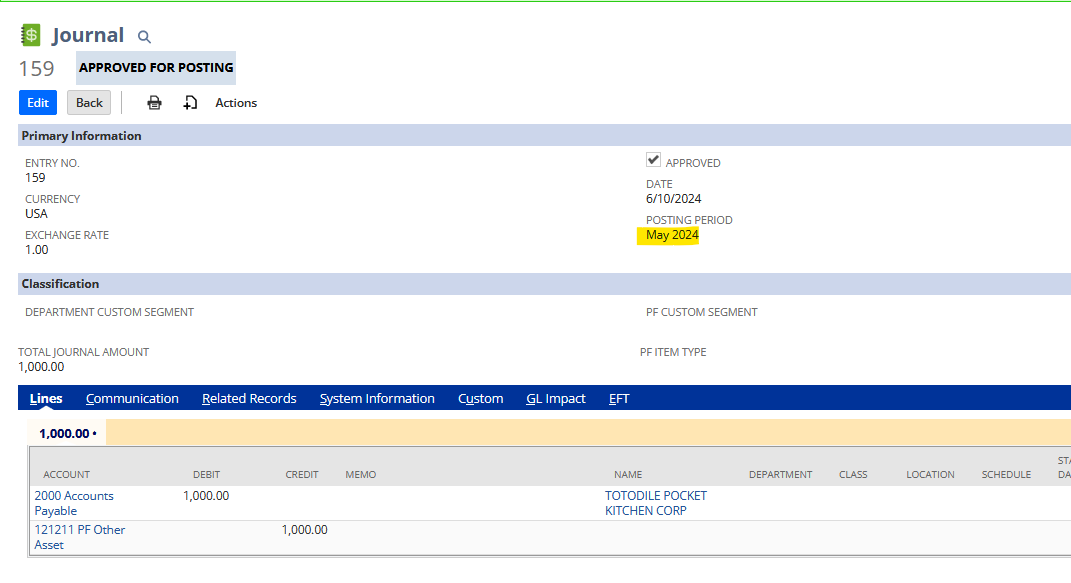
This will be automatically be unapplied:
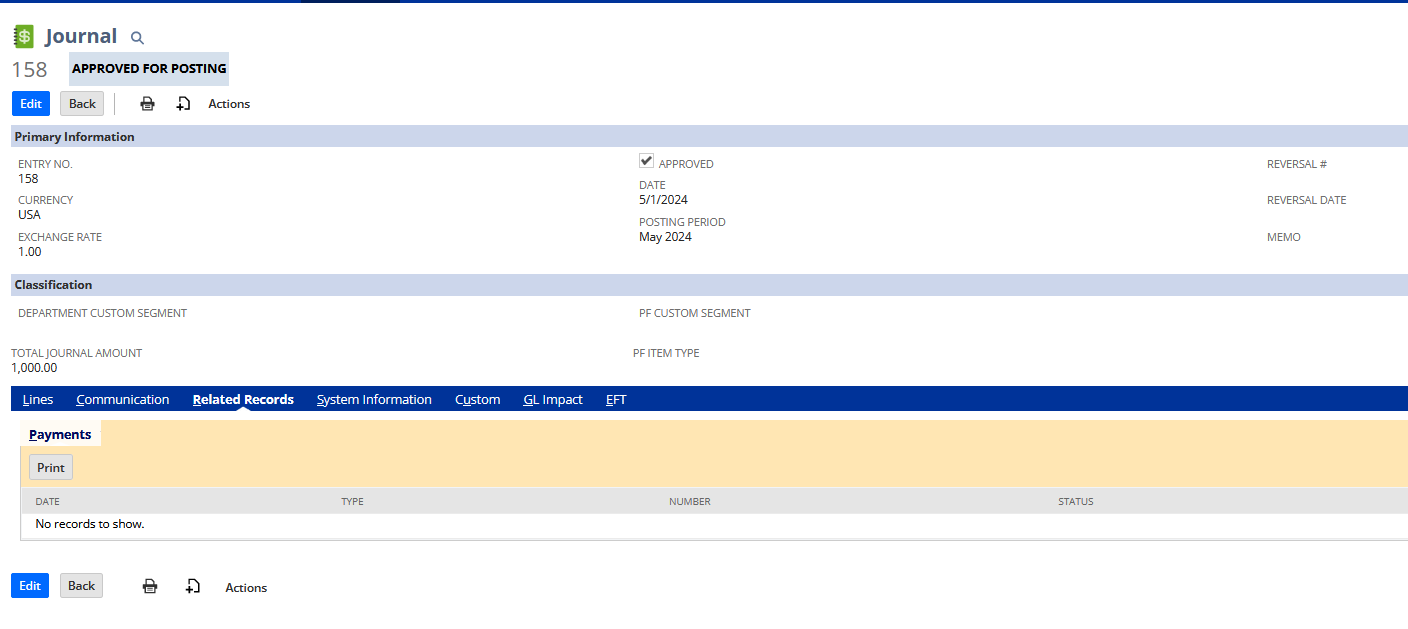
I hope this clarifies!
==========
If you find this reply to your question as helpful, others with the same question might find it helpful as well. By marking “Yes” on the “Did this answer your question?”, you’ll be able to aid the community to find the solution much easier and faster without the need to read through all the replies

Re: If one employee is responsible for more than one subsidiary
Hi Benjamin Paul - USA
You can create custom roles that can access multiple subsidiaries as mentioned by Veronica Steluta Mincior-Oracle above by setting selected in the subsidiary restriction in the custom role.
Just give you an idea. Say in your company you have 4 groups of users
Group 1 - Only can access their own subsidiary (i.e. based on the subsidiary set in their employee record)
Group 2 - Can access subsidiary A & B
Group 3 - Can access subsidiary C & D
Group 4 - Can access all subsidiaries (include elimination)
There are many ways to design the custom role but below will be what I will do taking into consideration easy for user to access the record without changing the role (if majority of your users are in group 2 & 3)
1. Custom Role 1
- Set Subsidiary Restriction to User Subsidiary
- Assign this role to Group 1 employees
- e.g. if employee's subsidiary is A, he/she will be able to access only subsidiary A records.
2. Custom Role 2
- Select Subsidiary Restriction To Selected and select Subsidiary A & B
- Assign this role to Group 2 employees
- Note: Even if employee's subsidiary is C or D, with this role they can access A & B and cannot access C and D.
3. Custom Role 3
- Select Subsidiary Restriction To Selected and select Subsidiary C & D
- Assign this role to Group 3 employees
- Note: If employee's subsidiary is A or B, with this role they can access C & D and not A and B.
4. Custom Role 4
- Select Subsidiary Restriction To All
- Assign this role to Group 4 employees
Do take note all 4 custom roles will have the same permissions. Only the subsidiary restriction are different. In this design, each employee only need to grant one custom role.
Regards
Wee Ming
 Wee Ming
Re: Creating Record using Workflow not working?
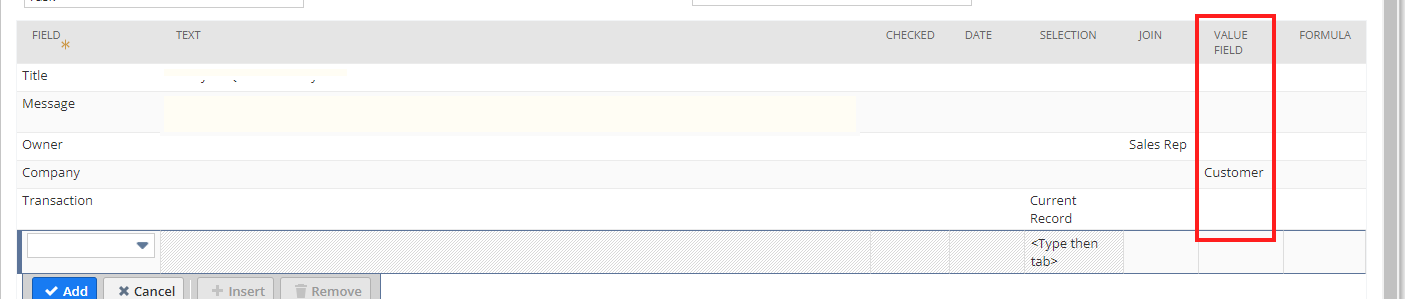
Thanks @Wee Ming
I was just coming here to post that I accidentally put it into the wrong column
This works
 Vernita
Re: Creating Record using Workflow not working?
Hi Vernita
You should select Customer under Value Field column not under join column ?
 Wee Ming
Re: NetSuite Admin Tips: Subsidiary Navigator: Selecting Parent/Subparent subsidiary only
Voted for enhancement 321641