Best Of
Re: Receive Notification in Saved Search When cases are added passively
Hi User_DU7YV
Yes you can do that through saved search. Just follow these steps
1. Lists → Search → Saved Searches → New
2. Click on Case Search Type
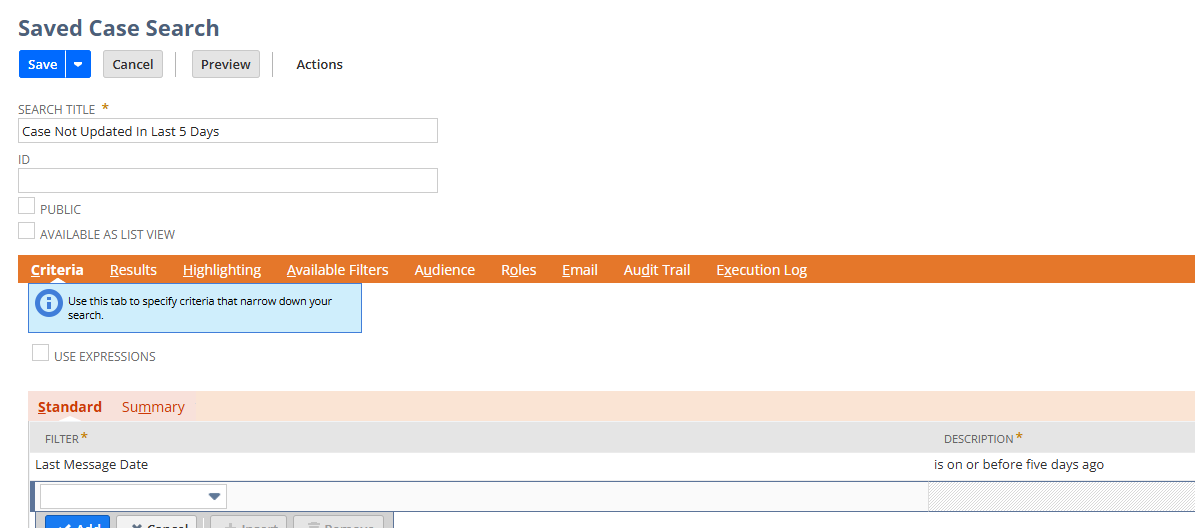
3. Under the Criteria Tab, select Last Message Date is On or Before five days ago
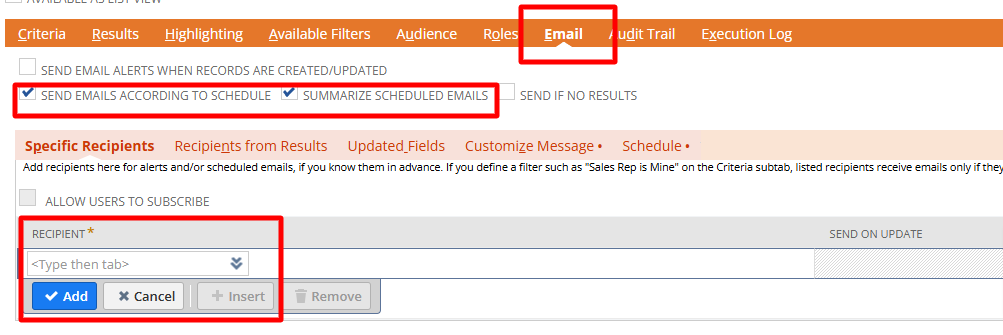
4. Under the Email tab
- Tick Send Emails According To Schedule & Summarize Scheduled Emails checkbox
- Under the Specific Recipients subtab select the employee name to receive the email
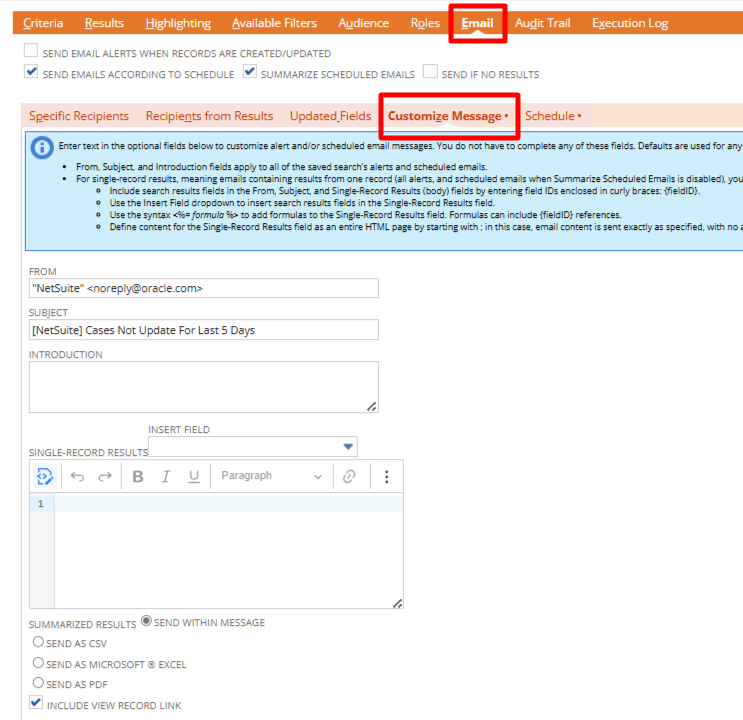
4. Under Customize Message subtab
- Input how you want to display in your email, below just a sample
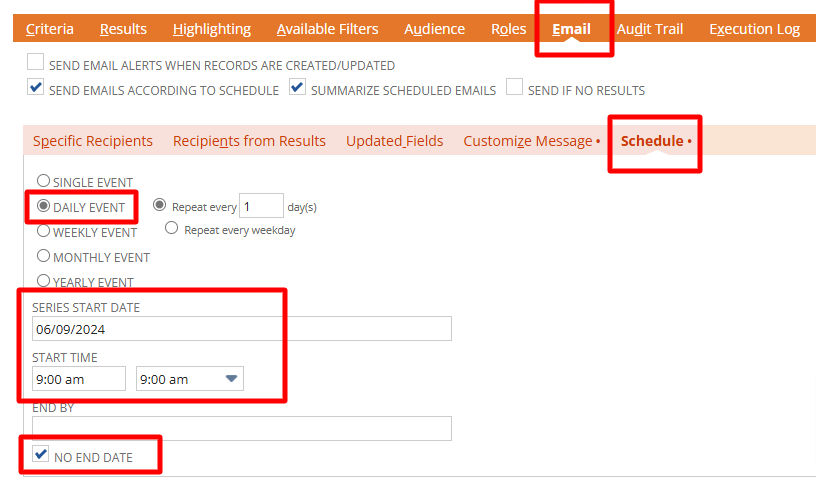
5. Under the Schedule subtab
- Select the start time and how frequent you want to receive this email
6. Click [Save] to save your saved search and wait for schedule to check your email.
Regards,
Wee Ming
 Wee Ming
Re: How to add last modified date field to Locations form
Thank you for the detailed response.

Re: how to deactivate standard approval buttons on inventory count
Yes. I already did the same. Thanks a lot.

Re: Is Employee not a valid result for transaction saved searches?
Hello @Dext3r,
I have a Transaction Saved Search for Purchase Order on our end by using our standard test account. To pull up the Employee name on the Saved Search results, please follow the steps bellow:
- Edit your Saved Search.
- Under the Results tab, add the Requestor Fields... and select Name from the dropdown list.
- Click Save & Run.
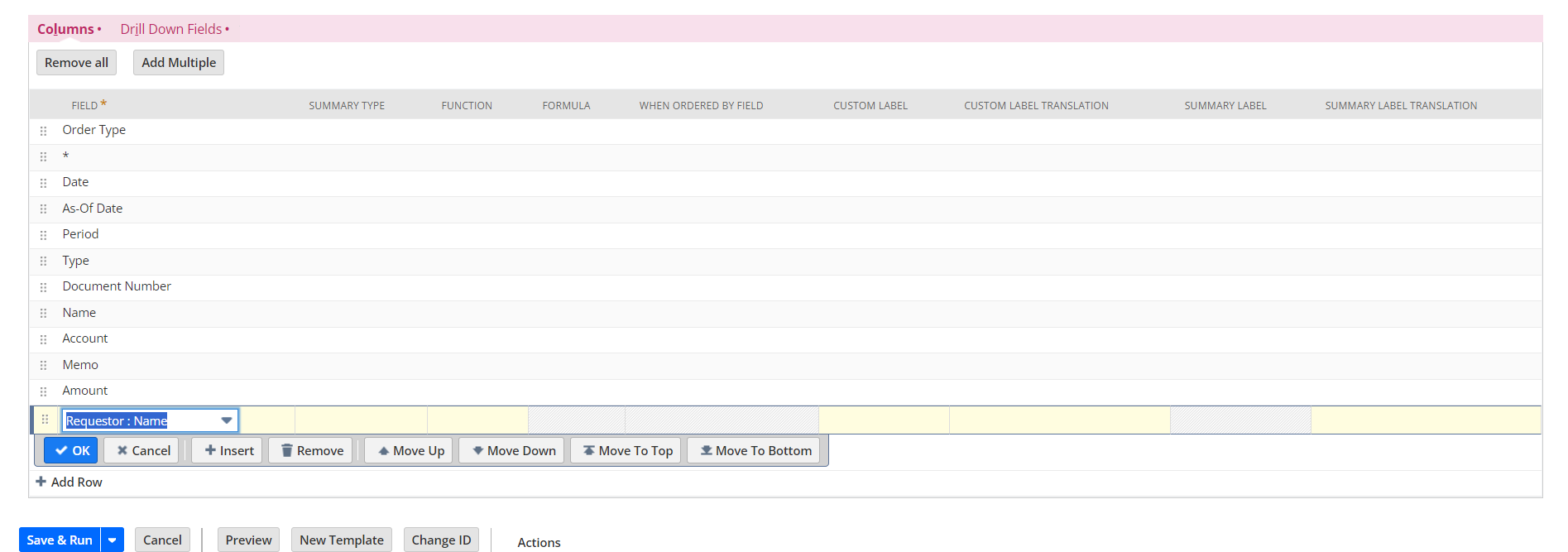
Let me know if this will work on your end :)
Thank you @CDuf for testing this and helping out!

Re: How to add Custom Segments in Budget vs Actual reports?
Hi @JenSw!
Thank you for sharing your workaround with me. Much appreciated.
I will definitely try it and hopefully the client will be ok with it.

Re: How to add last modified date field to Locations form
Hi @User_9AUJK,
Good day! I believe we can do this by creating a Saved Search and a Custom Field.
Create the Saved Search:
Navigate to Reports > Saved Searches > All Saved Searches > New
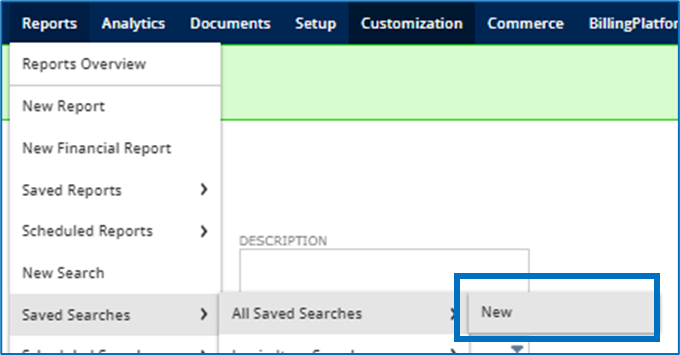
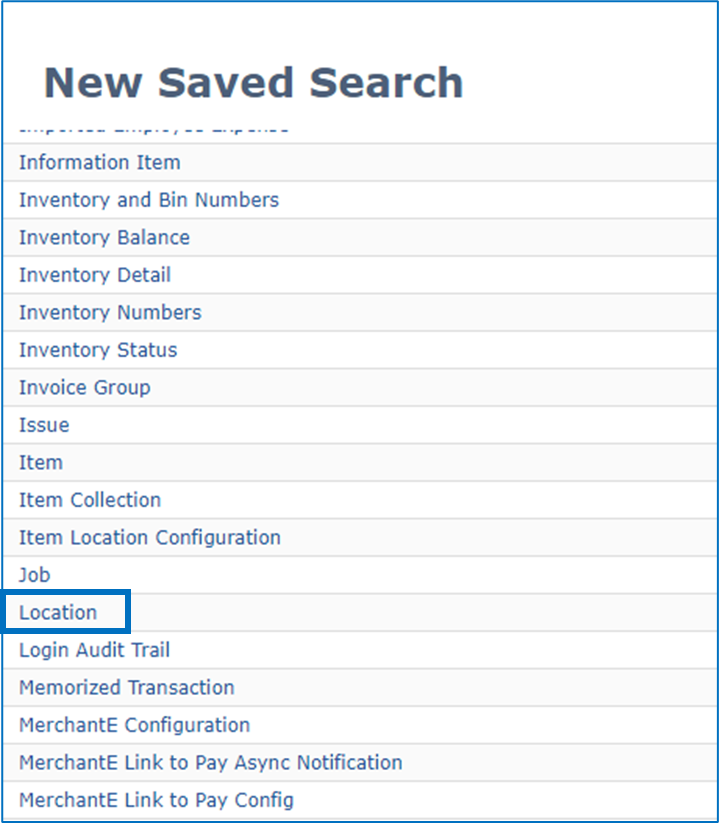
On the Saved Search page, click on Location
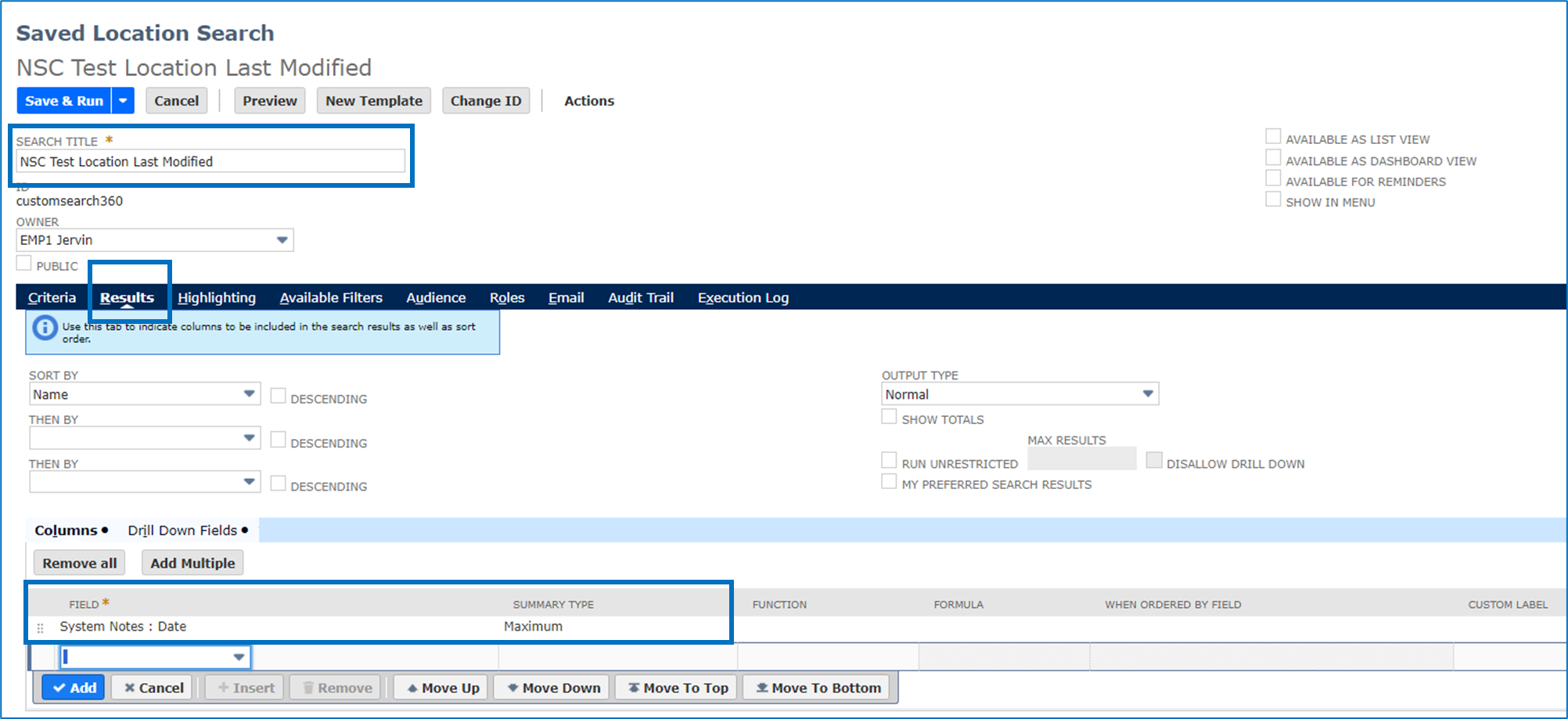
On the Saved Location Search page, set the fields below:
- Search Title: <Set the name of your search here>
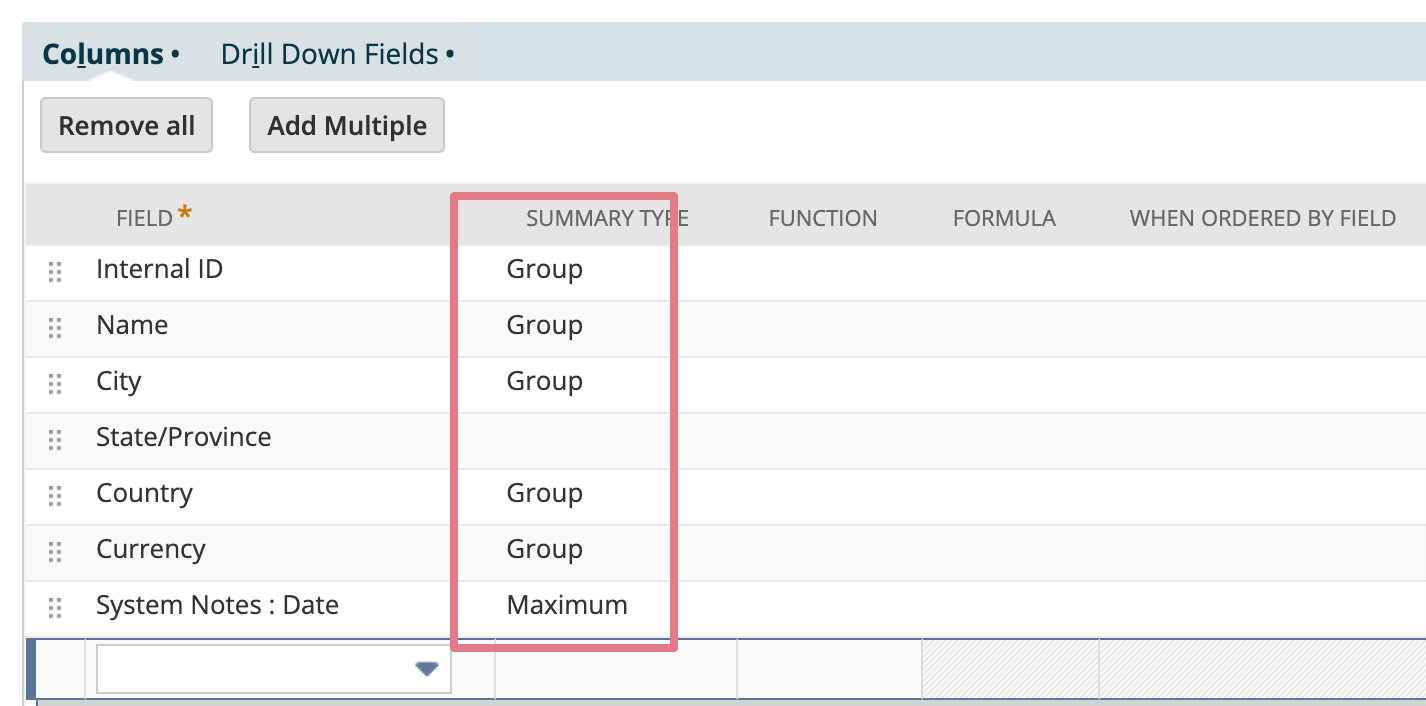
Results subtab:
- Field: System Notes: Date
- Summary Type: Maximum
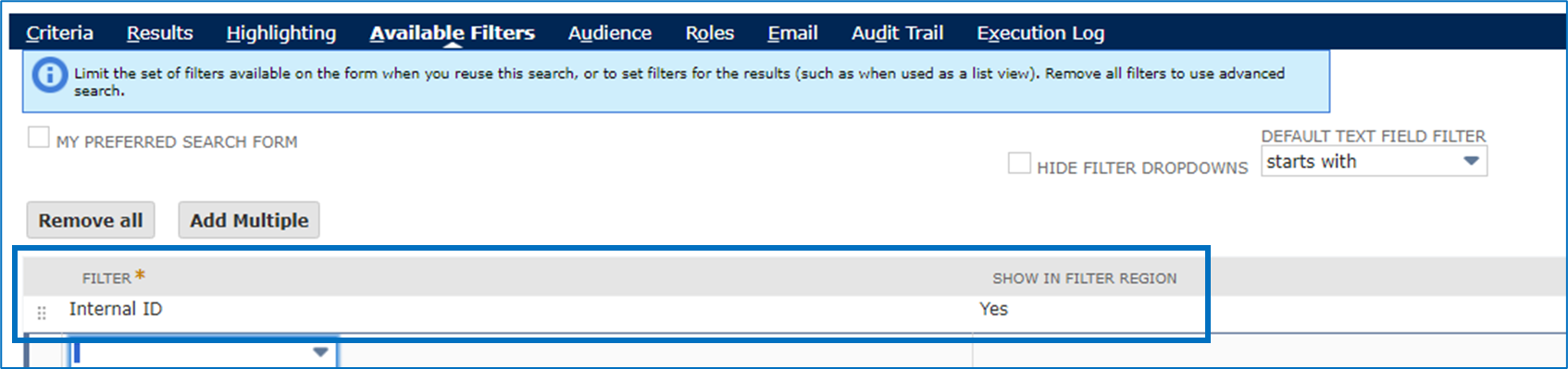
Available Filters subtab:
- Filter: Internal ID
- Show in Filter Region: Yes
Create the Custom Field:
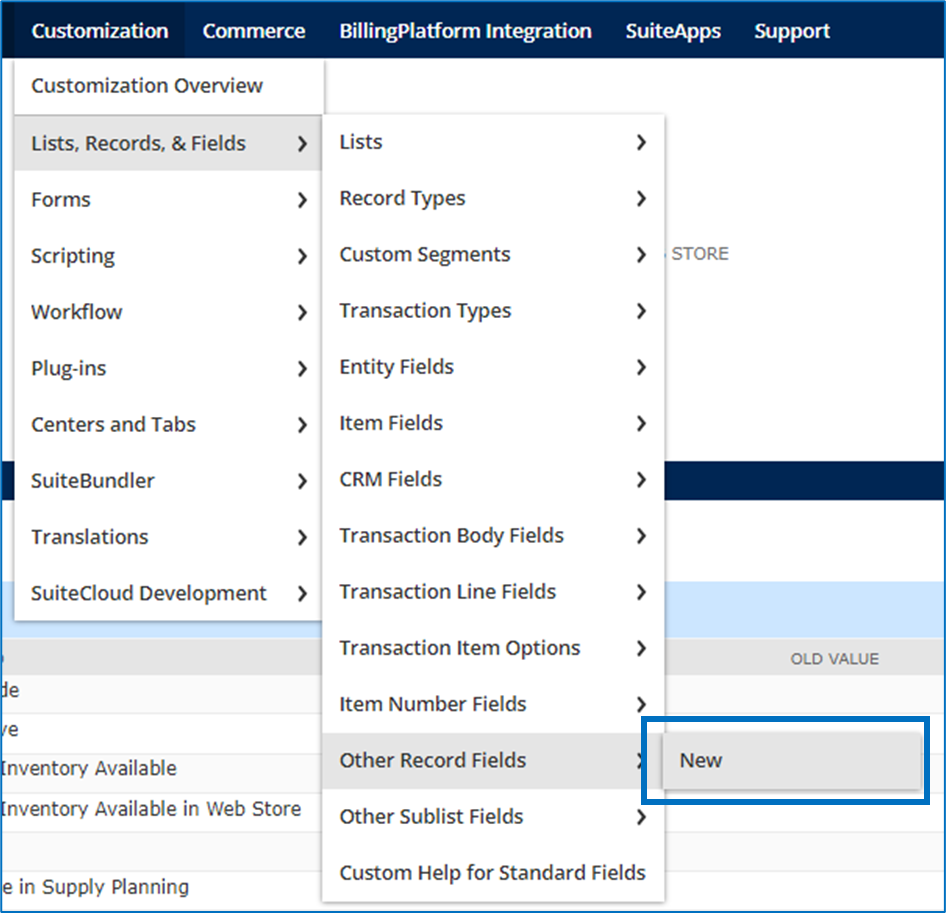
Navigate to Customization > Lists, Records, & Fields > Other Record Fields > New
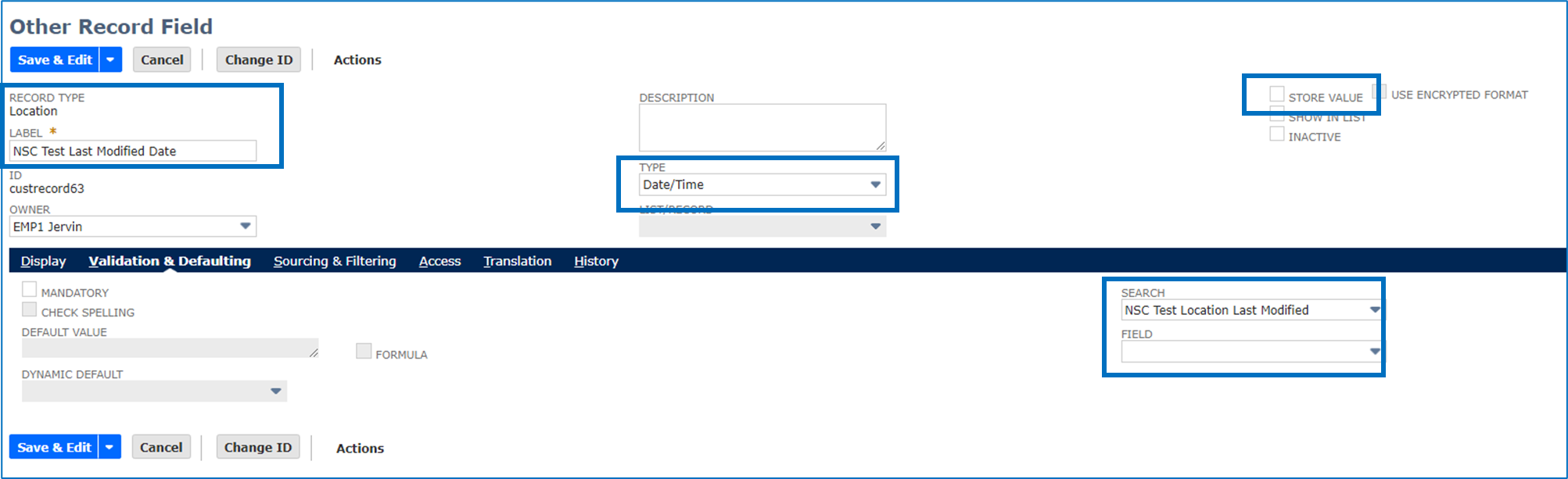
On the Other Record Field page, set the fields below:
- Record Type: Location
- Label: <Set your label here>
- Type: Date/Time
- Store Value: Unchecked
Validation & Defaulting subtab:
- Search: <The search we created above>
Results:
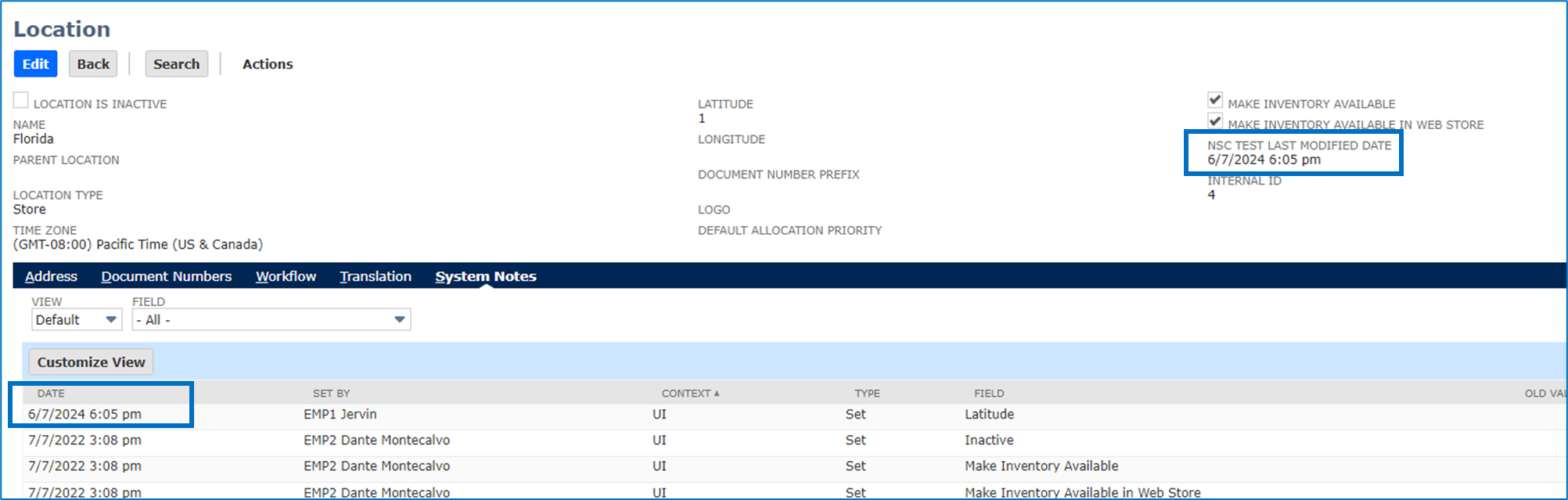
Once done, it should reflect the latest date found in the System Notes. Please see my two examples below:
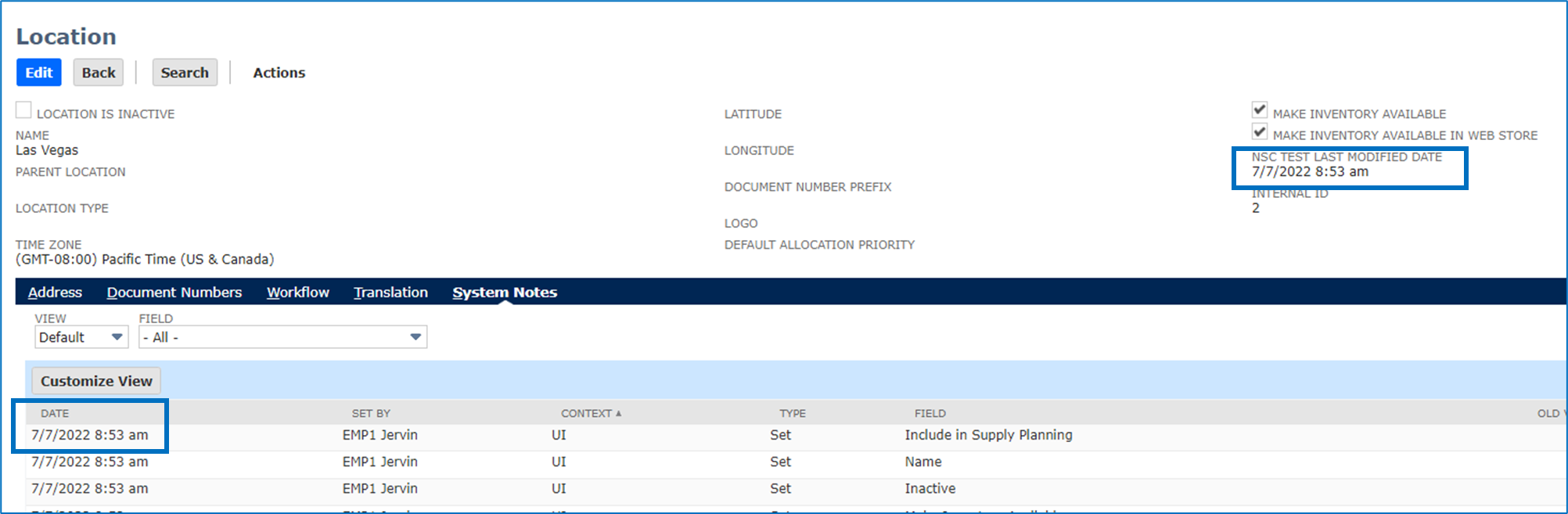
I hope this helps!
__
If you find this reply to your question as helpful, others with the same question might find it helpful as well. By marking “Yes” on the “Did this answer your question?”, you’ll be able to aid the community to find the solution much easier and faster without the need to read through all the replies, and you will also get closer to earning your next Answer Accepter badge.




Re: Posting Period Column is not available on Balance Sheet
It will help! Thanks a lot!
