Best Of
Re: Introduce Yourself!
Hi, I am Ryan Latoza, a new hire Technical Support Engineer, OpenAir, currently residing in Marikina City, Philippines. For my hobbies, I am a motorcycle rider that loves travelling.

Re: Introduce Yourself!
Hi, Ivan Jason David here, a Technical Support Engineer of OpenAir from Bulacan, Philippines. My hobbies are Learning, Cycling, Riding (motorcycle), Basketball, Volleyball, Football, Frisbee and Entertainment Magic.

Re: Introduce Yourself!
Hi! I am Arra Denielle Amaro, a new hire Associate Technical Support Engineer. I'll be joining SuiteBuilder. I'm from Laguna, Philippines. For my hobbies, I love travelling and studying other languages. 😄


Re: NSC Poll: What contents would you like to see in the NetSuite Support Community?
Hi @Angela Bayliss,
You can ignore the user from your Profile > Ignore List.
- Click your Profile icon
- Select Edit Profile Fields
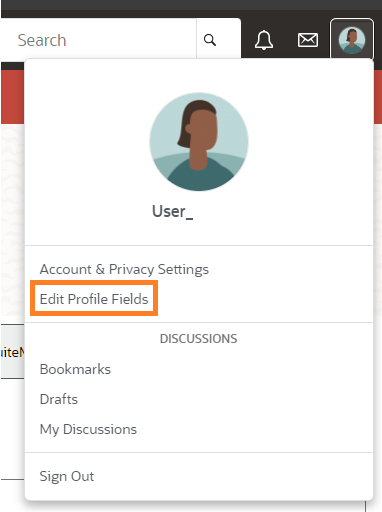
- Select Ignore List
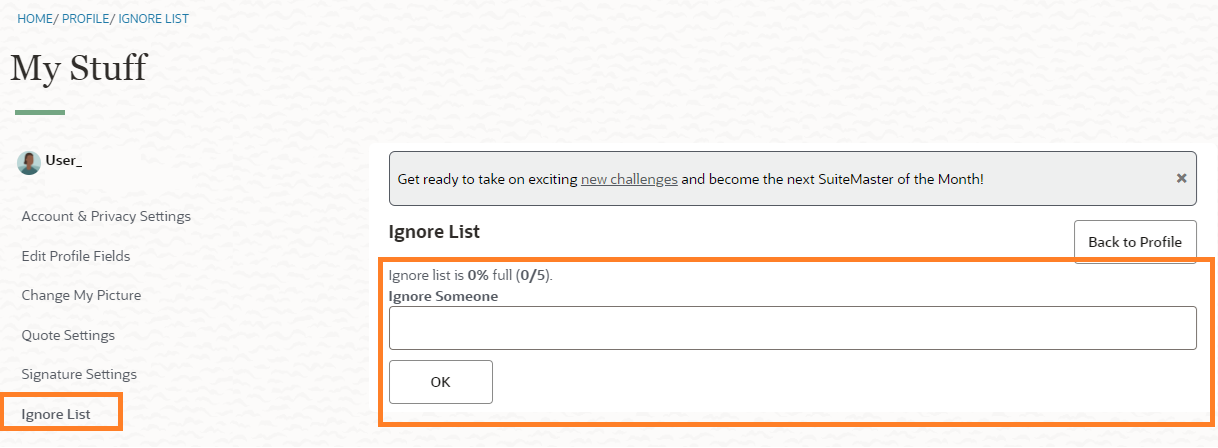
From here, you can add and remove users from your Ignore List:
- To add someone to your Ignore List, type the user's full name in the text field and click OK. You must type their name exactly as it appears. For example, to ignore Victorine as we did below, we had to type "Victorine Courtois."
- To remove someone from your Ignore List, click the Unignore button next to their name.

Re: Adjustment period
Hi @Prince Lenin
If you mean whether we can select adjustment period in advanced intercompany journal transaction, then the answer is yes.
But just note that if the journal approval status is not set to approved during creation of an adjustment period journal, after record saved the posting period will change to the current period.
So to avoid the posting period change upon record save when you are creating journal in the adjustment period, you have to set the approval status to Approved first before saving.
You can refer to suiteanswer below : https://suiteanswers.custhelp.com/app/answers/detail/a_id/81795/loc/en_US
 Wee Ming
Re: Applying CSS to a search column via a linked file
Hi @Veronica Steluta Mincior-Oracle and @Ben H ,
I was able to do it. I uploaded a file in the file cabinet called test.css and made sure it was public. All it has is this code.
h1{
color:pink;
font-size:20px;
}
My saved search Formula(HTML) looks like this.
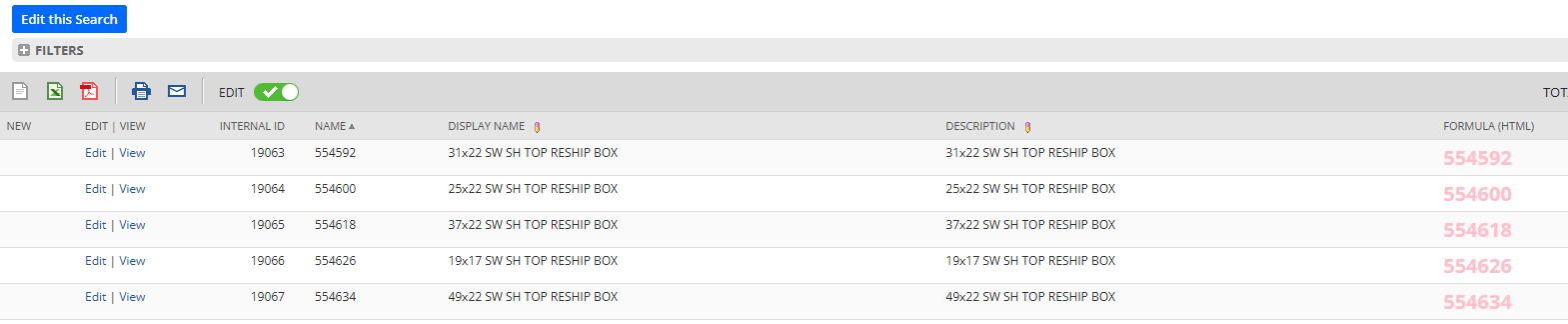
'<link rel="stylesheet" href="https://5274210.app.netsuite.com/core/media/media.nl?id=19158683&c=5274210&h=Bb5budNLINew-Eg-xAvqMLBdysp1q2YEirUfc1j7Rc_TVVoK&_xt=.css"><h1>'||{name}||'</h1>'
Here is what the results look like.

Re: Workflow Show Message Action on {trandate} if greater then {today} + 90
Thank you this worked!
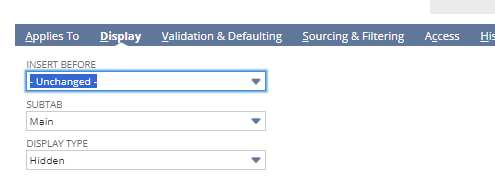
There was one (1) minor adjustment, the hidden field needed to be added to the 'Main' part of the form in order to fire in the WF.
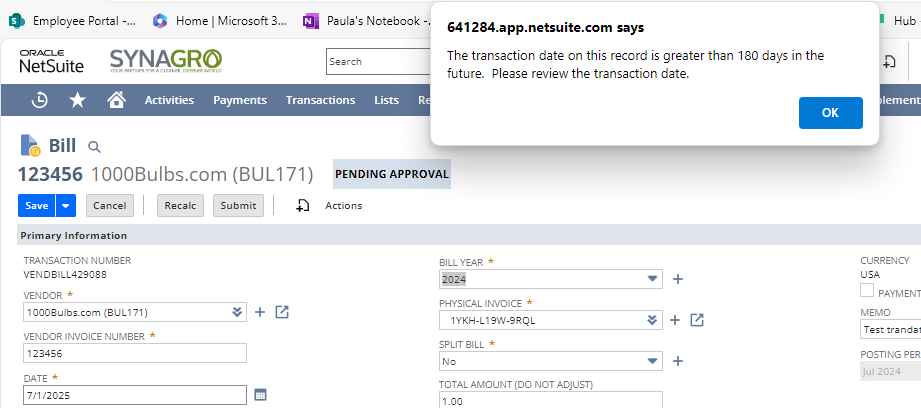
A return user error is also a very good solution. I reached out to stakeholders, and they wanted to keep the action to a message that wouldn't stop the user from moving forward. I will keep this information for future reference.
Thank you for your response. I have added 'learning SuiteScript' which looks like it would have been a great solution. Thank you for taking the time to respond.
I will mark Wee Ming's reply as the resolution.

Re: Data you entered on this page has not been saved and will be lost. Press OK to proceed.
I was able to fix it myself by changing the order of the sourcing fields. Not sure why but it resolved the issue.
 Entartes
Re: Russian Currency Rate not updated by Xignite
Hi Clarisa
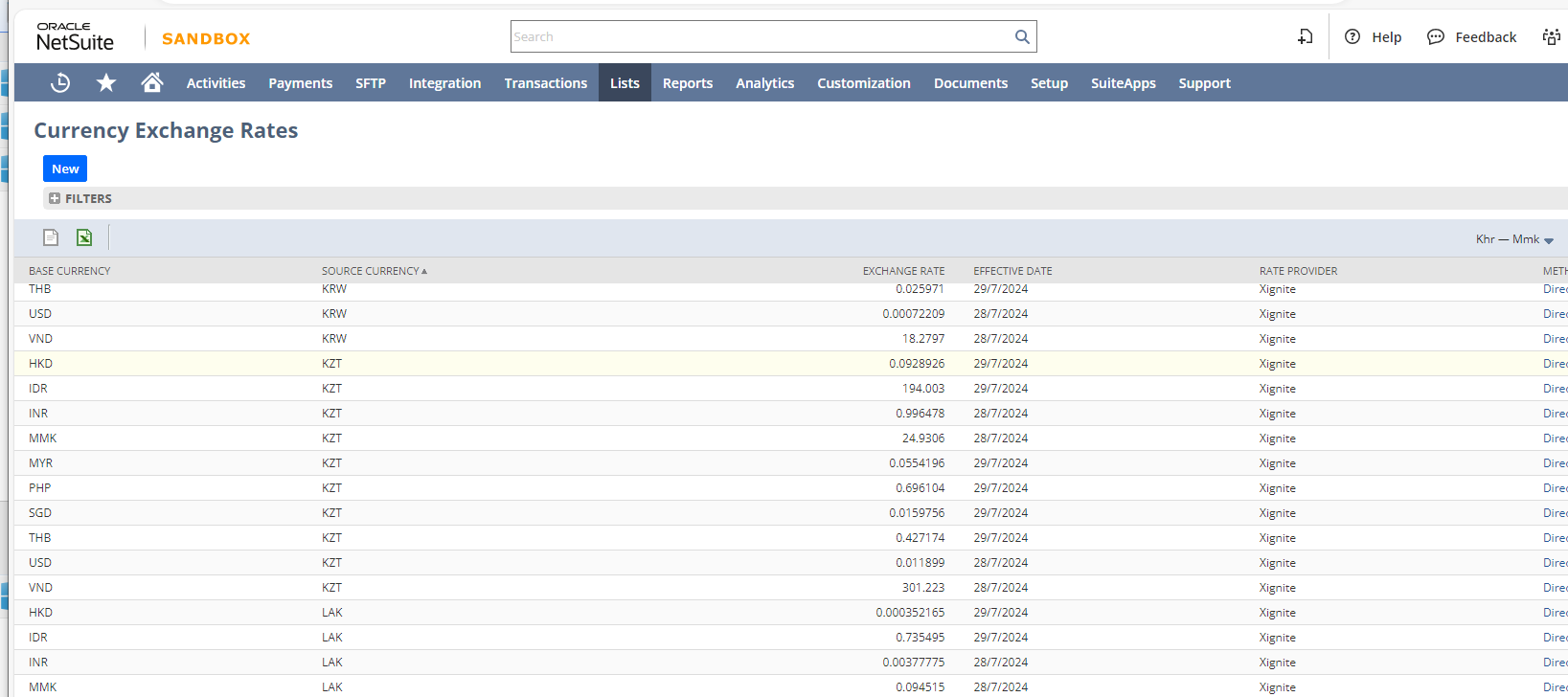
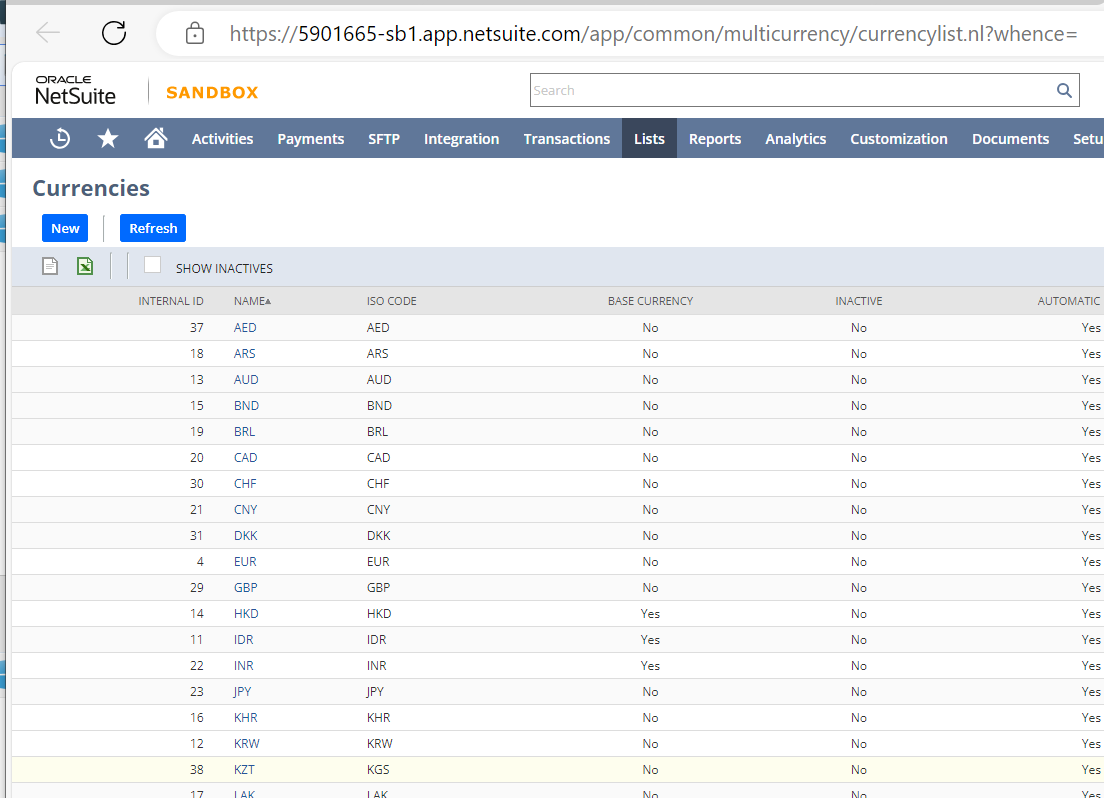
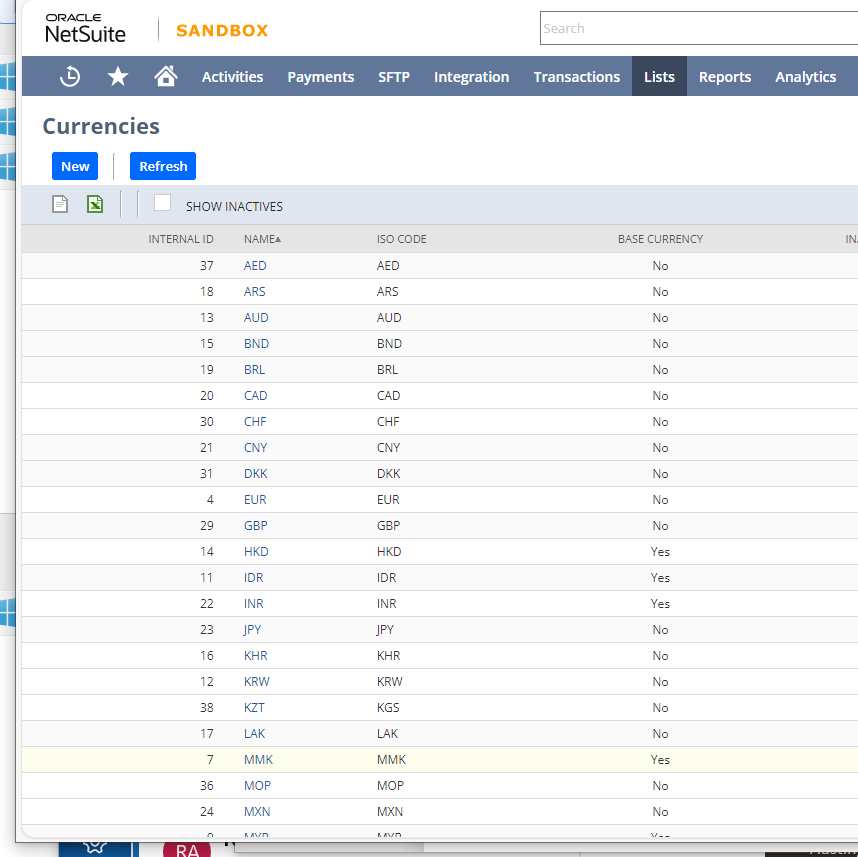
I finally see the Xignite exchange rates in KZT (non Base Currency) against other Base Currencies in one Sandbox database on 26 Jul 2027 onwards.
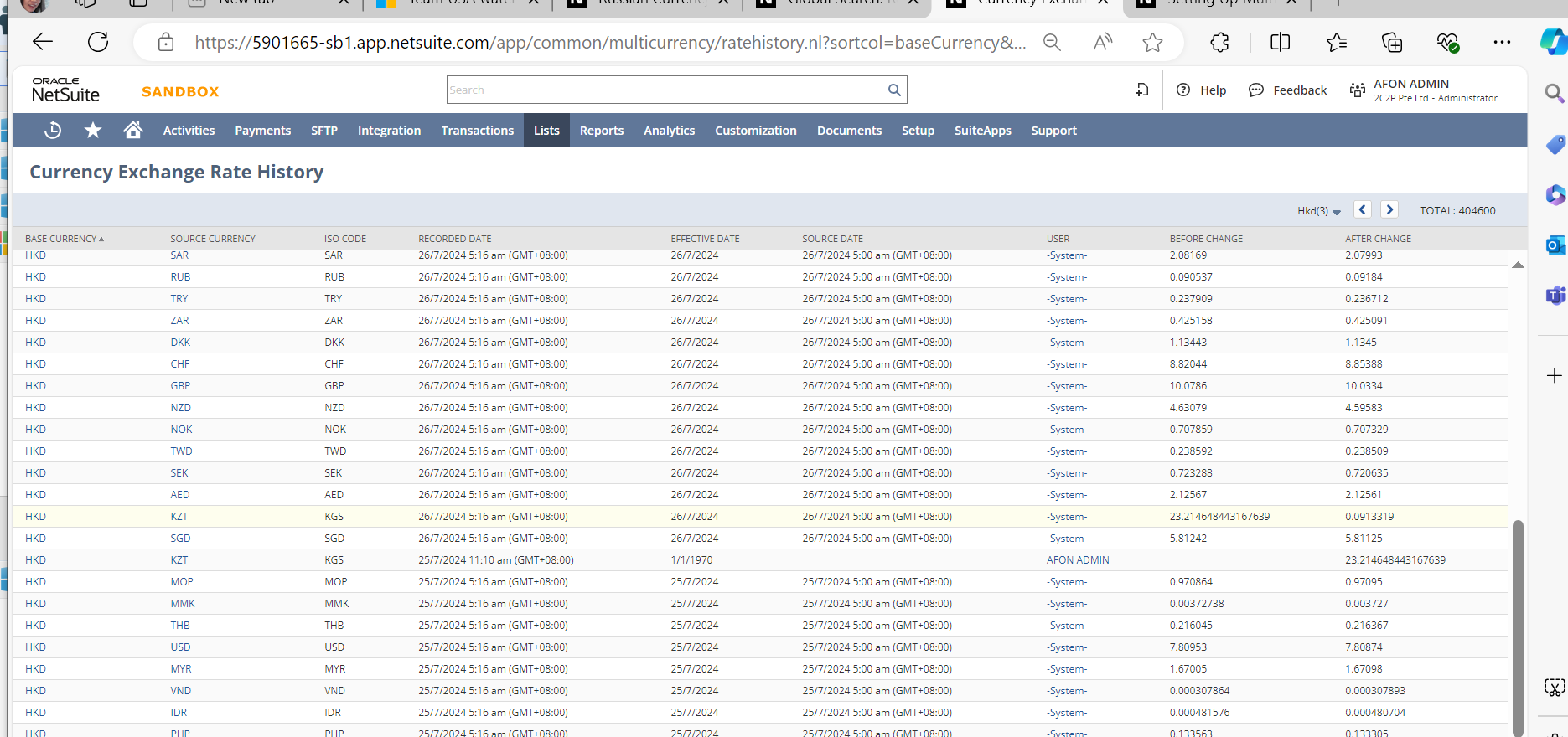
 Kedalene