Best Of
Re: Cannot find Work Orders under the Order Management subtab of the Accounting Preferences page
Hello @dle_35705, thank you for posting your question in the NetSuite Support Community!
Try this navigational path instead:
- Setup > Manufacturing > Manufacturing Preferences > Product Execution section

Re: unable to set location at line level on Inventory adjustment record?
Hello @Nicole Mendoza-Oracle - This code works for one client perfectly. Is there any issue with feature. Could you please verify it.
Thank You
/**
@NApiVersion 2.x
@NScriptType ClientScript
@NModuleScope
*/
define(['N/record', 'N/currentRecord'], function (record, currentRecord) {
function fieldChanged(context) {
var rec = context.currentRecord;
var sublistName = context. context.sublistId;
var sublistFieldName = context.fieldId;
if (sublistName == 'inventory' && sublistFieldName == 'item') {
var location = rec.getValue({
| fieldId: 'adjlocation'
});
log.debug('location', location);
rec.setCurrentSublistValue({
sublistId: 'inventory', fieldId: 'location', value: location, ;
})
rec.setCurrentSublistValue({
sublistId: 'inventory', fieldId: 'adjustqtyby', value: parseFloat(1)
});
}
return {
fieldChanged: fieldChanged,
});
};

Re: On an Inv Adjustment, can I pre fill the line item location with that of the main line location?
Script answer:
/**
* @NApiVersion 2.x
* @NScriptType ClientScript * @NModuleScope SameAccount */define(['N/currentRecord', 'N/log'], function(currentRecord, log) {
function fieldChanged(context) {
var rec = context.currentRecord;
var sublistName = context.sublistId;
var sublistFieldName = context.fieldId;
if (sublistName === 'inventory' && sublistFieldName === 'item') {
var location = rec.getValue({ fieldId: 'adjlocation' });
log.debug('location', location);
rec.setCurrentSublistValue({
sublistId: 'inventory',
fieldId: 'location',
value: location
});
rec.setCurrentSublistValue({
sublistId: 'inventory',
fieldId: 'adjustqtyby',
value: parseFloat(1)
}
}
return {
fieldChanged: fieldChanged
};
});
 Dext3r
Re: On an Inv Adjustment, can I pre fill the line item location with that of the main line location?
Hello @Dext3r,
This is possible with scripting.
You can use the code we worked with in the discussion thread below as your reference.
I hope this helps!
If you find this reply to your question useful, others might as well. By clicking the “Yes” button for “Did this answer the question?” below, you’ll be able to help the community members who might have a similar concern find the answer easier and you will also get closer to earning your next Answer Accepter badge.

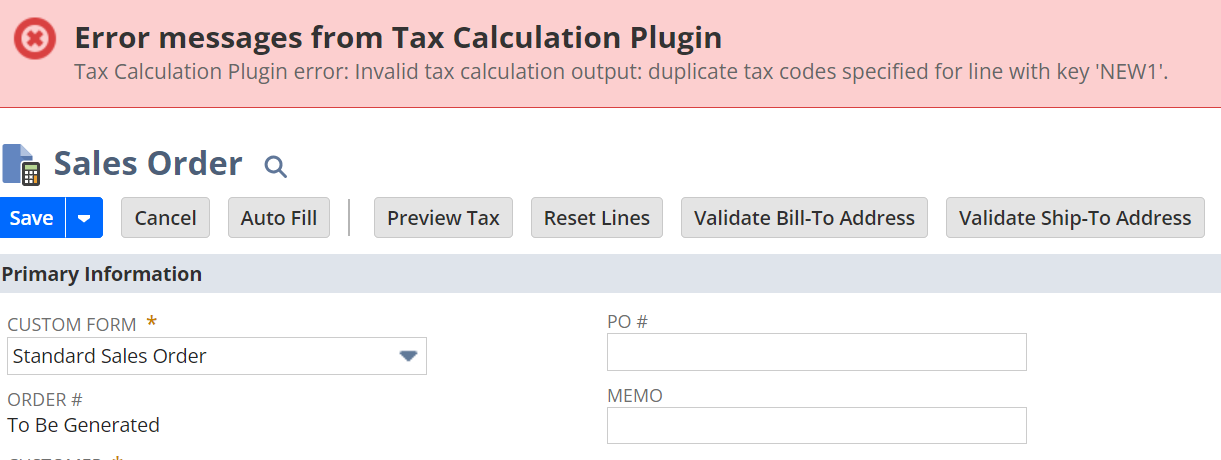
Error: "Invalid tax calculation output: duplicate tax codes specified for line with key 'NEW1'.
Scenario:
A user with an Administrator role encounters an error upon clicking the Preview Tax button on their Sales Order: "Invalid tax calculation output: duplicate tax codes specified for line with key 'NEW1'. The customer is using SuiteTax and has Avalara as their Tax Engine and the Nexus of the transaction is Ontario, Canada.
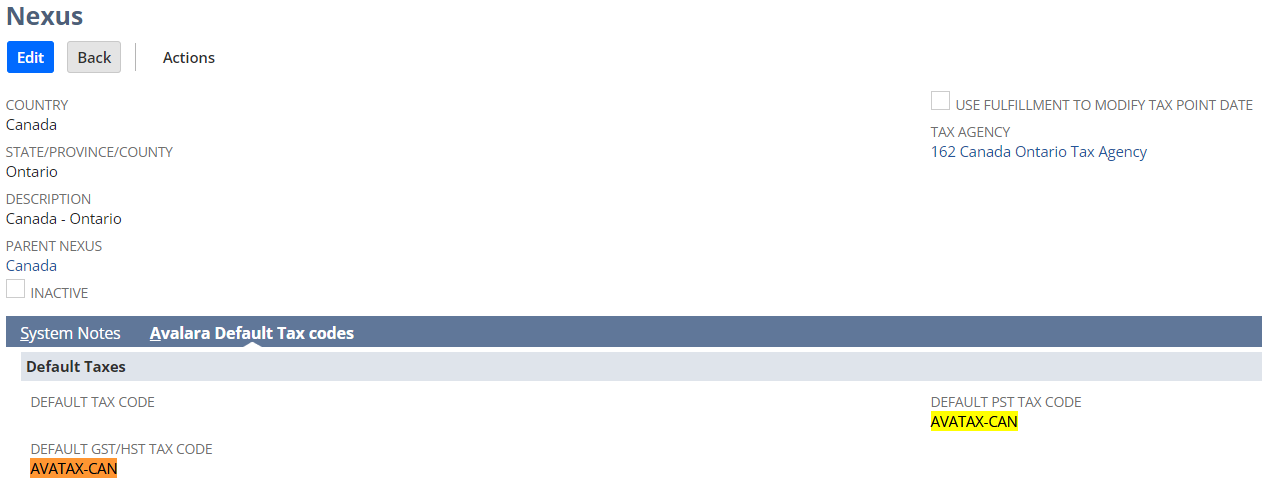
Explanation: This error occurs when the Default Tax Codes set in the Nexus record > Avalara Default Tax codes | Default GST/HST Tax Code and Default PST Tax Code fields are the same:
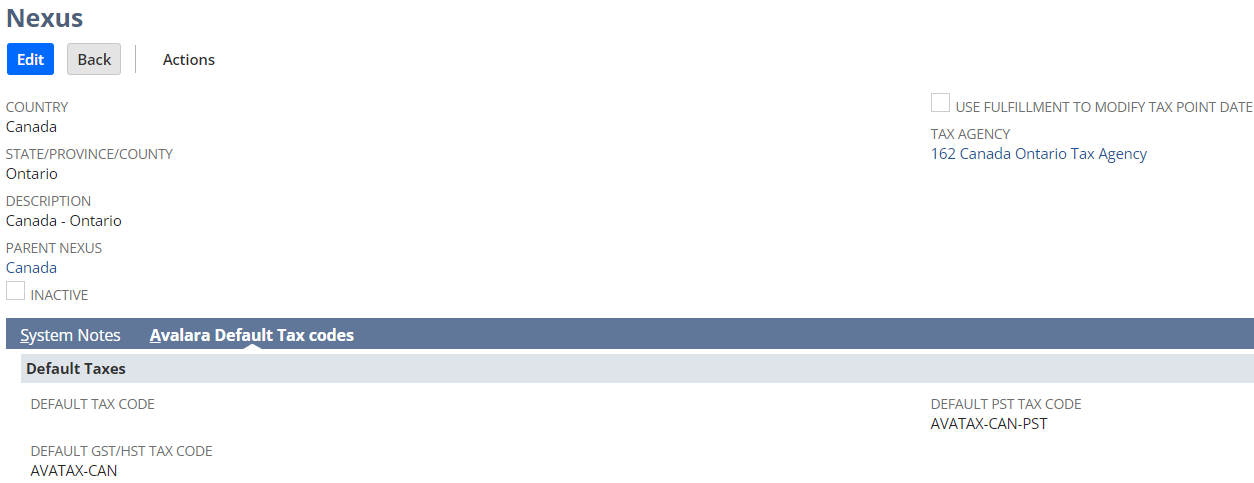
Resolution:
Ensure that different Tax Codes are set in the Default GST/HST Tax Code and Default PST Tax Code fields on the Nexus record:
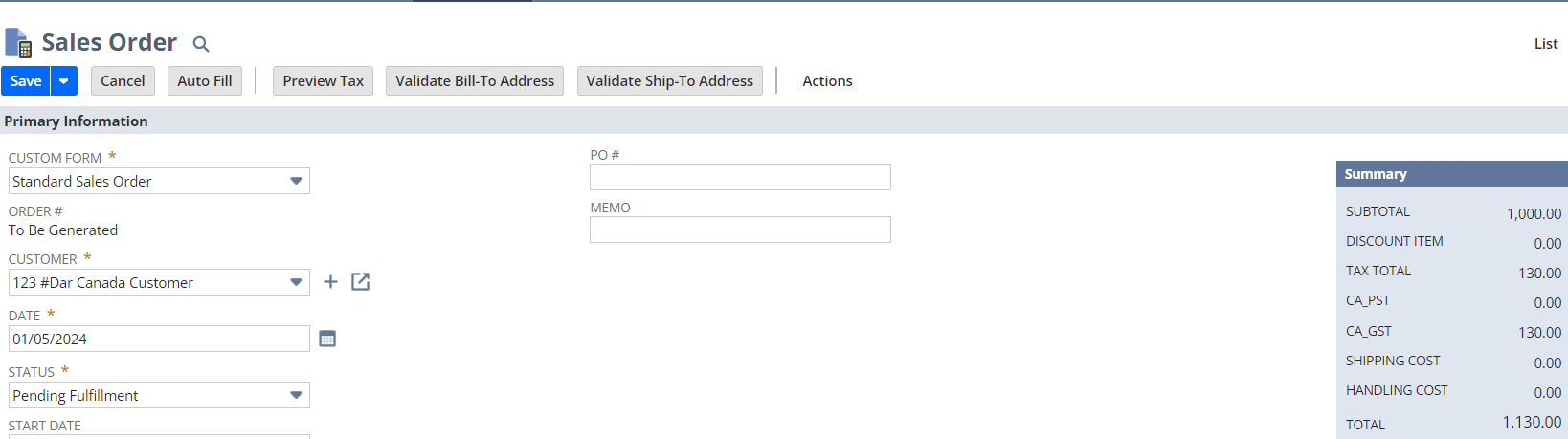
After setting different Tax Codes in the above-mentioned fields, error is now resolved and taxes are calculated accordingly:
While Avalara-related configuration will be best discussed by the Avalara Team, these steps are helpful in troubleshooting the concern.
Hope this helps!


Re: April 29, 2024 | Pop Quiz # 2
Answer: Option C. Lock Record
Use the Lock Record action to remove the Edit button from a record belonging to the workflow's base record type.
