Best Of
NSC | Revenue Recognition Method: How is Straight-line, prorate first and last period calculated?

Scenario:
Straight-line, prorate first and last period method is used to assign revenue in equal amounts for periods other than the first and final periods. Revenue Amounts are prorated for the first and last period based on the total number of days of the revenue recognition period.
Here is an example:
Amount: $10,000.00
Start Date: February 11, 2022
End Date: May 27, 2022
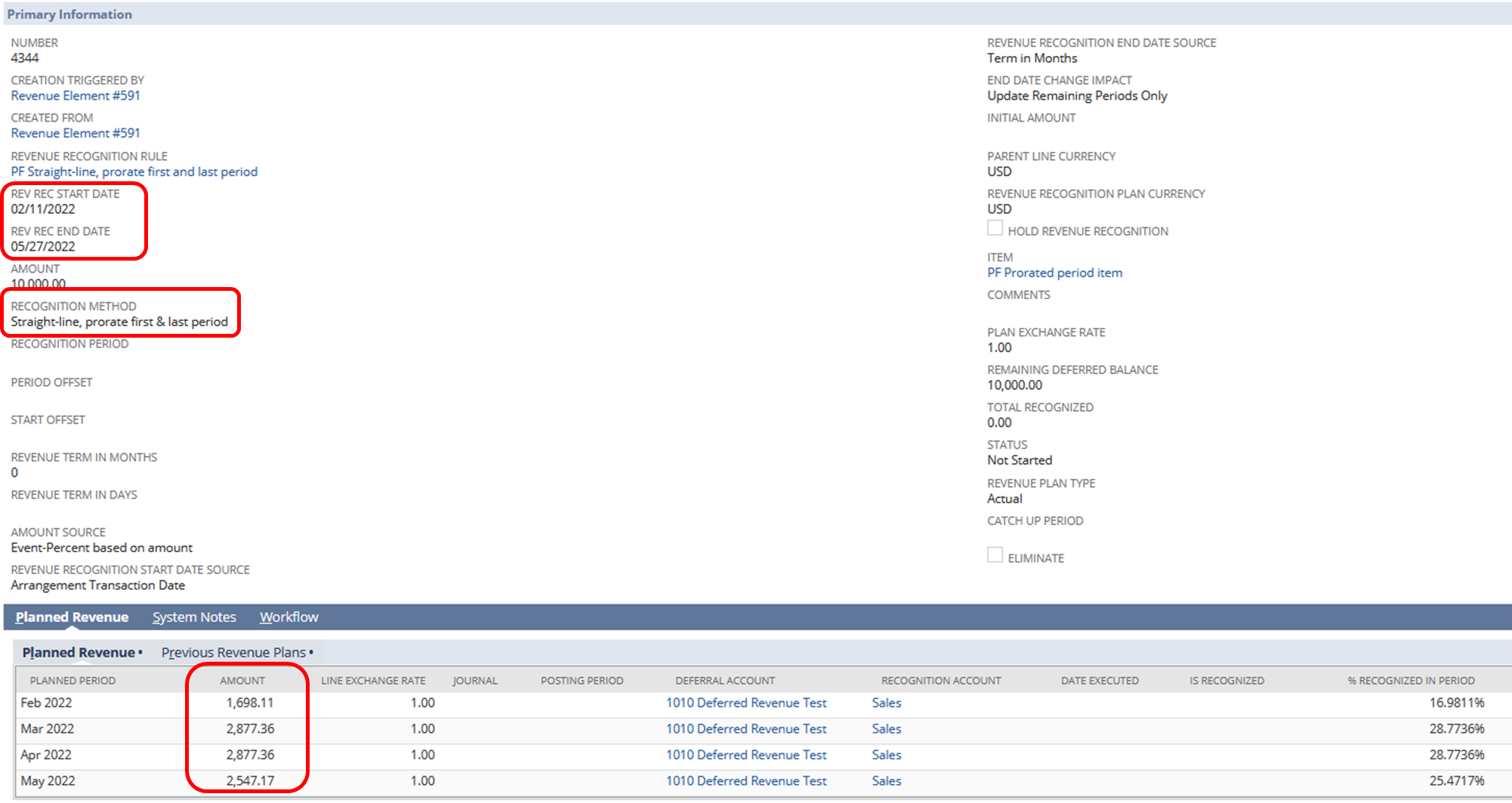
Solution:
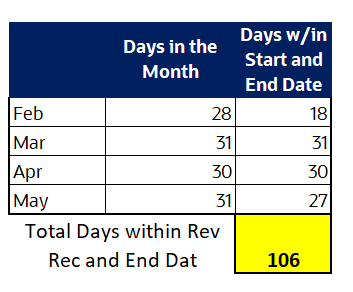
1. Get the sum of the actual number of days that is inclusive of the Rev Rec start to end date.
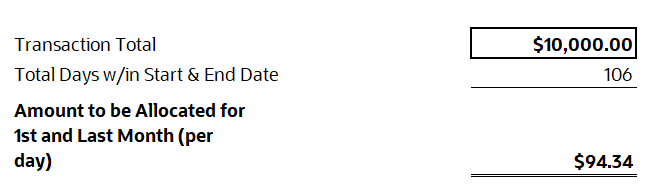
2. Divide the total of the transaction amount over the amount in (1).
3. Use the actual number of days of the first month multiplied by the amount in (2) to get the amount to be recognized for the 1st month.
4. Use the actual number of days of the last month multiplied by the amount in (2) to get the amount to be recognized for the last month.
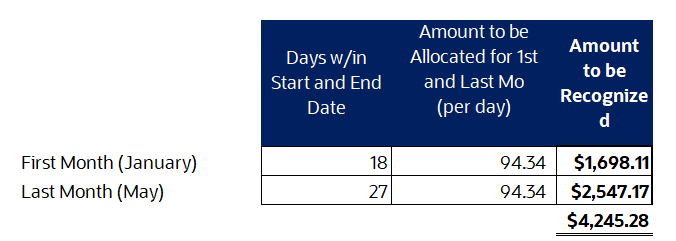
5. Add the amounts recognized in (3) and (4).
6. Subtract the sum in (5) from the total transaction amount.
7. Divide the amount in (6) to the remaining complete periods.
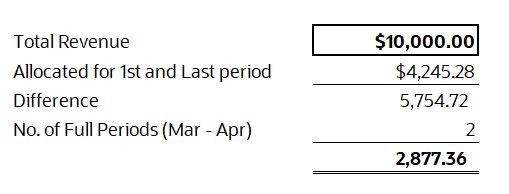
Allocation per period:
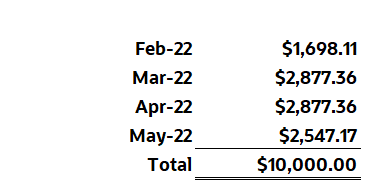
Were you able to check this one?
Hope this helps

Re: Dunning Module
Hi User_XQ321,
Thank you for patiently waiting. ?
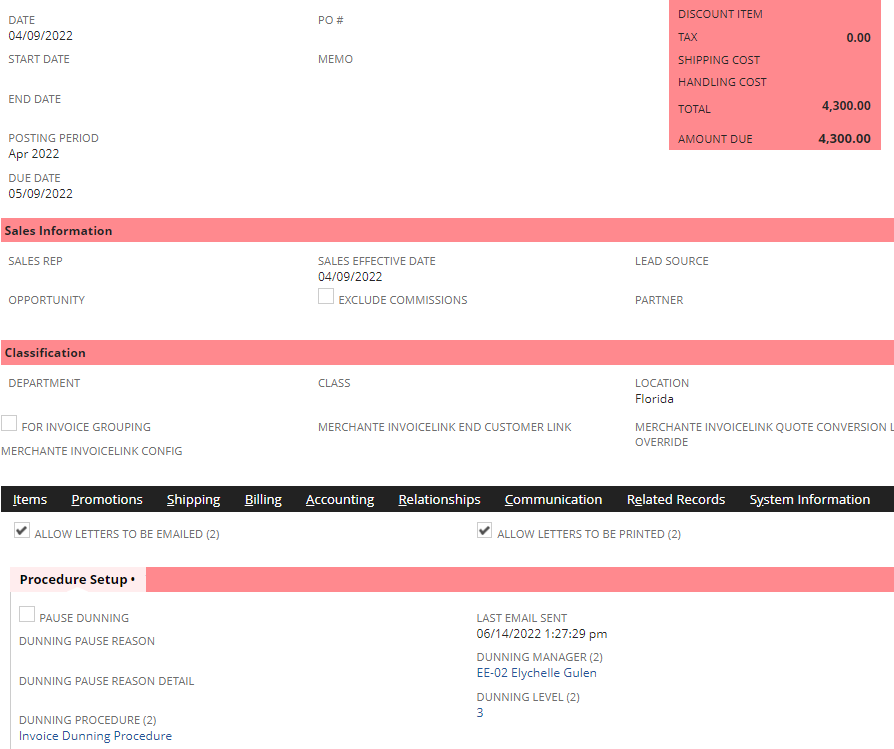
I made some testing on my end with the same setup as yours, and I was able to generate a Dunning Letter correctly.
Here is a 44-day overdue Invoice that was picked up by the Invoice Dunning Procedure.
I have also tested an Invoice Dunning Procedure with 90 Days Overdue rule, and the Invoice I created was not picked up as no Dunning Level was assigned to it.
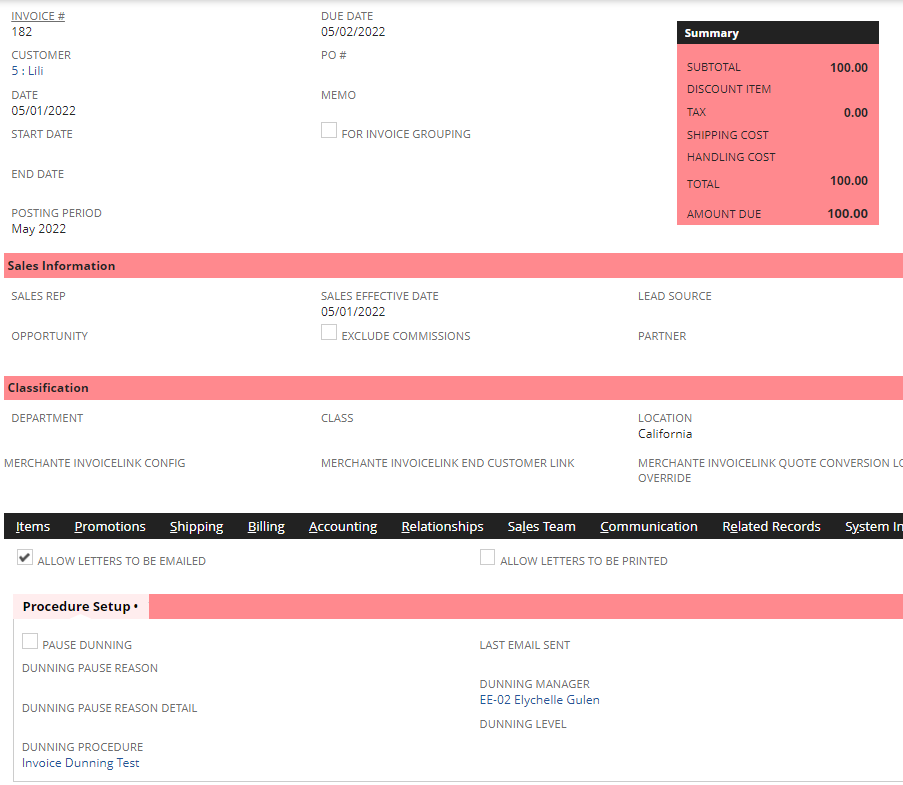
I think this may be a potential defect and Customer Support may assist you to check and further test on the back-end what could be the issue of your Dunning Procedures.
Thank you! ?

Re: PO approval by limited user - works differently for different employees
Hi @User_XQ321,
Just following up on this. Were you able to check any workflows/scripts that may be running on Purchase Orders? ?


NetSuite Admin Tips: A/R Aging Detail > Computation of Age Column

Some users are reporting that there are miscalculations of age when they try to adjust the As Of Date of the A/R Aging Detail Report.
To avoid confusion, please be guided that the field affecting the Age column of A/R Aging Detail Report is the Age As Of Date field and not the As Of Date. This field can be found when we click on the More hyperlink in the filters section. The Age column in the said Report indicates how many days the transaction is past due, and it is computed from the Due Date field up to the date the Age As Of field is set.

Do you have any other tips regarding A/R Aging Detail Report? Feel free to share it with the Community! ?

Re: Report: Sales by Sales Rep Detail
Yes @Elychelle Gulen-Oracle is correct.
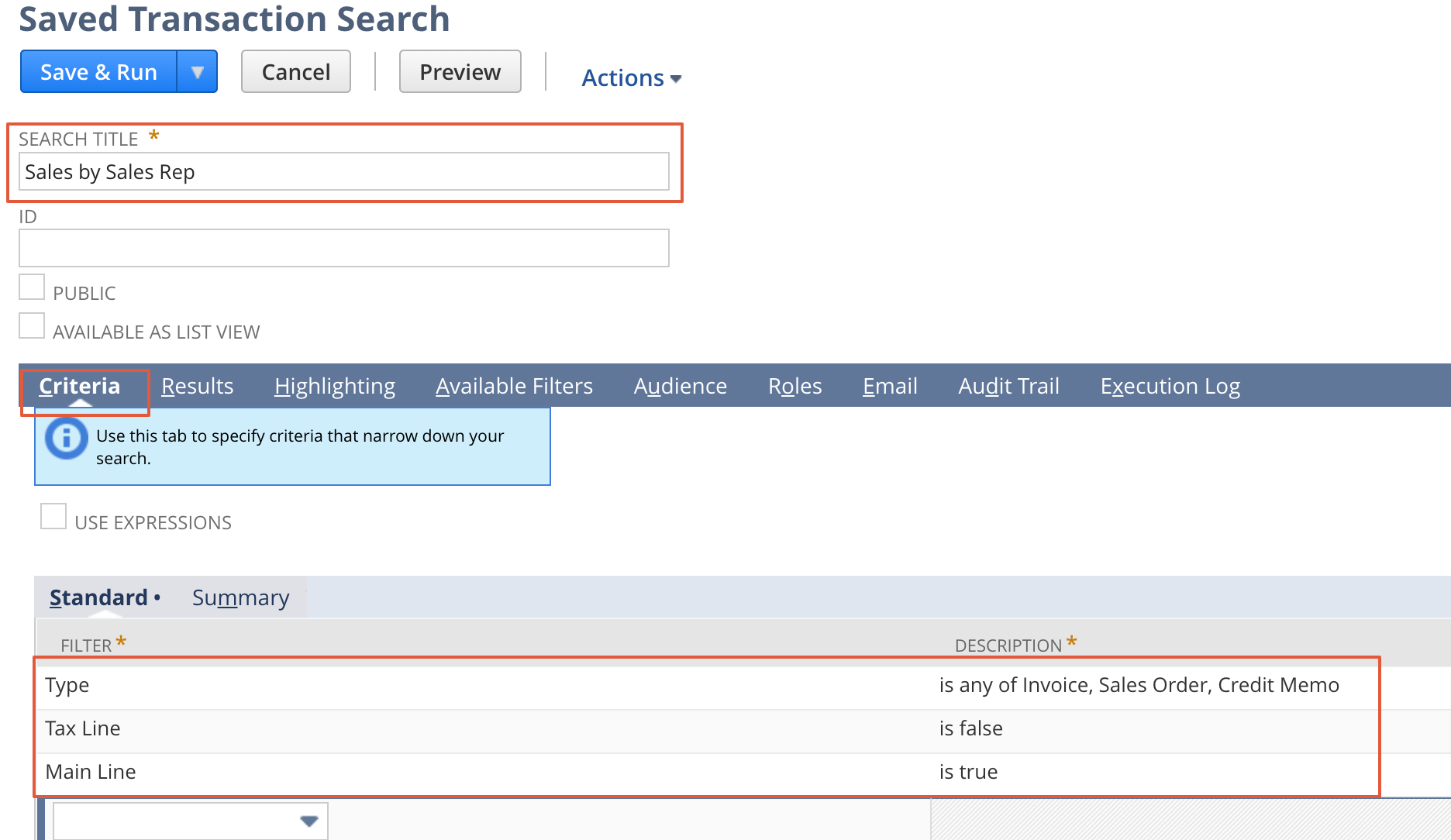
Alternatively, you can create a saved search report to see one line item details.
Reports - Saved Searches - New
Select critera as highlighted below
on Results Tab
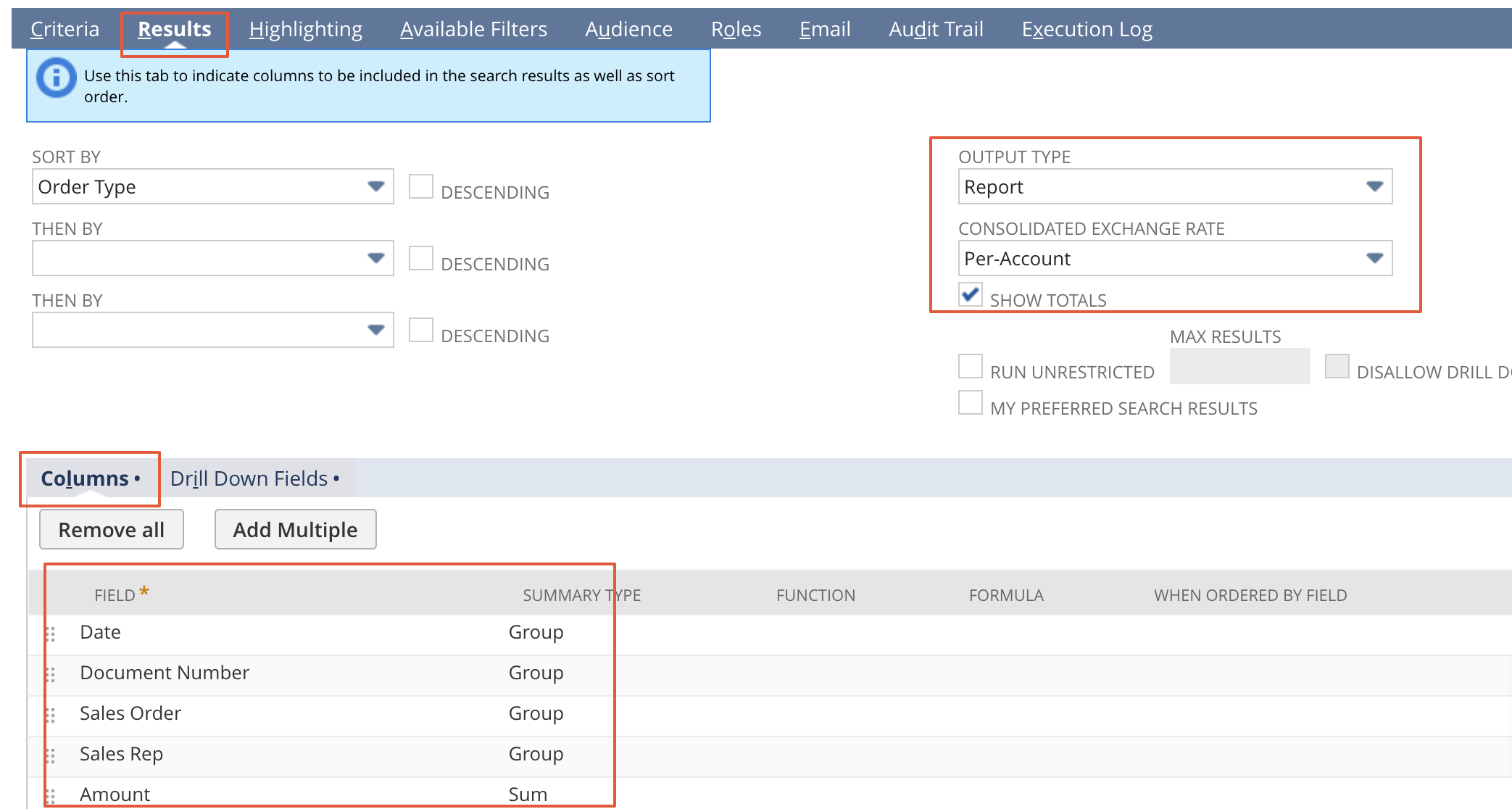
if you need more add other fields also.
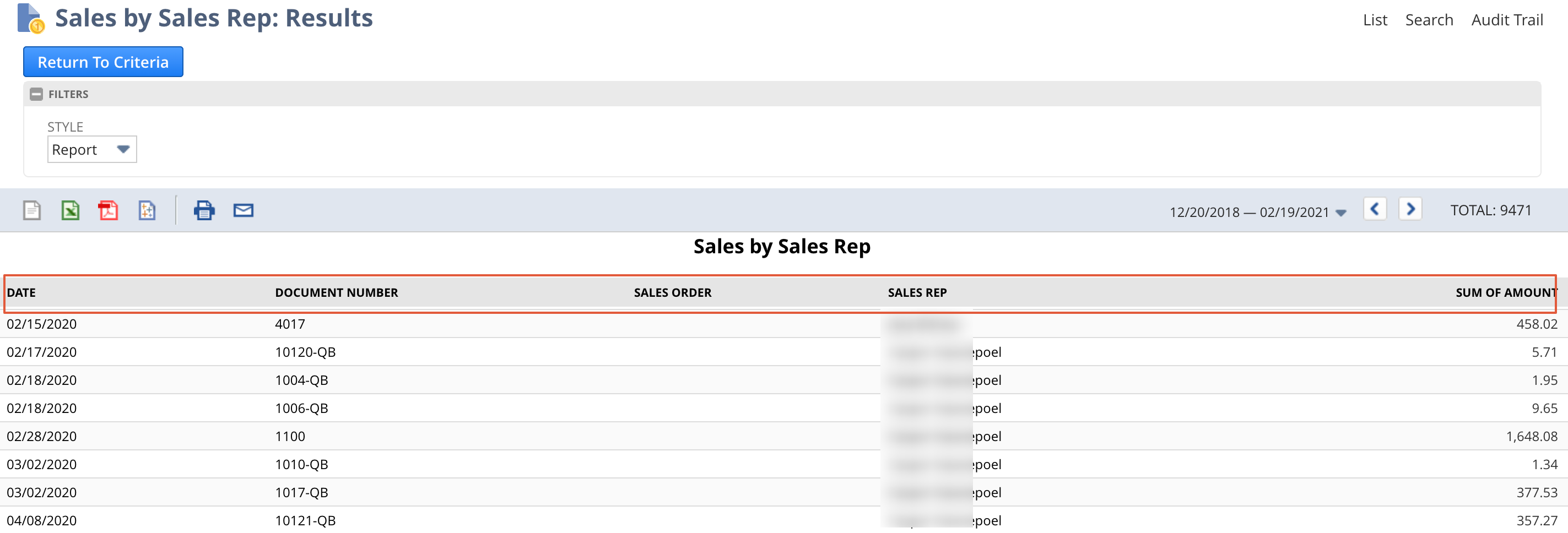
Output is

Re: FEC compliance certificate
Hi @User_LK41E,
Have you tried reaching out to your Account Manager regarding this certificate?
Thank you!
Re: Fixed Assets - Depreciation
Hi @User_XQ321
Edit the Asset record - Click on the General tab and update the highlighted fields
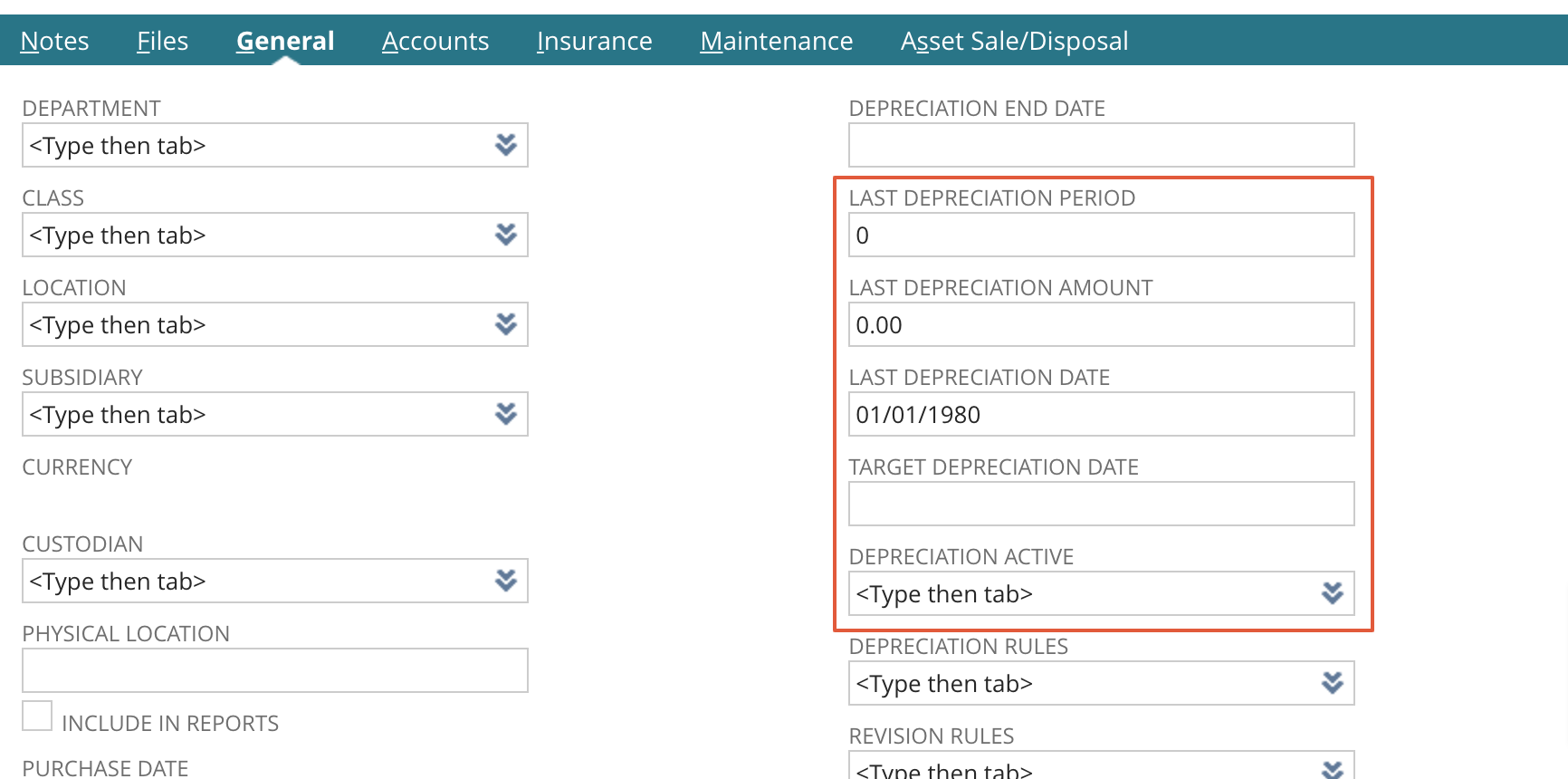
For precomputation- Fixed assets - Setup - System setup
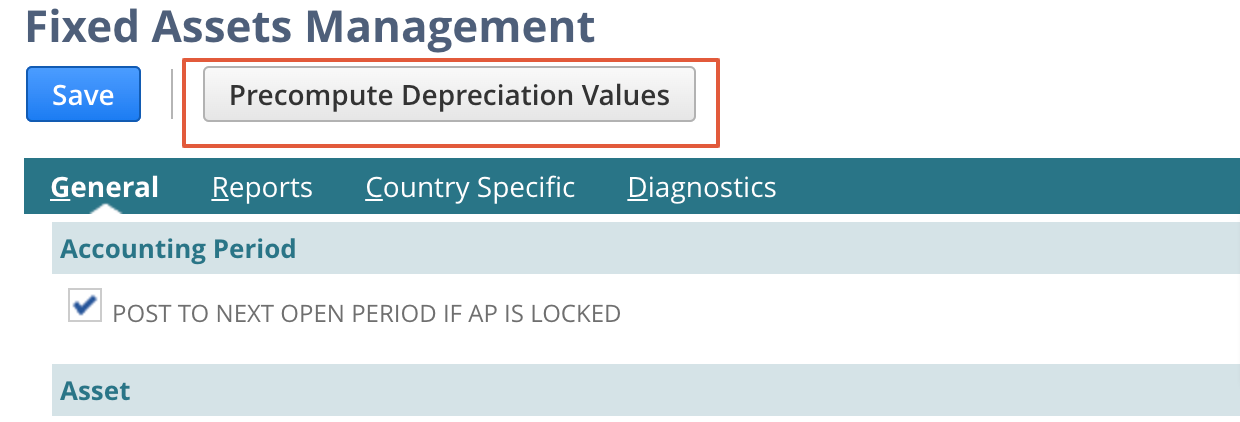
Let me know if you need further help
Re: Hide Quantity = 0 lines on Invoice records
Hello @Dirk Nieuwkamp,
Glad to have you with us today. Thank you for creating this thread.
Please allow our gurus to review your concern and perform their initial investigation. We will reach out again if we have updates on this. To other users, feel free join in the discussion as well.
To our other members, feel free to share your insights or suggestions by commenting on this thread.

Re: GL Impact screen - Is there a way to easily view the Total Debit / Credit amounts
A few options and 1 comment
1) We needed to see the item being referenced as it related to the GL Impact so we created a new Sublist Item to display on a tab of specific transactions (Invoice/Item Fulfillment/Item Receipts) that basically replicates the GL Impact with additional information.
2) You also can use the GL Impact Print function (new about 3 releases ago) which happens to include the total
Lastly, NetSuite can NEVER create a transaction that does not balance and be saved
