Best Of
Re: How does one remove the repeating company name on a financial report?
Hi @Mike O.-Oracle, The reason behind it is because the first line shows the Company Name under Setup > Company > Company Information while the second line shows the Subsidiary Name under Setup > Company > Subsidiaries selected on the report footer.
It just so happens that you have the same company name and subsidiary name selected for the report. That explains why the name looks like it was duplicated in the report. Furthermore, upon checking, the ability to customize the report header to change the company name is still a system limitation logged under #195827 Oneworld: Be able to customize report header to change the company name.
You can vote for this enhancement on the SuiteIdeas page.
To our other members, feel free to share your ideas and suggestions on this.
We appreciate your understanding on this current system limitation.

Re: How does one remove the repeating company name on a financial report?
Customize your report, and check what is set in the 'description' under more options. Titles don't usually repeat the report title.
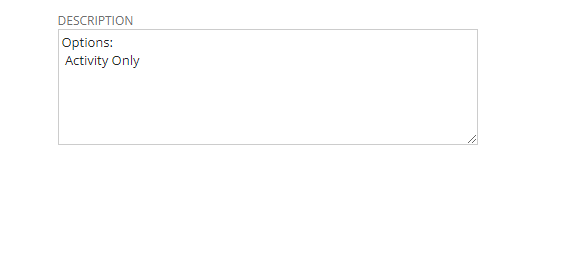
Make sure this description box does not have 'Demo NonProfit' in the description column. If it doesn't, then it's in the company setup. Let me know and we can go through the troubleshooting steps.
~angela

Re: Is it possible to encrypt contents of a SuiteScript in NetSuite & deploy it? if yes how? if not why?
Hi, Were you able to check this? Thank you!

Re: Is it possible to encrypt contents of a SuiteScript in NetSuite & deploy it? if yes how? if not why?
Hello,
After reviewing, these are the only documents we possess regarding SuiteScript Encryption:
- SuiteScript 2.x Modules
- Locking Objects in Customization Bundles
- Protecting Your Bundled Server SuiteScripts
Please verify if these articles address your concern. Thank you!
Re: Summarizing [Deferred Revenue Waterfall Detail] report
Greetings, everyone! We have a fellow member, @Burton_K , who could use our assistance. Please don't hesitate to share your knowledge and best practices to help them out. Your input is highly valued and appreciated!

Re: Some of our assembly items are showing out of stock in the Web-Store
ok, I made the support case.
Thanks, Tom

Re: Extracting Image File Names Instead of URLs in Saved Search Results
Hi @Able Wilson,
As per checking, this is a feature request filed under Enhancement #137627. There is no available workaround; however, if you use a Document Saved Search, you can populate the name of the image by adding the Name field. Please visit SuiteIdeas to vote for the enhancement.
I hope this answers your question. Thank you.


Re: SuiteScript/SuiteCloud communication with MS Dataverse (Dynamics 365)
Thanks Angela, yes, indeed. The purpose of this post is to see if anyone has already built such an interface and has any tips or experiences around that. That is, seeking community help/input rather than starting from scratch where there may be some existing knowledge/experience out there. Thanks again!!
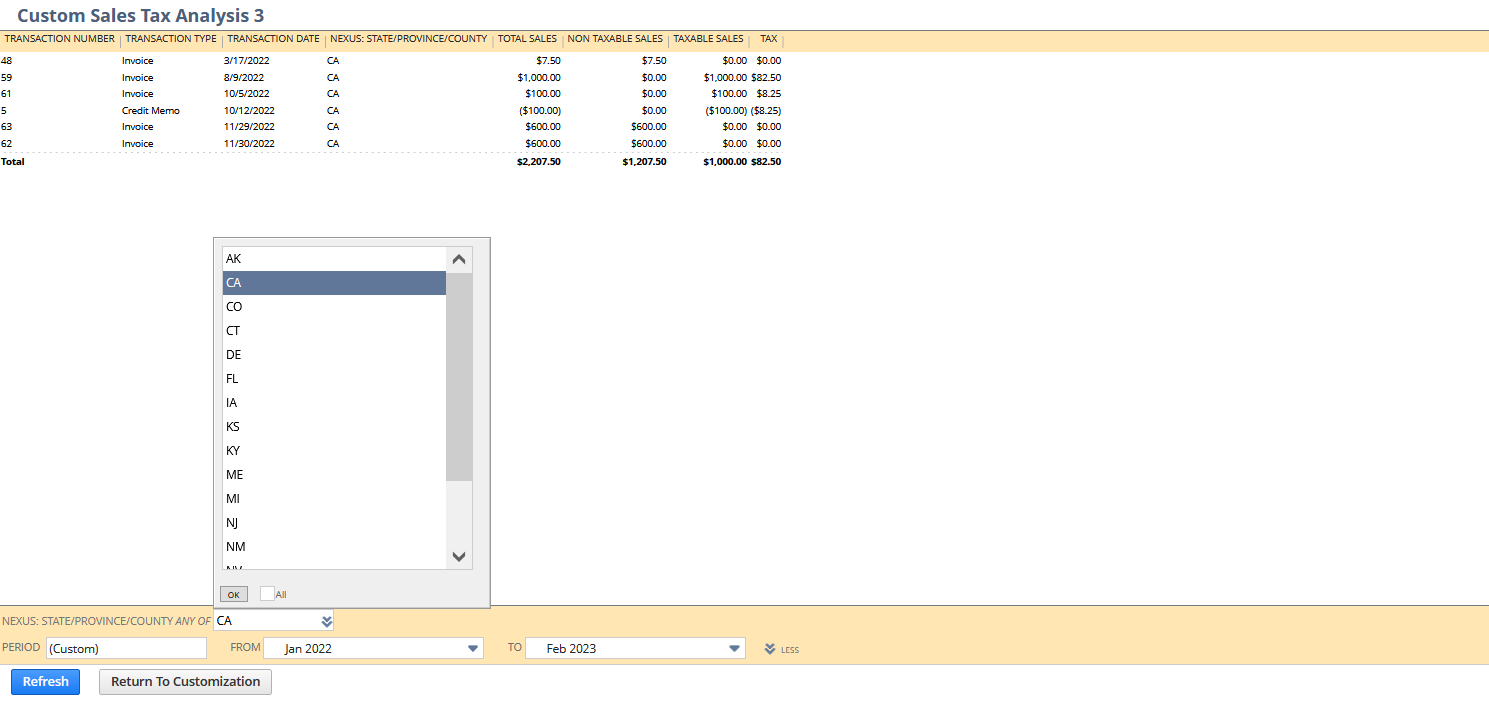
NSC | US Legacy Tax: How to customize Sales Tax Analysis to filter by state?
Scenario:
The Sales Tax Analysis is a Legacy Tax report for US. It displays sales tax liabilities on each sales transaction for the date range selected. Users may require to view it per state to check their transactions.
Solution:
1.) Navigate to Reports > Sales Tax US > Sales Tax Analysis
2.) Click Customize
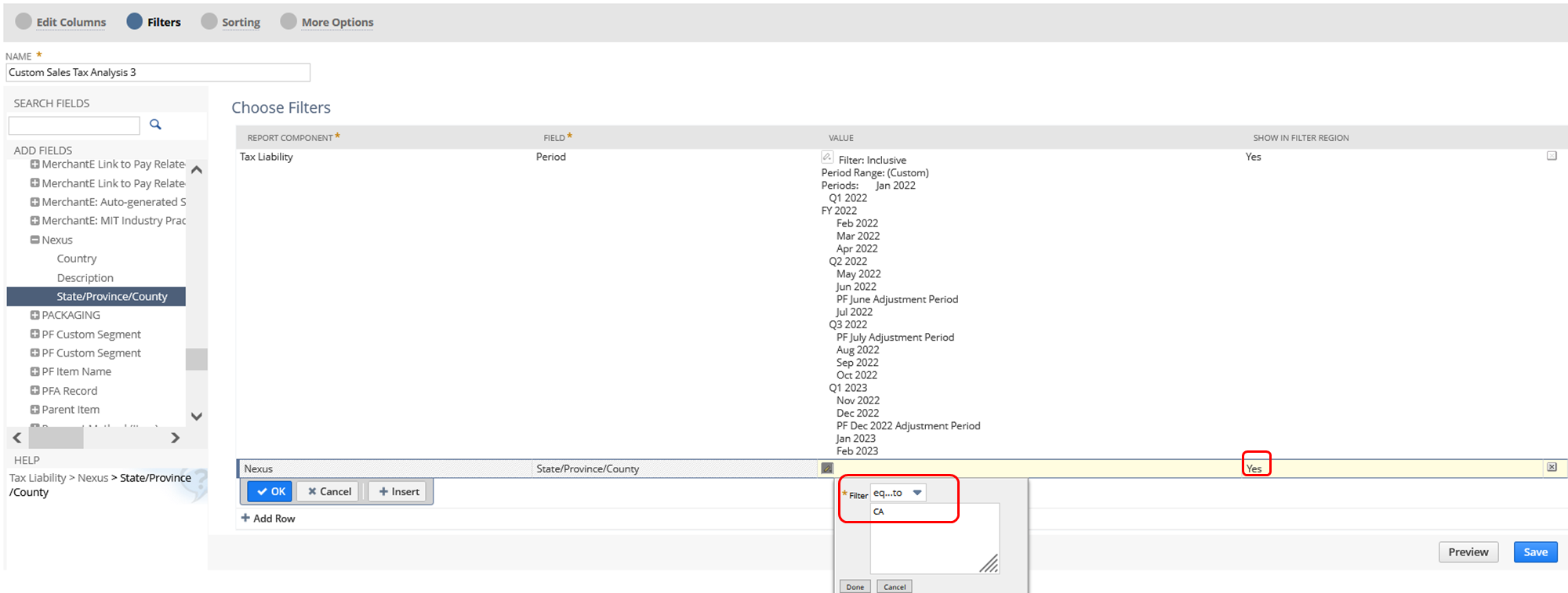
3.) Go to Filters section
4.) Open Tax Liability folder > Nexus subfolder > State/Province Country
5.) Select a Nexus (for example: CA for California)
6.) Show in Filter Region = Yes - so that you can easily change the Nexus/State in the report
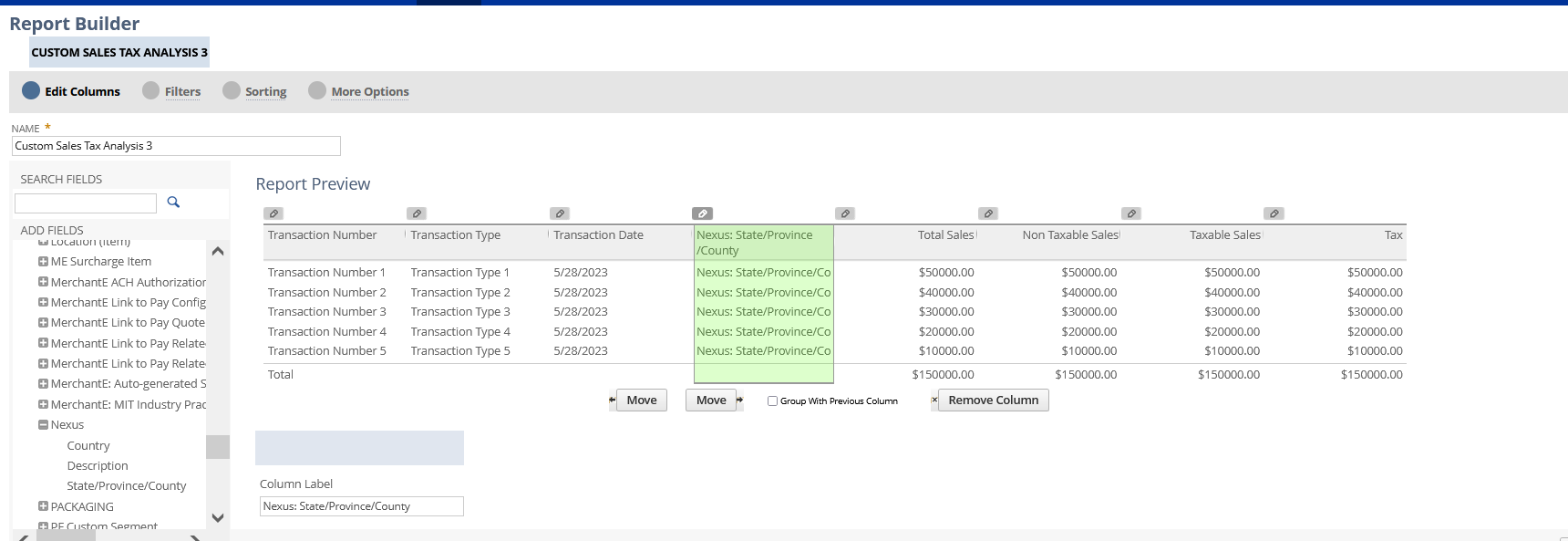
Optional: You can also add this in your Columns via the Edit Columns
7.) Save and Run your report
Results:
Have you tried this one?