Best Of
Re: Can we access the secret key content after creating secret key?
Hi,
According to the SuiteScript Team, we cannot access the secret key after creating a secret key. However, there is method createSecretKey() which returns secretKey object. You can get to either guid or secret scriptid values used during object creation but you cannot get to actual value which was used during guid or secret creation.
Thank you!


Re: How to move the Currency field to the Main line in Opportunity forms?
Thank you so much both of you!
Now I understood and managed to succeed! 😊
Re: Issues with some Saved Search Results after 2024.1 Update
Jervin Nicholas Teopengco-Oracle
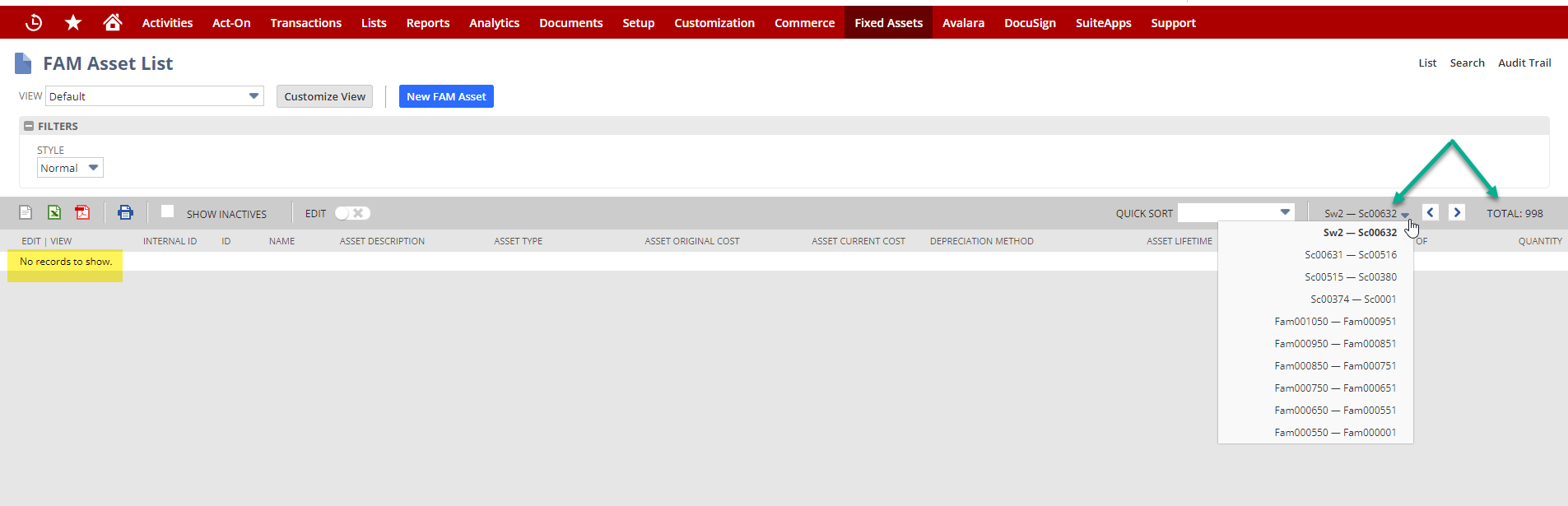
My Example from Production 2024.1.
This occurs with many searches, I selected a "delivered" search so my criteria would not be a consideration.
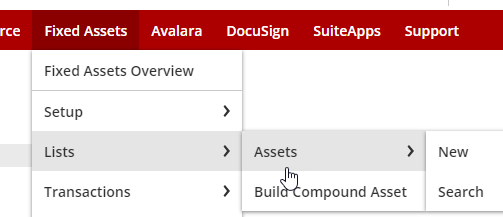
This is the "default" Fixed Asset list.
I simply accessed the list and this is the result.
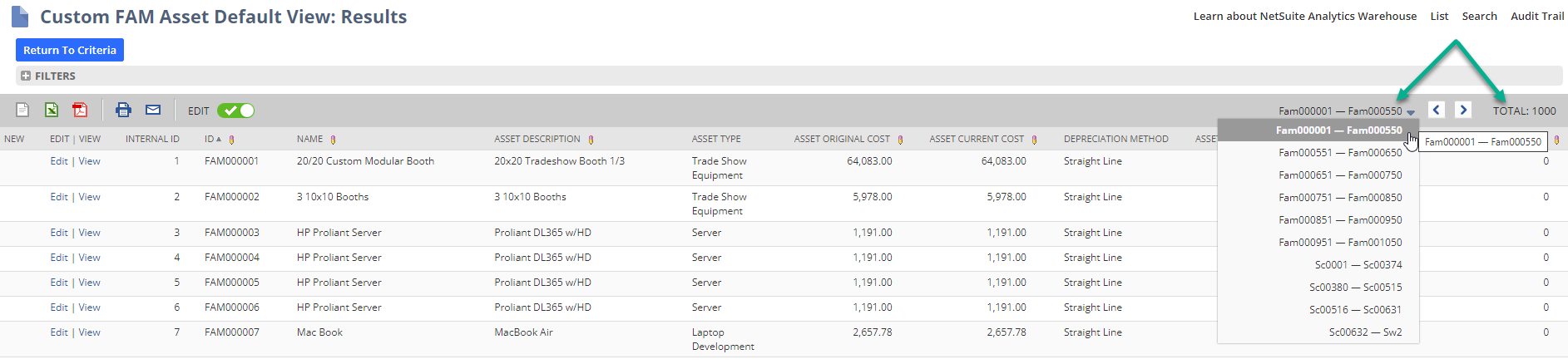
If I "Customize View" and make no changes & click Preview there are results.
I will add samples as I come across them more.
 CDuf
CDuf
Re: Cash 360 for non-OneWorld accounts
No, I've tried too. (same issue with SuiteIdeas 650648 Accounting Context & Item 360)
The only hint we get is the reference to Subsidiaries. "View Across Subsidiaries"
I tried installing it in Sandbox anyway and received the following error:
Validation Failed: Validation of account settings failed.
An error occured during validation of Custom Objects against the account (customrecord_cash360_accountcategory)
Details: Unable to deploy due to OneWorld dependency.
Custom record custom field customrecord_cash360_accountcategory.custrecord_cash360_categorysubsidiary is not mandatory, but a field on custom object custform_cash360_accountcategory is dependent on it and cannot be deployed to accounts that are not OneWorld. The reference must be removed before attempting to deploy to this account. If the field is required, only deploy to a OneWorld account.
File: ~/Objects/CustomRecord/customrecord_cash360_accountcategory.xml
An error occured during validation of Custom Objects against the account (customrecord_cash360_preference)
Details: Unable to deploy SuiteApp. There is a custom record custom field of field type subsidiary (selectrecordtype=-117) and ismandatory=true, but the target account does not have OneWorld functionality to support that configuration. Deployment can succeed when ismandatory=false, but the custom record custom field will be removed on deployment.
File: ~/Objects/CustomRecord/customrecord_cash360_preference.xml
An error occured during validation of Custom Objects against the account (customrole_cash360_service_role)
Details: To install this SuiteCloud project, the SUBSIDIARIES feature must be enabled in the account.
File: ~/Objects/CustomRole/customrole_cash360_service_role.xml (lnw0m1cm159qqdddf2xav)
**
Although the message clearly says Subsidiaries feature must be enabled, the message also indicates "Deployment can succeed when ismandatory=false, but the custom record custom field will be removed on deployment."
I logged a case & voted for SuiteIdeas # 683545 Cash 360 SuiteApp > Able to Install and Access Even On Single Instance Accounts
CDuf
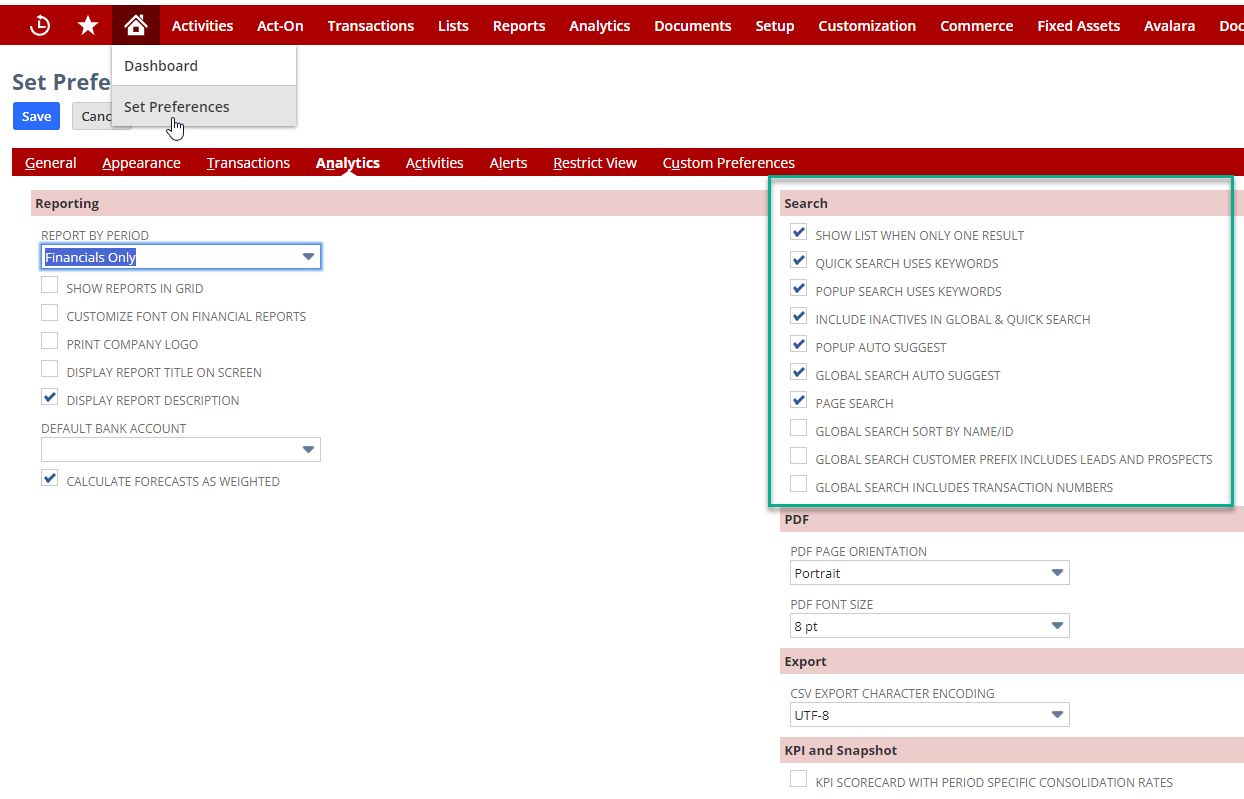
Re: How do we search on different field options?
Hi User_FRN1A
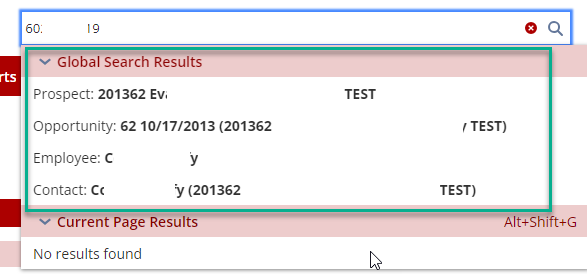
Check your personal preferences. I just tried to global search for my phone # and received results
 CDuf
CDuf
Re: Inventory Item Forms Changed
Thanks. I updated our case that the timing did not line up with our update to 2024.1
Re: credit card doesn't default on sales order
never mind, I think it was caching issue, it did default now.
Re: new field on purchase order form showing error
Hi Grace,
thank you so much. same thing is happening on my side too. after editing it works. but we dont want the edited version to show up on confirmed. only during create we need to reflect confirm ack.date as receipt by.
 Meherin
Re: Seeking Advise on Microsoft Outlook/NetSuite Integrations
This is so helpful!!
We do push for utilizing NetSuite as much as possible for communication. As you know organization behavioral change is hard.
Celigo is one of the apps we look at. Glad to know that it works well for you.
Thank you so much!
 MTL_MIA