Best Of
Re: Edit/Remove Native Fields
Thank you so much for trying! In this case, I have edited the price levels fields that I want to have… and I was also able to disable the quantity pricing, which accomplished getting the column to a dollar instead of a percent. HOWEVER, if at all possible, I would like to get rid of the "default discount %" column, or at least hide it??

Re: Workflow Action Script
Hello @User_ZCWF3,
Posting this on Jervin's behalf:
Thank you for providing these. Would you be able to check if the Workflow executed on the affected transaction?
If yes, did the Action Script execute as well?
Thanks!

Re: Purchase Order Marked Fully Billed, No Related Records
We can close this for now. I've been pulled on to other requests.

Re: NSC Poll: What contents would you like to see in the NetSuite Support Community?
Thank you for taking the time to leave a feedback, @Angela Bayliss . We’re sorry that you had a negative experience. Your feedback is essential to us, and we’ll use it to improve. Please continue to give us suggestions/feedback as we constantly improve this Support Community.
Appreciate all the help you give to this Community, and congratulations on being one of our SuiteMasters in February.

Re: SuiteAnalytic connect: Dataset/workbook/saved search not display via Excel
Ok noted. Thank you.

Re: Billing Operations Failure - SuiteBilling "You cannot edit charge lines on invoices, cash sales...
Thank you, Elychelle. I have submitted a case to Customer Support. They have been able to reproduce the error and they are looking into why this is happening.
Have a great weekend.
Re: Updating the Revise Ship Date for multiple items in SO
Hi @Chandanesh,
Good day! Hope you are doing well. 😊
Please add back the Line ID to resolve the Error: "Ambiguity error on logical key multi-match." but make sure it is mapped correctly.
Kindly confirm if the Data Handling is set to Update with the Overwrite Sublists box (under the Advanced Options) checked.
Thank you! 😊

Re: How to source a custom field from Item Fulfillment to Invoice?
Hi @Tiffany Haslerud,
Good day!
It is a current limitation to source values from the Item Fulfillment to the Invoice record as they have no link between them.
However, I have found an alternate solution for this. We'll need to use a Saved Search and a Custom Field. I'll guide you with the steps below:
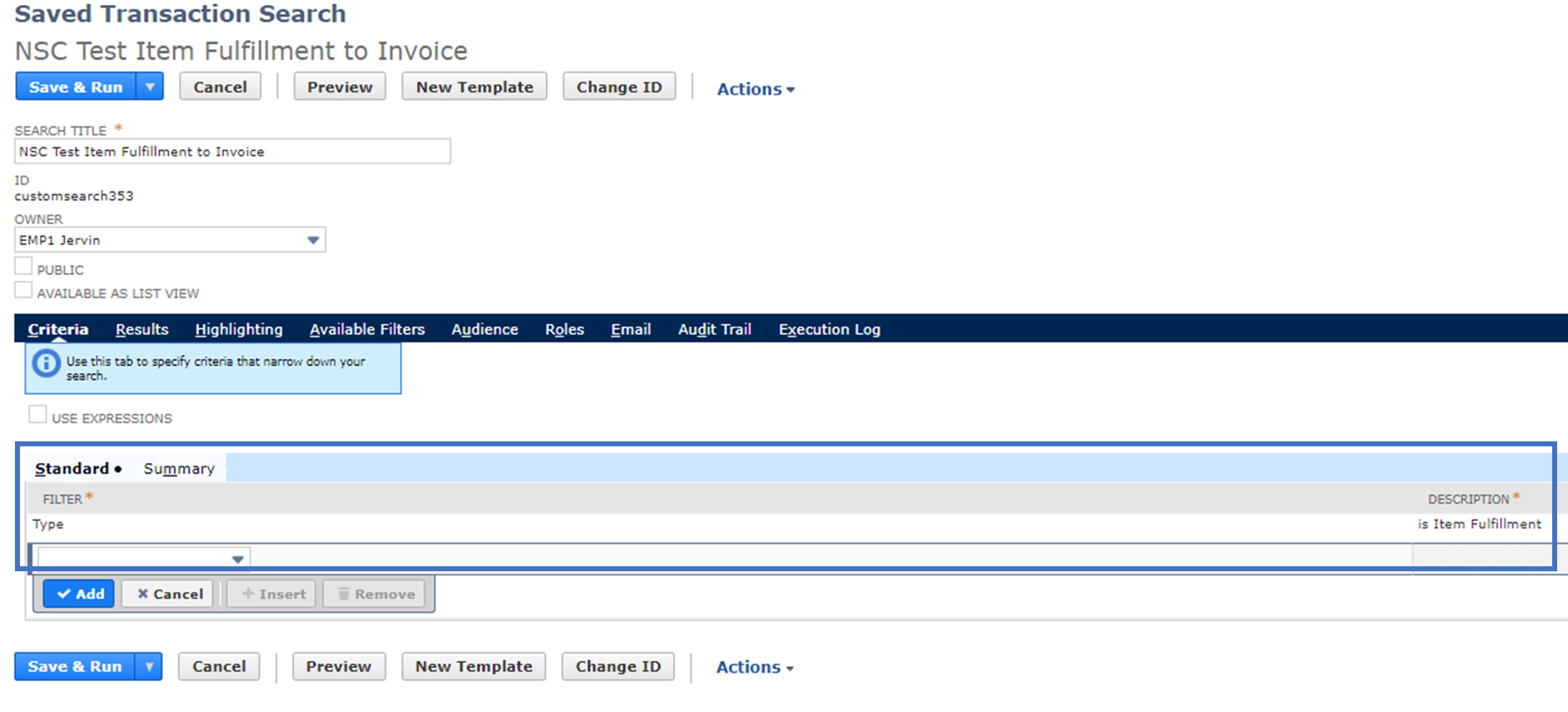
Create the Transaction Saved Search:
On the Criteria subtab, input the values below:
- Filter: Type
- Description: is Item Fulfillment
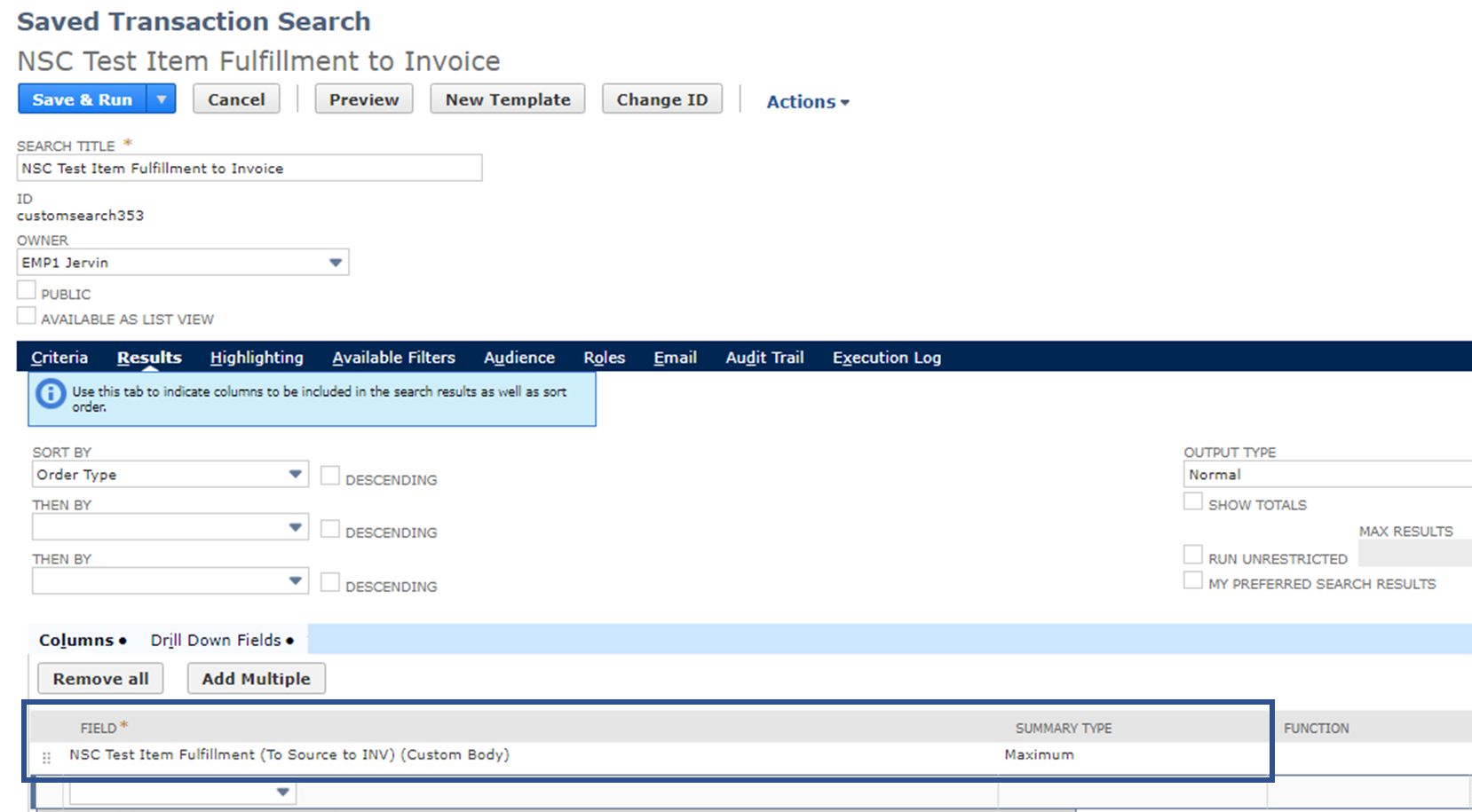
On the Results subtab, input the values below:
- Field: <The field found on your Item Fulfillment>
- Summary Type: Maximum
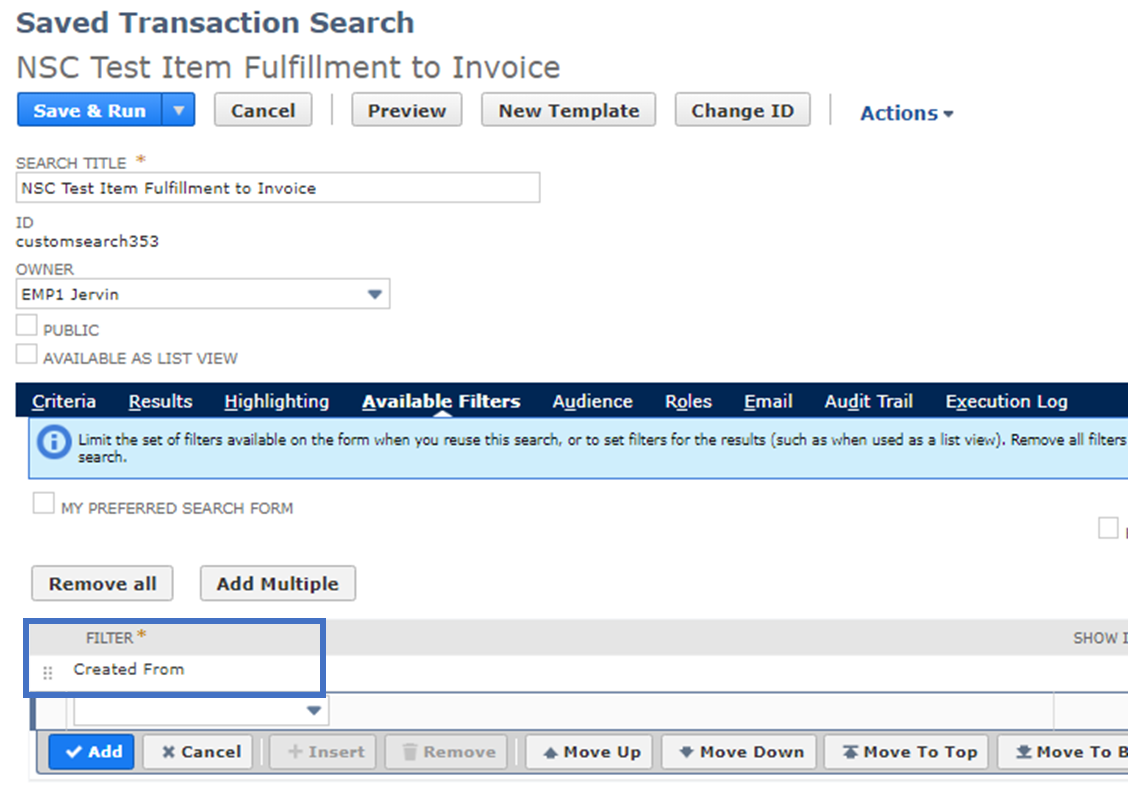
On the Available Filters subtab, input the values below:
- Filter: Created From
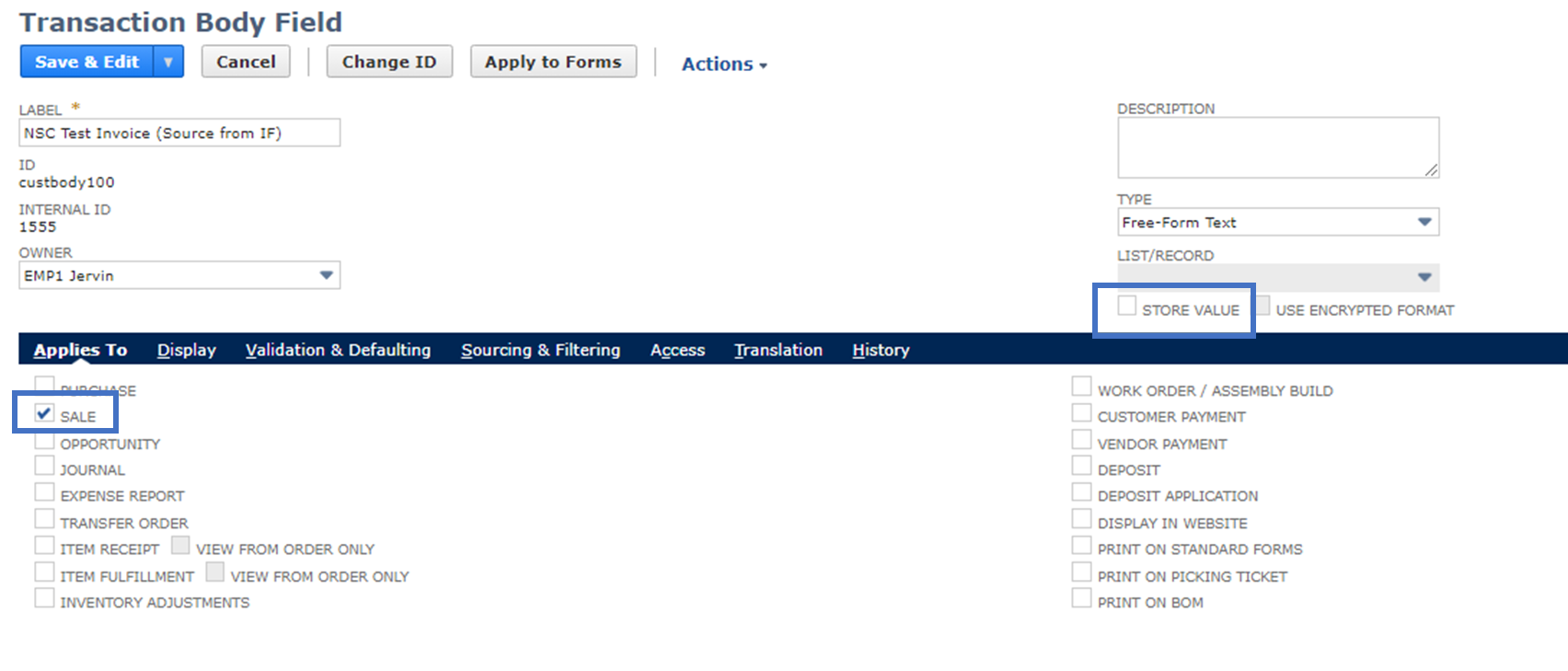
Create a Custom Field on your Invoice:
- Store Value: Unchecked
On the Applies To subtab, set the values below:
- Sale: Yes
On the Validation & Defaulting subtab, input the values below:
- Search: <The Search we created>
- Field: Created From
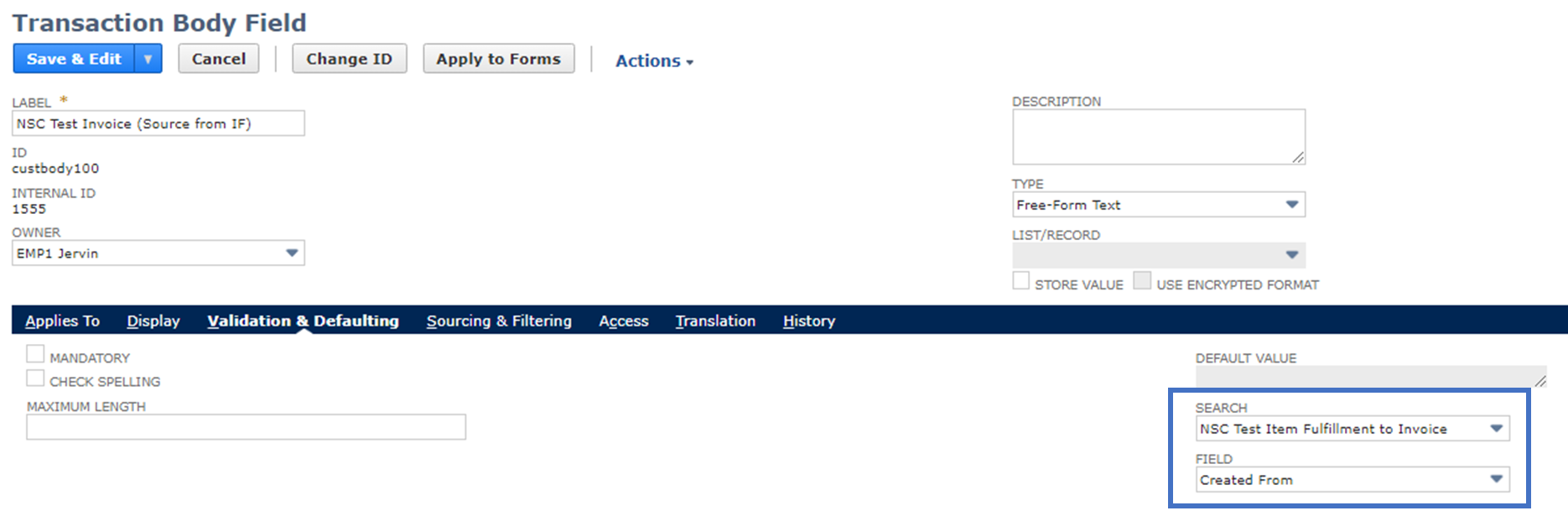
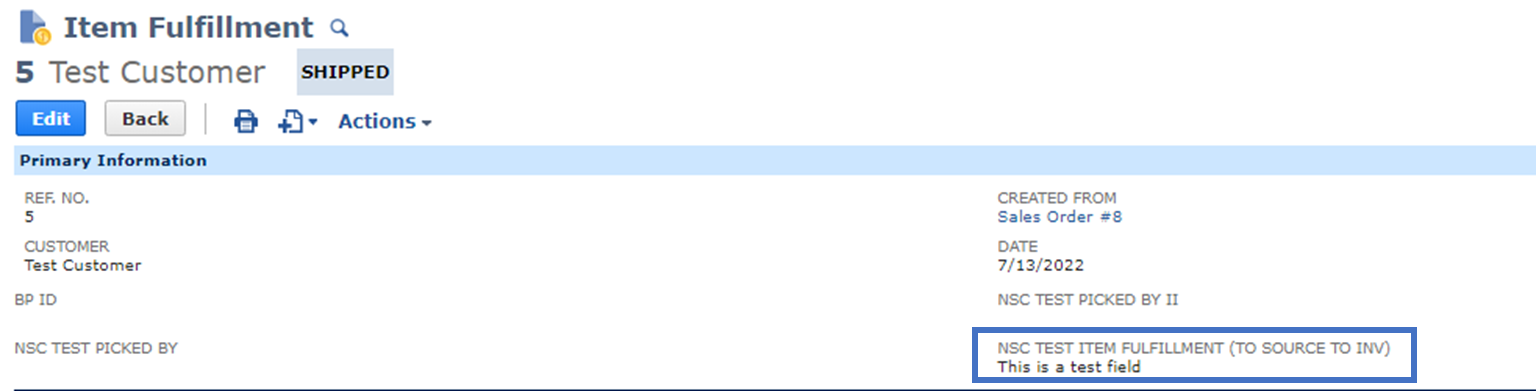
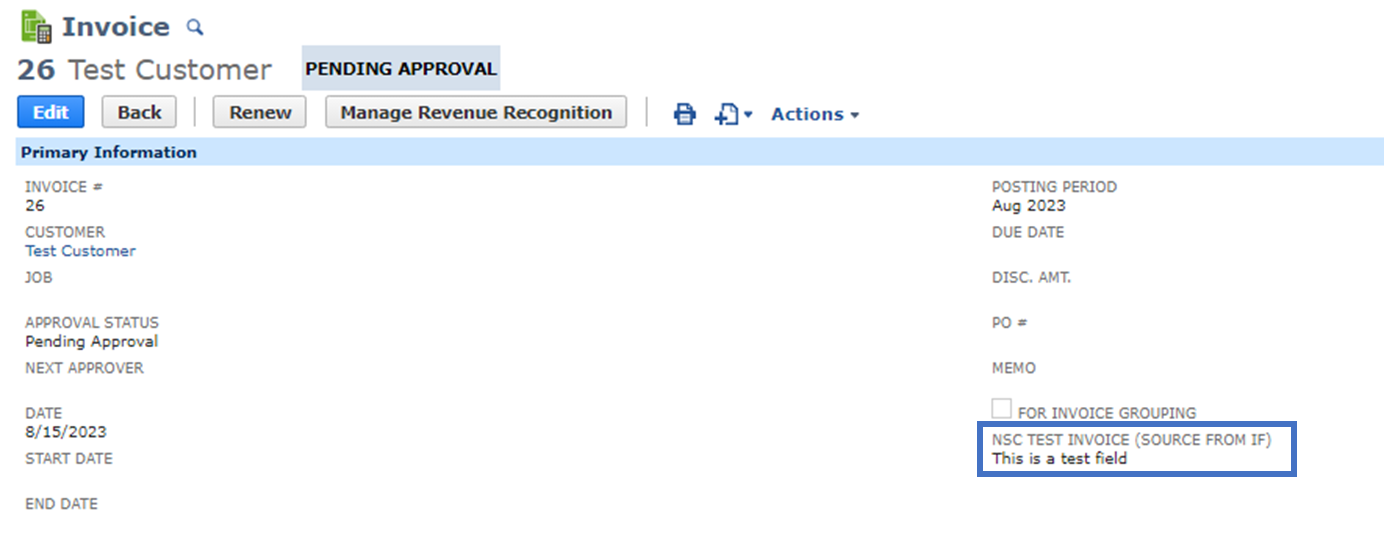
Once done, it should now display the values of the field from the Item Fulfillment as seen below:
Item Fulfillment:
Invoice:
I hope this helps!
__
If you find this reply to your question as helpful, others with the same question might find it helpful as well. By marking “Yes” on the “Did this answer your question?”, you’ll be able to aid the community to find the solution much easier and faster without the need to read through all the replies, and you will also get closer to earning your next Answer Accepter badge.

Re: SuiteAnalytic connect: Dataset/workbook/saved search not display via Excel
Hi,
Unfortunately, this concern is not available or a system limitation of Oracle NetSuite.
Upon checking, there's an existing Enhancement requests for this:
- 384812 ODBC>Ability to query the Saved Search Filters and Columns using SuiteAnalytics Connect.
- 110729 SuiteAnalytics > Convert a saved search into an ODBC query
Let me know if these are associated with your concern. If so, you can vote for this enhancement on the SuiteIdeas page. See 10054: Voting for Enhancements
Thank you!

Re: The Role field within Relationships - can it show up on the Edit Form of a Contact.
@gbradley To update the Role of the contact, please follow the below steps.
Open the Customer record associated with the contact.
Click on Relationships > Contacts > Update Primary
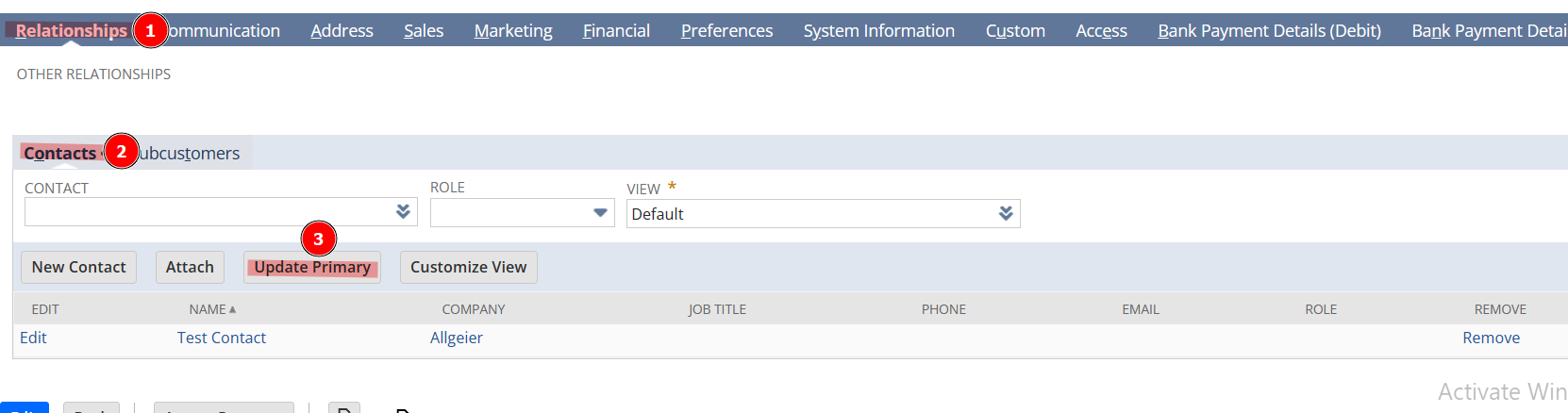
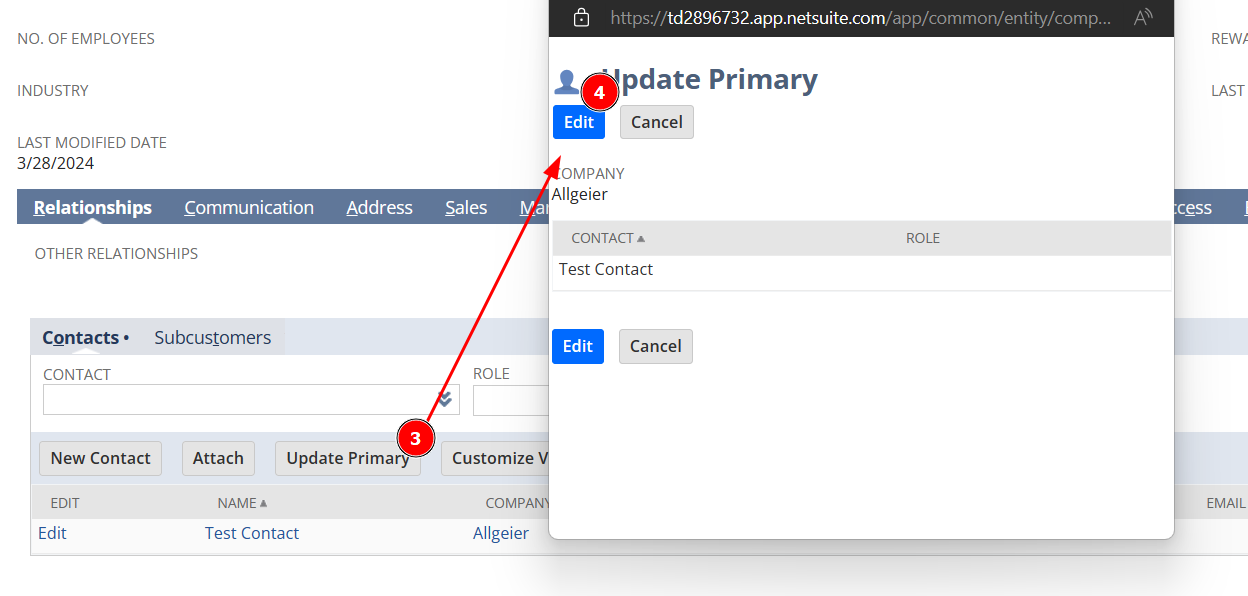
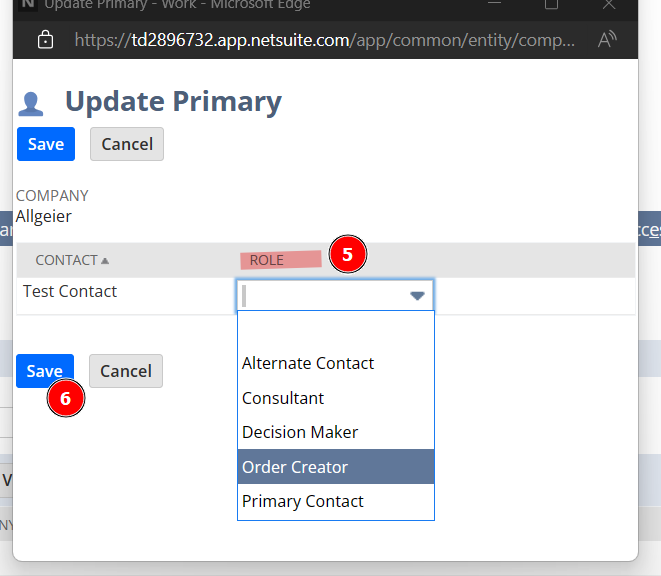
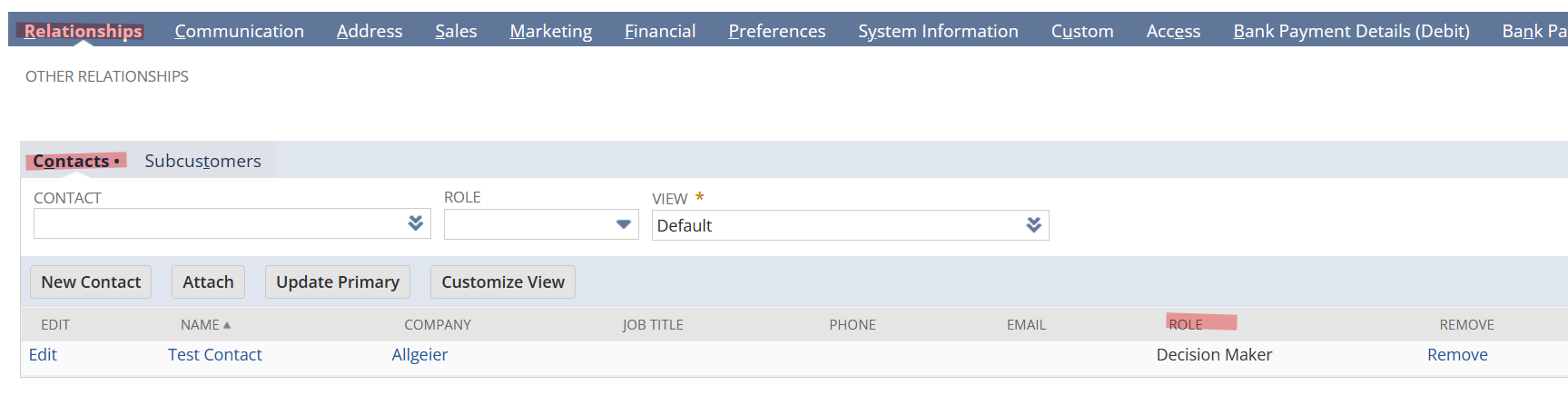
Click on Edit button and select the Role and click Save.
Thank you.
