Best Of
Re: Is it possible to encrypt contents of a SuiteScript in NetSuite & deploy it? if yes how? if not why?
Hello,
After reviewing, these are the only documents we possess regarding SuiteScript Encryption:
- SuiteScript 2.x Modules
- Locking Objects in Customization Bundles
- Protecting Your Bundled Server SuiteScripts
Please verify if these articles address your concern. Thank you!

Re: Summarizing [Deferred Revenue Waterfall Detail] report
Greetings, everyone! We have a fellow member, @Burton_K , who could use our assistance. Please don't hesitate to share your knowledge and best practices to help them out. Your input is highly valued and appreciated!

Re: Some of our assembly items are showing out of stock in the Web-Store
ok, I made the support case.
Thanks, Tom

Re: Extracting Image File Names Instead of URLs in Saved Search Results
Hi @Able Wilson,
As per checking, this is a feature request filed under Enhancement #137627. There is no available workaround; however, if you use a Document Saved Search, you can populate the name of the image by adding the Name field. Please visit SuiteIdeas to vote for the enhancement.
I hope this answers your question. Thank you.


Re: SuiteScript/SuiteCloud communication with MS Dataverse (Dynamics 365)
Thanks Angela, yes, indeed. The purpose of this post is to see if anyone has already built such an interface and has any tips or experiences around that. That is, seeking community help/input rather than starting from scratch where there may be some existing knowledge/experience out there. Thanks again!!
NSC | US Legacy Tax: How to customize Sales Tax Analysis to filter by state?
Scenario:
The Sales Tax Analysis is a Legacy Tax report for US. It displays sales tax liabilities on each sales transaction for the date range selected. Users may require to view it per state to check their transactions.
Solution:
1.) Navigate to Reports > Sales Tax US > Sales Tax Analysis
2.) Click Customize
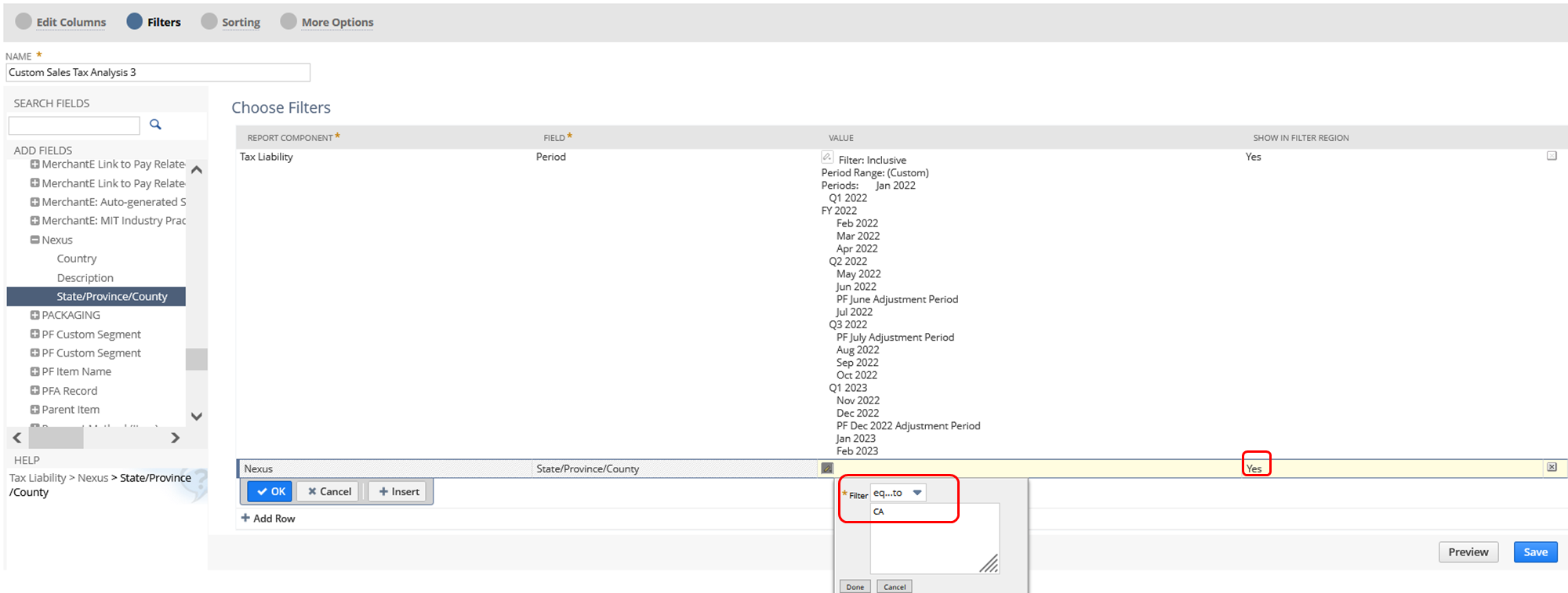
3.) Go to Filters section
4.) Open Tax Liability folder > Nexus subfolder > State/Province Country
5.) Select a Nexus (for example: CA for California)
6.) Show in Filter Region = Yes - so that you can easily change the Nexus/State in the report
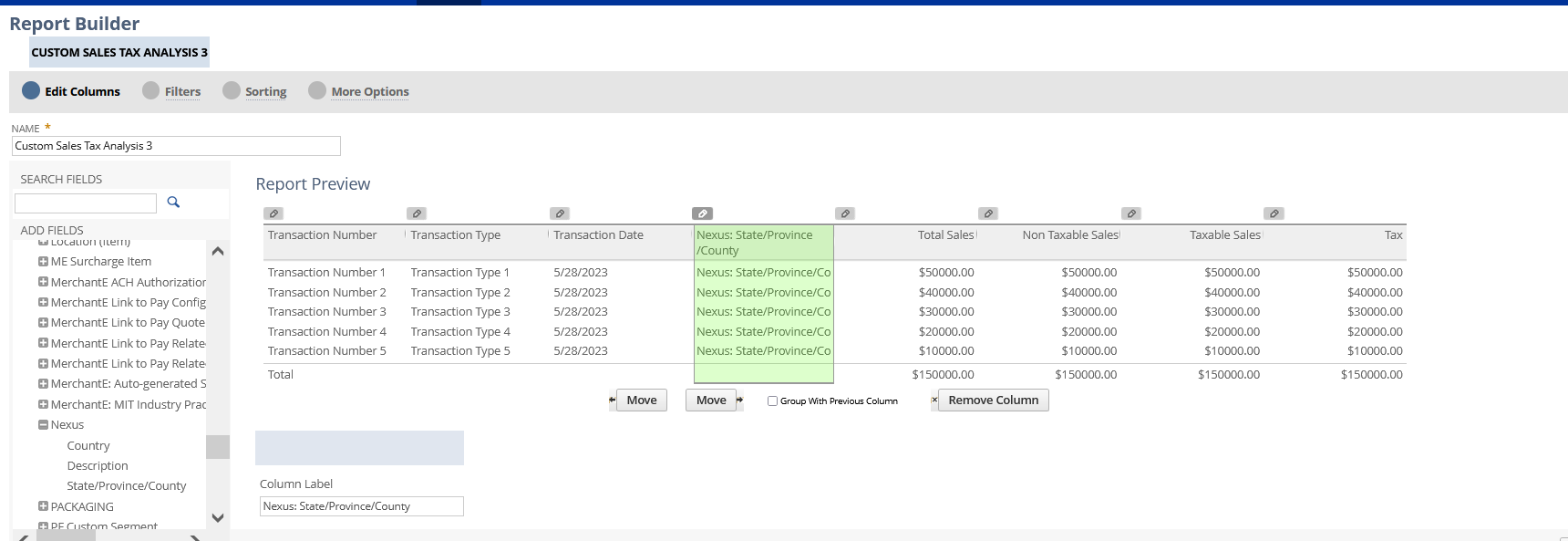
Optional: You can also add this in your Columns via the Edit Columns
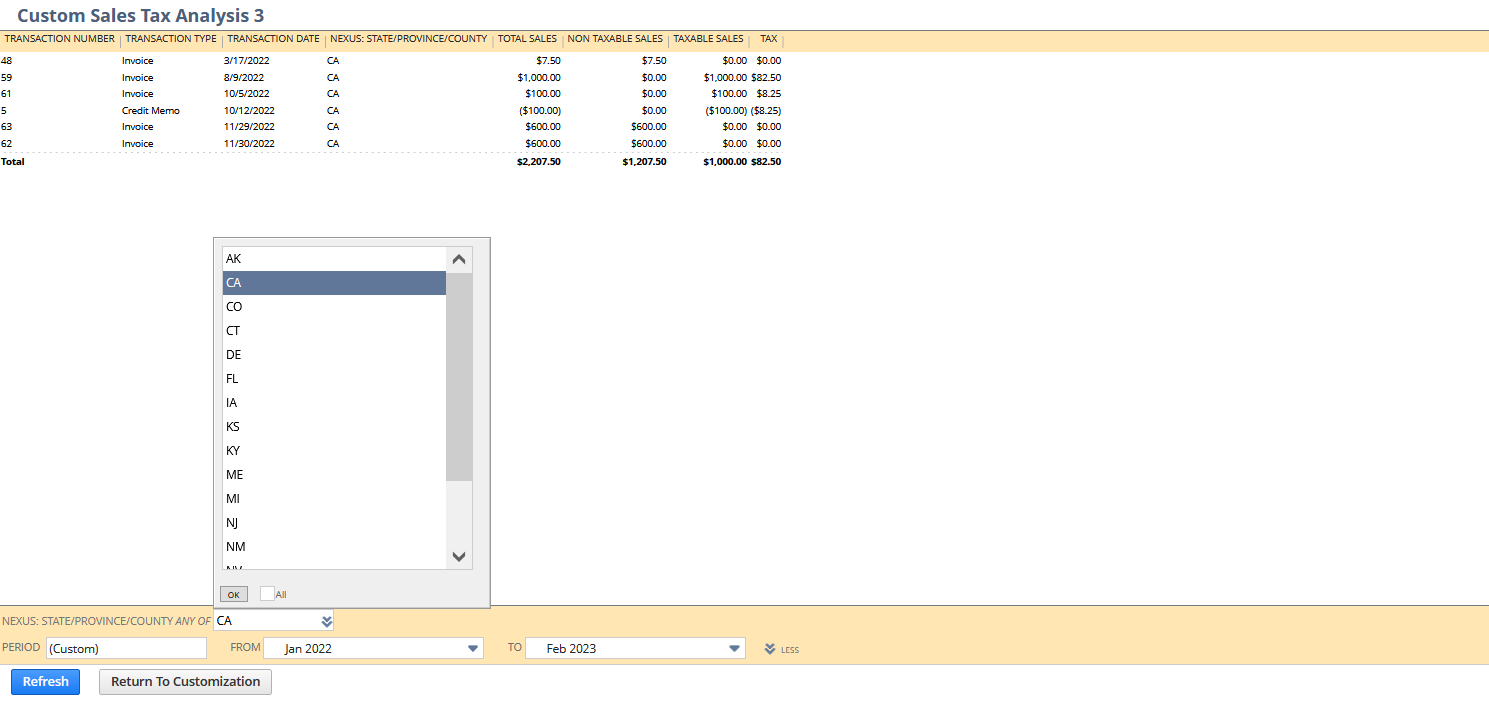
7.) Save and Run your report
Results:
Have you tried this one?
Demonstration of Predictive Analytics to Improve Cash Flow
Join us Thursday April 25 for a demonstration webinar on predictive analytics simplified with NetSuite Analytics Warehouse.
Register here.

Re: Bundle Deployment Wizard > Customer name can include 15 letters > How to mass update roles name
Thank you guys for letting me know.
William
Re: SuiteScript/SuiteCloud communication with MS Dataverse (Dynamics 365)
Hello,
I've thoroughly searched through all the materials related to MS Dataverse (formerly Dynamics 365) and MS PowerApps, but unfortunately, I couldn't find any relevant articles. However, if you're referring to SuiteTalk, you might want to explore the SuiteAnswer Article, SuiteTalk Web Services
Moreover, you can refer to the New to NetSuite Articles for Suitecloud for additional information.
Anyone from the community who might had the same need and happen to know of an alternate solution to this? Any insights you can provide would be highly appreciated.