Best Of
Re: Reference ID can only contain letters and numbers and may not contain spaces.
Hi @User_9AUJK,
I have checked several reasons for this:
1.) Are you using MRAP?
In the Item record, please try to remove the remove the "-" and "_" on the MRAP Ref Key field
2.) If you are using Revenue Field Mapping?
Please check the mapping and check if it is available in the Revenue Arrangement form that you are using.
Hope this helps
Re: How to get Item Fulfillment Serial Numbers on a Packing Slip
Hi @User_80C0N
Please Hit the like / Awesome / Agree for the code comment I provided as a sign of gesture🙂 that would boost me for the time I spent for your requirement.

Re: Filter COA by Subsidiary
Hi @Avinash A,
As discussed in the article mentioned, you want to create a search for accounts that are exclusive for a particular subsidiary.
Here's a Saved Search instead:
1.) Navigate to Lists > Search > Saved Search
2.) Select Account
3.) Go to the Results tab, remove fields and add the following:
Name | Summary Type: Group
Formula (Text) | Summary Type: Maximum | Formula: NS_CONCAT({subsidiarynohierarchy})
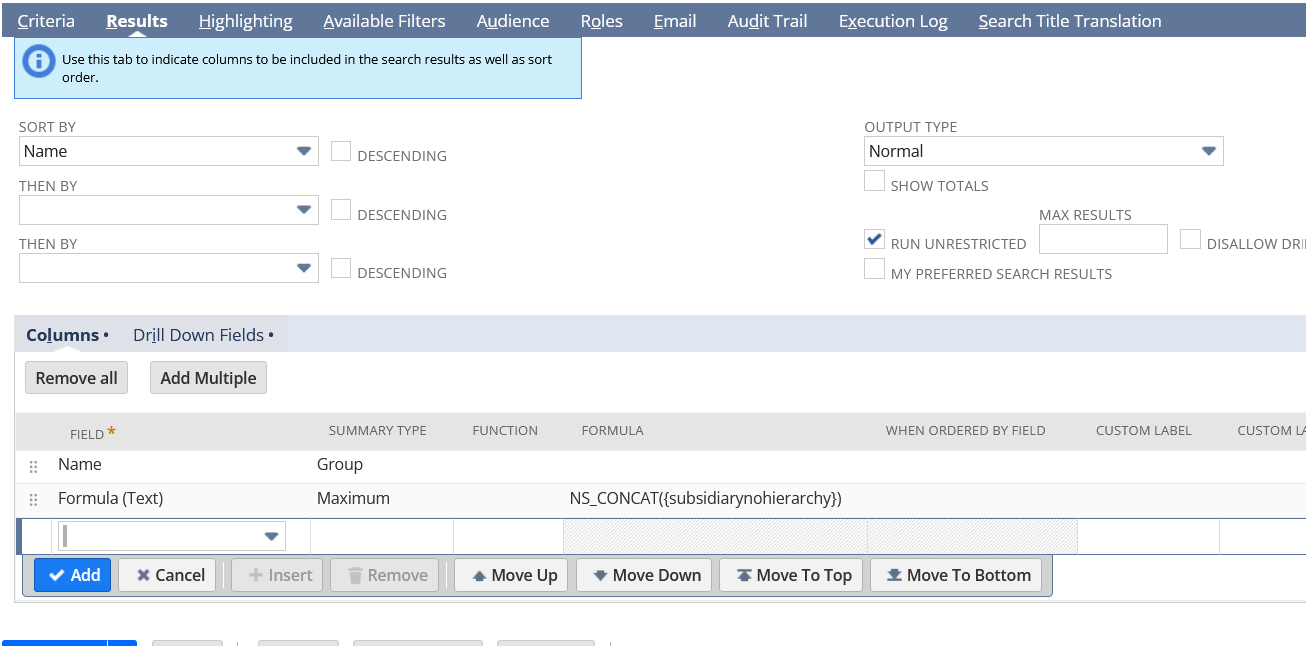
4.) Go to Criteria tab > Summary subtab
Summary Type: Maximum
Field: Formula (Text)
Formula: CASE WHEN NS_CONCAT(DISTINCT {subsidiarynohierarchy}) = '{subsidiary name}' THEN 1 ELSE 0 END
Replace {subsidiary name} with your child subsidiary name
Formula (Text): is 1
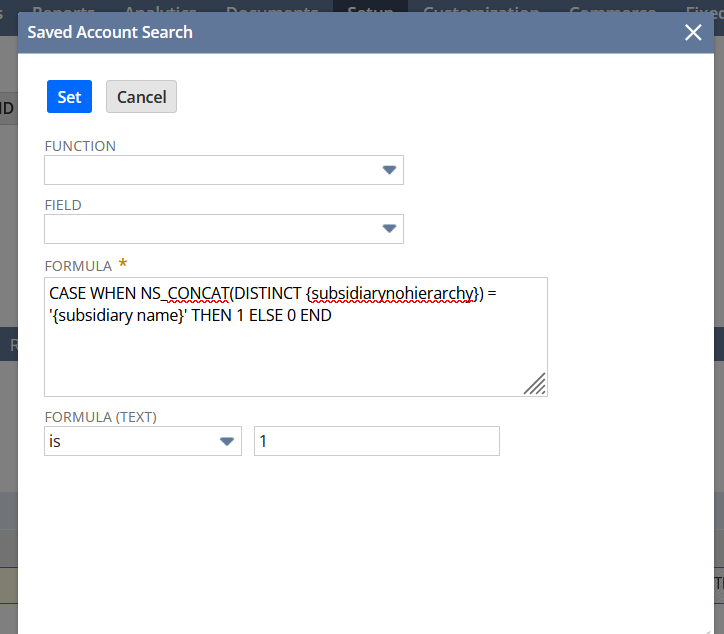
5.) Save and Run Saved Search
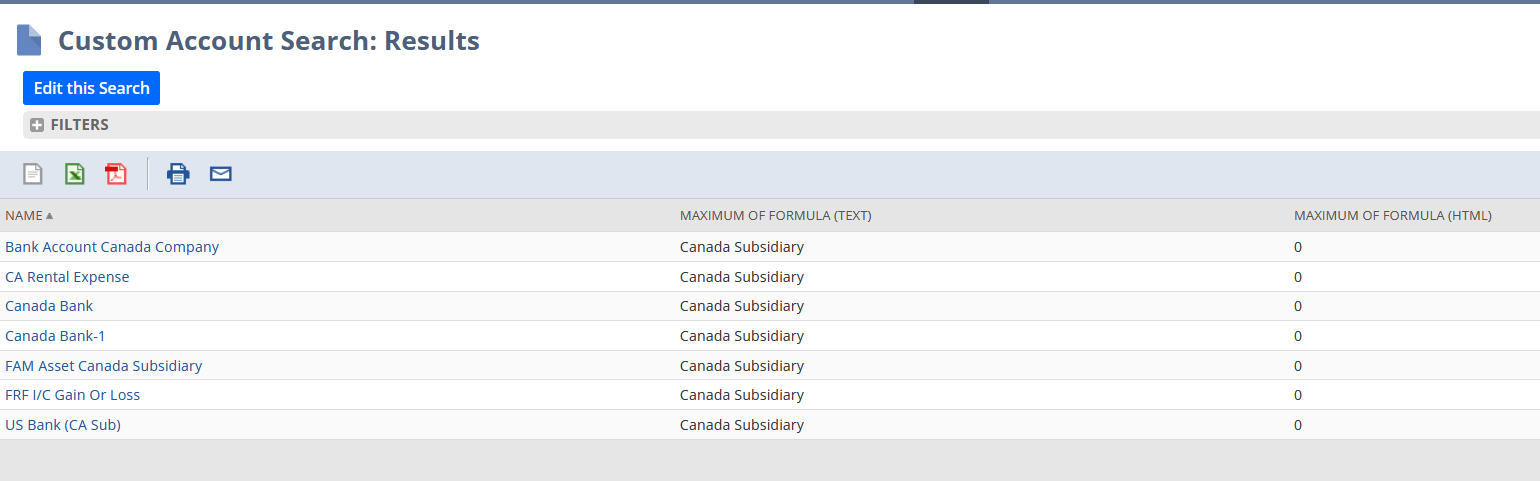

I hope this helps 🙂
==========
If you find this reply to your question as helpful, others with the same question might find it helpful as well. By marking “Yes” on the “Did this answer your question?”, you’ll be able to aid the community to find the solution much easier and faster without the need to read through all the replies
Re: Merchandizing Rules and Zones
That was it thanks. It might be handy for them to mention that in the article on the subject.
Re: How to change Partner Contribution permission to View
Hi @User_I0WL5,
As per checking, it is the standard access level given to this permission. I tried checking for an alternative way of setting the subtab or field to view, but to no avail. I suggest submitting this as an enhancement at SuiteIdeas. Please do not forget to include the importance of why you need this field to view access only.

Re: Why are my Gross Amt and Tax fields not visible / greyed out on my Custom Form?
Thanks @Patrick Fresnosa-Oracle , yes it is a transaction under US and Canada.
Can you please let me know the reason for these fields to be unavailable for said countries?
 gracecan
Re: How to get last purchase price if there's no average cost in Analytics?
Hi @Mahmoud Alshami,
Thank you for creating this thread. 😊
Hello, everyone! We warmly invite you to join the conversation and share your valuable insights with us.

NSC | Creating a Transaction Saved Search Cumulative Balance from Beginning to a Specified Period

Scenario:
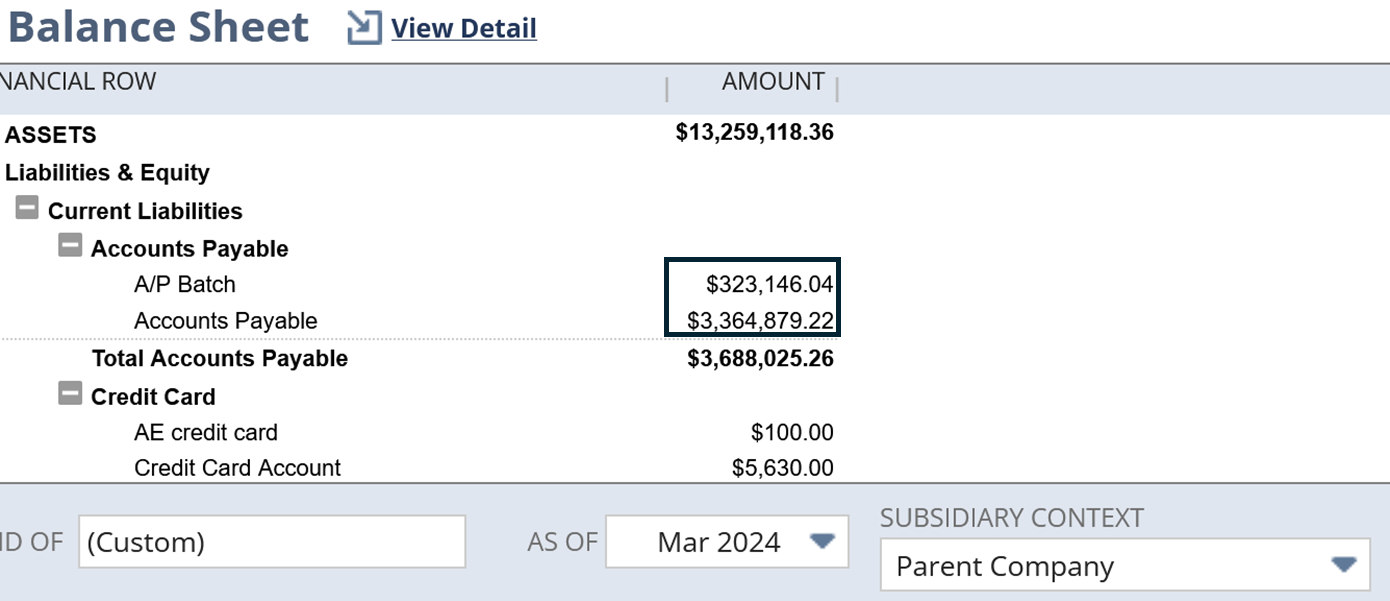
A Transaction Saved Search displaying the cumulative balance from the start to a specific period in NetSuite can provide valuable historical context that can be helpful in matching amounts in a balance sheet.
Solution:
1.) Navigate to Lists > Search > Saved Searches > New
2.) Select Transaction
3.) Under Criteria tab:
Select a Subsidiary (if you are using OneWorld)
Posting = True
Account = You can select a specific account or you can even use Account Type
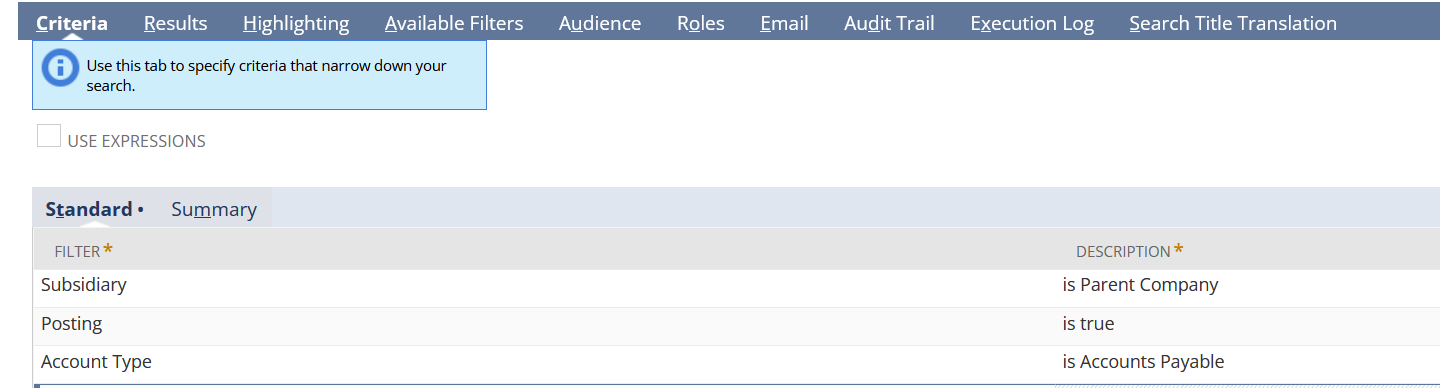
4.) Under Results tab, you can add:
Account Name | Summary Type: Group
Formula (Numeric) | Summary Type: Sum | Formula: CASE WHEN {accountingperiod.startdate} BETWEEN TO_DATE('1/1/2016', 'MM/DD/YYYY') AND TO_DATE('3/1/2024', 'MM/DD/YYYY') THEN {amount} ELSE 0 END | Custom Label: As of March 2024
You can change these fields according to your account and reporting preference:
1/1/2016 - is the date the very first accounting period in your account.
3/1/2024 - is the start date of the reporting period or the target period
As of March 2024 - rename the reporting period
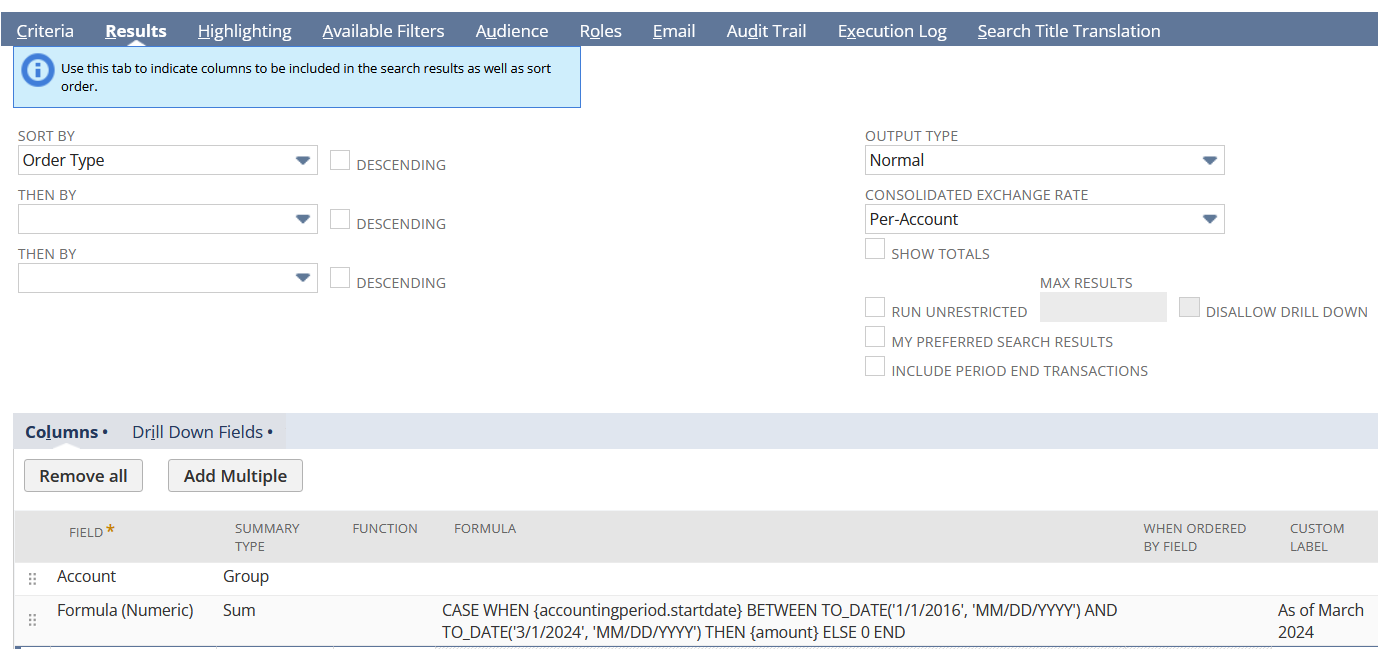
Users can also add multiple periods
4.) Rename the Search
5.) Save and Run

Compared to a Balance Sheet:
I hope this helps
Re: Data Migration
I see, thanks for informing us @JustinB_10664 🙂
You can also check SuiteAnswers Id: 49249 | Creating Revenue Elements from Journal Entries
Re: Permission for Access Token missed configuration
hi all, it's resolved.
- Permission > Setup > added "Log in using Access Tokens" and "Log in using OAuth 2.0 Access Tokens"
- Ensure my user assigned with the right role
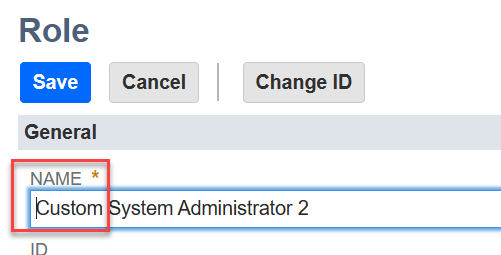
one of my mistake was clicked on "Customize" in "System Administrator", i thought it will edit the role, by not noticed it auto create new role "Custom System Administrator X", the edited row never granted to my API user, which keep hitting the same error. Silly me :) Thanks the team for the support!
 Wei Tat