Best Of
Re: Custom Transaction Sublist Fields not working
As Able said, update the source list to Item. This should fix your sourcing issue.
~angela

Re: How to adjust Estimated Weight and # of package on Return Label if Integrated Return Label is on
Hi @Elham Mahyari,
I see, unfortunately upon checking there is currently no feature that would support this functionality.
Since I was also not able to find an existing enhancement request for this you can go to SuiteIdeas page to create a SuiteIdea about this.
I apologize for the inconvenience this is causing you.
For other users who may have an insight on this, or was able to come up for an alternative, please feel free to comment here.

Re: CSV Import Templates - Did you know?
Since your account is fully configured, it seems that the installation of SuiteSuccess wasn't part of your account setup, or it wasn't fully configured. There isn't any setting that will help you find the templates if they weren't created as part of your Setup.
Sorry that it's not the answer you want.
As a workaround, you can export any saved search, and use that as an import template. The beauty of using saved searches is that the fields on this type of import template match your system exactly.
Good Luck..
~angela
Re: How to combine multiple Item Receipts to a single Bill?
Thank you for the confirmation, Ely! :)

Re: How to solve Page is not loading fully for a Particular User?
Hi All,
This is resolved , I have tried in a different browser now its working, Hope this might be an issue with the cache

Re: Closing (losing) an opportunity
Hey @Ben Belzer,
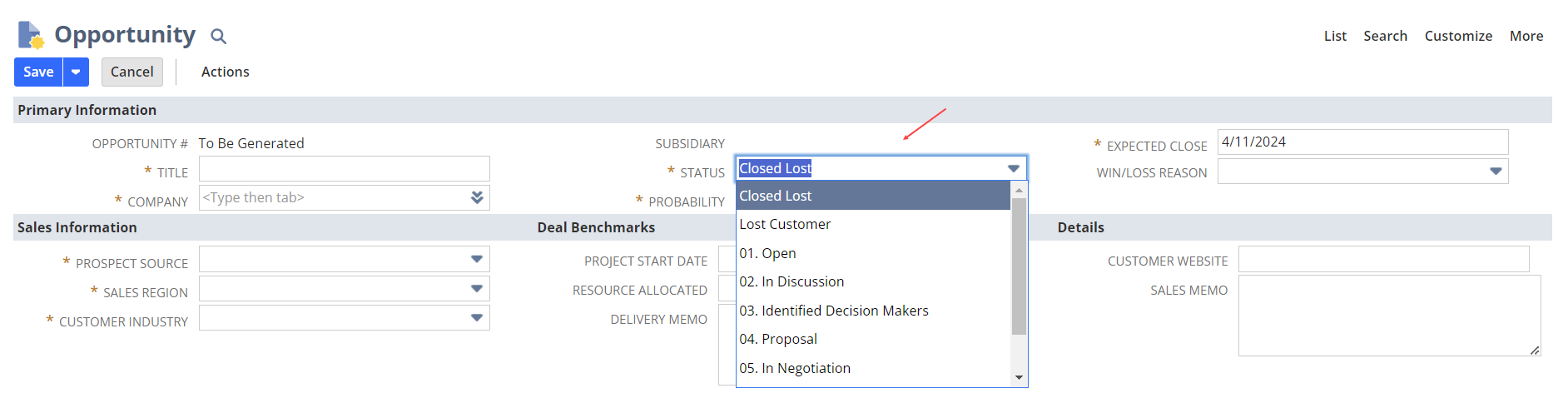
The best practice is to select the "Closed - Lost" status on the Opportunity Record.

Re: Sales order saved search formula showing the # of business days the order shipped after ship date
I agree with Jeremy that the Ship Date might be pulling from the Expected Ship Date field in the item line. Check your custom form if it is hidden.
It seems that something happened between Jan’23 and Oct’23 that might have somehow added the Expected Ship Date field on your account. You should look at what features were enabled during this time.
If it isn’t Demand Planning, I reckon it is Supply Allocation. See related post:
 M.Lisa
Re: How can we pull data from Item Fulfillment into Invoice?
Hello @Ken Davies,
The enhancement has been put on hold and cannot be voted on for now. I apologize for overlooking this.
I will get back to you regarding the custom field.

Re: Asset Depreciation not generated for some Asset
Hi Micah
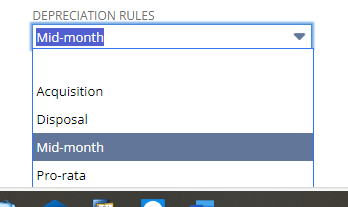
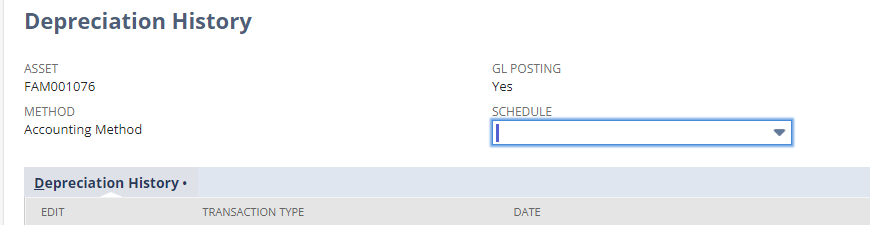
Yes Depreciation Active is True. We noticed Depreciation Rule is Mid-month actual so Depreciation Run will start 30 Apr 2024.

 Kedalene
New to NetSuite | Manufacturing 103: Work Orders

Prior Manufacturing articles tackled the creation of Assembly Items and how to associate the Advanced Bill of Materials feature to this item type. Before Assembly Items can be considered finished goods, they must undergo the production process, which is facilitated by Work Orders.
In this article, we will cover the fundamentals of Work Orders to help you make the most of this feature within the system.
What is a Work Order?
A work order is a document or directive that outlines the tasks, instructions, materials, and resources required to complete a specific job or project within a manufacturing environment. It serves as a guide for workers and helps to ensure that production processes are carried out efficiently and accurately for a business.
Let's imagine making a big Lego house. A manufacturing work order is like a plan that tells people in a Lego factory what pieces to use, how many, and how to put them together to make cool Lego sets. It's like a recipe for building stuff, but instead of cookies, it's for making things like toys or cars. So, just like following instructions to build a Lego house, workers follow the work order to make products in a factory.
Getting Started
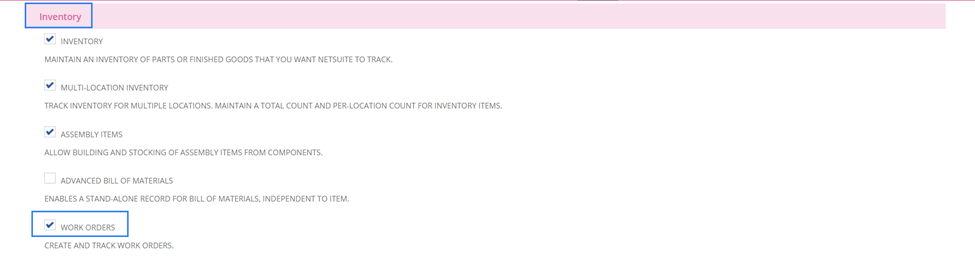
To enable the feature, navigate to Setup > Company > Enable Features. On the Items and Inventory Subtab > Inventory section, check Work Orders box. You may check SuiteAnswers ID 98595: Enabling the Work Orders Feature.


Types of Work Order
Production Work Order – standalone; independent of Sales Orders and not assigned to any specific customer. Since this Work Order is not tied to a specific sale, built Assembly Items increases inventory stock.
Special Order Work Order – Work Order transaction is associated to an originating Sales Order, hence, this is used to monitor Assembly Items intended for a specific sale. Special work orders may originate from a Sales Order on another existing Work Order. Assembly Items can be set as Special Work Order item by marking the Special Work Order field on the Item Record. Or users can mark the Create WO column on a Sales Order containing an Assembly Item.
Creating Work Orders
There are two ways to create a Work Order transaction:
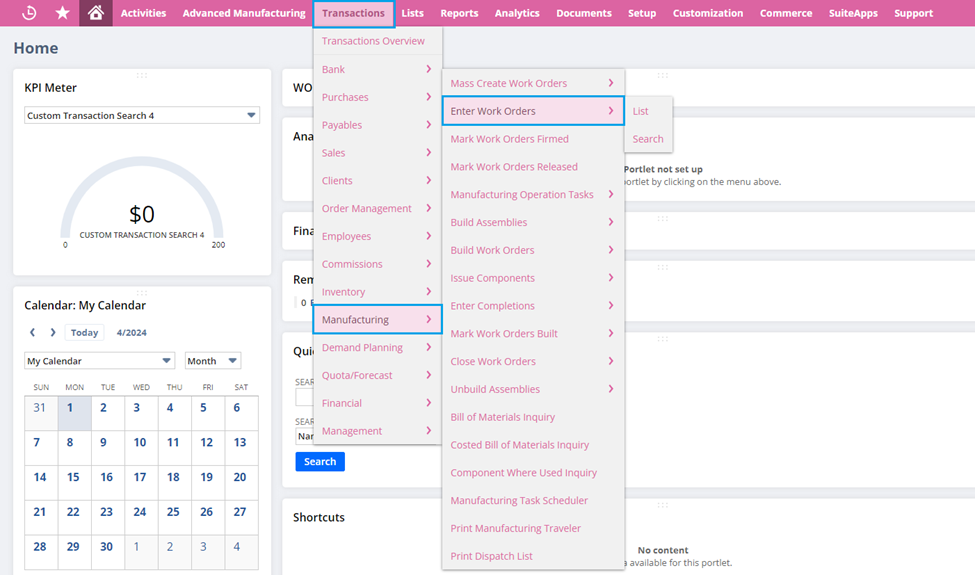
Individual Work Order – navigate to Transactions > Manufacturing > Enter Work Orders. See SuiteAnswers ID 28186: Entering an Individual Work Order.
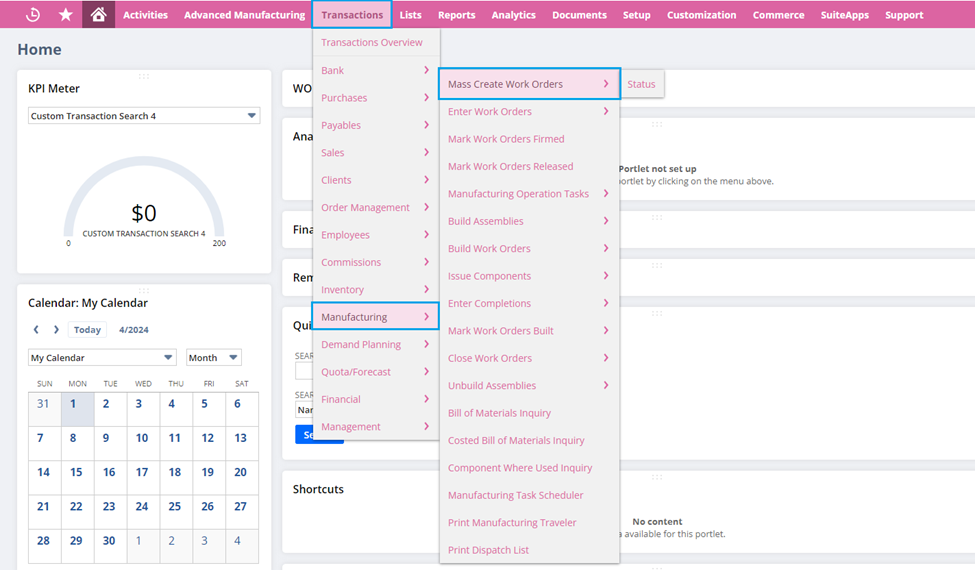
Mass Create Work Orders – go to Transactions > Manufacturing > Mass Create Work Orders. See SuiteAnswers ID 28200: Mass Creating Work Orders.
Work Orders play a vital role in ensuring that Assembly Items are successfully manufactured and transformed into finished goods. Hope this article will help you to grasp on how to utilize the Work Order feature to be well-prepared in managing your manufacturing operations.
Keep following New to NetSuite > Manufacturing to stay updated whenever new articles are published.
