Best Of
Re: Stock Report
Hi tech work, glad to have you with us today and thanks for posting here in the NetSuite Support Community!
Greetings, everyone! We have a fellow member who could use our assistance. Please don't hesitate to share your knowledge and insights to help them out. Your input is highly valued and appreciated!

Re: Saved search Formula for date ranges
Update:
I was able to figure it out - correct formula is
CASE WHEN {trandate} BETWEEN TO_DATE('01/01/2023','MM/DD/YYYY') AND TO_DATE('06/30/2023','MM/DD/YYYY') THEN {totalamount} ELSE 0 END

Re: Is it possible to create an audit report for activities on File Cabinet ?
Hi @Angela Bayliss ,
Thank you for the tip. I have created a saved search based on System Notes, using the criteria FIELD with the values: File and Folder.
Thanks
Edo

Re: Custom shipping calculation
The sample script linked (re: flat rate shipping) could be useful - we will be investigating this in more detail.

Re: Customer Item #'s in our Item Record/Transactions
Hi @Tafranklin5
Regarding associating items with customers in NetSuite, there isn’t a direct equivalent to the Vendor subtab for customers. However, you can achieve similar functionality by using custom fields or other workarounds. some options I aware are:
Custom Fields:
Create custom fields on the item record to store customer-specific information. For example, you can add custom fields for customer codes, customer part numbers, or any other relevant details. Assign the custom field to the Item record type.
Once you’ve created the custom field, you can populate it with customer-related data.
Item Descriptions:
Including customer-specific information in the item description is an option. While it doesn’t provide a separate subtab, it ensures visibility within the item details.
However, relying solely on the item description may not be as efficient for searching or reporting purposes.
Workaround Using Sublists:
Although there isn’t a direct “Customer” subtab, you can use the Sublists section within the item record to associate customer-specific data.
For example, you can create a custom sublist called “Customer Associations” or similar. Within this sublist, you can add fields such as customer name, customer item number, and any other relevant information. While this approach won’t mirror the Vendor subtab exactly, it allows you to organize customer-related data within the item record.
Workflow Automation:
If you’re comfortable with scripting, consider using workflow automation to achieve more complex associations.

Re: ref no. on expense report line
Thank you for the information. You are right, the issue was on their end.

Re: How can we align sublist fields to the leftmost position when using `sublist.addField`?
Thank you for creating this thread. 😊
Hi, Everyone! You are welcome to join the conversation and share your insights.

Re: How do I script in a date?
Glad you were able to resolve this. Thank you for sharing it with us! 😊
Re: SS2.0 How do I filter using the serial number from a SalesOrder for N/search?
Hello @Dext3r,
Just a quick follow-up to ensure you didn't overlook my earlier message. If there's anything more, please don't hesitate to inform us. If not, please let us know by clicking the “Yes” button for “Did this answer the question?” below, you’ll be able to help the community members who might have a similar concern find the answer easier and you will also get closer to earning your next Answer Accepter badge.

NSC | How to add a Custom Record to the Center?

Some companies requires their Custom Records to be included in their Center. In this article, we will be guiding you on how to do this:
Navigate to your Custom Record:
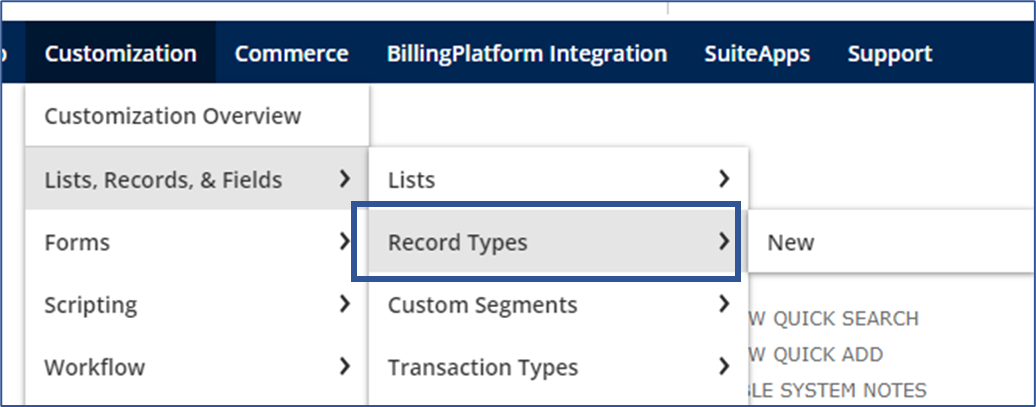
Navigate to Customization > Lists, Records, & Fields > Record Types
In this example we'll use the Actors custom record:
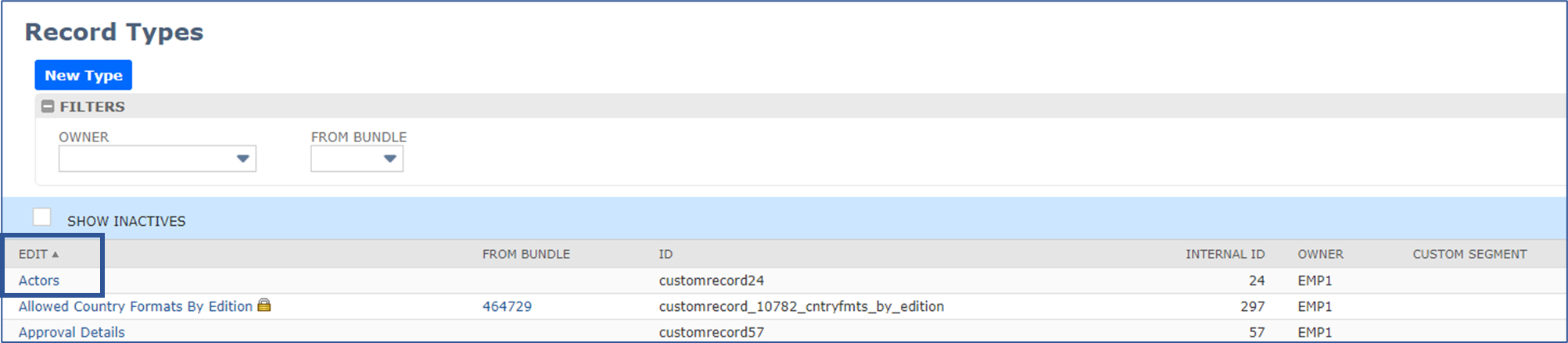
Edit your Custom Record:
On the Custom Record Type page, go to the Links subtab and set the fields below:
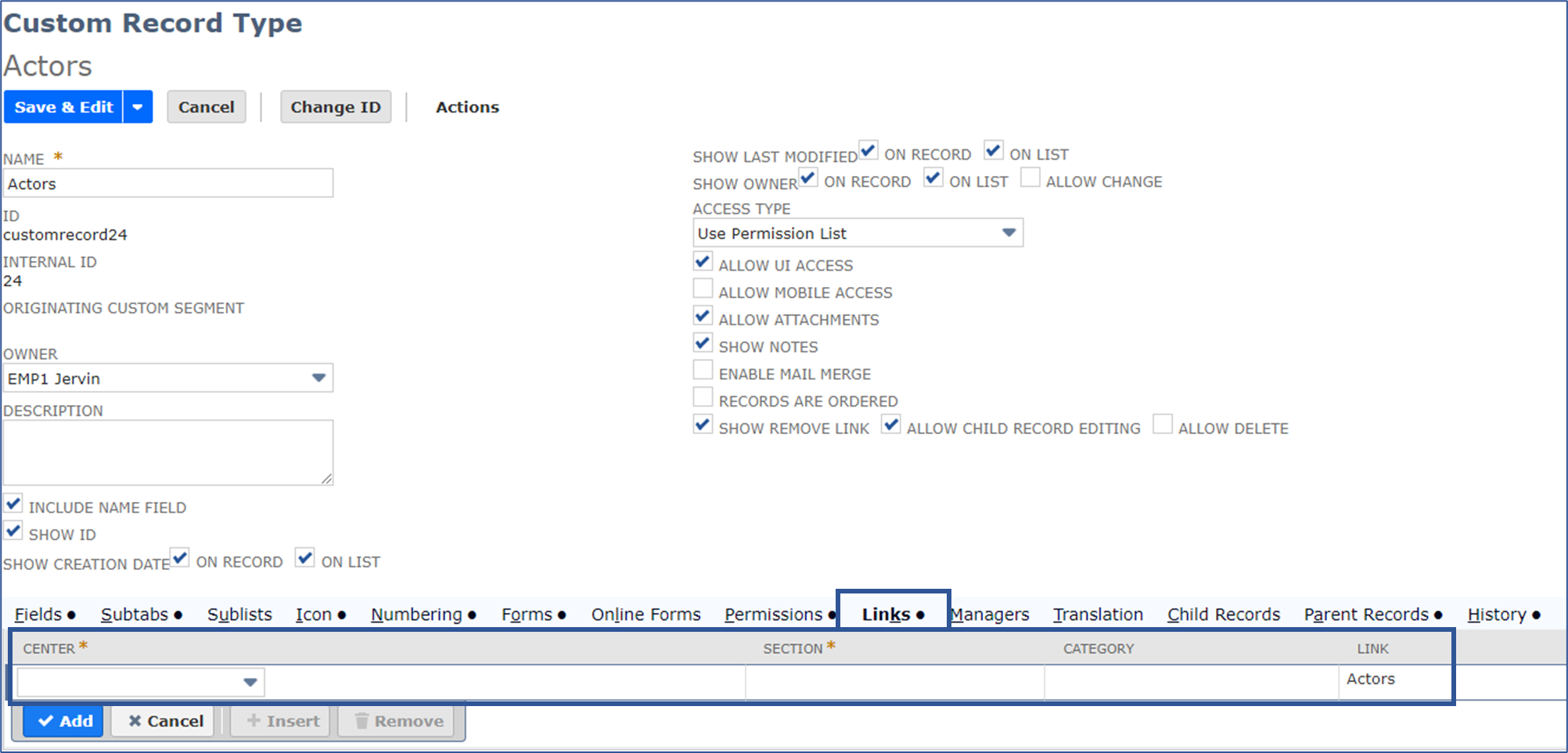
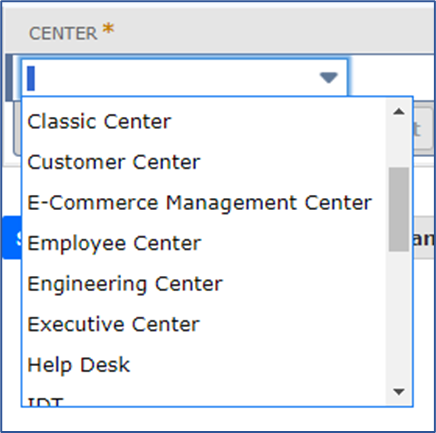
Center - select which center you want the Custom Record to be on:
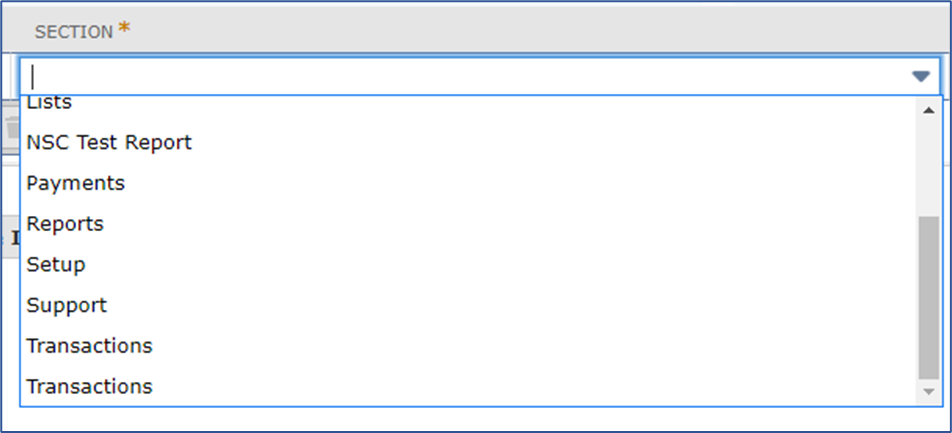
Section - select which section you want the Custom Record to be on:
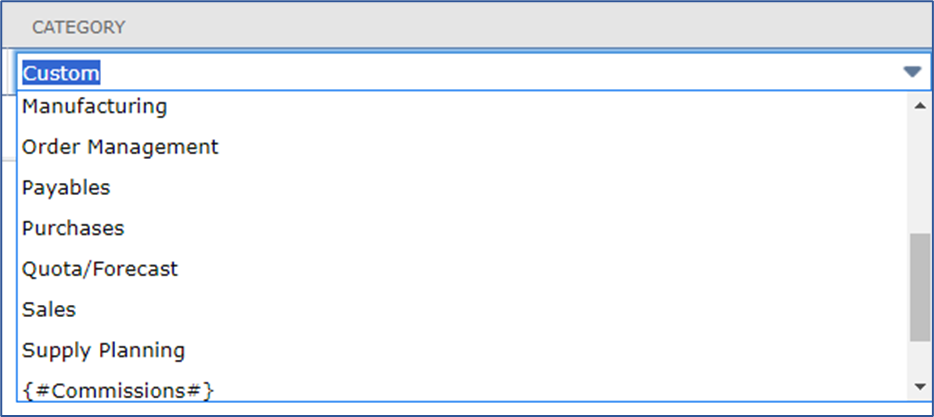
Category - select which category you want the Custom Record to be on:
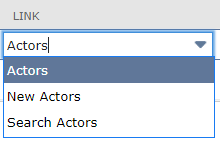
Link - select which type of link you want it to be:
- Actors - will create another link to either search or create a new Actor
- New Actors - Redirects you to the Actor creation page
- Search Actors - Redirects you to the Actor search page
Results:
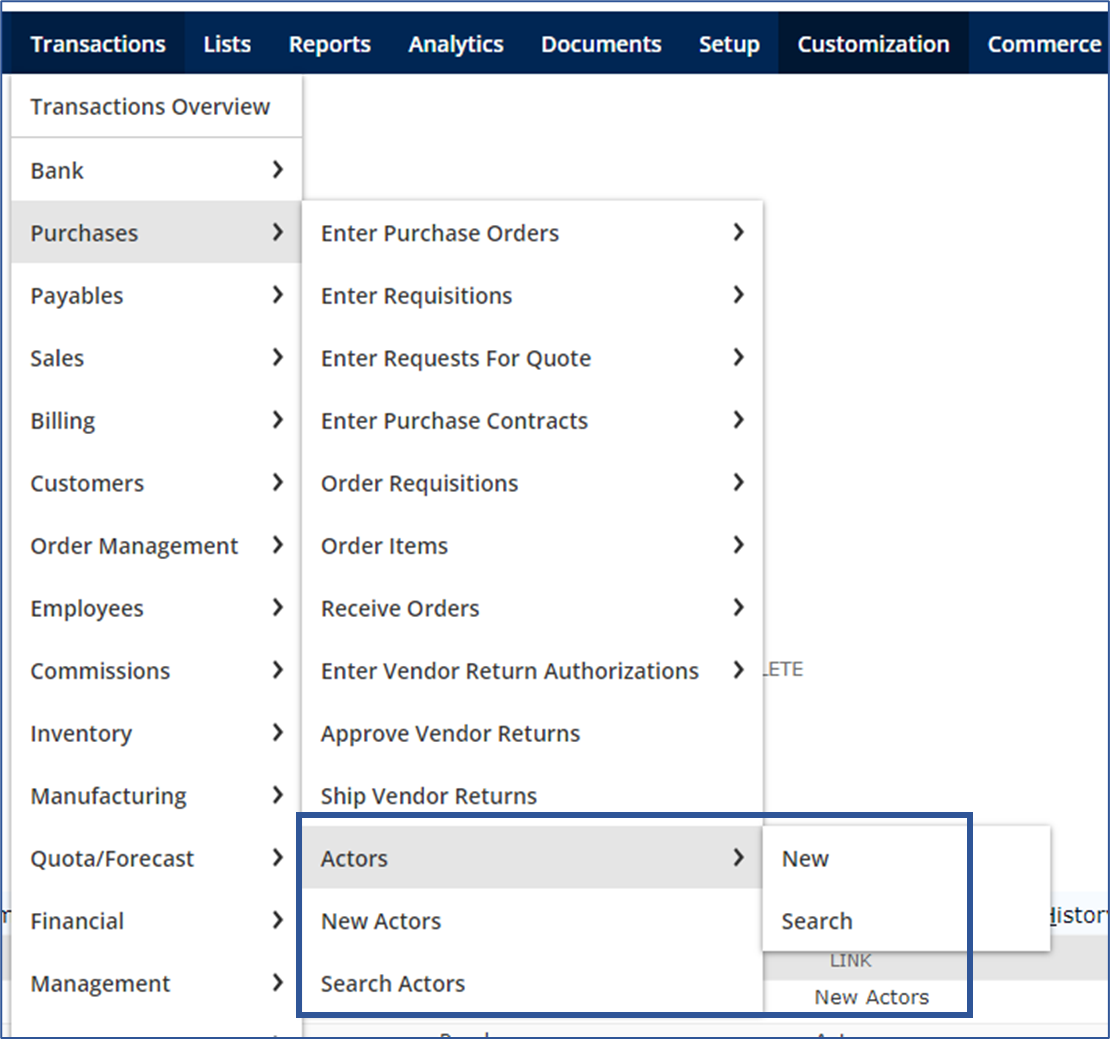
Once done, it should now show up in the Center you've set it to. Here's an example on how we've set it up:

This is how it should look like:
Now you know how to add a Custom Record to your Centers! I hope this helps in your businesses. 😁
Want to learn more about Customization? Visit New to NetSuite: SuiteBuilder & SuiteBundler
Do you have any feedback? Let us know in the comments!
