Best Of
Re: Billable checkbox is disabled on Time Entry
You can update the time entries to always be billable - using SuiteAnswer 102926.
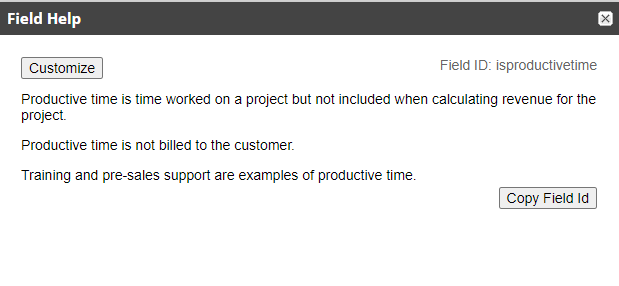
Note that the project preferences themselves can impact the time entries. If the project preferences have 'productive' = true, the time won't be marked as billable on the time entries.

~angela

Re: How do we bulk "Configure" for these locations instead of manually click on the configure for indivi
Hi @Bee Yook
You can use csv import. As explained in this thread.
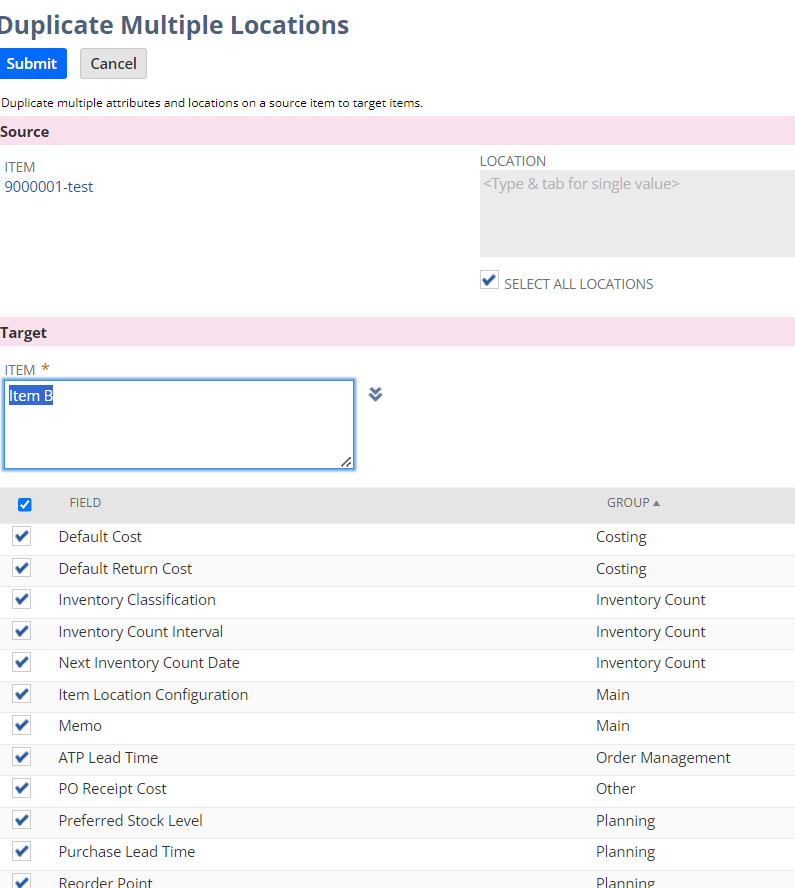
There is another way is to use the [Duplicate Multiple Locations] button under the Item > location Inventory tab.
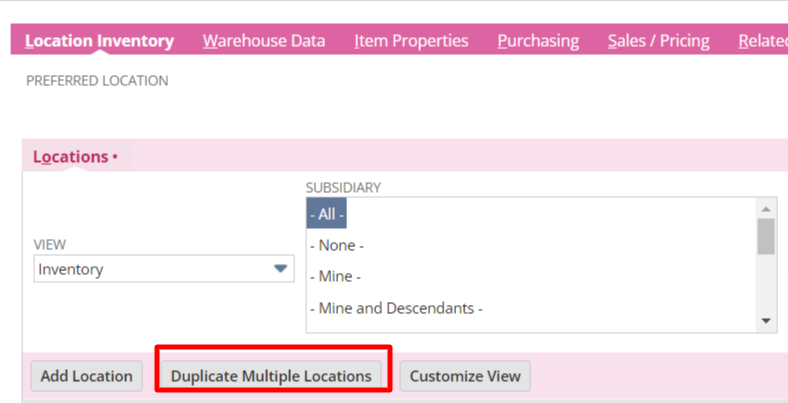
E.g. you can configure all the locations that you want under one item first. After that click this button to copy all the location settings for this item to other items. (Assuming all the settings are the same). You may want to test this out in sandbox first.
Regards,
Wee Ming
 Wee Ming
Re: Netsuite Analytics duplicates records when next transaction is brought in
Well said/demonstrated, Jeremy Guimaras-Oracle
Nice
 CDuf
CDuf
Re: Netsuite Analytics duplicates records when next transaction is brought in
There has to be more than one unique value in one of the fields of data.
As example, if a contact has 2 addresses, 2 rows will be returned.
Criteria to only pull the Default (billing or shipping) address, would eliminate the 2nd address.
The same theory is true for every line of data.
If you have a multi-select field in your data results a separate line is returned for each unique field value. (All the data strung together on the "row" becomes unique when there is a "different" value in any cell/s)
Look at your criteria to fine tune your results. You could eliminate the field with multiple values or your criteria might only include one specific value, excluding the rest.
I find the culprit by putting the data in a pivot table, count on appropriate field/s then when the count is more than 1, investigate those rows of data to find the 2nd unique value causing the additional row returned then adjust your criteria or columns.
Best.
CDuf
Re: Can I add a checkbox on the PO form that does not require you to be in edit mode to check it?
Option 1 would require selecting an Invoice rather than checking a box. Because any Vendor/PO can relate to any Customer/Invoice, it will be difficult to build logic to link them automatically.
Alternatively, your team can select the related PO when they are creating the Advance Invoice. That would also establish the link between PO and Advance Invoice and can facilitate the alerts.

Re: Rev Rec Events Upload in NS
Hello @User_EKY01
Yes you can follow the SuiteAnswer Id: 63095 for bulk uploads

Re: How to set a status of an expense report not ready for approval?
Hi @Wee Ming
Thanks for that.
I will go with my workaround in that case of having a custom field. It's something I have had to do previously for sales orders because of the limitations around approval for that
 Vernita
Re: How can I link 2 custom lists?
Hello @User_6YI1X ,
Thank you for raising this nice Thread. In case you would need some more information regarding this concern, just let us know.
Hello @ibraam_38133 , thank you so much for your help and interaction on this thread. We really appreciate it.
Note: We also encourage that you update your profile, add a profile picture and preferred username so other members can address you properly moving forward. You may visit Community Tip: Updating Your Profile to know how.

Re: Myth or Fact: Performance Issues with many Locations?
Thank you, @Micah Timbol-Oracle!
That was my susupicion and thank you for confirming.
 C M
C M
Re: Vendor Remittance Form
Hey @User_JN952,
Would Electronic Remittances work for you?
One of my customers has FISPAN for JP Morgan, and it has Electronic Remittance functionality:
You can check with them if they can do the same for TD Bank.
If you want to print a Payment Remittance PDF, that would require customization.