Best Of
Re: ref no. on expense report line
Thank you for the information. You are right, the issue was on their end.

Re: How can we align sublist fields to the leftmost position when using `sublist.addField`?
Thank you for creating this thread. 😊
Hi, Everyone! You are welcome to join the conversation and share your insights.

Re: How do I script in a date?
Glad you were able to resolve this. Thank you for sharing it with us! 😊
Re: SS2.0 How do I filter using the serial number from a SalesOrder for N/search?
Hello @Dext3r,
Just a quick follow-up to ensure you didn't overlook my earlier message. If there's anything more, please don't hesitate to inform us. If not, please let us know by clicking the “Yes” button for “Did this answer the question?” below, you’ll be able to help the community members who might have a similar concern find the answer easier and you will also get closer to earning your next Answer Accepter badge.

NSC | How to add a Custom Record to the Center?

Some companies requires their Custom Records to be included in their Center. In this article, we will be guiding you on how to do this:
Navigate to your Custom Record:
Navigate to Customization > Lists, Records, & Fields > Record Types
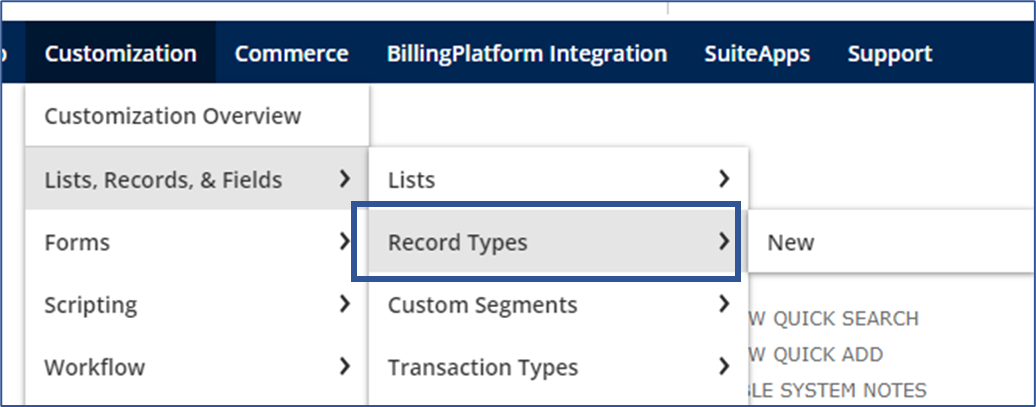
In this example we'll use the Actors custom record:
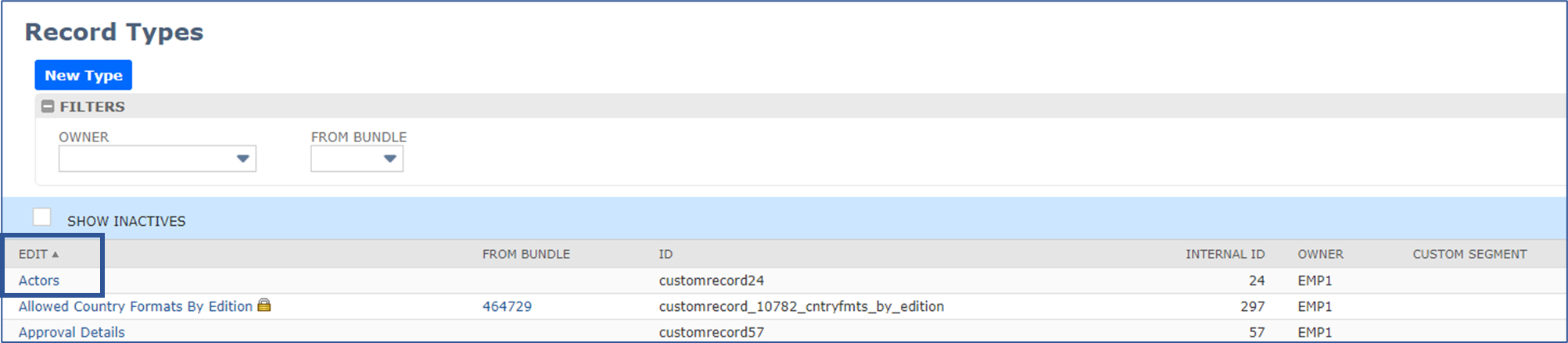
Edit your Custom Record:
On the Custom Record Type page, go to the Links subtab and set the fields below:
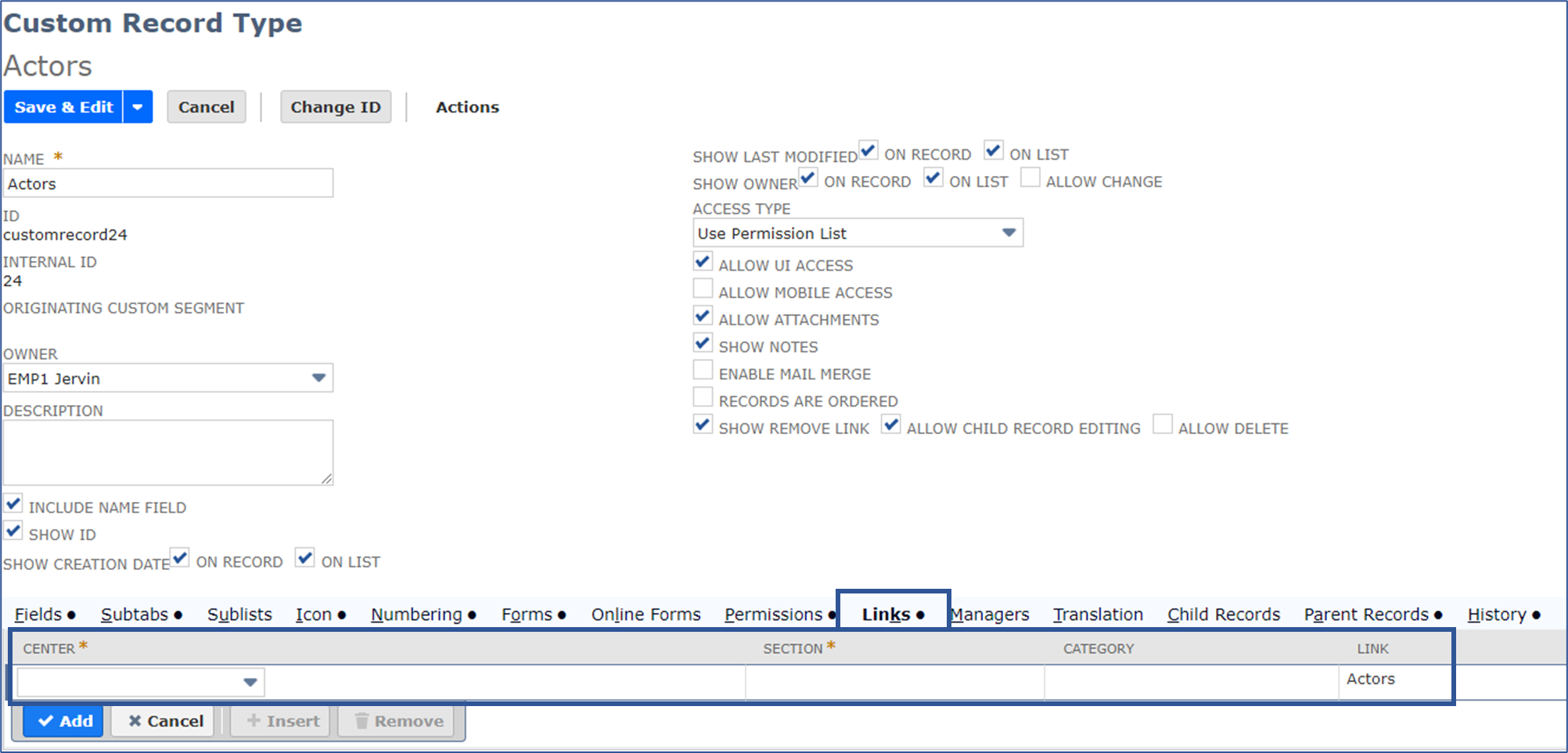
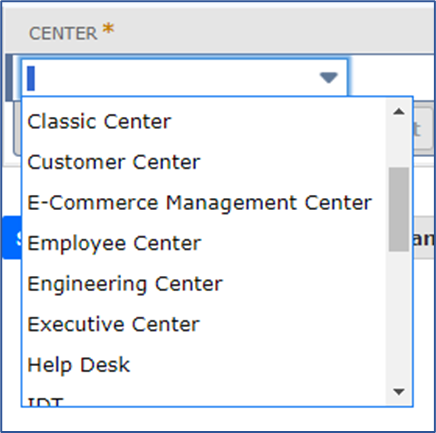
Center - select which center you want the Custom Record to be on:
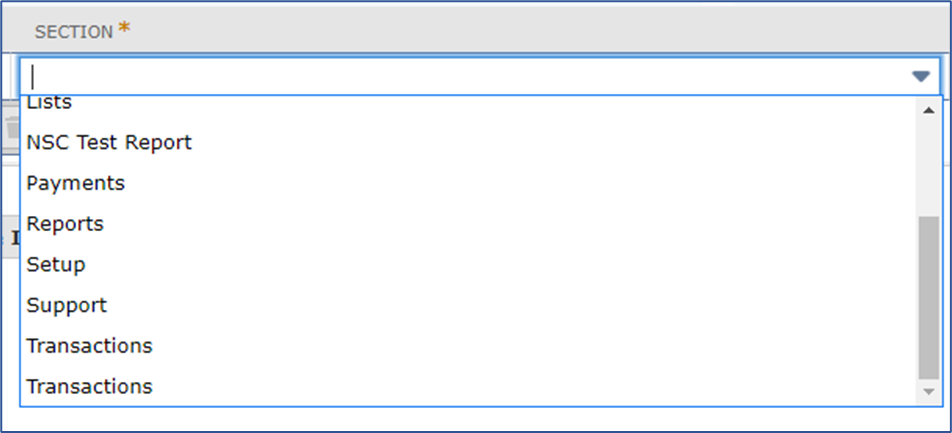
Section - select which section you want the Custom Record to be on:
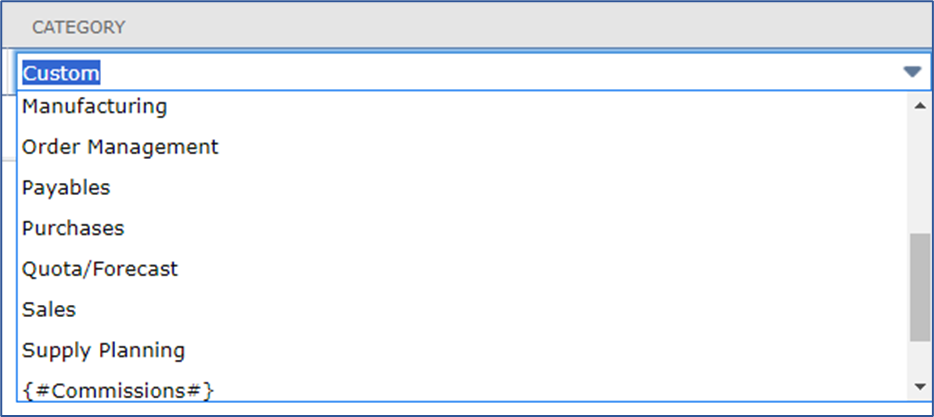
Category - select which category you want the Custom Record to be on:
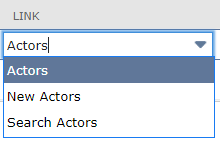
Link - select which type of link you want it to be:
- Actors - will create another link to either search or create a new Actor
- New Actors - Redirects you to the Actor creation page
- Search Actors - Redirects you to the Actor search page
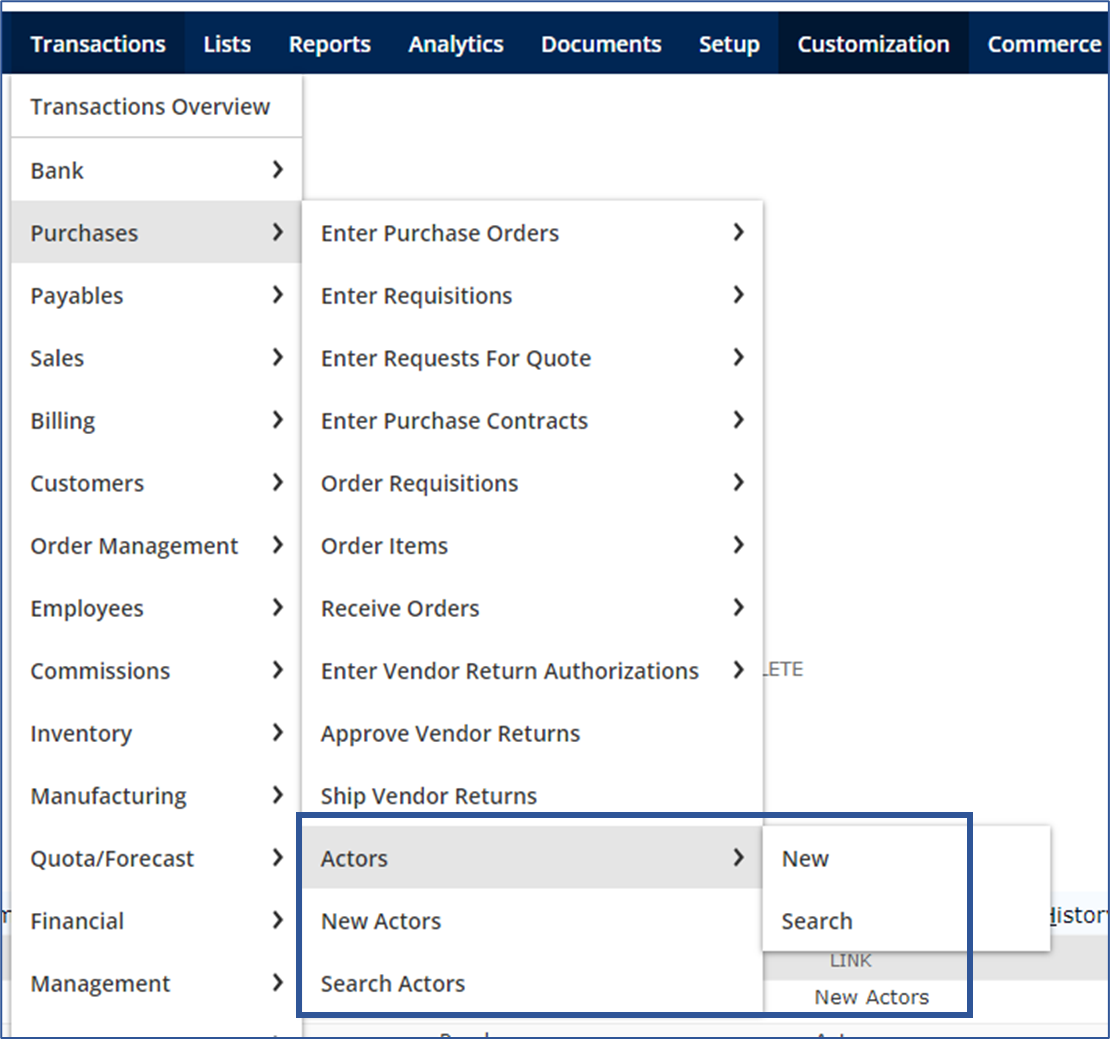
Results:
Once done, it should now show up in the Center you've set it to. Here's an example on how we've set it up:

This is how it should look like:
Now you know how to add a Custom Record to your Centers! I hope this helps in your businesses. 😁
Want to learn more about Customization? Visit New to NetSuite: SuiteBuilder & SuiteBundler
Do you have any feedback? Let us know in the comments!

Re: Why Isn't Tax Calculated on Sales Order Automatically After Tax Setup?
To add, you mentioned that you are unable to see the tax code is because, the Per-Line Taxes on Transactions is unchecked in your Set Up Taxes, when this is unchecked, the taxes are added in the Accounting Tab of the Sales Order/Invoice.
Re: Calendar Event Insufficient Privileges
Hi everyone,
Just received an update that the issue has been resolved. Should you need further assistance, please feel free to let us know.
Thank you.

Re: Calendar Event Insufficient Privileges
Yep, seems to be working here too! Thanks for reporting it, @User_EPWHS

Re: Calendar Event Insufficient Privileges
I put in a case earlier and showed NetSuite the issue. They just got back to me that it's fixed. I tested it and it works.
Re: How to Turn On Netsuite OneWorld
Hi @User_KZ7N9, if you have a regular NetSuite Account and wants to upgrade to OneWorld environment, we recommend you file a Support Case for this as this is best handled by them. There's a process for this and our Support team assists in facilitating these requests.
Hope this clarifies your concern :)
