Best Of
Re: How to link Invoice to Project?
Thanks, Angela! That is correct 🙂
If there are no transactions in this subtab, then the Consolidate Projects on Sales Transaction may be set to False.
As per SuiteAnswers Id: 33679 related transactions are not normally displayed in Projects when this is disabled, this is logged under enhancement 135548 Project > Related Records > Transactions > Show transactions (SO, Invoice, Purchase Order, Bill, Expense Report, Inventory Adjustment) when Accounting Preference "Consolidate Projects on Sales Transactions" = F
I hope this helps 🙂

New to NetSuite | SOAP Web Services: Add Operation

After successfully following the steps detailed in the following articles related to SOAP Web Services Integration:
- Enabling SOAP Integration, as explained in the article New To NetSuite | Pre-requisites to Setup SOAP and REST Web Services;
- Creating a SOAP Integration by following the instructions in the articles New to NetSuite | How to Create Integration Records and New to NetSuite | How to Create Access Tokens: For Administrators;
- Including the header tag in SOAP Web Services by referring to the article New To NetSuite | How to create a header using TBA in SOAP Web Services?
You are now ready to interact with records within NetSuite. One of the key operations available in SOAP Web Services is "add" operation which is typically used to create a new record or entity within the NetSuite system.
When you perform an "add" operation in NetSuite's SOAP web services, you are essentially creating a new data entry in one of the supported record types. This could be a new customer, vendor, sales order, purchase order, item record, or any other entity that NetSuite supports. The specific details and parameters required for the "add" operation will depend on the type of record you're creating.
Here’s the sample SOAP Request in adding a customer record.
<soapenv:Envelope xmlns:xsd='http://www.w3.org/2001/XMLSchema' xmlns:xsi='http://www.w3.org/2001/XMLSchema-instance' xmlns:soapenv='http://schemas.xmlsoap.org/soap/envelope/' xmlns:platformCore='urn:core_2021_1.platform.webservices.netsuite.com' xmlns:listRel='urn:relationships_2021_1.lists.webservices.netsuite.com' xmlns:platformCommon='urn:common_2021_1.platform.webservices.netsuite.com' xmlns:platformMsgs='urn:messages_2021_1.platform.webservices.netsuite.com'> <soapenv:Header> <tokenPassport xsi:type='platformCore:TokenPassport'> <account xsi:type='xsd:string'>**</account> <consumerKey xsi:type='xsd:string'>**</consumerKey> <token xsi:type='xsd:string'>**</token> <nonce xsi:type='xsd:string'>**</nonce> <timestamp xsi:type='xsd:long'>**</timestamp> <signature algorithm='HMAC_SHA256' xsi:type='platformCore:TokenPassportSignature'>**</signature> </tokenPassport> </soapenv:Header> <soapenv:Body> <add xsi:type='platformMsgs:AddRequest'> <record xsi:type='listRel:Customer'> <companyName xsi:type='xsd:string'>N2N Employee</companyName> <email xsi:type='xsd:string'>N2NEmployee@nsc.com</email> <altPhone xsi:type='xsd:string'>123456789</altPhone> <addressbookList replaceAll='true' xsi:type='listRel:CustomerAddressbookList'> <addressbook xsi:type='listRel:CustomerAddressbook'> <defaultShipping xsi:type='xsd:boolean'>true</defaultShipping> <addressbookAddress xsi:type='platformCommon:Address'> <country xsi:type='xsd:string'>_philippines</country> <addressee xsi:type='xsd:string'/> <addr1 xsi:type='xsd:string'>San Pablo City</addr1> <state xsi:type='xsd:string'>Laguna</state> <zip xsi:type='xsd:string'>4000</zip> </addressbookAddress> </addressbook> </addressbookList> </record> </add> </soapenv:Body></soapenv:Envelope>
Note:
- Use listRel:Customer type to add customer records. It defines the criteria and filters that you can use to search for specific customer records.
- You have the option to add extra fields in the "Add" request to incorporate additional information into the customer record. See this article to check all the field ID used in SOAP Web Services, New to NetSuite | Navigation in SOAP Web Services Schema Browser
Stay tuned for upcoming articles where we will explore SOAP Web Services under SuiteCloud Product Area. Stay updated by following the New to NetSuite > SuiteCloud category to receive notifications whenever new articles are published.

Re: Empty save search imported
discard this post, I don't know what was fixed but not from my side, one day the other part told me to test again and I go all SS. thanks all.

Re: User needs to re-enter order because save is not successful
Can you navigate to Customization>Scripting>Script execution logs, and filter on 'Error' - do you see any script errors at the time the users are not able to save?
~angela

Bank Feeds > Chase Connect - Transactions Not Importing - Not supported Error Message
Just logging here in case anyone else has the issue. We have resolved our issue.
We have had Chase connected as a Financial Institution and have Accounts assigned successfully for approx a year. This morning, we have the error message below
Financial Institution: Chase Connection ID: 3466940
Error
Some connections or accounts can't be displayed because the bank's response is missing some fields. Proceed with the configuration of the listed connections and accounts or contact Support for assistance.
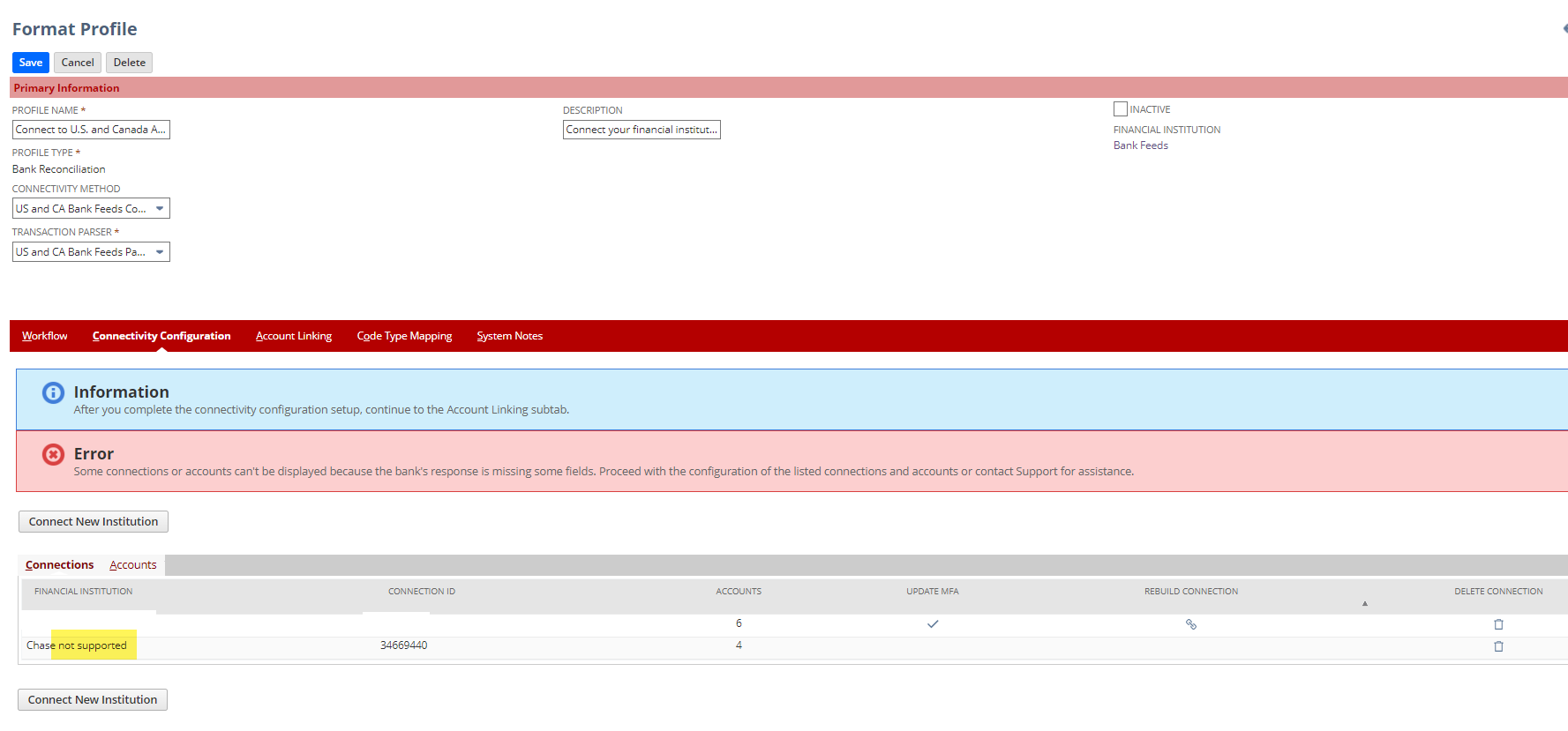
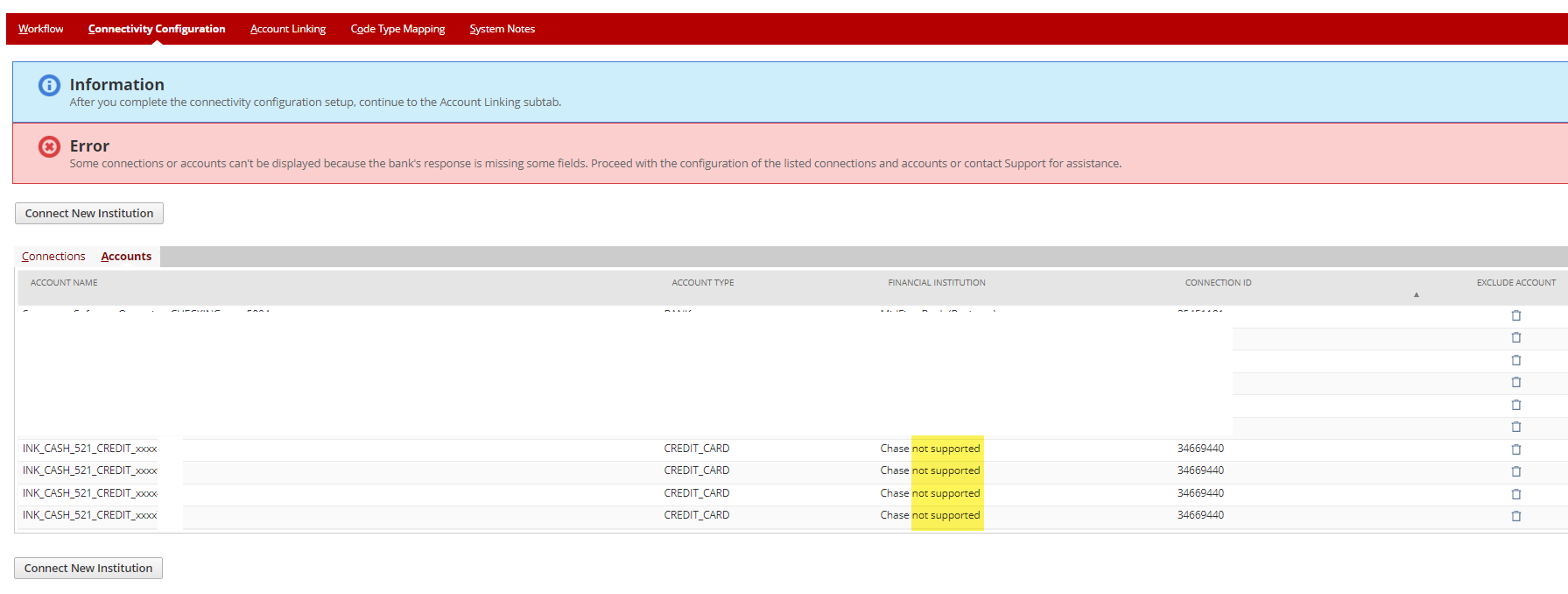
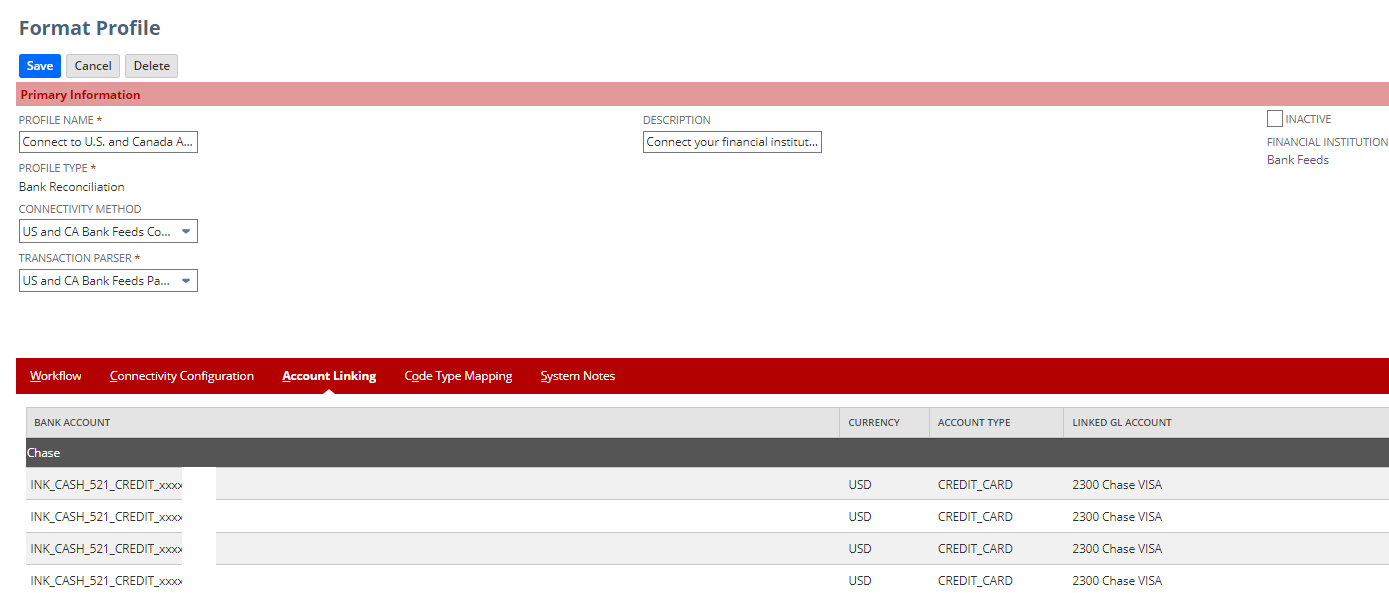
Below are excerpts from the November 2021 Supported Financial Institutions USA and Canada
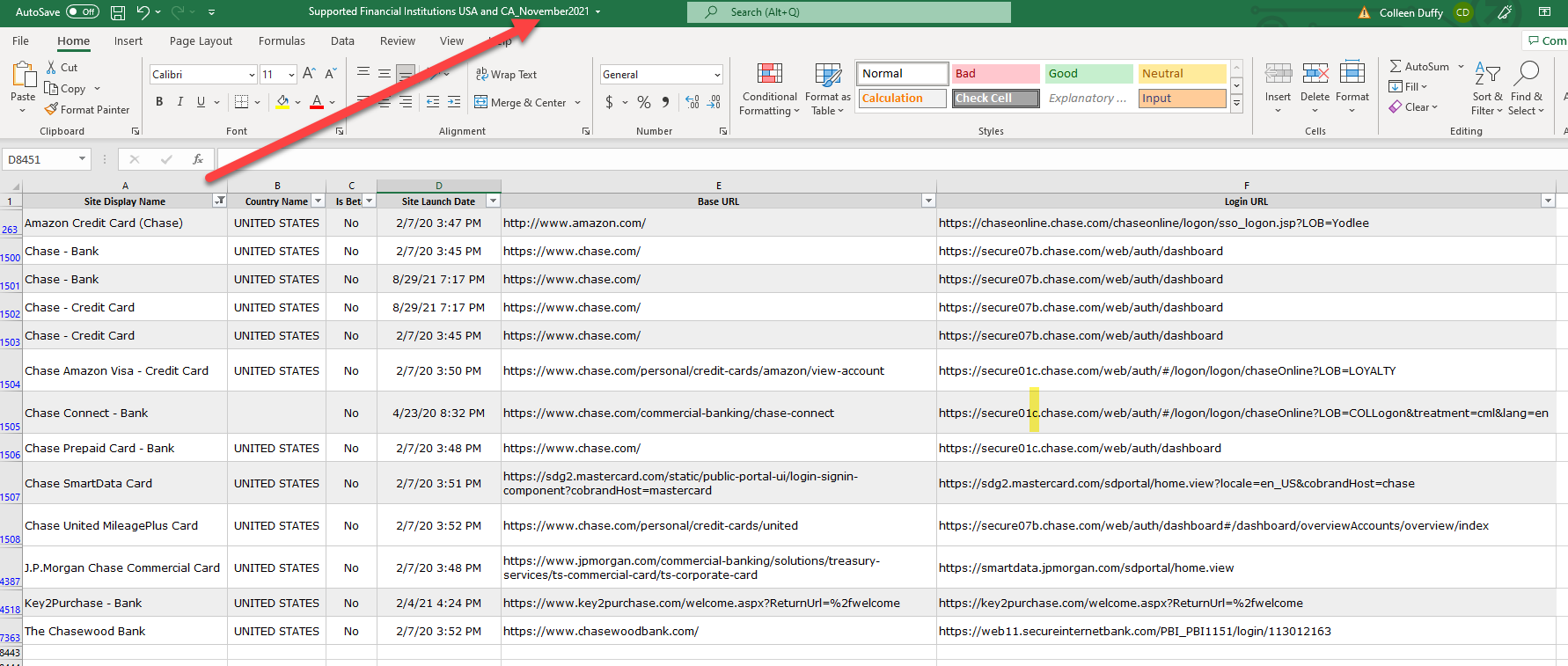
Below are excerpts from the Supported Financial Institutions USA and Canada today April 2022
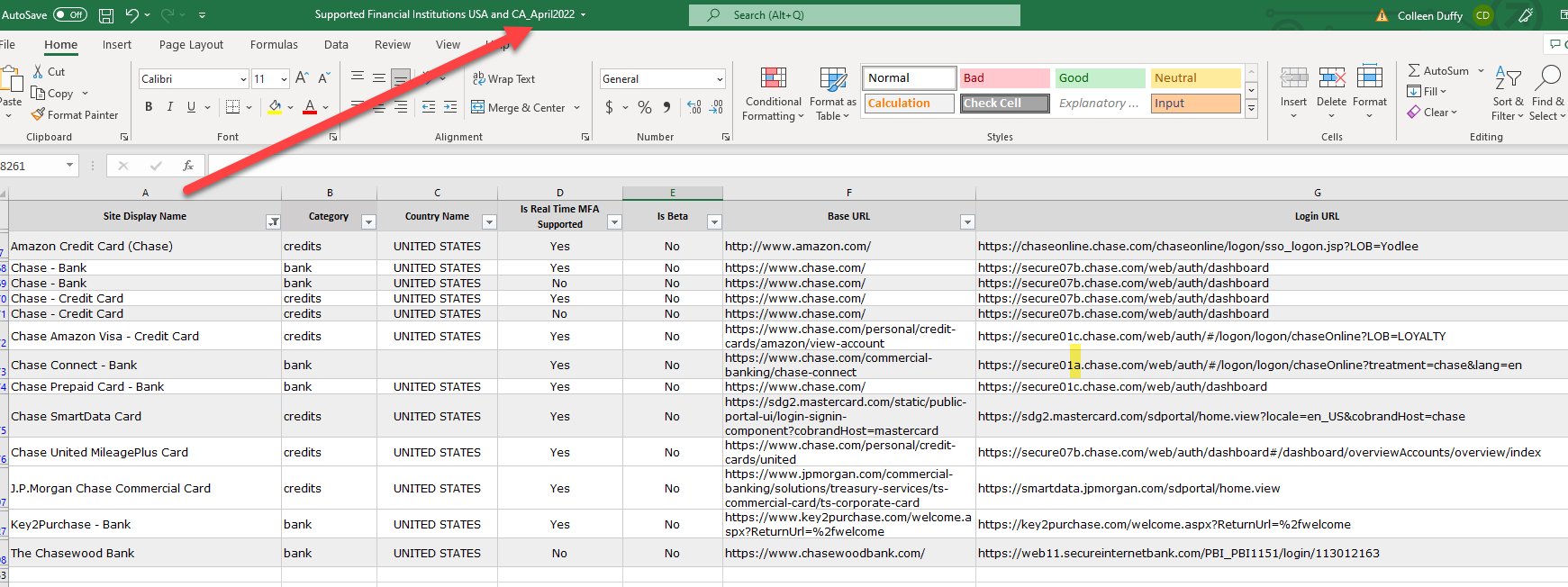
We resolved the error by defining a "new" connection using the new url and deleting the pre-defined Financial Institution.
Hope this helps someone else.
Best Regards,
 CDuf
CDuf
Re: What Last Count Date means and how it works
@Angela Bayliss @Nicole Mendoza-Oracle Thank you so much for your help and detailed explanation!

Re: MPN not pulled into Purchase Order
@Jervin Nicholas Teopengco-Oracle - I just ticked the "Show" box on the MPN (from MPN searchable) field in the Sublist Fields and it's showing up now! I had no idea that same field would be in multiple locations in the form!
Thank you all for your persistence and help!

Customer to Prospect
Hi All,
When we create a sales order based on a prospect record, The prospect will be automatically converted to the customer record.
But if we cancel the sales order or if the sales order got deleted still, it shows as a customer stage and does not revert back to the prospect stage.
Is this the standard behaviour? Is there any way to revert back to the prospect stage if the sales order is cancelled or deleted?
Thank you
 Janakan
Re: Introduce Yourself!
Hello,
I am Jan Lexly Cortez, located in Manila, Philippines
I am one of the Technical Support Engineers for NetSuite Analytics Warehouse
I enjoy sitting in front of the airconditioner this summer season!

Re: Introduce Yourself!
Hi everyone!
Sharlene Maloles here from the Philippines. I recently joined the Oracle NetSuite Philippines as an Application Performance Technical Support Engineer. Currently, I am attending the general training and excited to learn more! Outside of work, I enjoy spending time with my loved ones and watching netflix.
Cheers,
Sharlene