Best Of
Re: Permission for Access Token missed configuration
hi all, it's resolved.
- Permission > Setup > added "Log in using Access Tokens" and "Log in using OAuth 2.0 Access Tokens"
- Ensure my user assigned with the right role
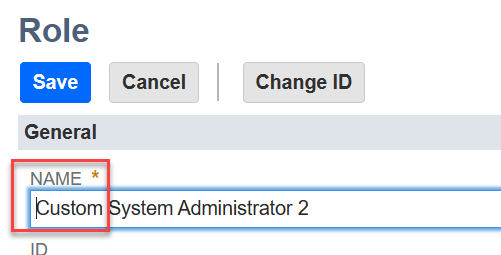
one of my mistake was clicked on "Customize" in "System Administrator", i thought it will edit the role, by not noticed it auto create new role "Custom System Administrator X", the edited row never granted to my API user, which keep hitting the same error. Silly me :) Thanks the team for the support!
 Wei Tat
Re: How to Add HSTS to the Header of a SC Standard Website?
NetSuite will have to update its terms of service, as scanning will be required to comply with PCI 4.0
I have support working on adding HSTS to our site right now, so that our SC site can pass the scan.
wwinters
TOP CONTRIBUTOR FOR APRIL 2024!

Please join us in extending our congratulations to @Angela Bayliss for achieving the title of Top Contributor for April 2024!
Throughout the month, Angela actively engaged in 87 discussions, provided 21 accepted answers, and garnered 10 Agrees, 10 Awesomes, 28 Insightfuls, and 28 Likes.
We truly value your enthusiastic participation in our Community, and we eagerly anticipate witnessing more of your exceptional contributions in the days ahead.
Interested in becoming our next Top Contributor? Click the link for more information.

Re: Unit of Measure Edit/Create Permission
Thanks for putting out the word.
I figured out it's the "Units" list.
Have a great day!

Re: Opportunity Win / Loss Report
Thank you so much! I was using a "Transaction" search and criteria was Type=Opportunity. I was not using an "Opportunity" search.
Not sure the difference, but this worked!

Re: ACCESS to Invoice Sales Order Status Page
I found the access point!! YAY!
List > Bulk Processing Submissions permission
 ✨Jeannie
Re: P&L report access restricted to a location for a custom role
Hello Pallavi1903,
Could you kindly begin by updating the employee record and assigning a specific location with the desired access you want to give to that employee.
Then create a custom role. Under Restriction sub tab - Mark the all category as "own and subordinates only"
Now with that role employee can see a specific location only in P&L which was assigned to that employee.
Thanks!!!

Re: unable to set location at line level on Inventory adjustment record?
Hello @User_32GQL,
I ran your script and it worked fine from my end as well.
You could try the following:
- Use Shift + F5 to refresh.
- Clear cache
- Check the Scripted Records page and view the list of deployed client scripts in the Inventory Adjustment record. Another script may be conflicting with this one.
I hope this helps!
If you find this reply to your question useful, others might as well. By clicking the “Yes” button for “Did this answer the question?” below, you’ll be able to help the community members who might have a similar concern find the answer easier and you will also get closer to earning your next Answer Accepter badge.

Re: Editing Purchase Order created by Bulk Processing - Incorrect Department at Line Level
Thanks @Elychelle Gulen-Oracle
That is useful to know this is the 'expected' behaviour. We will look to script changes to adjust the transaction lines to follow the Item's department.
