Best Of
Re: unable to set location at line level on Inventory adjustment record?
Hello @User_32GQL,
I ran your script and it worked fine from my end as well.
You could try the following:
- Use Shift + F5 to refresh.
- Clear cache
- Check the Scripted Records page and view the list of deployed client scripts in the Inventory Adjustment record. Another script may be conflicting with this one.
I hope this helps!
If you find this reply to your question useful, others might as well. By clicking the “Yes” button for “Did this answer the question?” below, you’ll be able to help the community members who might have a similar concern find the answer easier and you will also get closer to earning your next Answer Accepter badge.

Re: Editing Purchase Order created by Bulk Processing - Incorrect Department at Line Level
Thanks @Elychelle Gulen-Oracle
That is useful to know this is the 'expected' behaviour. We will look to script changes to adjust the transaction lines to follow the Item's department.

Re: ANALYTICS/KPI/DASHBOARDS
Hi @User_TXI1Z,
Upon checking, it is currently not possible to send an email based on the threshold of the KPI, this is a limitation under Enhancement 63397 Email Notification > User requesting to have email notification sent when KPI meets or exceeds a certain criteria.
Currently, there is a feature that will send you a daily alerts of your events, reminders, key performance indicators, and report snapshots. Please check SuiteAnswers Id: 8982 | Personal Preferences for Alerts
You can also create a Saved Search and have it emailed after the total of income accounts has hit a certain threshold.
1.) Navigate to Lists > Search > Saved Searches > New
2.) Select Transactions
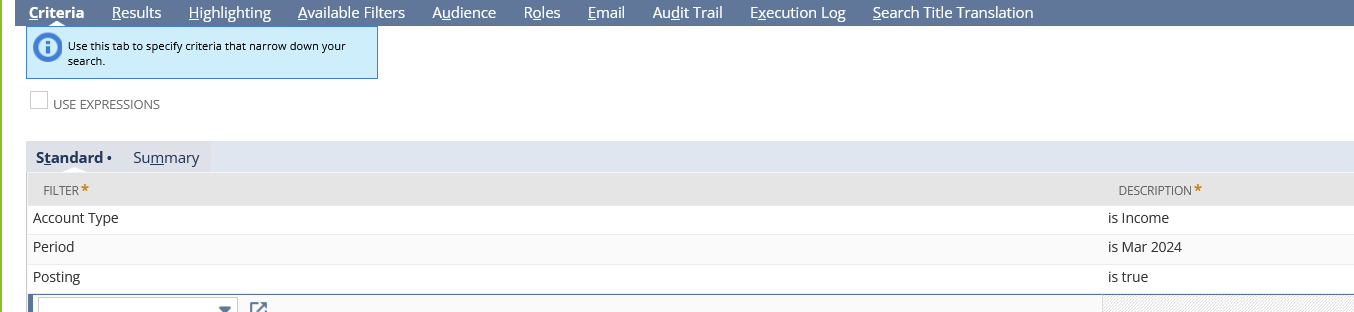
3.) Under the Criteria tab:
Account Type = Income
Period = March 2024 - You can select a different period for this or such as this period, or any other period
Posting = True
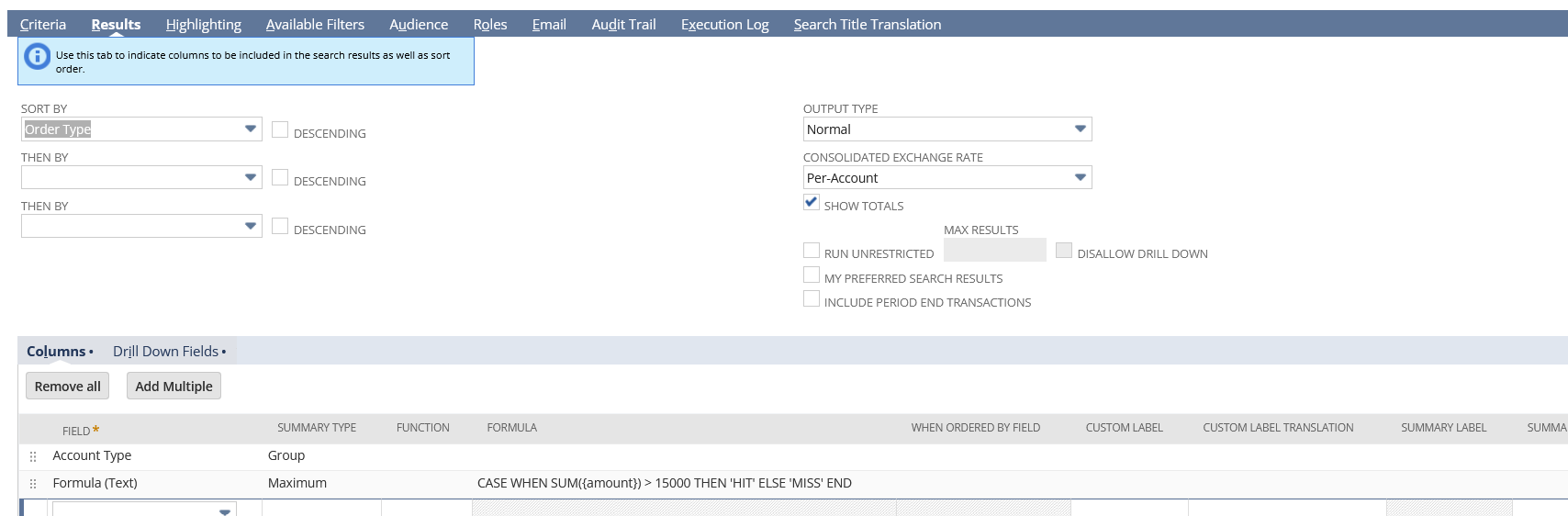
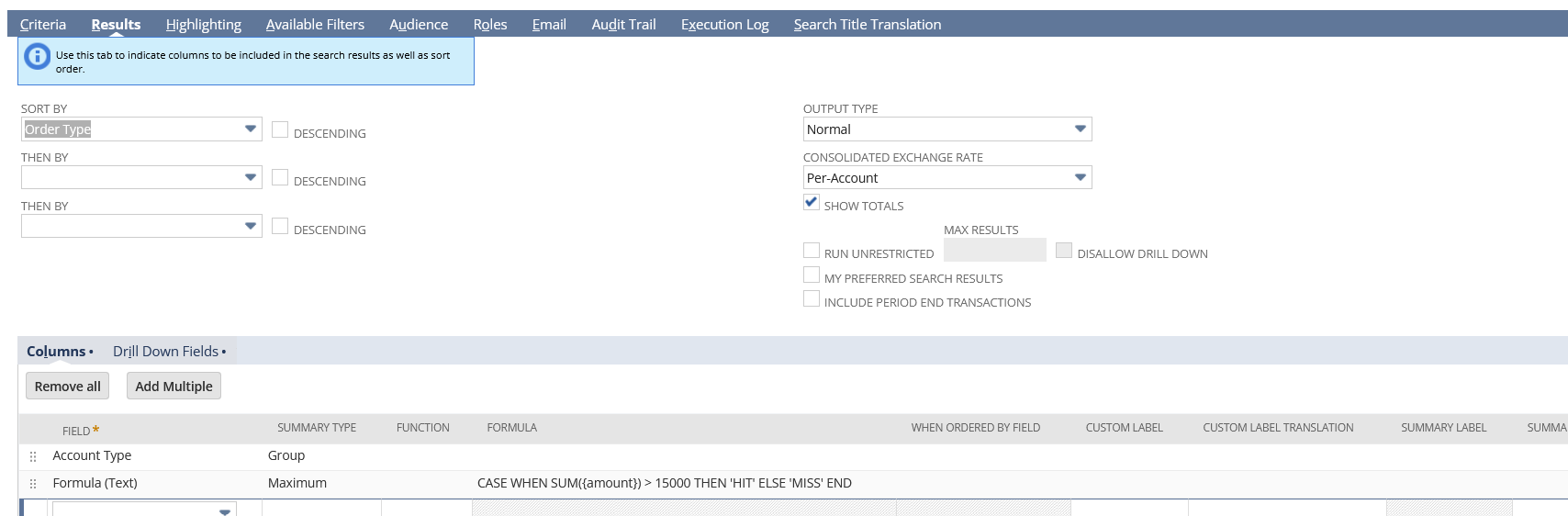
4.) Under Results tab, I have added:
Account Type | Summary Type: Group
Formula (Text) | Summary Type: Maximum | Formula: CASE WHEN SUM({amount}) > 15000 THEN 'HIT' ELSE 'MISS' END
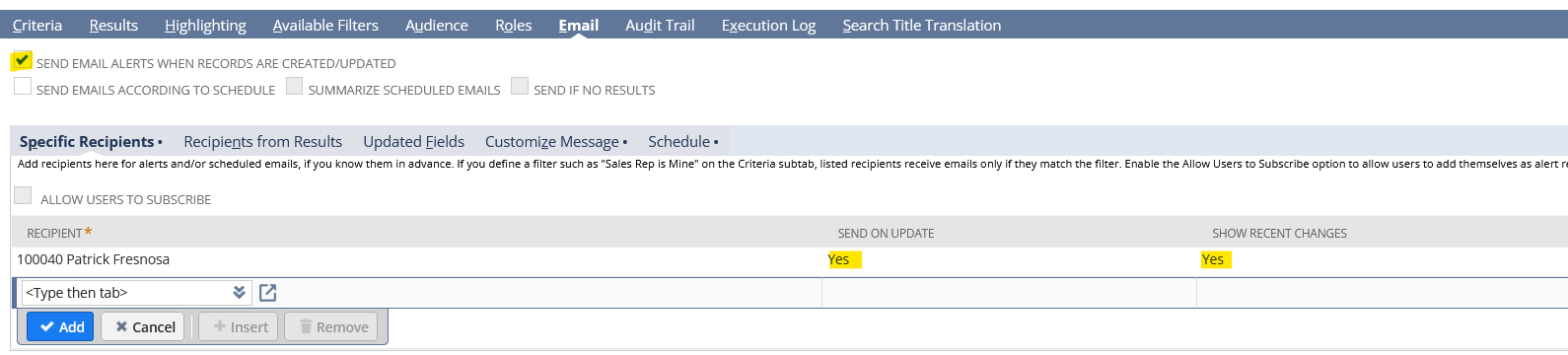
5.) Go to Email tab
Send Email Alerts When Records are Created/Updated = True
Add Recipients:
Send on Update = True
Show Recent Changes = True (Optional)
6.) Rename and Save your Search
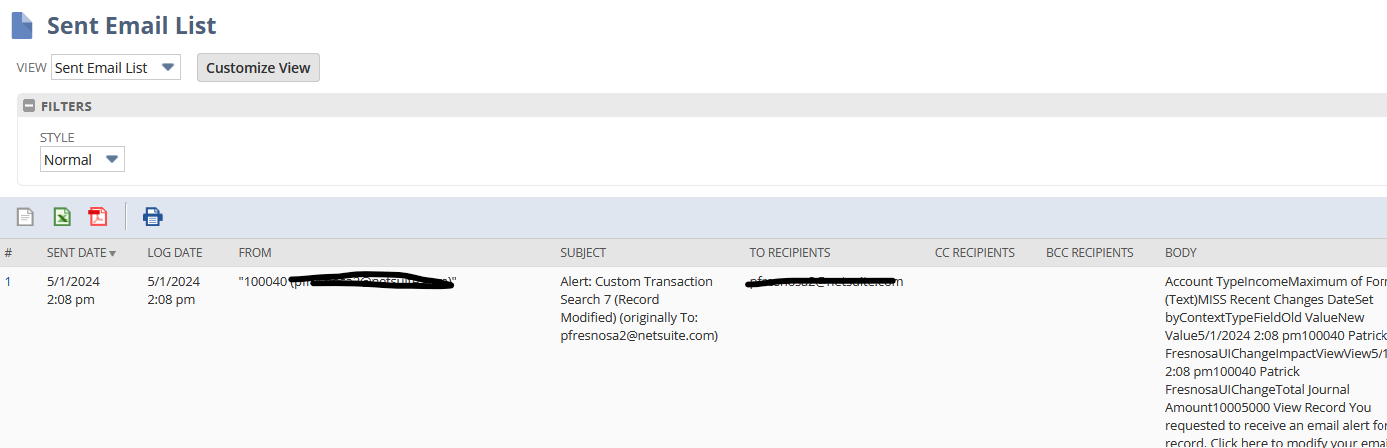
Sent Email
I hope this helps!
==========
If you find this reply to your question as helpful, others with the same question might find it helpful as well. By marking “Yes” on the “Did this answer your question?”, you’ll be able to aid the community to find the solution much easier and faster without the need to read through all the replies

Re: javascript/NLUtil.js not found error
Thank you Richard. I should have looked in SuiteAnswers first. Hopefully the developer resolves the issue.
 SWSearcy
Re: ANALYTICS/KPI/DASHBOARDS
Hi @User_TXI1Z,
Thank you for creating this thread. 😊
Hi, Everyone! You are welcome to join the conversation and share your insights.

Re: How can we process money we receive back from Creditors easily into Netsuite?
Hi Elychelle,
Thanks for you help, we will follow the instructions.
Best regards,
Rob.
Re: Core Administrator Permissions
Hi @Vernita,
While Core Administration Permissions aims to mirror the functionality of the standard Administrator role, the table below outline the differences between these two roles.
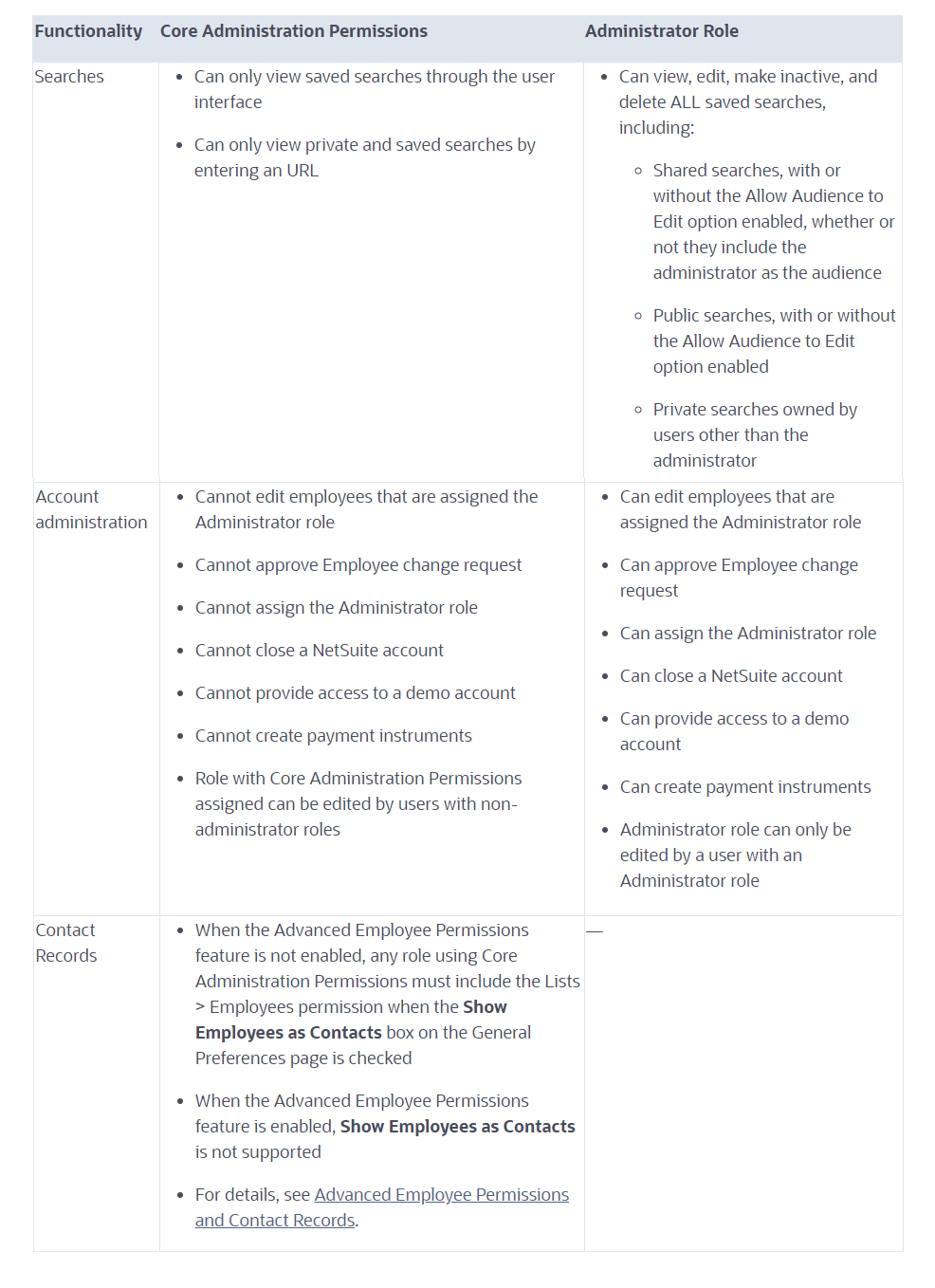
For more information, please see SuiteAnswers ID 82465 Core Administration Permissions
I hope this answers your questions. Thank you.

Re: Transactions to be reconciled don't show up
Don't feel like an idiot. All of us are learning different pieces and modules of NetSuite all the time. At least you have an easy fix!
Have a great day.
~angela

Re: Analytics: Last Invoiced date on Purchase Order
Hi @gfriedman,
I hope you are doing well.
Based on your statement, I assume that you have Purchases with multiple Invoices against different dates.
For example, my dataset below shows 2 dates for the Bills created for Purchase Order #53
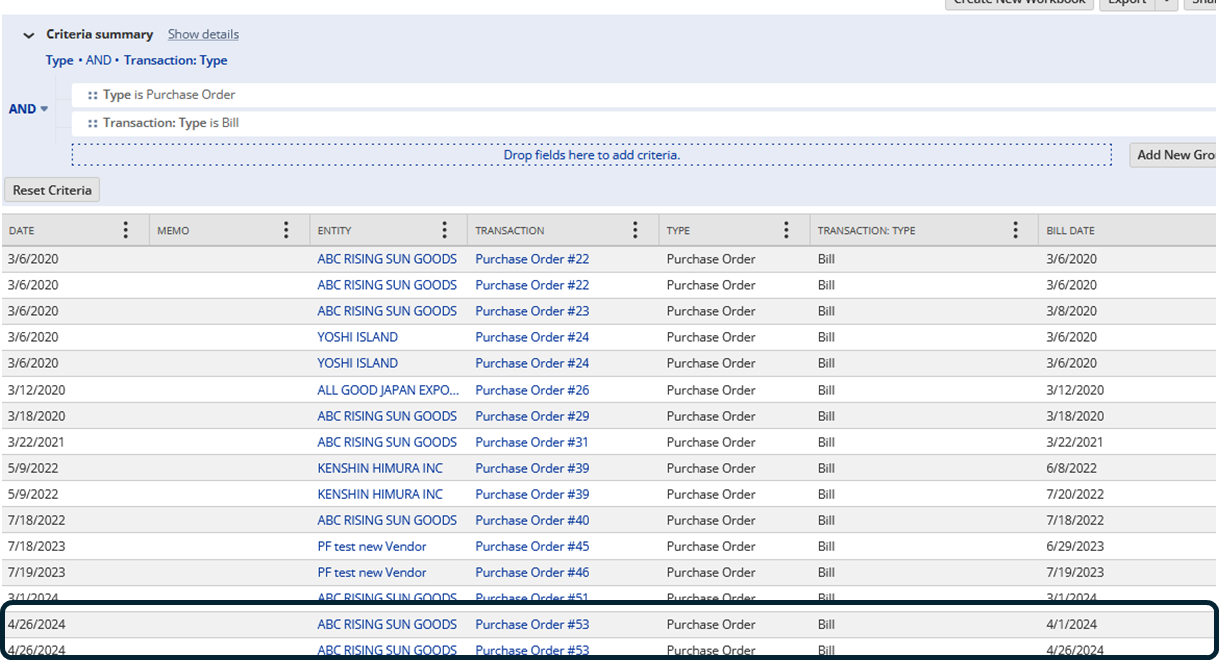
Note: I got the the dates in Related Transactions - Next > Transaction
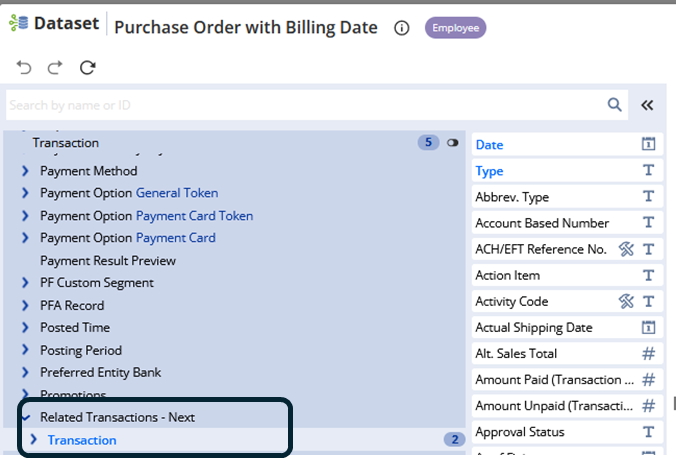
If you already have the correct dataset, let's now create the workbook.
1.) Click Create New Workbook on the Dataset
2.) Select Pivot
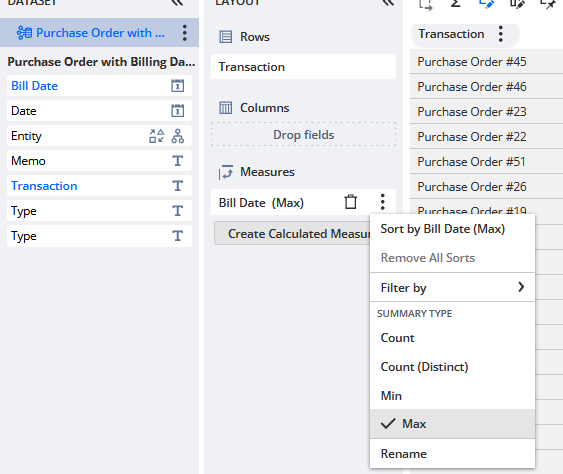
3.) Drag the Purchase Order Document Number as Rows
4.) Drag Bill Date to Measures and set it to Max
4.) Refresh the data
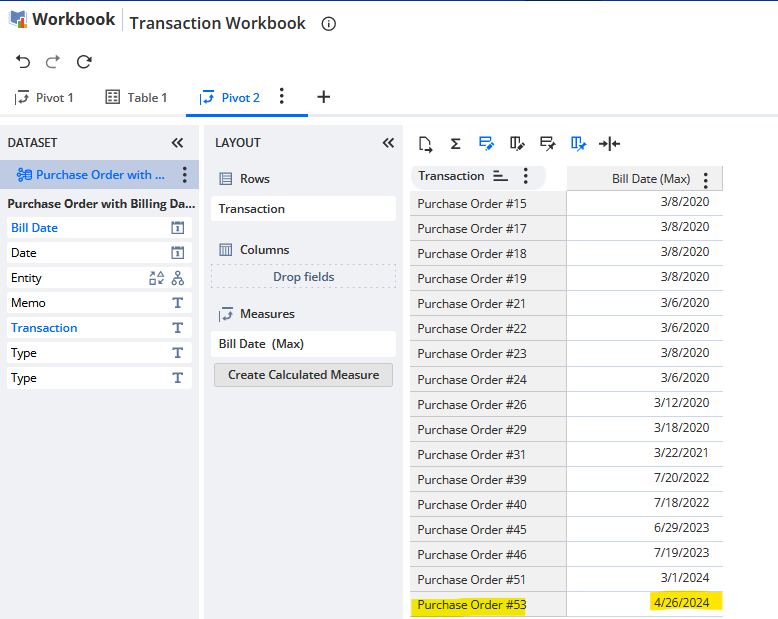
You should be able to see the most latest date of billing.
I hope this helps! 🙂
==========
If you find this reply to your question as helpful, others with the same question might find it helpful as well. By marking “Yes” on the “Did this answer your question?”, you’ll be able to aid the community to find the solution much easier and faster without the need to read through all the replies