Best Of
NetSuite Admin Tip | Automated Clearing House: No Available Payment Method

Adding a new Automated Clearing House (ACH) for a customer requires selecting a payment method, but in this case, no options are available in the dropdown list.
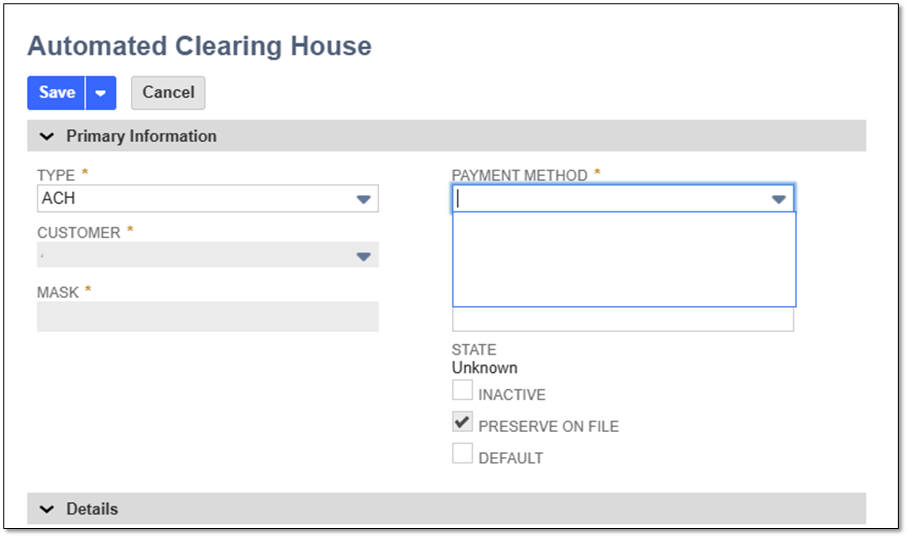
This is because no ACH payment method has been created yet. To set one up, follow the steps below:
1. Navigate to Setup > Accounting > Accounting List > FILTERS Type = Payment Method
2. Click New button
3. In the form, populate Name for the Payment Method
4. Set Type field = ACH
5. Select the Associated Payment Processing Profile
6. Set the Account to deposit to.
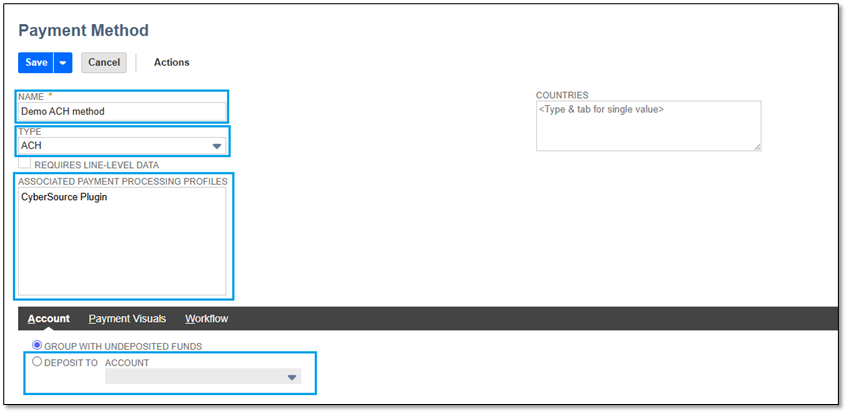
7. Then Save
We would love to hear your thoughts – please feel free to share any insights or experiences you have in the comments or post a discussion in the NetSuite Admin Corner and let's continue learning together!

Re: NetSuite Admin Tip | Invoice Table Showing as Unavailable in Records Catalog for Administrator Role
Hi @Todd N Niedringhaus, thanks for your feedback! 😊

Re: NetSuite Admin Tip | Invoice Table Showing as Unavailable in Records Catalog for Administrator Role
Hello Michelle Jabanes-Oracle,
It is nice to see the NetSuite Next navigation equivalent included in the NS Admin tips.
Thank you,
Todd Niedringhaus

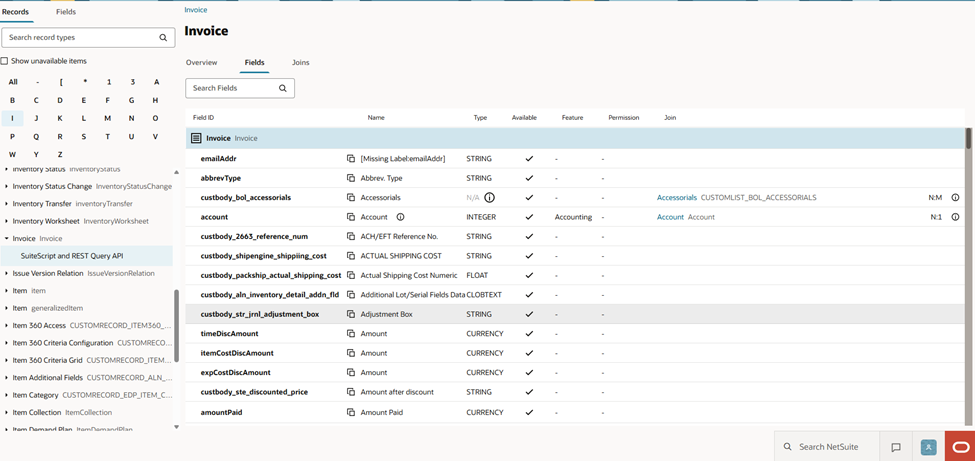
NetSuite Admin Tip | Invoice Table Showing as Unavailable in Records Catalog for Administrator Role

A user reports that the Invoice table appears as an unavailable item in the Records Catalog within their NetSuite account. Despite using the Administrator role, which typically has full access, the user is unable to access the Invoice table in this account.
Solution:
Enable Required Features
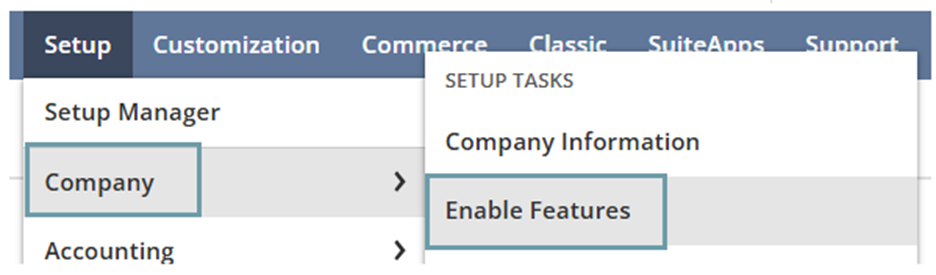
- NetSuite: Navigate to Setup > Company > Enable Features.
- NetSuite Next: Click Explore (Ask Oracle icon in the bottom right corner) button. In the menu, go to Setup > Company > Enable Features.
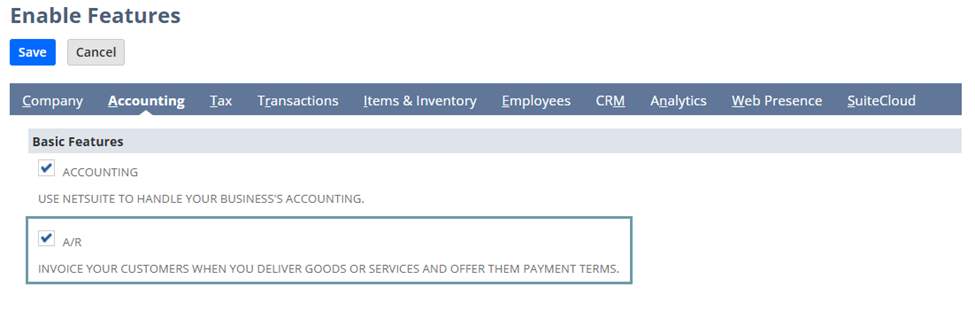
- In Accounting subtab > go to Basic Features section then confirm if A/R checkbox is enabled.
- In Accounting subtab > go to Basic Features section then confirm if A/R checkbox is enabled.
NetSuite:
NetSuite NEXT:
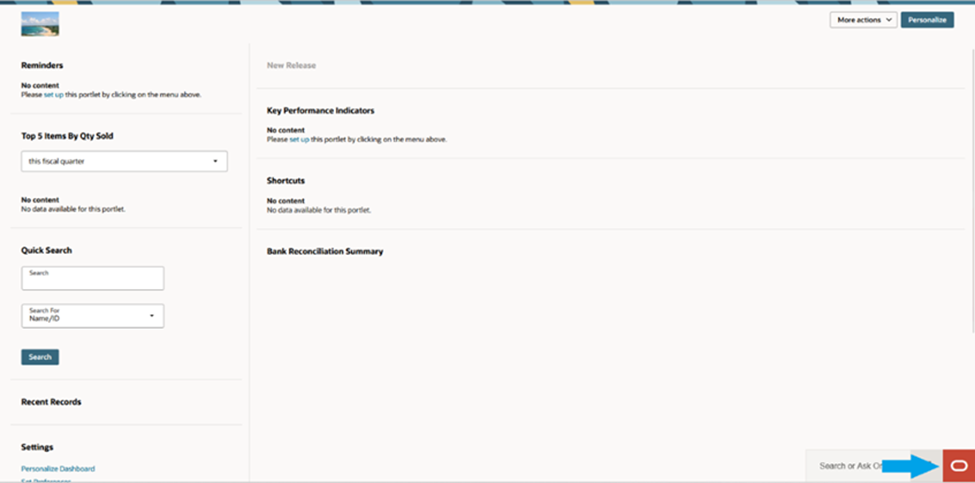
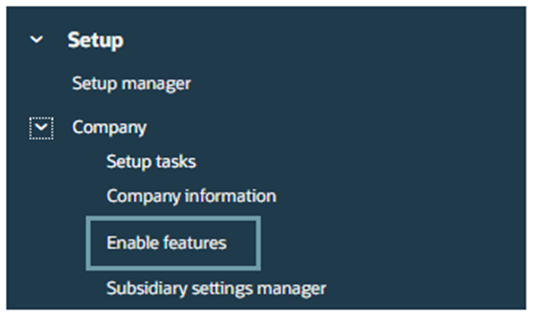
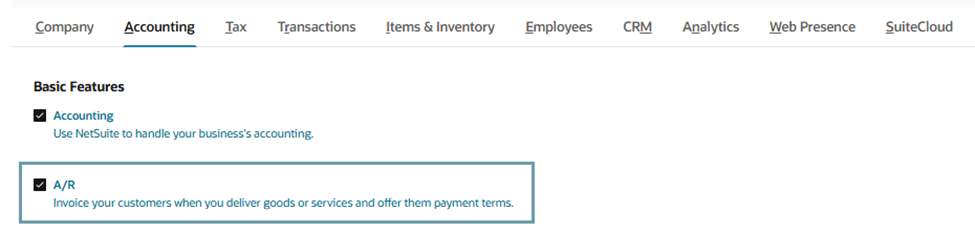
Even with Administrator access, record availability in the Records Catalog is influenced by enabled features and account configuration, not just role permissions. Ensuring the correct features are active is essential for accessing records like the Invoice table.
NetSuite
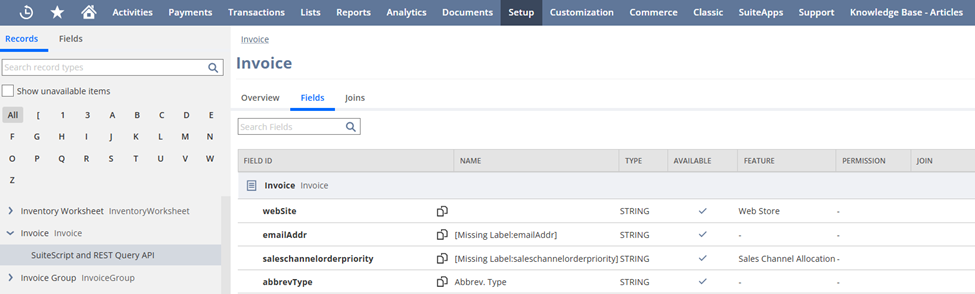
NetSuite Next
Have any tips to share with the community? Share them in the NetSuite Admin Corner.
Re: Formulas that work fine in a custom item field, but fail as a saved search column.
Hi @Tom Dalton,
Thanks for sharing the additional context—that helps clarify the issue.
Since your custom item field works on the record but errors in a saved search, the main difference is how NetSuite evaluates formulas. In saved searches, fields like {pricelevel9} are often not valid, even though they work in item field formulas.
That’s likely what’s breaking your “Amazon Margin” formula in the search.
You can try replacing:
{pricelevel9}→{baseprice}
or use{pricing.unitprice}(only if the Pricing join is available in your search)
Also, instead of referencing the custom field directly, try rebuilding the formula in the search using only fields that are confirmed to work there.
In short, the issue isn’t the math—it’s that some fields used in your custom field formula aren’t supported in the saved search context.
Hope this helps 👍

Re: Formulas that work fine in a custom item field, but fail as a saved search column.
Hi Rose, that also gave me an invalid expression error.

Re: Formulas that work fine in a custom item field, but fail as a saved search column.
@Tom Dalton
Please try below formula
ROUND(
(
({pricing.unitprice} + NVL({custitemamzn_stndrd_shipng_cost},0))
- NVL({custitemlanded_cost_per_sales_unit},0)
- NVL({custitemone_piece_fee_paid_to_amazon},0)
- NVL({custitemsd_average_ship_with_markup},0)
)
/
NULLIF(({pricing.unitprice} + NVL({custitemamzn_stndrd_shipng_cost},0)),0)
, 2)

Re: Formulas that work fine in a custom item field, but fail as a saved search column.
It gave me an invalid expression error.
Re: Formulas that work fine in a custom item field, but fail as a saved search column.
Hi @Tom Dalton add a Formula (Percent) or Formula (Numeric) column and try this SQL,
ROUND(
(NVL({pricelevel9},0) + NVL({custitemamzn_stndrd_shipng_cost},0) - NVL({custitemlanded_cost_per_sales_unit},0) - NVL({custitemone_piece_fee_paid_to_amazon},0) - NVL({custitemsd_average_ship_with_markup},0))
/
NULLIF((NVL({pricelevel9},0) + NVL({custitemamzn_stndrd_shipng_cost},0)), 0)
, 2)

Re: Formulas that work fine in a custom item field, but fail as a saved search column.
Here is an example. This is an item field called "Amazon Margin" and it's a percentage field and I'm trying to show it on a saved ITEM search….
The "Amazon Margin" field's formula is set to. round({custitemdollars_profit_amazon}/{custitemamazon_shipped_price},2)
It shows up fine in any item record. It gives an error when displayed in any item saved search.
The fields it uses in it's formula are…
{custitemdollars_profit_amazon} = {custitemamazon_shipped_price}-{custitemlanded_cost_per_sales_unit}-{custitemone_piece_fee_paid_to_amazon}-{custitemsd_average_ship_with_markup}
{custitemamazon_shipped_price} = {pricelevel9}+{custitemamzn_stndrd_shipng_cost}