Best Of
Re: Bulk update of revenue arrangement/plans via suitescript
Hi User_9AUJK,
This is a Duplicate Thread. Here is the Acknowledged Thread: https://community.oracle.com/netsuite/english/discussion/4491673/bulk-update-of-revenue-arrangements-and-plans#latest
Thank you!
-Lyka
Re: Different currency for statutory books
Hi @User_9AUJK, were you able to create a secondary book already? If yes, this can be found via Setup > Accounting > Accounting Books. Per SAID 63100:
"If you are using Foreign Currency Management, on the Subsidiaries subtab, set the Base Currency for each Subsidiary."
Hope this helps! :)
Re: NSC Poll: What contents would you like to see in the NetSuite Support Community?
I was going to say the same thing.
kastnerd
Re: How to disable/hide Locked transaction forms
Amazing! You're absolutely right! Thank you so much, no idea how I missed this!
Re: Applying Advanced Intercompany Journal on a Bill
Thank you for posting this thread, @ZShah .
Greetings, everyone! We have a fellow member who could use our assistance. Please don't hesitate to share your knowledge and insights to help them out. Your input is highly valued and appreciated!
NetSuite Admin Tip | How to Verify the Computed Average Consolidated Exchange Rate
The success of multinational corporations is significantly influenced by exchange rates. Exchange rates enable countries to assess their currency values and facilitate cross-border transactions. Global businesses must understand how exchange rates work for effective operations.
These global and multi-subsidiary organizations are supported by NetSuite OneWorld. NetSuite contains a page of consolidated exchange rates at Lists > Accounting > Consolidated Exchange Rates. Consolidated exchange rates between the base currencies of each subsidiary and its parent or grandparent subsidiary for a specified accounting period are included on this page.
One type of consolidated exchange rate is the Average Rate. The Average Consolidated Exchange Rate refers to the weighted average of transaction exchange rates applied to accounts using the Average General rate type throughout the specified period.
In SAID 46610, it explains how to create a saved search to verify the Average Consolidated Exchange Rate computed by the system. In this article, we will focus on which rate the system uses to translate transactions that are dated outside the period but have been assigned to it.
For example, user is extracting a single period (Mar 2024) but it contains transaction date for many other months (eg: 20 Jan and Feb 2024).
To illustrate, I created 3 transactions with the following details:
Assigned Subsidiary = Test Sub (child subsidiary of Parent Company)
- Test Sub base currency = CAD
- Parent Company base currency = USD
All these transactions have been assigned under the Mar 2024 period despite having different transaction dates.
For sample purposes, the following are the exchange rates for CAD to USD:
- Jan 15, 2024 = 0.60
- Feb 29, 2024 = 1.4
- Mar 04, 2024 = .7886
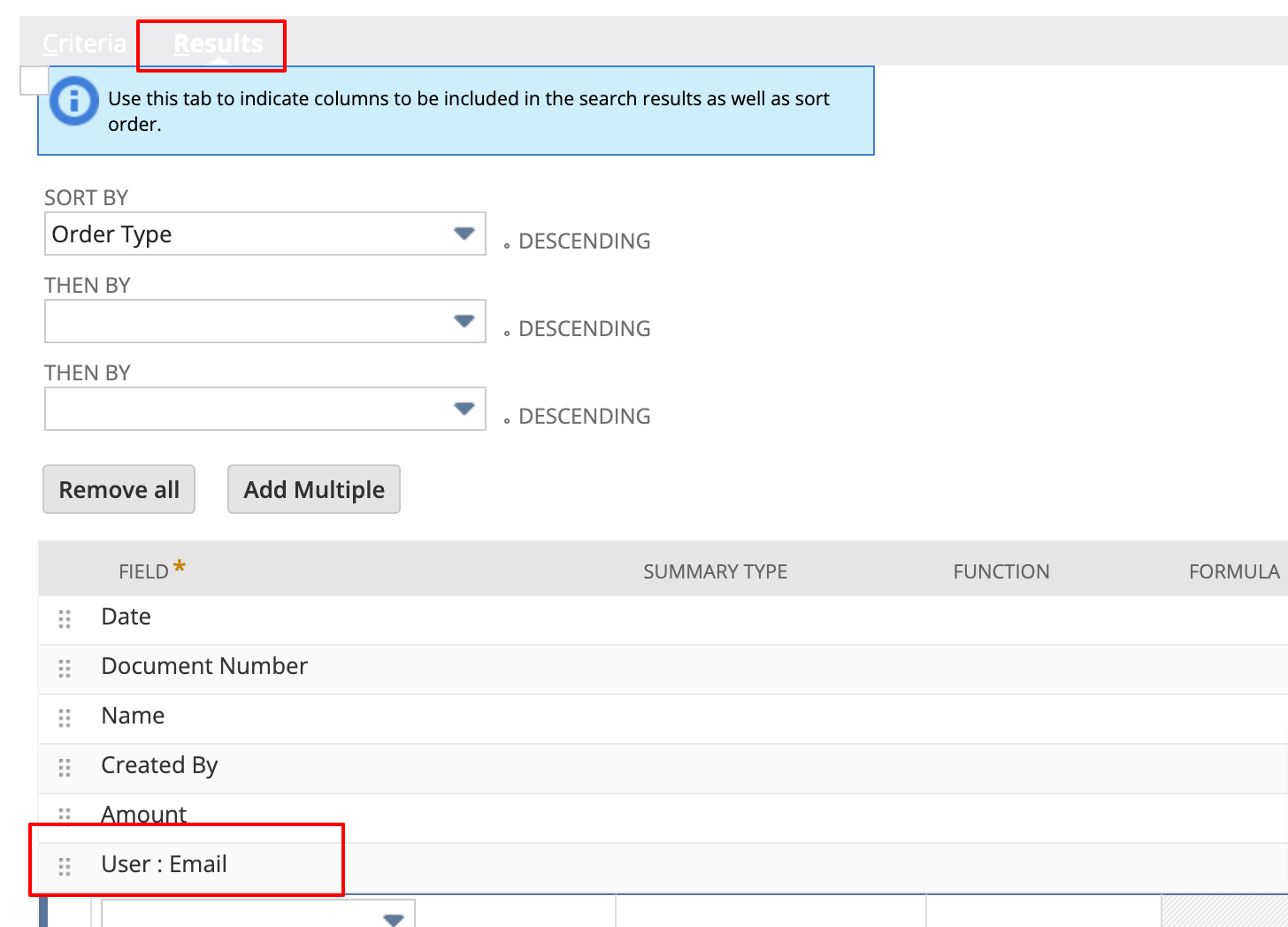
Here's a sample search I created to get all transactions posted on Test Sub which uses Account with Average General Rate Type for the month of Mar 2024:
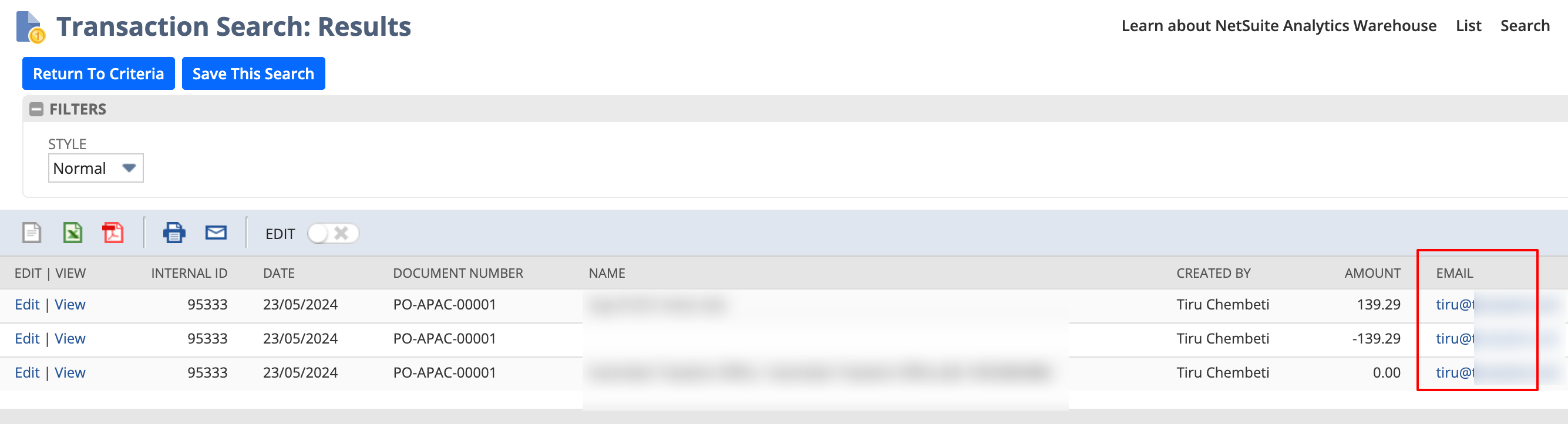
Results:
Note: The exchange rate shown on this is the rate to convert the transaction amount to child subsidiary’s (Test Sub) base currency which is CAD. The amounts shown is already converted to CAD.
Check the Average Consolidated Exchange Rate for Child Subsidiary Test Sub to Parent Company for the month of Mar 2024 = 0.99869207:
Following SAID 46610, here's how it is computed:
This allows us to confirm that the system computes the Average Consolidated Rate based on the exchange rate present on the transaction's posting date, irrespective of the rate assigned to the period in which it falls.
Do you want to share other best practices or tips in computing Exchange Rates? Feel free to comment on this thread or post them in NetSuite Admin Tips!
Re: How to resolve error: "Please enter a value for entity" when importing expenses?
Go to List - Relationships - Vendors. On the vendor list, there is a column there for Internal ID, Here --
Re: How to resolve error: "Please enter a value for entity" when importing expenses?
Hello User_MB3L5. Instead of using the vendor name, use the internal Id.
Did you know? Replacing entity address records..
Did you know?
When importing address records to entities, a common mistake is to add more addresses to the entity, instead of replacing the addresses present. During implementations, I have seen consultants end up with 10-15 addresses per customer, when each customer has a single billing & Shipping address. I have seen end users upload 'address corrections' that also end up as new addresses, and it can become a mess quite quickly.
If you want to add new addresses to your entities, and keep the existing, or if you prefer to replace all existing addresses - there is a setting within the import assistant that controls this. During your import, expand 'Advanced Options' in step 2:
To REPLACE the addresses, check the 'Overwrite Sublists'. To Add new addresses, leave this box unchecked. One box can prevent a big mess, when used properly.
~angela
Re: Create Multiple New Items In Bulk
Thanks Angela, we werent set up using SuiteSuccess so i can manually create the template. But the information is very helpful!