Best Of
Re: How to Import invoices tied to Subprojects
We use subprojects as well in our company and issue invoices for the subprojects. Here's how we manage it successfully in the UI:
On the Customer ('entity') field, we set the main customer record. (In CSV, it's the internal ID of the main customer.
On the Project, ('job') field, we set the subproject. (In CSV, it's the internal id of the subproject).
If this didn't work, you can try sending screenshots of how the customer and subproject is linked, and the CSV template you're using.

NetSuite Admin Tip: How to Publish Item Saved Search on Customer Center Role

An enhancement is currently logged under #111431 | Customer Dashboard: Be Able to Publish Customer Dashboard to Other Users/Roles Same as (Center Tab) Dashboard and as a workaround, you can utilize the SiteBuilder module to publish the items search to your Customer Center role. See the steps below.
Prerequisite: SiteBuilder Module is present, and feature must be enabled. (Paid module)
Navigate to Setup > Company > Enable Features > Web Presence tab and see if Web Site and Site Builder are available.
Step I: Create Presentation tab
1. Navigate to Commerce tab > Site Builder > Tabs > New
2. Select New Presentation Tab
3. Enter Label
4. Display in Website = False
5. Navigate to Audience tab > Select the role
6. Click Save
Step II: Publish the Saved Search
1. Navigate to Commerce tab > Site Builder > Publish Saved Search
2. Enter Title
3. In Search field, Locate the saved search
4. Enter Site
5. Subcategory of: Enter the name of the Presentation tab created in Step I
6. Display in Website = False
7. Navigate to Audience tab > Select the role
8. Click Save
9. Log in as customer to test.
Got some insight or other workaround that is currently working in your environment? Please feel free to share your thoughts in the comment section.

Re: Transaction Workflow to change line item field with item record conditions
Hi @Kristoffer Viray-Oracle thank you for your reply,
in the end i figured it out what i had to do to achieve my required result. I had to create Custom column item and source the information from Custom item field
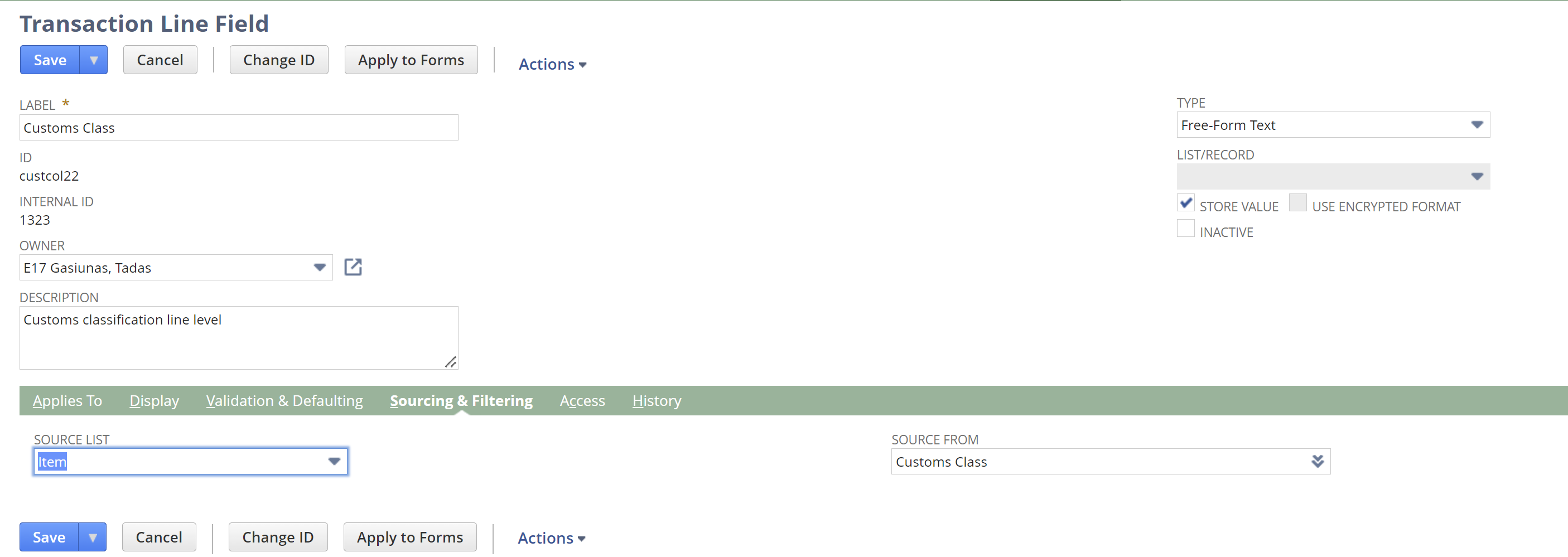
then, add that custom column item field on to sales order line items and it would appear as a condition in the workflow option
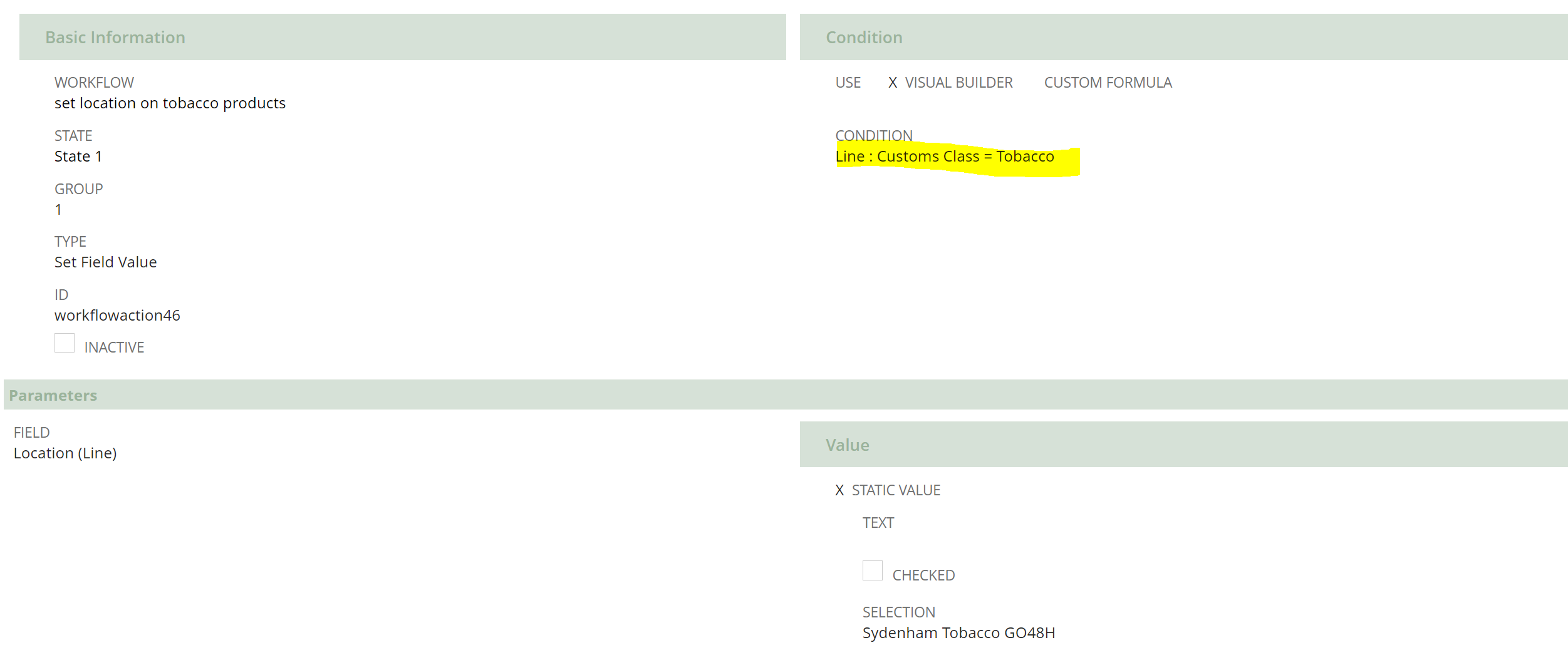
i have tested and the imported sales order transaction has location changed via workflow
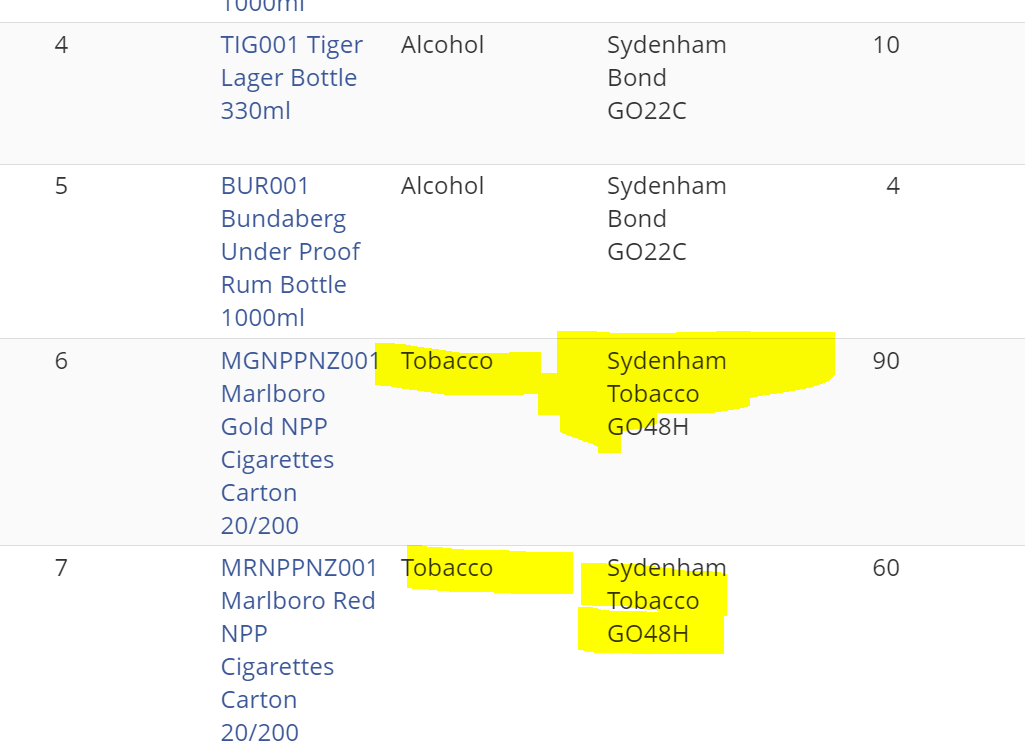
sweet.
have a good one and thank you for yor help and time.
Tadas

Re: Selling a set of items
Yes, if you use an item type of "Kit/Package" you can sell the set but fulfill using the individual inventory items

Re: Month End Currency Revaluation not revaluing
Hi @Muzzyelk,
That is correct if your Vendor 3188 is an Intercompany Vendor, then it should only be attached to Accounts Payable marked for elimination.
I hope this helps 🙂
Re: REST API Authentication
I rebuilt everything again. I created a new user access token using a different role from one that has core admin rights and also set the account id to use upper case letters for the company sandbox account "123456_SB1" instead of "sb1" and this time it worked.
Re: Exchange rate field on Advanced Intercompany Journal Entry
Adding additional line is great but comes with only challenge at the time of Bank reconciliation. During reconciliation, System will show this as 1 line or just 1 JE instead of JE with multiple lines. Apart from this we should be all good.

Re: Exchange rate field on Advanced Intercompany Journal Entry
Hi Preethi Kondur,
At the time of transaction creation, you should be able to update the exchange rate provided the header subsidiary currency and line level subsidiary currency is different.
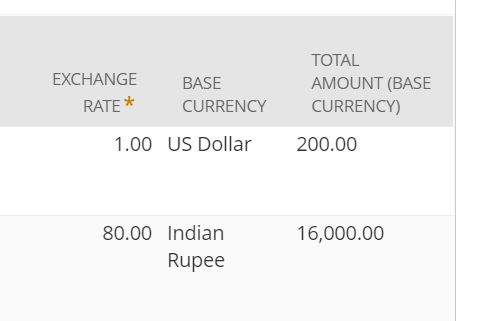
Here my Line level subsidiary has INR currency and header subsidiary currency is USD.
Re: What permission to add to see the Item Pricing sublist on the Customer object?
Hi @jb123
Can you cross check if item pricing sublist is unchecked from custom form under sublist.
Re: Bank matching error message on charge creation
Hello @Vernita ,
Can you please double check if both of the mentioned items are active?
To check if the Subsidiary is Active, please follow the steps below:
- Navigate to Setup -> Company -> Subsidiaries
- Search for the Subsidiary Internal ID 1
- Edit the Subsidiary and check if is Active
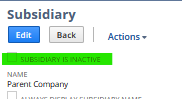
To check if the Tax Code is Active, please follow the steps below:
- Navigate to Setup -> Accounting -> Tax Codes
- Search for the Tax Code Internal ID 7
- Edit the Tax Code and check if is Active as well
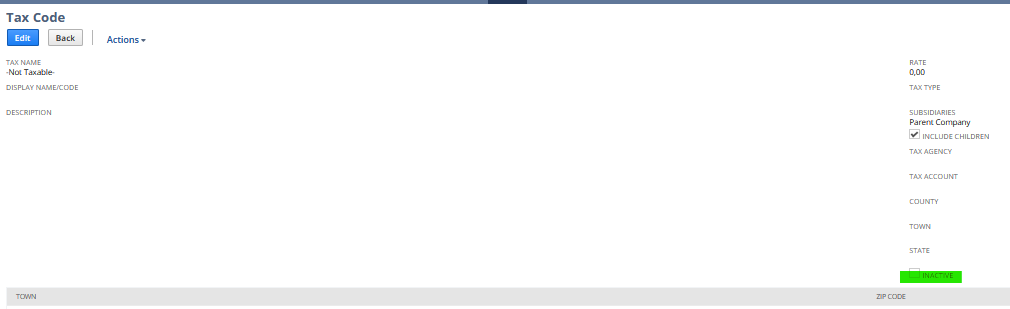
Please, let me know how it is looks like. Both of the Items must be Active so the process can be done without errors. Thank you very much.
“Kindly click "Yes" on "Did this answer the question?" if you find the reply on your thread helpful. This will aid the others with the same question to easily find the correct answer. Thank you!
